What you will have
This tutorial shows you how to back up and migrate Ghost on a VPS in a way you can actually trust, because it ends with a migration you have run yourself rather than a folder of archives you assume would work. Your publication is usually the one thing on the slice with no copy anywhere else, so a backup that skips a piece is the gap between a quiet evening and losing every post, member and image you built.
You will finish with two things at once. The first is one script that dumps the database, folds the content and config into a single dated archive, ships it off the machine to object storage, wakes up each night on its own, and clears out old copies. The second is a proven move: taking that archive to a fresh empty slice and watching the whole publication come back, every post, every member and every image intact.
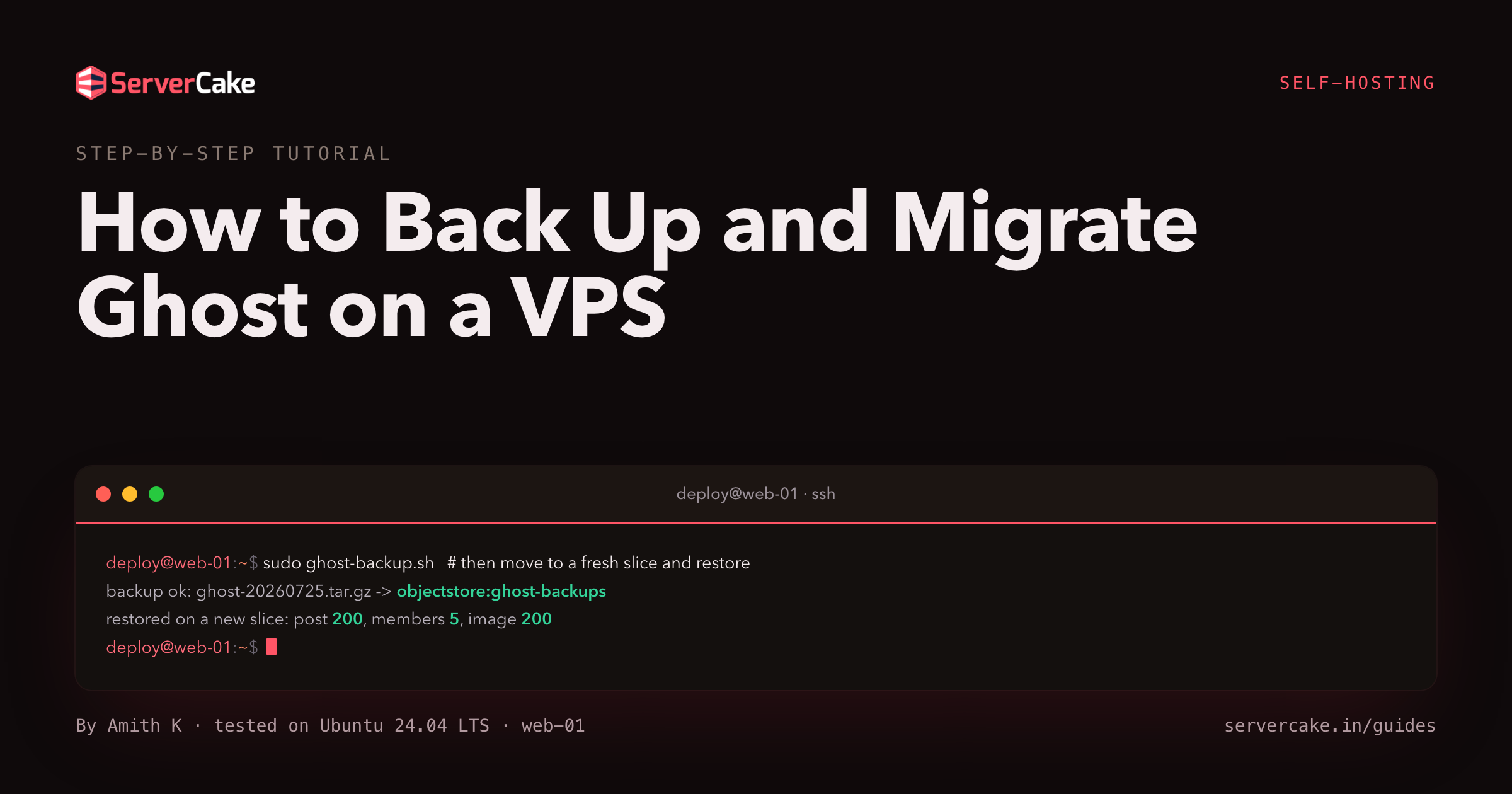
This is for anyone moving off Ghost(Pro) or an old box, or anyone who wants a publication that is genuinely recoverable rather than hopefully recoverable. Here is the destination, shown first. This is the exact sequence captured on the instance we protected while writing this guide, a real Ghost publication behind nginx.
# a backup runs, then a migration proves it   (then a migration that proves it)
sudo /usr/local/bin/ghost-backup.sh
curl -sk -o /dev/null -w 'before   %{http_code}\n' https://your-domain/owning-the-words/    # 200
# stand up a fresh empty slice, then restore from the offsite copy, then:
curl -sk -o /dev/null -w 'restored %{http_code}\n' https://your-domain/owning-the-words/    # 200
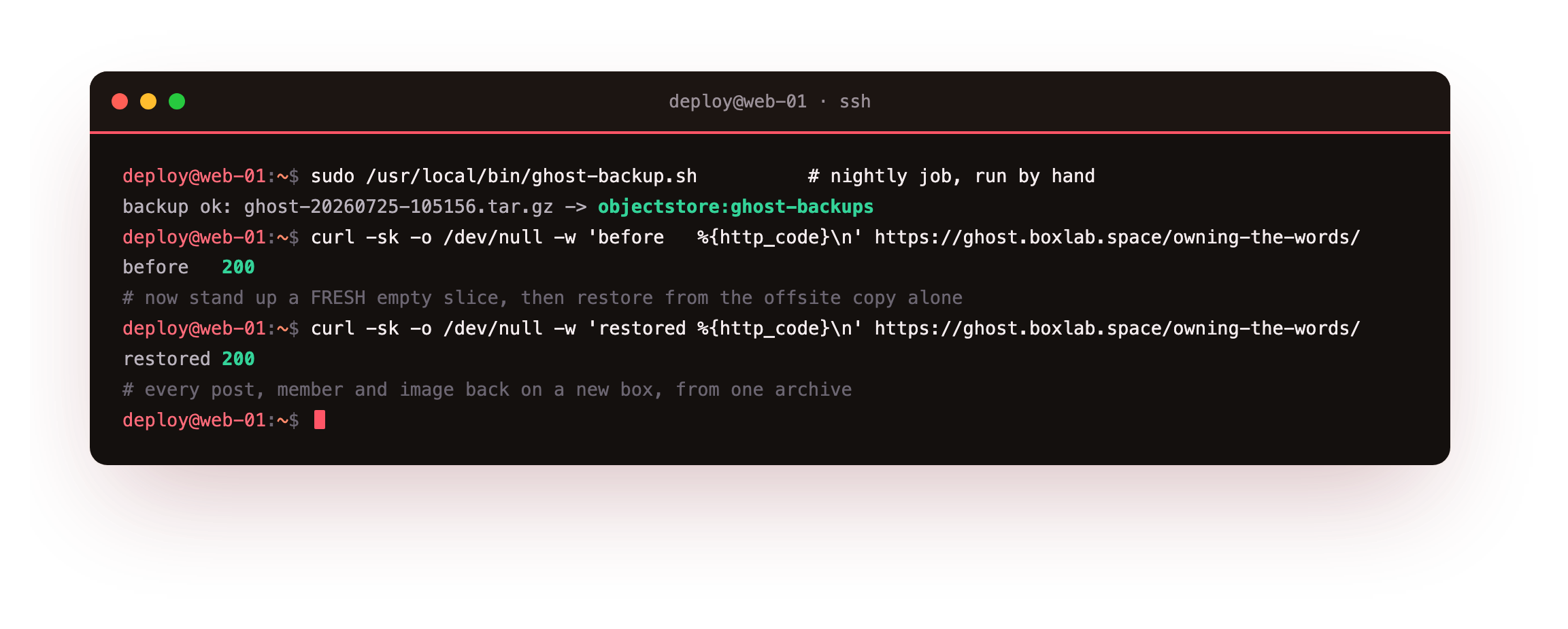

On our box that run wrote a small archive and shipped it offsite, and after we brought up a fresh empty Ghost and restored from that copy alone, the exact post returned a 200 with the members count back at five and the feature image rendering. An archive you have watched turn back into a working site on a different box is worth more than a shelf of archives you have never opened.
- The parts a Ghost backup must hold: the MySQL database, the content directory, and config.production.json.
- The portable exports (a content JSON and a members CSV) that make a migration to a new box easy.
- A clean backup script that dumps the database and folds everything into one dated archive.
- Getting every archive off the box to S3-compatible object storage using a scoped, least-privilege key.
- A real migrate drill: a fresh empty slice, restored to a full publication from the offsite archive.
One truth sits under every step below. A Ghost backup only earns the word once it has rebuilt a live publication on a different box. Scheduling a tar is the easy tenth. The remaining nine tenths are dumping the database so it reloads cleanly, getting a copy off the machine, and rehearsing the move until the real one feels dull.
Before you begin
Everything here protects a Ghost that is already running, so the assumption is that you have one to work against.
- A live Ghost publication with real content in it, installed with ghost-cli behind nginx over HTTPS, from how to install Ghost on a VPS. The commands assume that same layout: the install under
/var/www/ghost, the content at/var/www/ghost/content, and a MySQL 8 database Ghost connects to on127.0.0.1. - A handful of real posts, a couple of uploaded images and a few members, so the restore has something to prove. Members can be added from Ghost admin without sending any email.
- An SSH login on the slice with
sudo, and a place offsite to keep the copies. Ours is a ServerCake Object Storage bucket, and since it speaks the S3 API, every command below is the same against any S3-compatible endpoint.
You will stay on SSH throughout as a sudo-capable user. Swap your-domain and the paths for your own as they come up.
How to back up and migrate Ghost on a VPS
Nothing about a single command makes a publication safe, so the task splits into a few parts that each close off one reason you might end up without a working copy. Take them in this order:
- Understand the parts a Ghost is made of, and which give you a full restore versus a portable move.
- Put those parts into one archive with a script you can read.
- Move every archive off the slice, since a copy that shares the failing disk is lost with it.
- Let a timer run the script each night, and cap how long copies live.
- Rehearse the move onto a fresh slice, so the real migration is a routine you have walked.
They build on each other, and the whole reward sits in the last one, so a comforting heap of archives is a cue to run the drill and not a reason to put it off.
What a full Ghost backup contains
A running Ghost is a few things at once, and each backup piece has a job. The MySQL database is the catalogue: your posts, pages, tags, members, users and settings all live in it, so it has to be dumped, not copied file by file. The content directory at /var/www/ghost/content holds the files: images (your uploads), themes, data, and settings/routes.yaml when you customise routing. And config.production.json carries the database password and the site URL, so a copy without it cannot even bring the database online.
# the parts a Ghost backup must hold   (the parts a Ghost backup must hold)
mysql -h 127.0.0.1 -u ghost -p ghost_prod -N -e \
  "SELECT ROUND(SUM(data_length+index_length)/1024/1024,1) FROM information_schema.tables \
   WHERE table_schema='ghost_prod'"                 # 1. the database size
du -sh /var/www/ghost/content                       # 2. the content directory
stat -c '%a %U:%G %n' /var/www/ghost/config.production.json   # 3. the config + DB secret
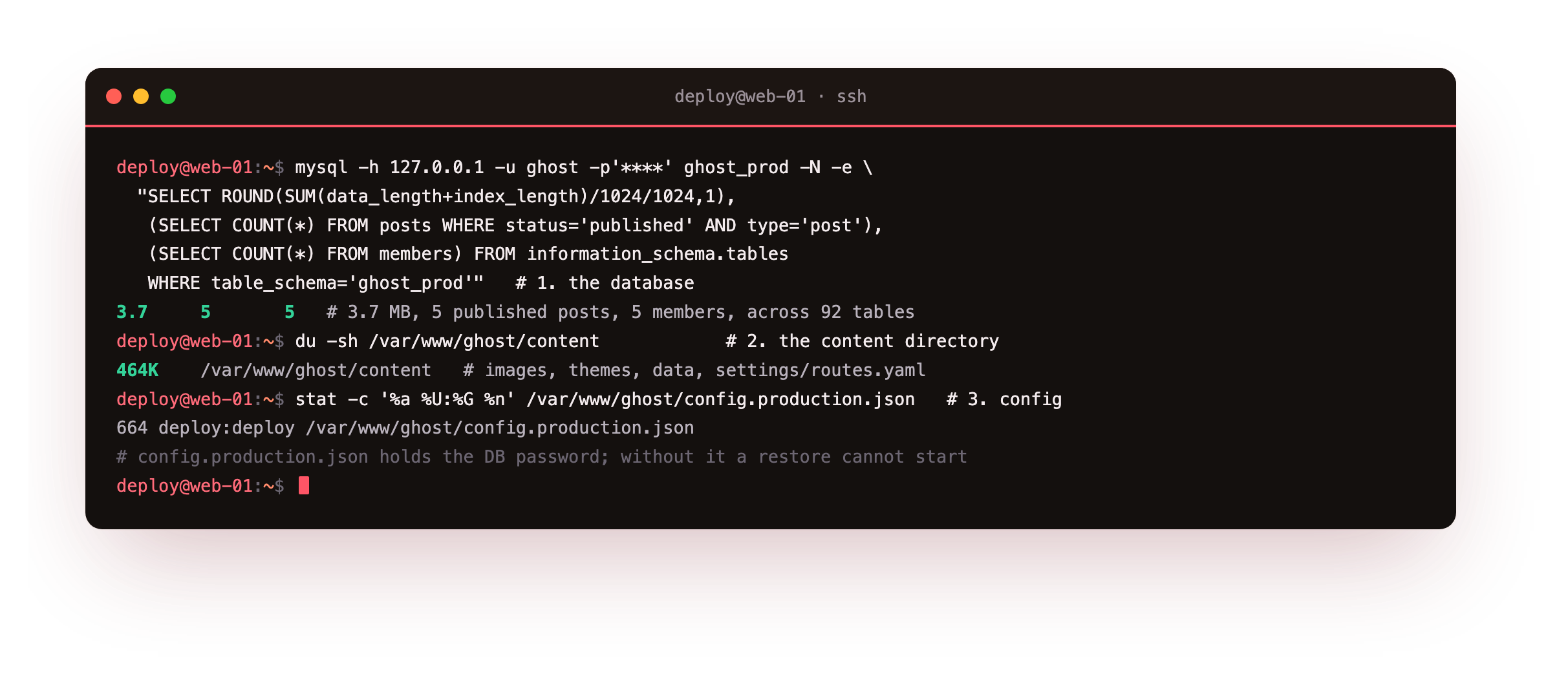
On our box the database came back at about 3.7 MB across 92 tables carrying five published posts and five members, the content directory held the four feature images and the two themes, and config.production.json held the database password. Those three, taken together and from the same moment, are a full-fidelity backup: they restore a byte-for-byte copy of the publication.
There is a second pair worth capturing, and it is the migration currency. From Ghost admin, under Settings, you can export your content as a JSON file and your members as a CSV file. The JSON holds every post, page and tag; the CSV holds every member. These import cleanly into any Ghost, which is exactly what you want when moving a publication to a genuinely different setup.
The catch is that the JSON references your images by URL rather than embedding them, so the images have to travel separately, inside the content directory backup. That is why a real migration carries both parts: the JSON and CSV for the words and the people, and the content directory for the pictures.
/var/www/ghost/content directory, and config.production.json, plus the portable JSON and members CSV. A tool that copies the content folder but never dumps the database is not a Ghost backup you can lean on.Write the backup script
The backup is a single script. It dumps the database with mysqldump, pulls the portable JSON and members CSV through Ghost's admin API, and folds them together with the content directory and config.production.json into one archive stamped by date and time. Save it as /usr/local/bin/ghost-backup.sh, and keep the credentials it needs in a root-only env file.
#!/usr/bin/env bash
# Back up Ghost: dump the database, archive the content + config, capture the portable exports.
set -euo pipefail
GHOST_DIR=/var/www/ghost
WORK=/var/backups/ghost
URL=https://your-domain
STAMP=$(date +%Y%m%d-%H%M%S)
mkdir -p "$WORK"; cd "$WORK"
source /etc/ghost-backup.env          # GHOST_DB_PW, GHOST_USER, GHOST_PASS (mode 600)

# 1. the MySQL database: posts, members, tags and settings, in one consistent dump
mysqldump -h 127.0.0.1 -u ghost -p"$GHOST_DB_PW" \
  --single-transaction --quick --no-tablespaces ghost_prod | gzip > "ghost_prod-$STAMP.sql.gz"

# 2. the portable exports (the migration currency): the content JSON + the members CSV
CJ=$(mktemp)
curl -sf -c "$CJ" -H 'Content-Type: application/json' -H "Origin: $URL" \
  -d "{\"username\":\"$GHOST_USER\",\"password\":\"$GHOST_PASS\"}" "$URL/ghost/api/admin/session/" >/dev/null
curl -sf -b "$CJ" -H "Origin: $URL" "$URL/ghost/api/admin/db/"             -o "content-export-$STAMP.json"
curl -sf -b "$CJ" -H "Origin: $URL" "$URL/ghost/api/admin/members/upload/" -o "members-$STAMP.csv"
rm -f "$CJ"

# 3. one archive: the DB dump + the content dir + config + the two portable exports
tar -czf "$WORK/ghost-$STAMP.tar.gz" \
  -C "$GHOST_DIR" content config.production.json \
  -C "$WORK" "ghost_prod-$STAMP.sql.gz" "content-export-$STAMP.json" "members-$STAMP.csv"
rm -f "$WORK/ghost_prod-$STAMP.sql.gz" "$WORK/content-export-$STAMP.json" "$WORK/members-$STAMP.csv"
echo "backup ok: ghost-$STAMP.tar.gz"
The mysqldump line is the one that earns its keep. The --single-transaction flag takes the dump from a consistent snapshot without locking the site, so writes keep flowing while it runs. The portable exports use Ghost's own admin API, the same endpoints the admin screen calls when you click Export. Make the script runnable and take it for a spin.
sudo chmod +x /usr/local/bin/ghost-backup.sh
sudo /usr/local/bin/ghost-backup.sh
tar -tzf /var/backups/ghost/ghost-*.tar.gz
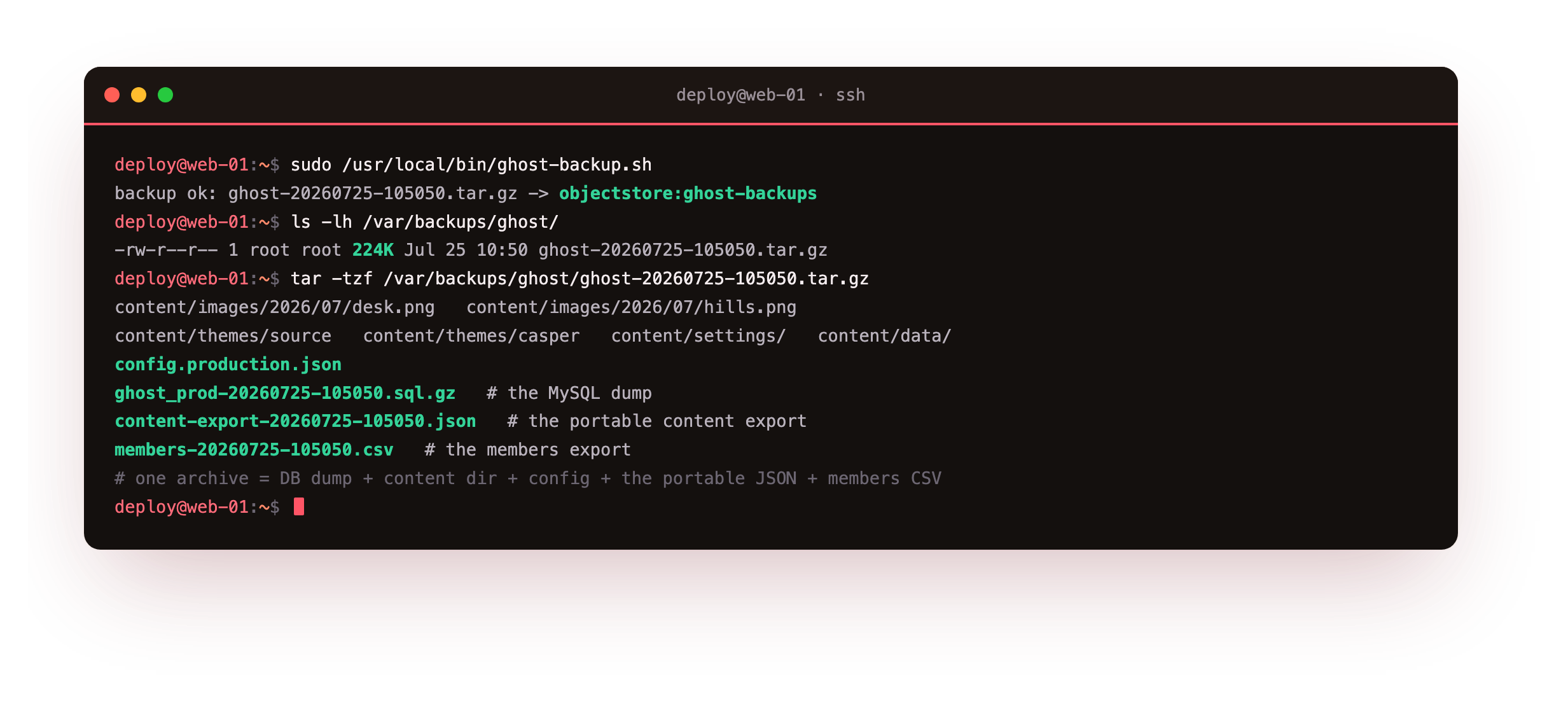
On our box this dropped a single archive of about 224K, and listing it showed precisely what a restore needs: the content tree with the images and themes, config.production.json, the ghost_prod-*.sql.gz dump, the content-export-*.json, and the members-*.csv. That one file now carries a complete, self-contained copy of the publication.
content/ subtree, config.production.json, and a ghost_prod-*.sql.gz at the end. A tiny or missing dump means mysqldump could not reach MySQL, so check the database host and password in /etc/ghost-backup.env before trusting the archive.Send the backup offsite
An archive that sits on the same slice as the publication shares its fate: whatever wipes the box, a failed disk or a mistaken command, takes the archive with it. So every backup has to be copied somewhere else. rclone handles that in one line. It is a single static binary that talks to the S3 API, so it points at ServerCake Object Storage or any S3-compatible bucket the same way. Install it, then register your bucket as a remote.
sudo -v ; curl https://rclone.org/install.sh | sudo bash    # one static binary
# define the S3 remote once (endpoint + access key + secret from your bucket)
rclone config create objectstore s3 provider Minio \
  endpoint https://blr.objects.servercake.io \
  access_key_id GHOSTBK************ secret_access_key **************** \
  region blr acl private
With the remote defined, add the upload and a local prune to the end of the backup script, so every run leaves an offsite copy on its own. Then confirm the object really landed.
# add to /usr/local/bin/ghost-backup.sh, after the archive is built:
rclone copy "$WORK/ghost-$STAMP.tar.gz" objectstore:ghost-backups/ --s3-no-check-bucket
find "$WORK" -name 'ghost-*.tar.gz' -mtime +14 -delete   # keep 14 days on local disk
# confirm the object is really in the bucket   (object landed offsite)
rclone ls objectstore:ghost-backups
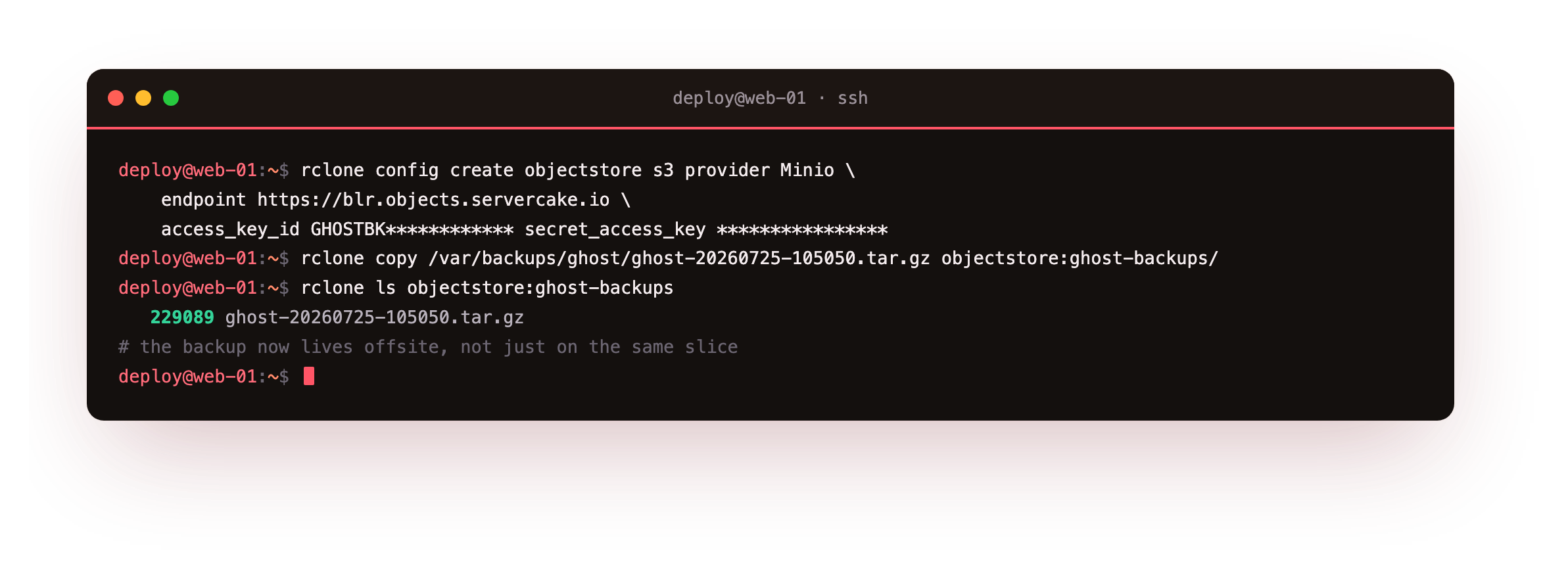
After the copy ran, rclone ls objectstore:ghost-backups listed the archive by name and size, 229089 ghost-20260725-105050.tar.gz, so it had genuinely landed in the bucket. You now hold the archive in two independent places: the one on the slice for a fast local rebuild, and the one in the bucket for the day the slice itself is gone.
PutObject, GetObject, DeleteObject and ListBucket on ghost-backups alone, and since it is ordinary S3 the script stays identical whatever endpoint you point it at.Automate it and set retention
Any backup that depends on you remembering to run it will eventually be skipped, so pass the job to the machine. A systemd timer is the clean way to do that, and because a Ghost backup is light on the box, a quiet hour overnight suits it. Two small units do the work: a service that calls the script, and a timer that decides when.
# /etc/systemd/system/ghost-backup.service
[Unit]
Description=Ghost backup (database + content + config + exports, offsite)
After=network-online.target
[Service]
Type=oneshot
ExecStart=/usr/local/bin/ghost-backup.sh
# /etc/systemd/system/ghost-backup.timer
[Timer]
OnCalendar=*-*-* 02:30:00
Persistent=true
[Install]
WantedBy=timers.target
The 02:30 schedule keeps the run in the quietest window, and Persistent=true means a job missed while the box was off fires as soon as it boots again, so a night never slips past silently. Retention belongs at the bucket rather than the client: a lifecycle rule keeps expiring old copies even if the backup script itself breaks. Enable the timer, set the rule, and then, instead of waiting until half past two to find out whether it works, run the unit by hand.
sudo systemctl enable --now ghost-backup.timer
mc ilm rule add --expire-days 14 objectstore/ghost-backups   # offsite retention
sudo systemctl start ghost-backup.service
journalctl -u ghost-backup.service -n 3 -o cat
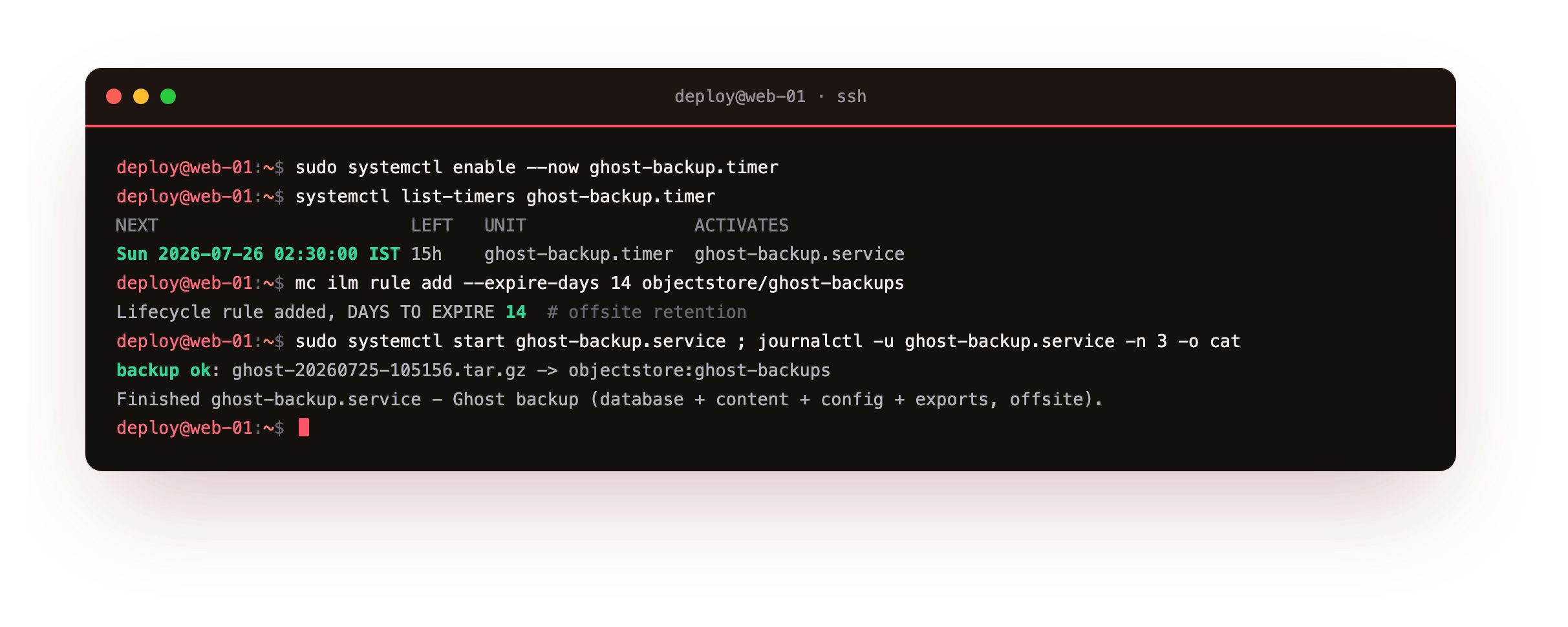
On our box systemctl list-timers showed the next fire at 02:30 the following morning, the bucket confirmed its 14-day expiry rule as Enabled, and the manual trigger wrote backup ok to the journal while a new object appeared in the bucket. A job that runs itself and records what it did is a job you can stop carrying in your head.
systemctl list-timers should list the timer with a genuine NEXT time, and starting the service by hand should print backup ok to the journal and drop a new object in the bucket. If the unit fails, run /usr/local/bin/ghost-backup.sh directly, since it surfaces the same error the journal records.The migrate drill: move to a fresh slice
Here is the step that separates a real backup from a hopeful one, and it is the one most people never do. You are going to stand up a fresh empty Ghost, the way a new slice starts, then rebuild your publication onto it from the offsite archive alone.
If doing this to your live box unsettles you, run the drill on a second slice the first time, and read that unease as a healthy instinct. Begin by staging the fresh box: drop the database and clear the uploads so Ghost boots as a brand-new install.
# a fresh empty slice: new database + empty content   (a fresh empty slice)
ghost stop
mysql -h 127.0.0.1 -u root -p -e 'DROP DATABASE ghost_prod; CREATE DATABASE ghost_prod'
rm -rf /var/www/ghost/content/images/*
ghost start
curl -sk -o /dev/null -w 'front page -> %{http_code}\n' https://your-domain/                 # 200, default Ghost
curl -sk -o /dev/null -w 'your post  -> %{http_code}\n' https://your-domain/owning-the-words/ # 404
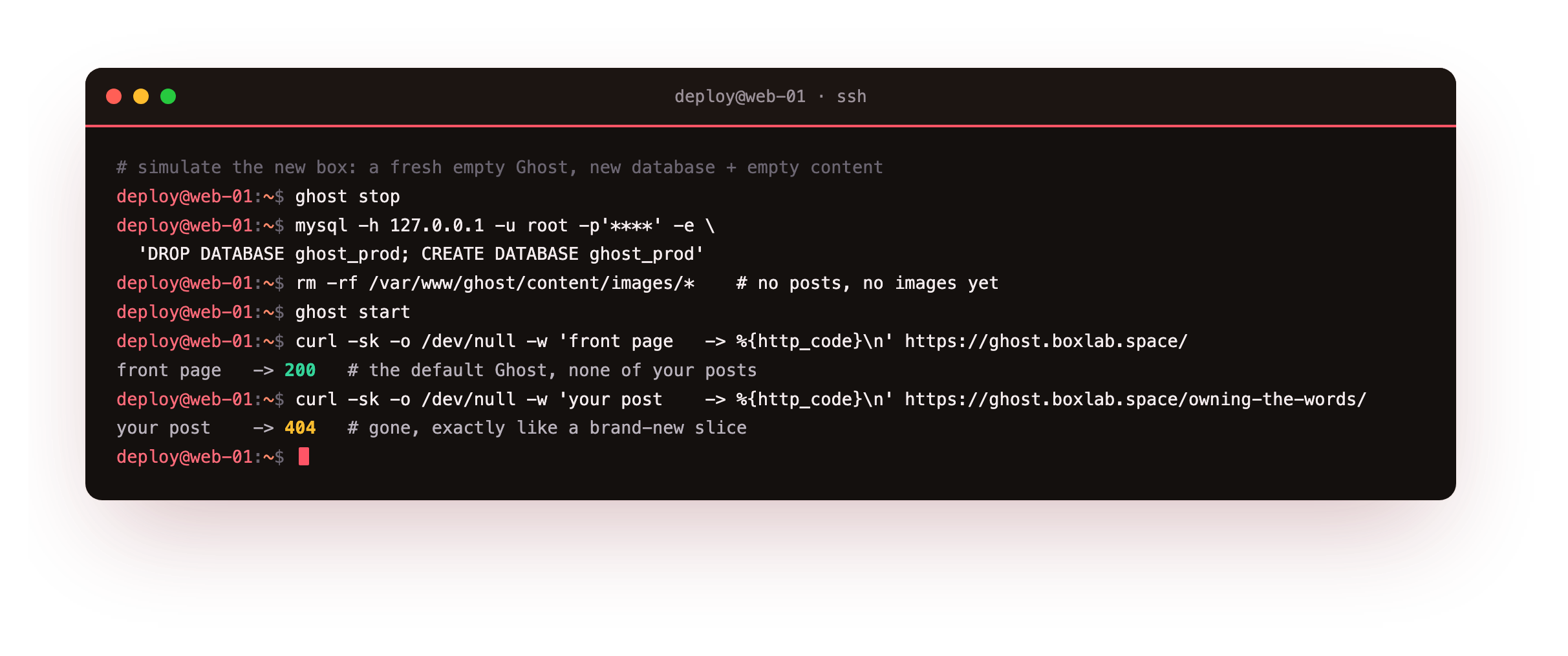
On our box the front page came back at 200 showing the default Ghost welcome content, and the post that had been there returned 404, exactly what a brand-new slice serves. This is the blank box your migration has to fill. Now rebuild from the offsite copy: pull the newest archive, unpack it, put the content directory and config back, then reload the database.
# restore from the offsite copy   (restore from the offsite copy)
ghost stop
cd /var/restore
LATEST=$(rclone lsf objectstore:ghost-backups | grep '^ghost-' | sort | tail -1)
rclone copy "objectstore:ghost-backups/$LATEST" . && tar -xzf "$LATEST"
cp -a content config.production.json /var/www/ghost/
mysql -h 127.0.0.1 -u root -p -e 'DROP DATABASE ghost_prod; CREATE DATABASE ghost_prod'
gunzip < ghost_prod-*.sql.gz | mysql -h 127.0.0.1 -u ghost -p ghost_prod
ghost start
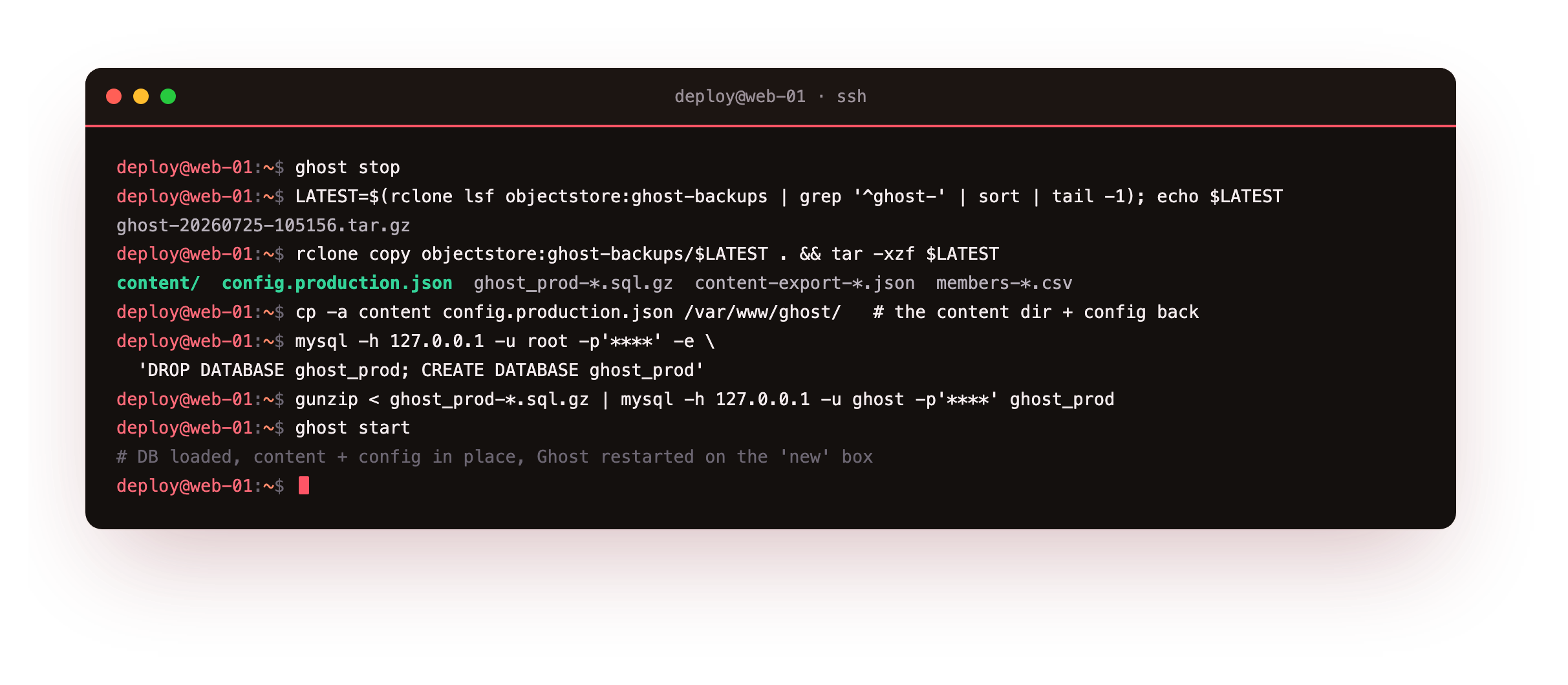
That is the full-fidelity path: the database dump goes back byte-for-byte, and the content directory carries the images the posts point at. With the stack back up, check it the same way you checked the fresh box, and confirm the pieces are genuinely back, not just the front page.
# the publication is fully back   (the publication is fully back)
curl -sk -o /dev/null -w 'your post   -> %{http_code}\n' https://your-domain/owning-the-words/
curl -sk -o /dev/null -w 'feature img -> %{http_code}\n' https://your-domain/content/images/2026/07/desk.png
mysql -h 127.0.0.1 -u ghost -p ghost_prod -N -e 'SELECT COUNT(*) FROM members'
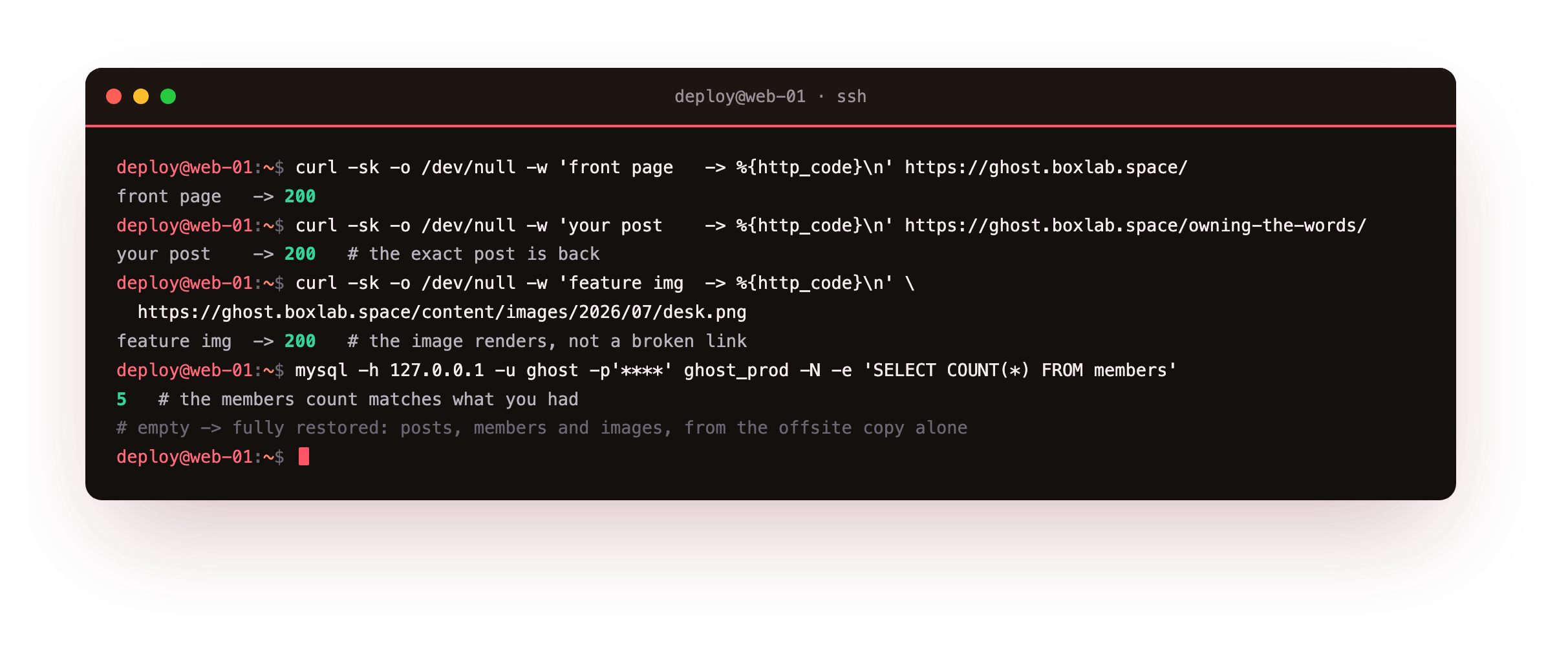
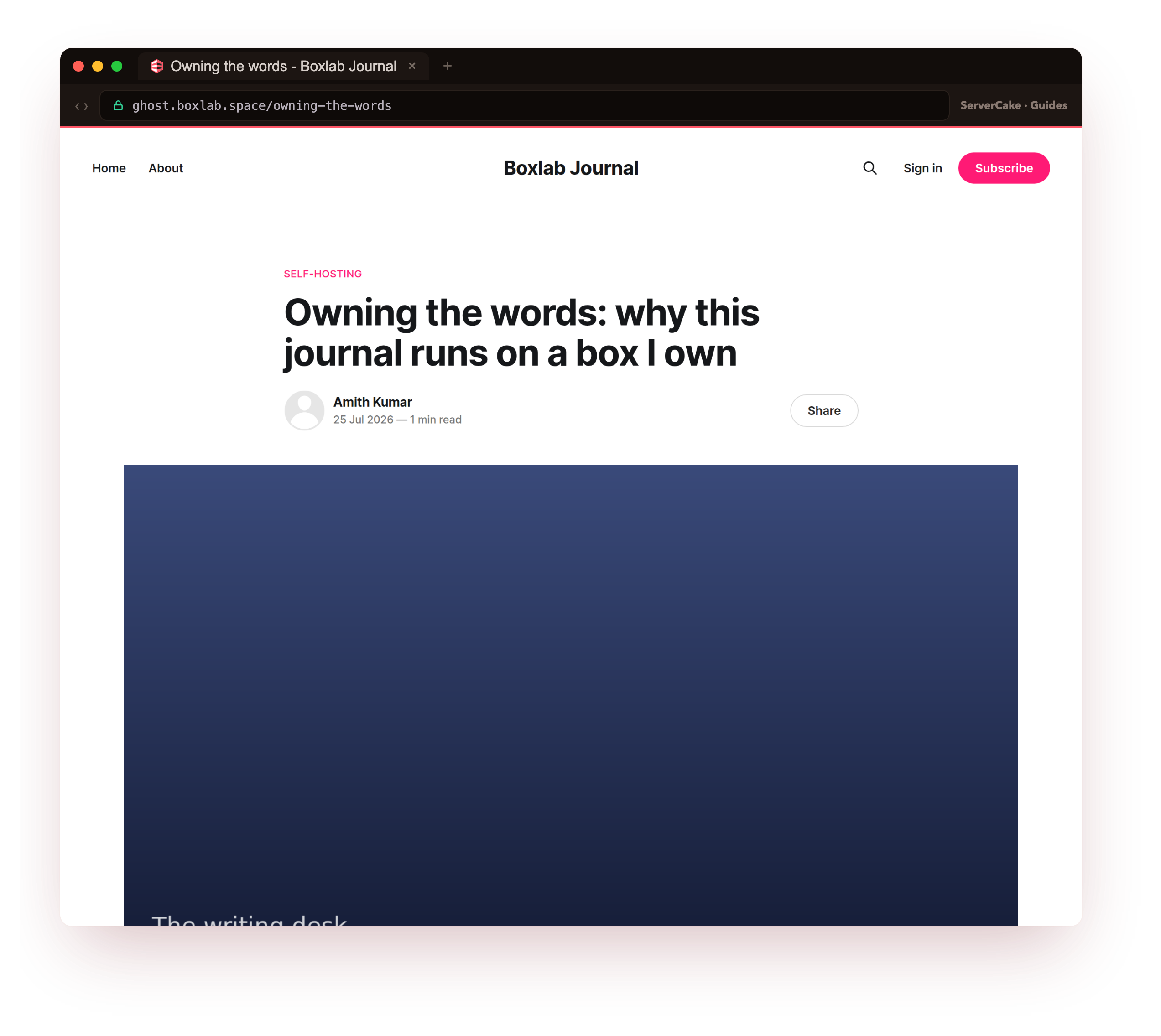
On our box the post returned 200 with its real title, the feature image returned 200 rather than a broken link, and the members count read 5, the same as before. From a fresh empty slice to a whole publication again, drawn entirely from the offsite archive. That is the only kind of backup worth keeping, one you have watched become a working site on a different box.
If you are moving to a genuinely different setup rather than restoring the same version, the portable path is the other option: install a fresh Ghost, import the content-export-*.json and the members-*.csv from Ghost admin under Settings, and copy the images from the content directory into place so the imported posts find them. Same archive, two ways to land it.
200, its feature image should return 200, and the members count should match what you had. If a post loads but its image is a broken link, the content directory did not make it across, so re-copy content/images from the archive.Keep your backups reliable
One successful drill proves the setup works today. Repeating it on a schedule is what keeps it trustworthy as the publication grows, and two habits do most of that work.
The first is a recurring reminder to run the move again, ideally by restoring the latest archive onto a throwaway slice once a month, so a broken backup is something you discover on a calm afternoon rather than during an outage. Record which Ghost version each archive came from, and only ever restore into that version or a later one, since Ghost carries its database schema forward with the release and will not step it back.
The second is confirming the backup is actually running, because a timer that silently stopped is more dangerous than no backup, since you still feel covered. Checking that the most recent offsite archive is recent enough is all it takes to notice.
# monitor: alert if the newest offsite backup is older than a day
/usr/local/bin/ghost-backup-check.sh
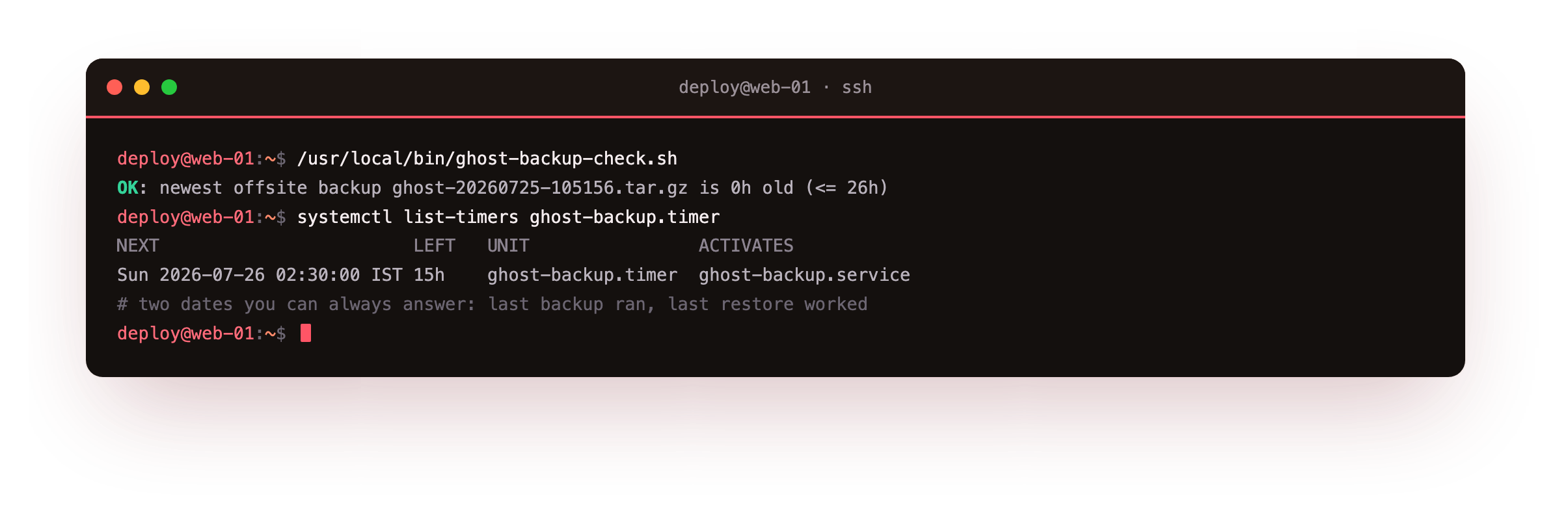
On our box the check reported OK: newest offsite backup ... is 0h old, and its exit code is the useful part. Feed a non-zero result into whatever already alerts you, a cron mail, a webhook, an uptime probe, and a backup that quietly went stale becomes a notification rather than a discovery you make months too late.
With a monthly restore rehearsal on one side and this freshness check on the other, the backup stops being a hopeful chore and becomes something you have genuinely verified.
Frequently asked questions
What is the difference between the database dump and the JSON export?
They serve two jobs. Themysqldump of ghost_prod is a full-fidelity copy: restore it into the same or a newer Ghost version and you get a byte-for-byte publication back, including users, API keys and settings. The content JSON export from Ghost admin is a portable copy: it holds your posts, pages, tags and (referenced) members in a format any Ghost can import, which is what you want when moving to a different setup or a much newer version. This tutorial keeps both in every archive, so you can pick the full restore or the portable import depending on where you are landing.
Why do the images have to be backed up separately from the JSON export?
Because the JSON export references images by URL rather than embedding the files. If you import the JSON into a fresh Ghost without also bringing the images, every post loads but its pictures are broken links. That is why the backup archive includes the wholecontent directory, where images lives, and why the migrate drill copies that directory into place. The database dump has the same relationship with the files: it records where each image should be, and the content directory is what actually holds them, so the two always travel together.
Do I have to stop Ghost to back it up?
No. The backup script here does not stop Ghost at all:mysqldump --single-transaction takes a consistent snapshot of the database while the site keeps serving, and the content directory is just files that copy fine live. The migrate drill does stop Ghost, but only because it is deliberately wrecking and rebuilding the instance, which is a different operation from a routine backup. For the nightly job, the site stays up the whole time, which is why the timer at 02:30 is about tidiness rather than avoiding downtime.
Can I restore onto a different Ghost version or a different host?
Yes, with one rule: restore into the same Ghost major version the backup was taken on, or a newer one, never an older one, because the database schema is tied to the version and Ghost migrates it forward on boot. Moving to a different host is the same drill on a fresh box: install the same Ghost version with ghost-cli, drop the content directory and config into place, reload the database dump, and start Ghost. If you would rather not match versions at all, use the portable path instead: install any current Ghost and import the JSON and members CSV, then copy the images across.Running Ghost on your own slice means the backups answer to you: kept where you decide, and restored on your timetable rather than a host's. When you want a box to build this routine on and rehearse the move for real, a ServerCake slice gives you a clean Ubuntu 24.04 server in India, priced in rupees with GST, and object storage a single bucket away for the offsite copy.