Handle secrets in CI without leaking them
Most builds eventually need a secret: an API token, a signing key, a deploy credential. The rule for secrets in CI is short. The value never lives in the repo, and it never reaches the log. This chapter gives pipeclip a token it can use during a build on a live Ubuntu 24.04 server, keeps that token in a file only the deploy user can read, and proves with a scanner that nothing leaked into git.
- Store the runtime secret in a file on the server at mode 600, owned by the deploy user, outside the git tree entirely.
- Source that file at build time so the token becomes an environment variable the build can read, without baking it into code or an image.
- Log only derived, non-reversible data: a signature, a byte length, or a set/unset flag, never the secret itself.
- Add a leak scanner to the pipeline so a token accidentally committed is caught before it ships anywhere.
The common mistake is a token pasted into a config file and committed. Once it is in history, it is in every clone and every fork, and rotation is the only real fix. Keeping the secret out of the repo from the start avoids that.
Prerequisites
- The pipeclip app deployed on an Ubuntu 24.04 server, with a git push-to-deploy hook from part two.
- The deploy user
pipeci, which owns/srv/pipeclipand runs the build. opensslandgitpresent, plusgitleaksinstalled from apt for the leak scan.- A token you can place on the server, referred to here as
PIPECLIP_API_TOKEN.
Keep secrets in CI out of the repo
The runtime secret lives in one place only, a file on the server that the deploy user owns. Nothing about it touches the repository. Create the directory, write the token as a shell assignment, and lock the file down so only its owner can read it.
The env file holds a single line, PIPECLIP_API_TOKEN=sk_live_..., a forty character token. Set its mode to 600 and confirm what the permissions actually are.
stat -c '%A %a %U:%G' /etc/pipeclip/deploy.env
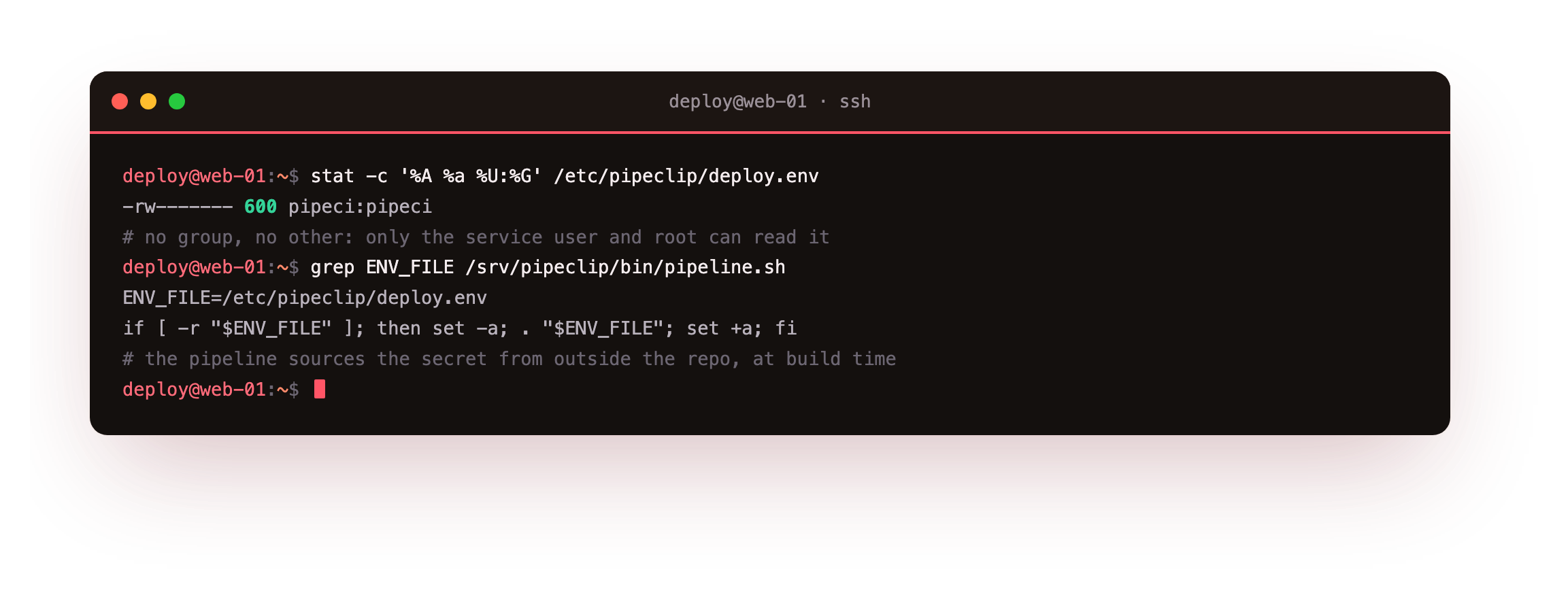
The output reads -rw------- 600 pipeci:pipeci. Read and write for the owner, nothing for the group, nothing for everyone else. Only pipeci and root can open the file. No other user on the box, and no process running as anyone else, can read the token.
That file must also be invisible to git. The repo commits a placeholder, .env.example, and a .gitignore that excludes every real env file. Print the ignore rules to see exactly what is excluded.
cat .gitignore
The file lists the patterns that keep runtime state out of version control:
# runtime secrets never belong in the repo
*.env
.env
__pycache__/
*.pyc
releases/
The *.env and .env lines mean no environment file with real values is ever staged. A new contributor copies .env.example to .env, fills in the token, and git simply does not see it.
Source the secret at build time
The pipeline reads the token by sourcing the env file just before it needs it. It checks the file is readable first, then uses set -a so every assignment becomes an exported environment variable for the rest of the build.
ENV_FILE=/etc/pipeclip/deploy.env
if [ -r "$ENV_FILE" ]; then set -a; . "$ENV_FILE"; set +a; fi
The guard matters. If the file is missing or unreadable, the build carries on rather than aborting, and the token is simply unset. The secret loads into memory for one build, never written into code, never copied into an artifact.
Use the token without printing it
Here is the part people get wrong. The build needs to use the token, but the log must not contain it. The trick is to log only something derived from the secret that cannot be reversed back into it.
pipeclip signs its build stamp with the token using an HMAC, then logs the signature and the token's length. The signature depends on the token, so it proves the token was present and correct, yet nobody can recover the token from it.
if [ -n "${PIPECLIP_API_TOKEN:-}" ]; then
  SIG="$(printf '%s' "$BUILD_STAMP" | openssl dgst -sha256 -hmac "$PIPECLIP_API_TOKEN" | awk '{print $2}')"
  echo "built ${BUILD_STAMP} signed ${SIG:0:12}.. (token set, ${#PIPECLIP_API_TOKEN} chars)"
fi
The log line reads built 9a73fee signed 4f04b87b0aca.. (token set, 40 chars). It tells you the token was set, that it is forty characters, and it emits a truncated signature. All three are safe to print. The token value never appears.
Logging a length and a set flag is a habit worth keeping. When a build fails on an empty secret, that line versus a missing one tells you whether the env file was sourced, without ever exposing the value.
Push and watch the build log
With the env file in place on the server, a normal push triggers the deploy hook, which sources the token and runs the signing step. Push to the deploy remote from your working copy.
git push origin main
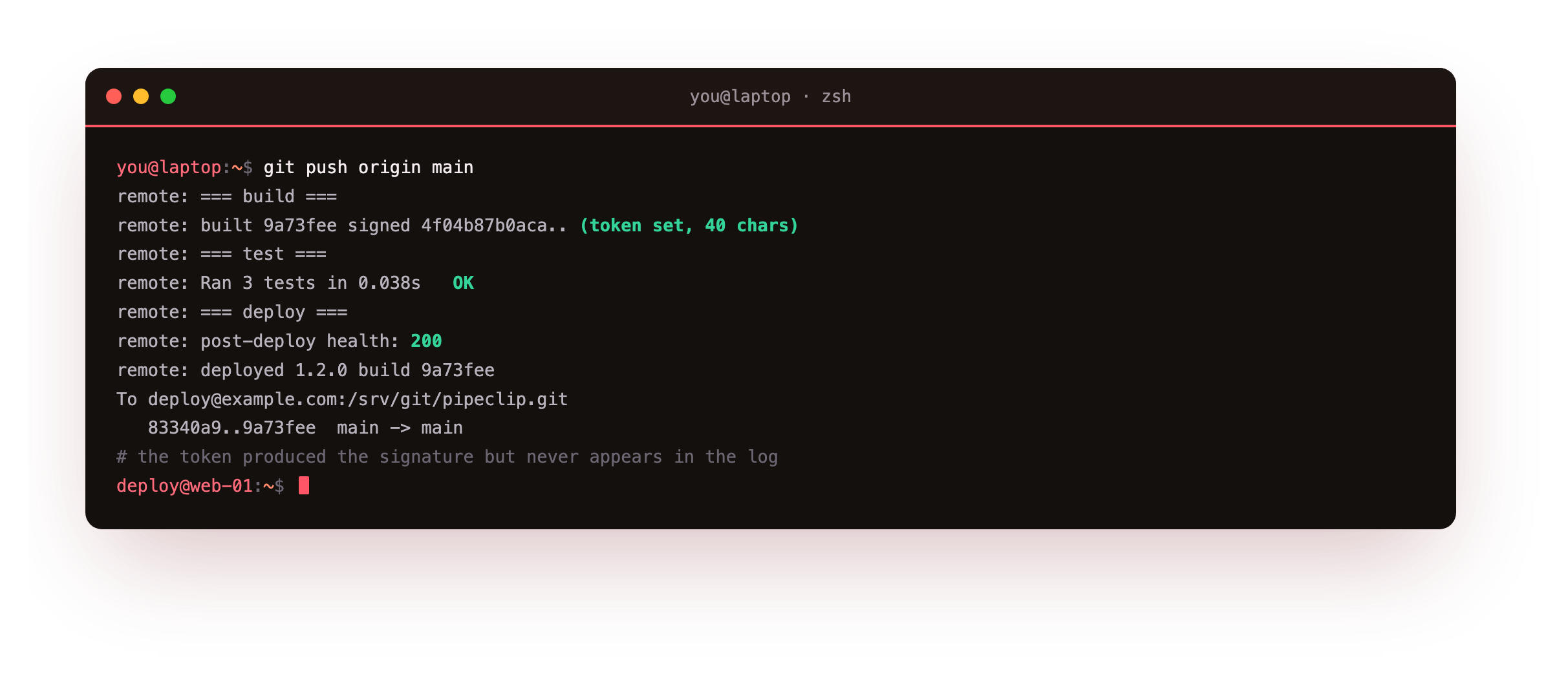
The hook runs on the server, sources /etc/pipeclip/deploy.env, and the build prints its signed line. The log shows signed 4f04b87b0aca.. (token set, 40 chars). The token did its job, the signature confirms it, and the log carries nothing you would mind a colleague reading.
Prove nothing leaked
Trusting the setup is not the same as checking it. Three commands confirm the token is out of git entirely. First, ask git why it is ignoring the local .env. Then search all history for the token prefix. Then run a real leak scanner over the repo.
git check-ignore -v .env
git log -p --all | grep -c sk_live
gitleaks detect --source . --no-banner
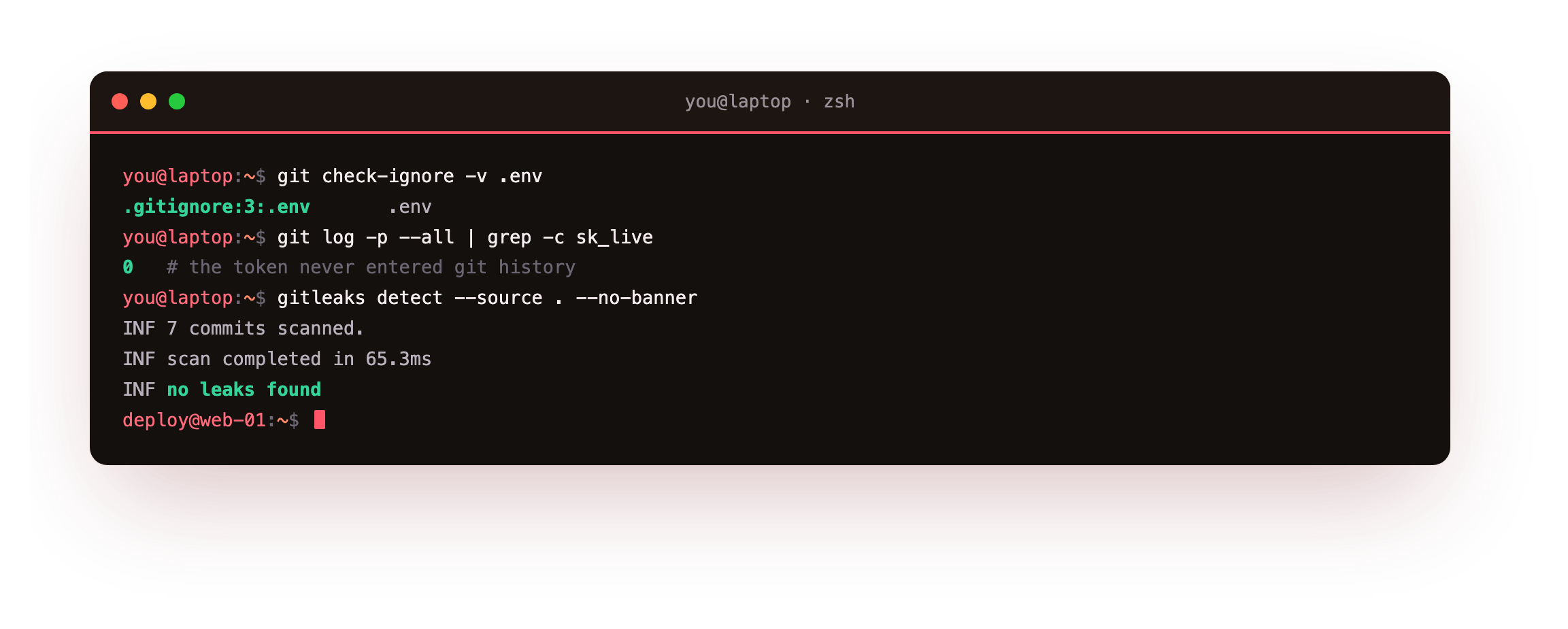
git check-ignore -v prints .gitignore:3:.env .env, naming the exact rule on line three that excludes the file. The history grep prints 0, meaning the string sk_live never appears in any commit across any branch. gitleaks reports 7 commits scanned and no leaks found, an independent tool reaching the same verdict.
Three signals should all agree: stat shows mode 600 on the env file, the history grep for your token prefix prints 0, and gitleaks prints no leaks found. If any one of them disagrees, treat the token as exposed, rotate it at the source, and fix the setup before continuing.
Run gitleaks in the pipeline itself, not just by hand. A scan that fails the build on a detected secret catches the mistake before it reaches a shared branch, far cheaper than rotating a leaked credential later.
One more secret hides in plain sight. The webhook shared token from part two is a credential too. Send it in a request header, never in the URL, since URLs land in access logs and browser history where a header does not.
- Rotate it immediately at the source, before anything else. Assume a leaked secret is already compromised.
- Removing it from history is not enough on its own, because clones and forks keep the old copy.
- Update the env file on the server with the new value, then re-run the build to confirm the new token signs correctly.
Going further: make the scan a gate, not a chore
Running gitleaks by hand catches what is already there; running it inside the pipeline catches what you are about to commit. Add it as an early stage in the build so every push is scanned automatically, and let a detection exit the pipeline non-zero before the deploy stage runs. A caught secret then fails the release the same way a red test does, which is far cheaper than rotating a credential that already reached a shared branch.
Two habits keep the gate honest. Pin a config that lists your own token shapes, so a sk_live_ or an internal prefix is flagged even if gitleaks does not know it by default. And keep the allowlist small and reviewed, because every pattern you exempt is a secret the scanner will wave through.
The pipeline you built in part three is exactly where this stage belongs, next to the tests, before the deploy. Next you close the last gap: a release that passes every check but still needs to ship without dropping a request, and roll back in one command when it misbehaves.
Frequently asked questions
Why an env file on the server instead of a secrets manager?
For one VM, a 600 file owned by the deploy user is enough: only that user and root can read it, and it never enters git. A dedicated secrets manager earns its keep once you have many machines, rotation policies, or a team audit requirement. The build-time habit is identical either way, source the value into the environment and print only derived data. Start with the file, adopt a manager when scale demands it.
Is logging a signature and a length really safe?
Yes, because neither can be reversed into the token. An HMAC signature is a one-way function of the secret and the message, so seeing it tells you nothing about the key. A byte length leaks only that the token is forty characters, not enough to guess it. What you must never log is the value, or a prefix long enough to narrow a brute force.
gitleaks found nothing. Do I still need it in the pipeline?
Especially then. A clean scan today does not protect against tomorrow's accidental commit. Wiring gitleaks into the build means every push is checked automatically, and a detected secret fails the build before it merges. The value is in catching the mistake you have not made yet, not in confirming the ones you avoided. A manual scan is a snapshot; a pipeline scan is a guard.
The token slipped into a commit. What now?
Rotate it first, at the provider, right away, and treat the exposed token as burned. Rewriting git history to strip the value helps, but every existing clone and fork still holds the old commit, so the new token is what actually keeps you safe. Then put the fresh value in the server env file and re-run the build.
What you have, and what comes next
pipeclip now reads a secret from a 600 env file the deploy user owns, uses it in the build without printing it, and keeps it out of git. You confirmed the file mode, watched the build log show a signature and a length rather than the token, and a scanner agreed that nothing leaked.
The build works and its secret is safe, but a broken deploy still reaches users. Next you gate the release on a health check, so a build that fails to answer is held back instead of shipped.