Why should you not expose your app's port?
The safe way to run an app on a VPS is to keep the app on localhost and put nginx in front of it as a reverse proxy. nginx faces the internet and forwards each request to your app, so the app itself is never exposed directly.
- Bind your app to 127.0.0.1 so nothing outside the server can reach the port directly.
- nginx listens on the public port 80 and forwards each request with proxy_pass to your app on localhost.
- The proxy_set_header lines pass the real client IP and original protocol through to your app.
- Always run nginx -t before reload, so a config typo never takes the site down.
You have written an app. It listens on port 3000, it works on your laptop, and now you want it live on a Ubuntu 24.04 LTS server. One obvious move is to run it on the server and open port 3000 to the world. Do not do this. It is the deployment equivalent of leaving your front door open because the lock is fiddly.
Your application server, whether it is Node, Python, or anything else, is built to run your code, not to be the thing standing between the raw internet and that code. It does not do TLS well, it does not defend against slow-loris connections, it does not serve static files efficiently, and it certainly should not be running as a process the whole internet can talk to directly. The job of facing the internet belongs to a reverse proxy, and on a Linux server that is almost always nginx.
The pattern is simple and it is the foundation of nearly every production deployment: your app listens only on localhost, where nothing outside the server can reach it, and nginx listens on the public ports and forwards requests to it. This chapter builds exactly that on a live server, so that by the end the internet talks to nginx, nginx talks to your app, and your app never has to talk to a stranger.
Let's build.
Prerequisites
- An Ubuntu 24.04 LTS server you can reach over SSH with a sudo-capable user.
- nginx installed and running (
sudo apt install nginx). - Your application runnable on the server, for example a Node app that listens on port 3000.
- The runtime your app needs (here, the Node runtime) installed on the server.
An app that listens only on localhost
The single most important line in your app's configuration is the address it binds to. Bind to 127.0.0.1 and the app is reachable only from the server itself. Bind to 0.0.0.0 and it is reachable from the whole internet, which is what you are trying to avoid. Here is a minimal Node service that gets it right:
const http = require('http');
const server = http.createServer((req, res) => {
  res.writeHead(200, { 'Content-Type': 'application/json' });
  res.end(JSON.stringify({ app: 'shopapp', pid: process.pid }));
});
// 127.0.0.1, not 0.0.0.0: only the server itself can reach this
server.listen(3000, '127.0.0.1', () => console.log('shopapp on 127.0.0.1:3000'));
The principle applies to any stack. In Express it is app.listen(3000, '127.0.0.1'); with Gunicorn it is --bind 127.0.0.1:3000; the framework changes, the address does not. Run it and confirm it answers locally:
curl -s http://127.0.0.1:3000/
{"app":"shopapp","pid":162902}
It works, and it is invisible from outside the box. If you tried to reach port 3000 from your laptop right now, you would get nothing, because the firewall you set up when hardening the server never opened it and the app never asked to be public. Good. Now give it a public face.
nginx as a reverse proxy for your app
nginx configuration lives in server blocks, and a reverse proxy is a short one. Create a site that listens on port 80 and forwards everything to your app on localhost:
server {
    listen 80;
    server_name shopapp.example.com;

    location / {
        proxy_pass http://127.0.0.1:3000;
        proxy_set_header Host              $host;
        proxy_set_header X-Real-IP         $remote_addr;
        proxy_set_header X-Forwarded-For   $proxy_add_x_forwarded_for;
        proxy_set_header X-Forwarded-Proto $scheme;
    }
}
The proxy_pass line is the whole point: it hands the request to your app. The four proxy_set_header lines are the part people forget, and forgetting them causes strange bugs later.
By default your app would see every request as coming from 127.0.0.1, because that is who is actually connecting to it: nginx. Those headers pass along the real client's IP and the original protocol, so your app can log the true visitor, build correct absolute URLs, and know whether the original request was HTTPS. Set them now and save yourself a confusing afternoon.
Enable the site and, before you reload, validate the config. nginx has a built-in test that catches syntax errors, and you should never reload on an unchecked config because a typo can take your site down:
sudo ln -s /etc/nginx/sites-available/shopapp /etc/nginx/sites-enabled/
sudo nginx -t
sudo systemctl reload nginx
nginx -t should report the config is ok and successful. Only then does reload apply it, and reload is graceful: it swaps the config without dropping a single in-flight request, which is a property we lean on hard in the last chapter.
The internet reaches your app, safely
Now the test that matters. A request to nginx should come back with your app's response, having been forwarded to localhost and back:
curl -s -H "Host: shopapp.example.com" http://127.0.0.1/
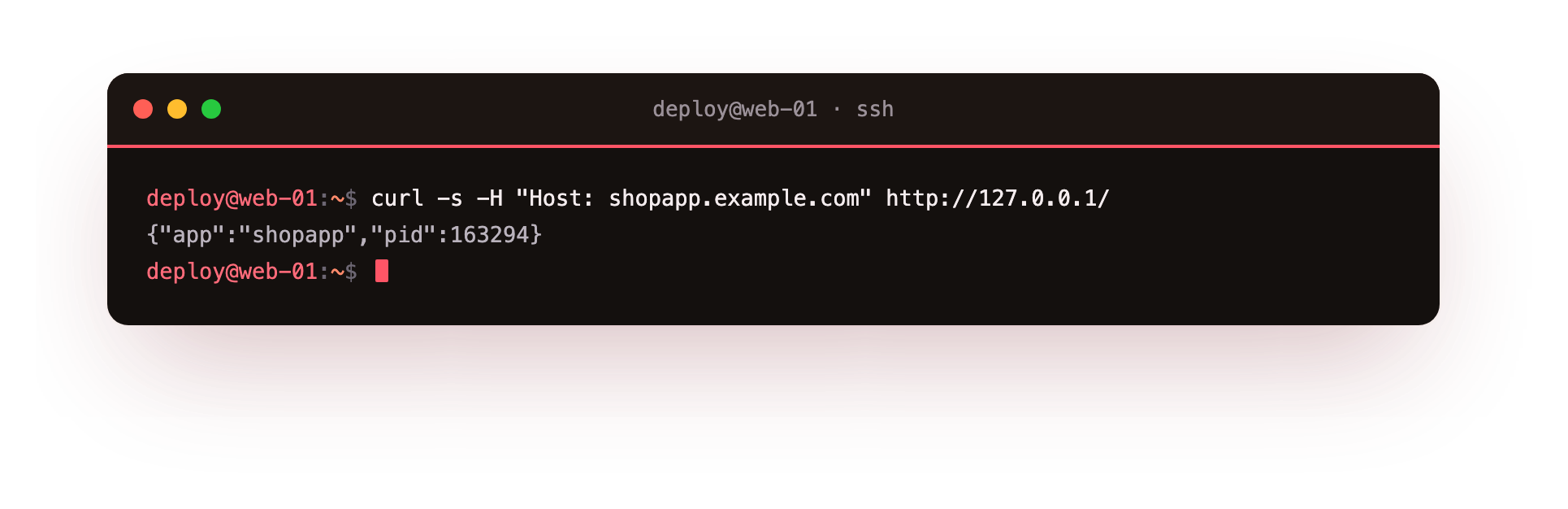
There is your app's JSON, served through nginx. The request came in on the public port 80, nginx matched it to your server block, forwarded it to 127.0.0.1:3000, your app answered, and nginx relayed it back. Your application never saw the public internet. It only ever talked to nginx, on localhost, exactly as it should.
That Host header in the curl is standing in for a real domain. In production you point shopapp.example.com at your server's IP with a DNS record, and nginx uses the server_name to route requests for that domain to this app. You can run many apps on one server this way, each on its own localhost port, each with its own server_name, all sharing the single public nginx out front.
Troubleshooting the reverse proxy
502 Bad Gateway. nginx is up but the app behind it is not answering. Confirm the app is running and that curl -s http://127.0.0.1:3000/ returns your response, then check the port in proxy_pass matches the port the app actually listens on.
sudo nginx -t fails. There is a syntax error, usually a missing semicolon or brace. The output names the exact file and line; fix that line and test again before you reload.
The default "Welcome to nginx" page shows instead of your app. The packaged default site is still enabled and matching first. Remove /etc/nginx/sites-enabled/default and reload.
A 404 or the wrong app answers. The request's Host header matches no server_name, so nginx falls through to another block. Send the correct Host, or mark this block default_server so requests with no matching name land here.
Frequently asked questions
Why bind to 127.0.0.1 instead of just firewalling the port?
Binding to localhost means the port is never reachable from outside the machine at all, so a later firewall mistake cannot accidentally expose it. Doing both is defence in depth, and the localhost bind is the layer that does not depend on you configuring anything.
Can I run more than one app behind a single nginx?
Yes. Each app listens on its own localhost port and gets its own server block with a distinct server_name. nginx routes each incoming domain to the right app, all sharing the one public nginx out front.
Do I need to reload nginx every time my app restarts?
No. nginx proxies to a fixed localhost port, so restarting the app behind it changes nothing on the nginx side. You only run nginx -t and reload when you edit the nginx config itself.
What does proxy_set_header X-Forwarded-For actually do?
It passes the original client IP through to your app, which otherwise sees every request as coming from 127.0.0.1, since nginx is the one connecting to it. Your access logs and any IP-based logic depend on it.
What you have, and the two things still missing
You now have the production shape: app on localhost, nginx facing the world, real client information flowing through. This is the layout that everything else in this series builds on. But two large problems remain, and they are the difference between a demo and a deployment.
The first is that your app is running because you started it by hand in a terminal. The moment that terminal closes, or the server reboots, or the app crashes at 3 AM, it is gone and stays gone until you notice and restart it. Production apps do not run in terminals. The next chapter hands your app to systemd, which starts it on boot, restarts it when it crashes, and keeps it running whether you are watching or not.
The second is that everything so far has been plain HTTP. Passwords and sessions are crossing the network in the clear, and no real site ships like that. Chapter three puts a certificate in front of nginx and turns the padlock on.