The three verbs of object storage
This chapter works with objects in MinIO: putting them into a bucket, getting them back, and listing them. It also covers the presigned URL, a signed link that grants time-limited access to one private file without sharing your credentials.
- Put, get, and list are the three verbs: mc cp uploads, mc cp and mc cat download, mc ls lists.
- Object keys are a flat namespace; the slashes only look like folders.
- A presigned URL grants time-limited access to one private object, with no credentials in the link.
- Keep buckets private by default and make a prefix public only when the content is truly meant for everyone.
Object storage has a small vocabulary, and once you have it, everything else is variations. You put an object into a bucket, you get it back, and you list what is there. That is most of what you will ever do, whether from the command line, from your app, or from a backup script.
This chapter runs those verbs against a live Ubuntu 24.04 server, and then covers the one feature that makes object storage genuinely useful for a web application: sharing a single file with someone, safely, without ever handing over your keys.
Let's build.
Prerequisites
- MinIO running as a service from part one, bound to localhost.
- The mc client installed, with an alias named local pointing at your server.
- The backups and uploads buckets created in part one.
Put and list
Uploading a file is a copy into a bucket. Create a file and put it in the backups bucket:
echo "hello from web-01" > report.txt
mc cp report.txt local/backups/
mc ls local/backups
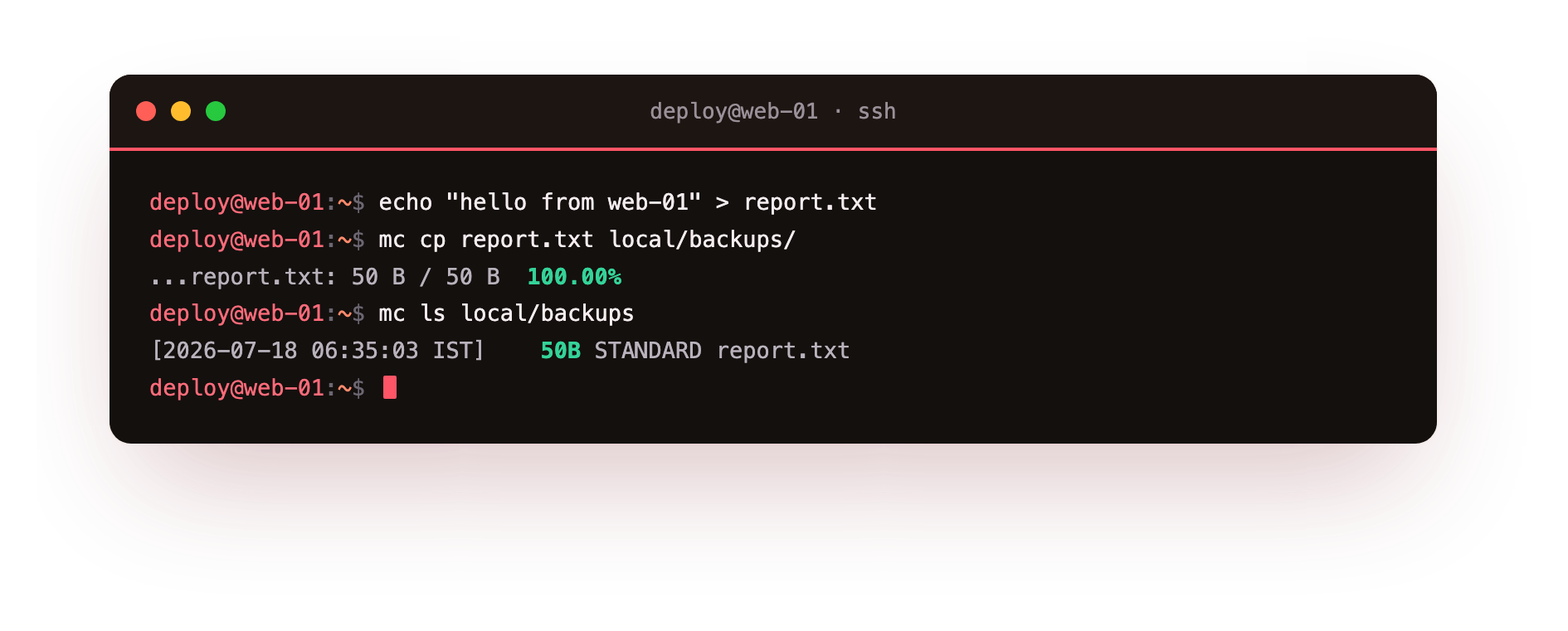
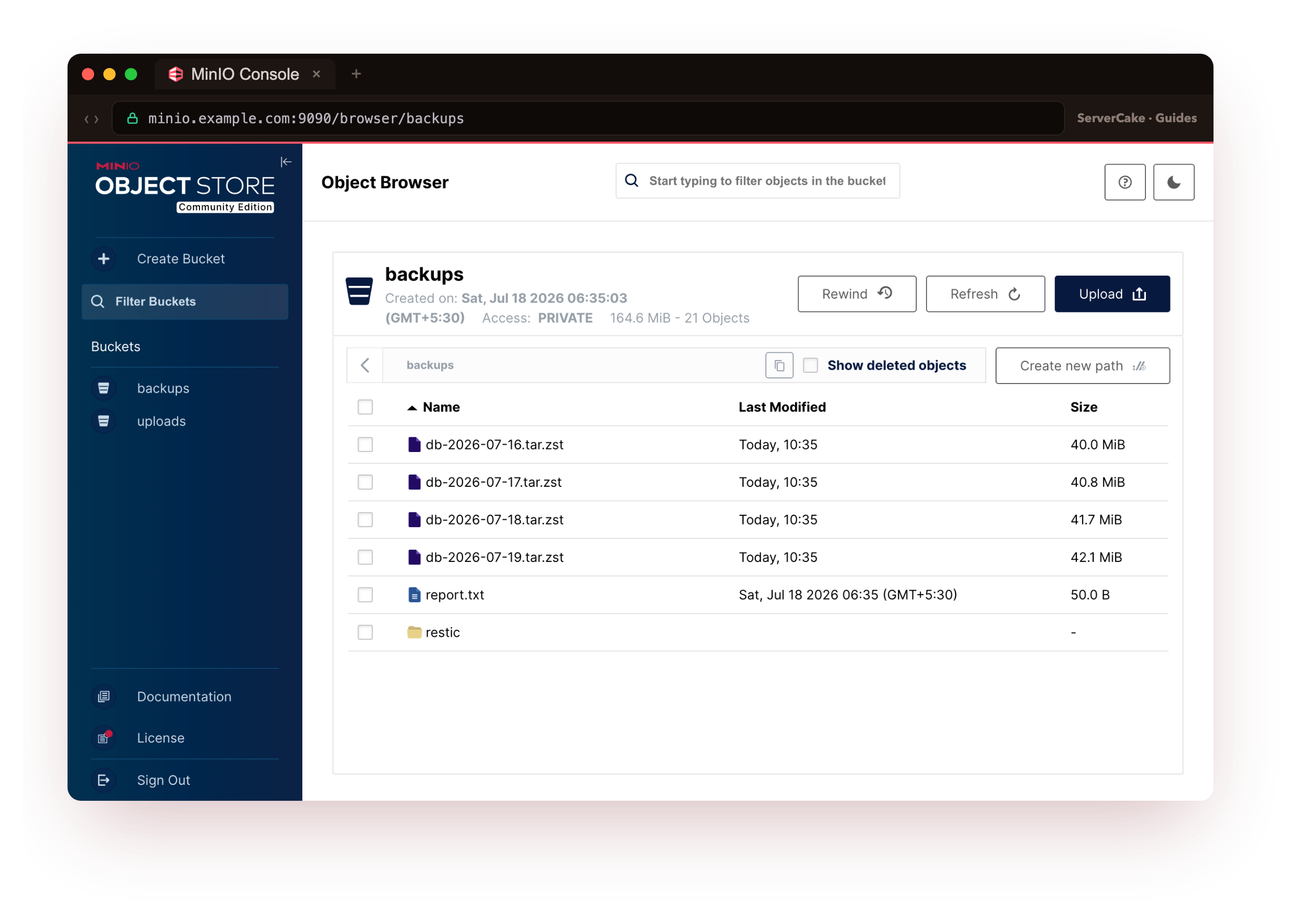
The file is now an object in your bucket: report.txt, 50 bytes, class STANDARD. Notice what an object address looks like: local/backups/report.txt is the alias, then the bucket, then the object's key.
The key is just a name, but it can contain slashes, and this is worth understanding because it is where people get confused. There are no real folders in object storage. When you upload to local/uploads/2026/07/invoice.pdf, you have not created folders; you have created one object whose key happens to be 2026/07/invoice.pdf.
Tools display the slashes as folders for your convenience, but under the hood it is a flat namespace of keys. This is why object storage scales so well and why you should not think of it as a filesystem.
Getting an object back is the reverse copy:
mc cp local/backups/report.txt ./downloaded.txt
mc cat local/backups/report.txt
mc cat streams an object straight to your terminal, handy for checking a text file or piping a backup somewhere. To remove one, mc rm local/backups/report.txt; to sync a whole directory up, like a website's assets or a backup folder, mc mirror ./local-dir local/backups/, which copies only what changed, the way rsync does.
How do you safely share a single private file?
Here is the situation every app hits. A user uploads an invoice. Later they want to download it. The file is private, so you cannot just make the bucket public to the world.
But you also do not want to route the download through your app server, streaming megabytes of file data through your web process, because that ties up your app and does not scale. You need a way to say "this specific person can download this specific file, for the next hour, and no one else." That is exactly what a presigned URL is.
MinIO presigned URL: share objects without credentials
A presigned URL is a link to a private object with a cryptographic signature baked into it that grants temporary access. Anyone holding the link can download the file until it expires; no one needs your credentials, and the moment it expires the link is dead. Generate one for the report, valid for seven days:
mc share download --expire 168h local/backups/report.txt
You get back a long URL: the object's address followed by a signature and an expiry (X-Amz-Expires, X-Amz-Signature, and friends). That signature is the whole trick. It proves the link was issued by someone who holds the credentials, so MinIO honours it, but the credentials themselves are nowhere in the link.
The pattern in a real app is: your backend, which does hold the credentials, generates a presigned URL and sends just that URL to the browser. The browser downloads directly from object storage, your app server never touches the file data, and the access dies on schedule.
Presigned URLs work for uploads too. You can hand the browser a presigned upload URL and let the user's file go straight into your bucket without ever passing through your server, which is how you build fast, scalable uploads. The next chapter shows that flow from the application's side.
Public when you actually mean it
Sometimes a file genuinely is public: a website's images, a downloadable brochure, a release binary. For those you can set a bucket or prefix to be readable by anyone, deliberately, with an access policy:
mc anonymous set download local/uploads/public
Now anything under uploads/public/ is fetchable by a plain URL with no signature, which is what you want for assets meant for the whole world. The key word is deliberately. The common and painful mistake is making a whole bucket public to fix one download and quietly exposing everything in it. Keep buckets private by default, share individual files with presigned URLs, and make a specific prefix public only when the content is truly meant for everyone.
A note on organising your buckets
A little structure early saves pain later. A useful convention is to separate by purpose and lifetime: a private uploads bucket for user content that must persist, a backups bucket that only your backup process writes to, a public bucket or prefix for genuinely public assets, and perhaps a tmp prefix for things that can be auto-deleted.
Because you can set policies and, as the last chapter shows, lifecycle rules per bucket, this separation lets you treat each kind of data correctly: never expose backups, auto-expire temporary files, cache public assets aggressively. Deciding this once, up front, is far easier than untangling one giant bucket later.
Troubleshooting presigned URLs and access
The presigned URL works on the server but not from a browser. The link contains 127.0.0.1, which only resolves on the server itself. Generate presigned URLs against the public hostname you serve MinIO on, which the next chapter sets up behind nginx, not against localhost.
A presigned URL returns "Request has expired". The link is past its --expire window, or the server and client clocks disagree enough to fail the signature check. Reissue the link, and make sure the server's time is synced with NTP.
mc anonymous set download exposed more than you intended. The policy applies to the whole bucket or prefix you named. Scope it to a narrow prefix such as uploads/public/, never the bucket root, so private objects stay private.
Frequently asked questions
How long can a presigned URL stay valid?
Up to seven days, which is the S3 signature-v4 maximum. Set the shortest window that works for the task with --expire rather than defaulting to the longest.
Can I revoke a presigned URL before it expires?
Not the link itself; the signature stays valid until it expires. To cut access sooner, rotate the credentials that signed it, which is why short expiry windows are the safer habit.
Are there real folders inside a bucket?
No. Keys are a flat namespace, and slashes in a key are shown as folders by tools for convenience. Uploading to 2026/07/invoice.pdf creates one object with that key, not three folders.
Should I make a bucket public to share a single file?
No. That exposes everything in the bucket. Use a presigned URL for one file, and set a public prefix only for assets that are genuinely meant for everyone.
What you have, and what comes next
You can now put objects in, get them out, list and organise them, and, most importantly, hand out safe time-limited access to private files with presigned URLs while keeping public assets deliberately public. That is object storage as a human uses it.
The next chapter is object storage as your application uses it: the S3 API that every SDK speaks, how your app authenticates, and how the presigned-URL pattern becomes the backbone of fast uploads and downloads that never burden your server.