What MinIO versioning and lifecycle rules fix
MinIO versioning preserves earlier copies of an object, so a bad overwrite or delete can be rolled back, and lifecycle rules expire stale data on a schedule you set. This chapter turns on both, then points backups at the bucket you have built.
- Versioning keeps every copy of an object, so an overwrite or delete stays recoverable.
- A lifecycle rule expires stale objects automatically, with no cron job to maintain.
- Pair them: keep current objects but expire old, non-current versions after a shorter window.
- A private, versioned bucket with a lifecycle rule is exactly what your backups should target.
Once real data lives in your object storage on Ubuntu 24.04, two failure modes appear, and they pull in opposite directions. The first is loss: someone, or some buggy code, overwrites an important object with a bad version, or deletes it, and the good copy is gone.
The second is accumulation: temporary files, old uploads, and stale backups pile up forever, quietly filling your disk and, if you were paying a cloud provider, your bill. MinIO has one feature for each, and turning both on is what separates storage you can trust from storage that is merely convenient.
Versioning gives you undo. Lifecycle rules give you automatic cleanup. This chapter turns on both, and then shows how this same bucket becomes a reliable backup target, which is exactly what the next series builds on.
Let's build.
Prerequisites
- MinIO running from part one, with the mc client and a local alias.
- A bucket to work with, such as the backups bucket from part one.
- A few objects already in the bucket if you want to watch versioning in action; part two covers uploading them.
Versioning: an undo button for objects
By default, when you upload an object with a key that already exists, the new version replaces the old one and the old one is gone. Versioning changes this: MinIO keeps every version of an object, so an overwrite or a delete becomes recoverable. Turn it on for a bucket:
mc version enable local/backups
mc version info local/backups
versioning is enabled, and now the bucket behaves very differently in the one moment that matters. Overwrite report.txt with new content and the old version is still there, retrievable by its version ID. Even a delete does not truly destroy the object; it adds a "delete marker" on top, and the real versions sit underneath, recoverable.
You can list every version with mc ls --versions local/backups and restore any of them. For a bucket holding backups or anything irreplaceable, this is the difference between "a bad script deleted our data" being a five-minute recovery and being a disaster.
Versioning is not free: keeping every version uses more disk, which is precisely why it pairs with lifecycle rules that expire the old ones. Turn it on for the buckets where history matters, backups and important uploads, and leave it off for buckets full of disposable or easily-regenerated files.
Lifecycle rules: cleanup that runs itself
The other problem is accumulation, and the answer is a lifecycle rule: a policy that tells MinIO to automatically expire objects after some number of days, with no cron job and no cleanup script for you to maintain and forget. Add a rule that expires objects in the backups bucket after 30 days:
mc ilm rule add --expire-days 30 local/backups
mc ilm rule ls local/backups
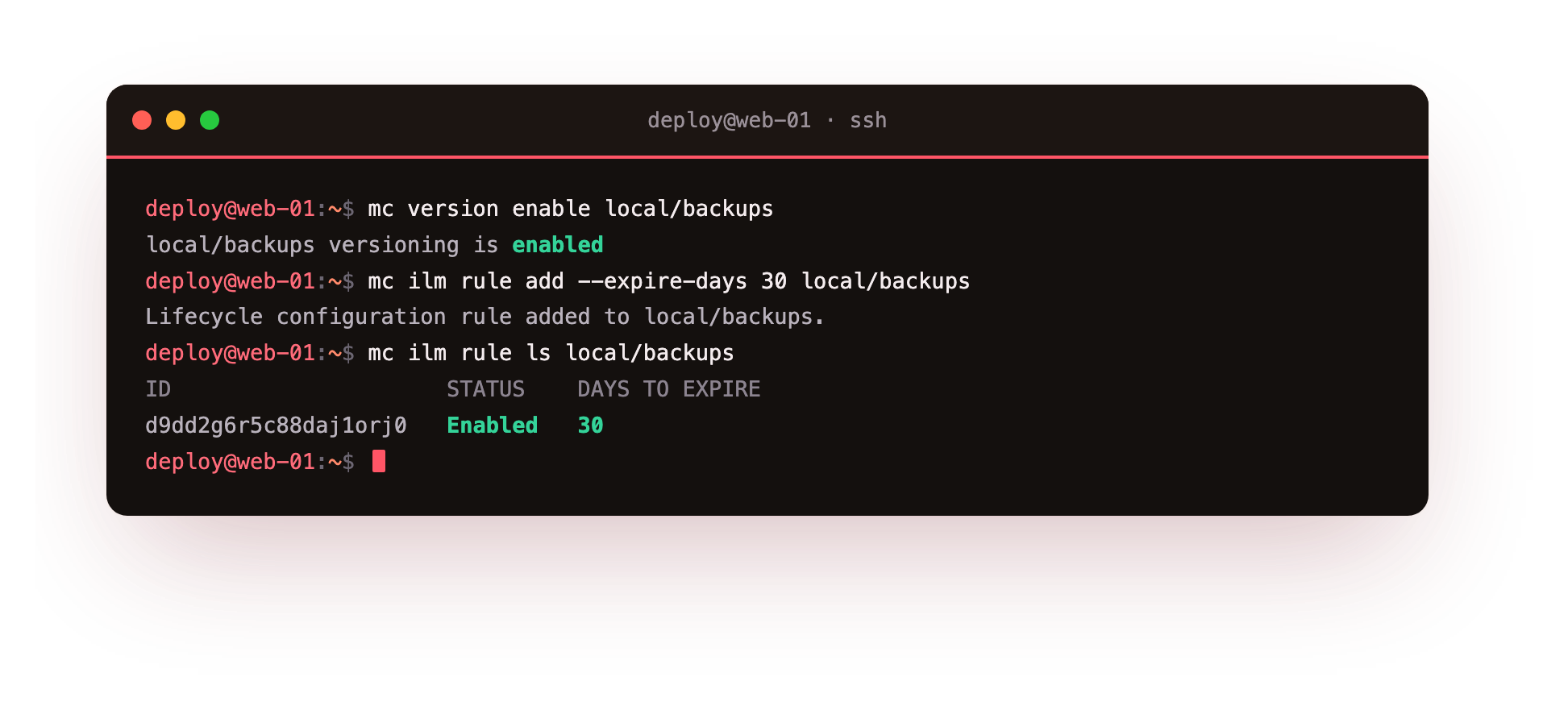
The rule table shows it: a rule, enabled, that expires the latest version after 30 days. From now on MinIO enforces this itself. Any object older than 30 days is removed automatically, so a bucket of daily backups keeps a rolling month and never grows without bound.
Combine it with versioning and you can be more precise: keep current objects, but expire non-current (old) versions after a shorter window, so you get recent undo history without paying to store every version forever. Lifecycle rules are how object storage stays tidy at scale, because "delete old files" stops being a chore you own and becomes a property of the bucket.
The habits worth forming: put a lifecycle rule on anything that should not live forever the day you create the bucket, not the day the disk fills. Temporary uploads might expire in a day, backups in a month or a quarter depending on your retention policy, logs in a week. Decide the retention when you know the data's purpose, and let the bucket enforce it.
This bucket is a backup target
Everything in this series has quietly been building toward a specific use. A private, versioned bucket with a sensible lifecycle rule is exactly what you want to point backups at.
Your database dumps from the PostgreSQL guide, your application's files, a snapshot of a server, all of it can be pushed to a bucket like backups and then it is: off the origin server (so a dead disk or a compromised box does not take the backups with it), protected from accidental deletion by versioning, and automatically pruned to your retention window by the lifecycle rule.
The simplest version is a line you have half-seen already. A nightly backup script dumps the database and pushes it up:
pg_dump -Fc -d shopdb -f /tmp/shopdb-$(date +%F).dump
mc cp /tmp/shopdb-$(date +%F).dump local/backups/postgres/
That single mc cp is the off-site copy that the backup chapter kept insisting on, and now you have somewhere real to send it. Dedicated backup tools like restic go further, encrypting and deduplicating before they upload, and they speak S3 too, so they point straight at this same MinIO. That is the subject of the next series.
How durable is a single MinIO server?
It is worth being honest about the limit of a single MinIO server, because trust is the whole point of this chapter. Versioning protects you from mistakes: overwrites and deletes. It does not protect you from the disk failing, because all the versions live on that one disk.
For genuinely critical data, you want copies in more than one place: MinIO can replicate a bucket to a second MinIO server or even to Amazon S3, and for the truly important, that second copy in a different location is what turns "durable enough" into "durable."
A single server with versioning and lifecycle is excellent for user uploads, caches, and as a backup target for data whose primary copy lives elsewhere; for the one dataset you cannot ever lose, add the second location.
Troubleshooting versioning and lifecycle
Objects are not expiring the moment they pass the age limit. Lifecycle enforcement runs on a periodic scanner, not instantly. Expired objects are removed on the next scan, so a small delay past the exact expiry day is normal and expected.
A deleted object still appears in listings. With versioning on, a delete adds a delete marker and the real versions sit underneath. List them with mc ls --versions and restore one, or expire non-current versions with a lifecycle rule.
Disk usage keeps climbing after you enable versioning. Every overwrite now keeps the old version. Add a lifecycle rule that expires non-current versions so history does not accumulate without bound.
Frequently asked questions
Does versioning protect against a disk failure?
No. Every version lives on the same disk, so versioning protects against mistakes, not hardware loss. Replicate the bucket to a second MinIO or to Amazon S3 for genuine durability.
How quickly does a lifecycle rule delete expired objects?
Not instantly. MinIO's scanner sweeps periodically and removes expired objects on its next pass, so expect a short delay rather than deletion at the exact second an object ages out.
Can I expire old versions but keep the current one?
Yes. A lifecycle rule can target non-current versions with a shorter window while the current object stays. That gives you recent undo history without paying to store every version forever.
Can this bucket be a backup target for tools like restic?
Yes. restic and rclone speak S3, so they point straight at this MinIO. Taking encrypted, deduplicated backups and pushing them to a bucket like this is the subject of the next series.
What you have built
Step back and look at the whole series. You started with an app that had nowhere to put a user's uploaded file. You now have your own S3-compatible object storage running as a service, buckets organised by purpose, presigned URLs handing out fast and safe access without your server in the loop, the entire S3 ecosystem of tools and SDKs working against it unchanged, and the data protected by versioning and kept tidy by lifecycle rules. Every command ran on one small VPS.
That is object storage you own, for the cost of a server, with the data resident where you chose. It is enough to run real applications, and it is a proper target for the backups that keep everything else safe, which is where the next series goes: taking encrypted, deduplicated, tested backups and pushing them to exactly the kind of bucket you just built.