The failure that looks like a mystery
PostgreSQL connection pooling with PgBouncer puts a lightweight middleman between your app and the database, so hundreds of app connections ride on a small pool of real ones. This chapter installs that pooler in front of a live database and watches it absorb a burst that would otherwise knock the server over.
- Every PostgreSQL connection is its own operating-system process with its own memory, so even idle connections cost RAM.
- The default max_connections of 100 is far more than a 1.9 GB server can safely run at once.
- PgBouncer in transaction mode lets around 200 app connections ride on about 20 real ones.
- SHOW POOLS reports cl_waiting and sv_idle, so you size the pool from real numbers rather than a guess.
Your app runs fine for weeks. Then one busy evening it starts throwing FATAL: sorry, too many clients already, or it just hangs, and by the time you look, the database server's memory is exhausted and everything is slow. You restart it, it recovers, and you spend the next week nervous. Nothing changed in your code. What changed is that enough users showed up at once, and your database ran out of the one resource nobody thinks to budget: connections.
This surprises people because the number feels large. PostgreSQL defaults to 100 connections, and 100 sounds like plenty. It is not, and understanding why is the whole point of this chapter.
Each PostgreSQL connection is a separate operating-system process with its own memory. On a small server, a few dozen busy connections can eat all your RAM, and long before you hit the limit you are swapping to disk and the database is crawling. The answer is not "raise the limit." The answer is a connection pooler, and this chapter puts one in front of a live database on Ubuntu 24.04 LTS.
Let's build.
Prerequisites
- PostgreSQL 16 running on Ubuntu 24.04 LTS, with the app_user login created in the roles chapter of this series.
- Permission to install PgBouncer (apt install pgbouncer) and edit its config under /etc/pgbouncer.
- Your application's connection string, so you can repoint it from port 5432 to 6432.
- SCRAM password hashes in a userlist.txt for the roles PgBouncer will authenticate.
Count the real ceiling
First, see the limit you actually have:
sudo -u postgres psql -c "SHOW max_connections;"
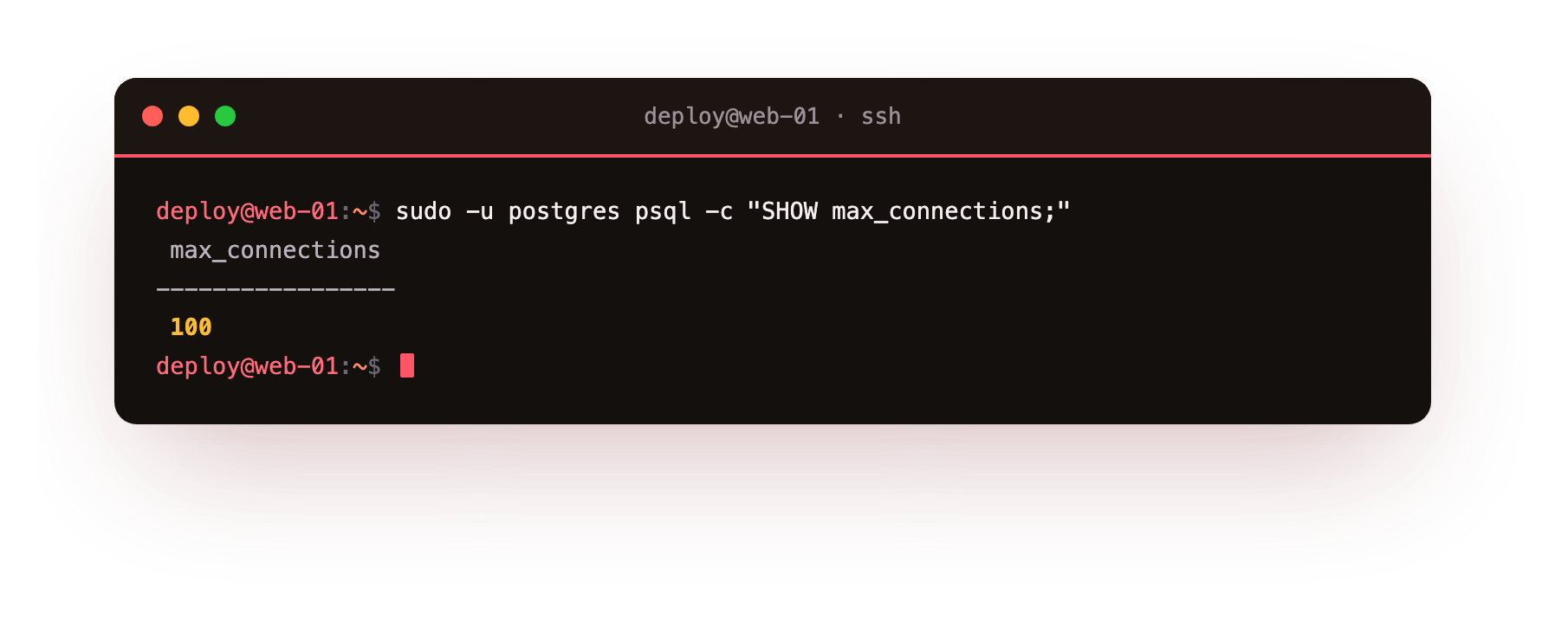
One hundred. Now do the arithmetic nobody does. Each connection can use up to work_mem for sorts and hashes, plus its own base overhead, call it a few megabytes idle and much more under load. On this server, which has 1.9 GB of RAM total and is also running the operating system and PostgreSQL's own shared memory, a hundred genuinely busy connections would ask for more memory than the machine has.
The database does not warn you politely. It starts refusing connections, or the Linux out-of-memory killer starts killing processes, and either way your evening is ruined.
There is a second, sneakier problem. Modern app frameworks and serverless functions open connections eagerly and hold them open. Ten app servers with a pool of twenty connections each is two hundred connections before a single real user is being served, most of them sitting idle, each one still a full process consuming memory. You are paying the full cost of connections you are not even using.
Raising max_connections is the wrong fix
The tempting move is to bump max_connections to 500 and move on. Do not. You have not created any new memory; you have just removed the guardrail that was stopping you from running out of it. A server that could safely handle 40 busy connections will now happily accept 500 and fall over harder. The limit is not the problem. The one-process-per-connection model meeting a small server is the problem, and the tool built for exactly this is a pooler.
PostgreSQL connection pooling with PgBouncer
PgBouncer sits between your application and PostgreSQL. Your app opens as many connections as it likes to PgBouncer, which is cheap because PgBouncer is lightweight and does not spawn a process per client. PgBouncer then multiplexes all of that onto a small, fixed set of real PostgreSQL connections. Two hundred idle app connections can share twenty real ones, because at any given instant almost none of them are actually running a query.
Install it and point it at your database. The key decisions live in a short config:
[databases]
shopdb = host=127.0.0.1 port=5432 dbname=shopdb

[pgbouncer]
listen_addr = 127.0.0.1
listen_port = 6432
auth_type = scram-sha-256
auth_file = /etc/pgbouncer/userlist.txt
pool_mode = transaction
max_client_conn = 200
default_pool_size = 20
Two lines carry most of the weight. default_pool_size = 20 is how many real PostgreSQL connections PgBouncer will actually open per database, the number your server has to survive. max_client_conn = 200 is how many app connections PgBouncer will accept and pretend to serve. The gap between them, 200 clients riding on 20 real connections, is the entire benefit.
pool_mode = transaction is the setting that makes it work well. In transaction mode, a real connection is handed to a client only for the duration of a single transaction, then returned to the pool for the next client. This is what lets twenty connections serve hundreds of clients, because a web request holds a connection for milliseconds, not for its whole lifetime.
It comes with one rule you must respect: transaction mode does not support session-level features like SET, prepared statements across transactions, or LISTEN/NOTIFY. Ninety percent of web apps never touch these, but check yours.
Your app now connects to the pooler, not the database
The change on the application side is one line: connect to port 6432 (PgBouncer) instead of 5432 (PostgreSQL directly). Everything else looks identical to your app.
PGPASSWORD=... psql "host=127.0.0.1 port=6432 dbname=shopdb user=app_user" -c "SELECT count(*) FROM orders;"
It returns 20001, exactly as if you had talked to PostgreSQL directly, because as far as your app is concerned you did. The pooler is invisible to your queries and decisive for your stability.
Watch the pool do its job
PgBouncer has its own admin console, reachable as a special pgbouncer database, and it will show you the pool in action. This is the view that tells you whether you are healthy or about to fall over:
PGPASSWORD=... psql "host=127.0.0.1 port=6432 dbname=pgbouncer user=app_user" -c "SHOW POOLS;"
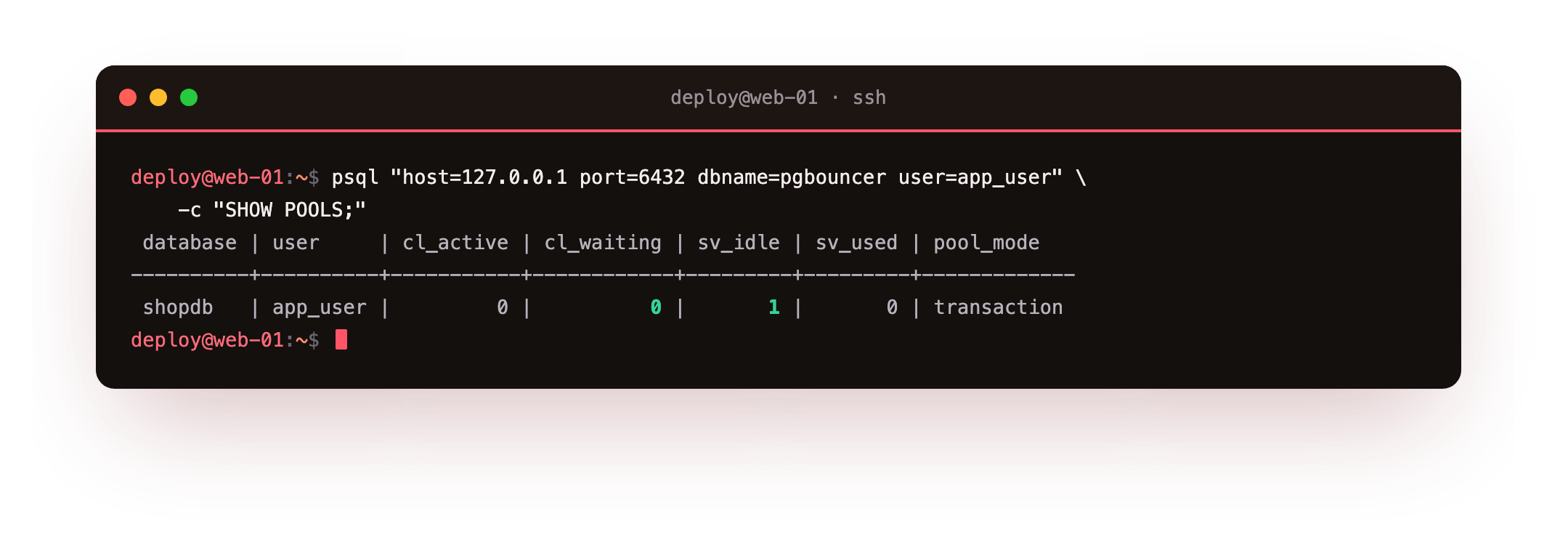
The columns to watch are cl_active (clients doing work), cl_waiting (clients queued because every real connection is busy), and sv_idle (real connections sitting ready). A healthy pool has some idle servers and no waiting clients. When cl_waiting climbs and stays up, your pool is too small for your load and you raise default_pool_size, carefully, watching memory. When sv_idle is always high, your pool is bigger than it needs to be. This one command replaces a lot of guessing.
How big should the pool be?
The honest starting point on a small server is smaller than you think. A useful rule of thumb is that your effective pool size wants to be in the neighborhood of your CPU core count times two to four, not your user count.
This server has 2 cores, so a pool of 20 is already generous, and it can serve a surprising amount of traffic because each query finishes fast and frees its connection. More connections than the CPU can actually run in parallel do not make queries faster; they make them contend. The pooler lets you accept a flood of clients while keeping the number of simultaneously executing queries sane.
If you are running several app servers, put PgBouncer in front and set each app server's own pool small, because the real limit now lives in PgBouncer, not in each app. The app pools become cheap holding pens; PgBouncer owns the scarce resource.
Troubleshooting PgBouncer connection problems
The app cannot authenticate through PgBouncer. The role's SCRAM hash in /etc/pgbouncer/userlist.txt is missing or wrong. Copy the exact rolpassword value from pg_shadow into userlist.txt and set auth_type = scram-sha-256.
Queries fail with "prepared statement does not exist." A client library is using server-side prepared statements under transaction pooling. Disable prepared statements in the driver, or route that connection through a session-mode pool.
cl_waiting climbs and stays high in SHOW POOLS. The pool is too small for the load. Raise default_pool_size a little, watching memory, or add server capacity. Raising max_client_conn alone only queues more clients against the same real connections.
The app still connects on port 5432. It is bypassing the pooler entirely. Point its host and port at 127.0.0.1:6432 and confirm with SHOW POOLS that the clients appear in the pool.
Frequently asked questions
What is the difference between session and transaction pooling?
Session pooling ties a real connection to a client for its whole session, which is safe but pools less aggressively. Transaction pooling returns the connection after each transaction, letting far more clients share a small pool, at the cost of session-scoped features.
How large should default_pool_size be?
Start near your CPU core count times two to four, not your user count. On a 2-core box a pool of about 20 is generous, because each fast query frees its connection for the next client almost immediately.
Do I still need a pooler if I run several app servers or serverless functions?
Yes, more so. Each instance opens its own connections eagerly, so a central PgBouncer owns the scarce real connections while every app keeps a small local pool that only talks to the pooler.
Does PgBouncer replace PostgreSQL's max_connections?
No. max_connections still caps the real backend connections. PgBouncer keeps the number of real connections well under that ceiling while accepting many more clients in front of it.
What you have now
Your database can now absorb a burst of traffic that would previously have knocked it over. Two hundred app connections ride on twenty real ones, transactions borrow a connection only while they need it, and you have a single command that shows you the pool's health in real time. You have turned "too many clients already" from a recurring fire into a number on a dashboard you understand.
There is one thing pooling cannot fix, and it is the last piece: the queries themselves. A pool keeps you stable, but if your queries are slow, stable just means slow for everyone at once. The final chapter is about making the database fast on the hardware you actually have: sizing PostgreSQL's memory to a small VPS, and finding the one slow query that is quietly costing you the most.