File-based secrets done right
Chapter one ended on a single fix: chmod 600 and a dedicated owner. File-based secrets take that floor and build the real pattern on top of it, which is the practical default for a single slice: a locked file on disk that exactly one account reads, with no external service to run. This chapter does file-based secrets properly on a live Ubuntu 24.04 server, using a dedicated owner, systemd credentials that never reach the process environment, an EnvironmentFile at mode 600, and a tmpfs so runtime secrets never touch the disk.
- Give each service its own system account and a secret file owned by that account at mode
600. - systemd
LoadCredential=exposes a secret under$CREDENTIALS_DIRECTORY, not in the environment. - An
EnvironmentFile=is loaded with whatever permissions you set, so lock it to600yourself. - A tmpfs keeps runtime secrets in RAM, so they never get written to disk or a backup.
The goal across all four methods is the same: exactly one account can read the value, and the value lives in as few places as possible. Start with the account and the file mode, then layer systemd on top.
A dedicated owner and mode 600
Running services as your login user, or worse as root, means every secret they hold is readable by that broad account. A system account fixes this. It has no login shell and no home, exists only to run one service, and owns that service's secret file. No other account, including the web server user, can read it.
sudo useradd --system --no-create-home --shell /usr/sbin/nologin appsvc
sudo stat -c '%A %a %U:%G  %n' /etc/appsvc/secrets.env
sudo -u www-data cat /etc/appsvc/secrets.env
sudo -u appsvc cat /etc/appsvc/secrets.env
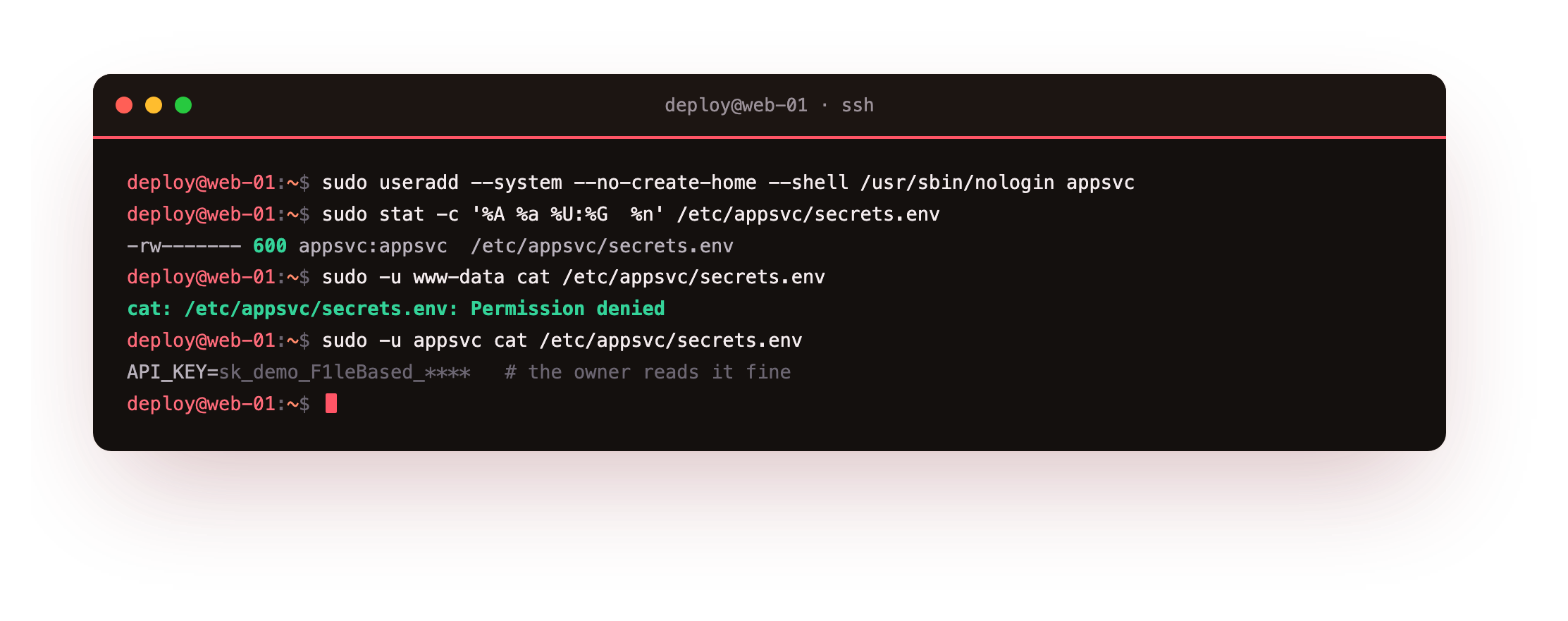
The file is owned by appsvc:appsvc at mode 600. When www-data tries to read it the kernel returns Permission denied, while the service account itself reads it fine. This is the tightest a plain file gets: one owner, no group or other access. It is also the pattern systemd expects when you hand a service a credential.
Run sudo -u www-data cat /etc/appsvc/secrets.env and confirm it is refused, then sudo -u appsvc cat /etc/appsvc/secrets.env and confirm the owner reads it. If the wrong account can read the file, check ls -l shows appsvc appsvc and the mode is -rw-------.
systemd credentials that never enter the environment
Passing a secret through the environment leaks it into /proc, as chapter one showed. systemd's LoadCredential= avoids that. It reads a file at start, places a copy in a private per-service directory, and points $CREDENTIALS_DIRECTORY at it. The secret is readable by the service but never exported as an environment variable.
[Service]
Type=oneshot
DynamicUser=yes
LoadCredential=apikey:/etc/secretsdemo/apikey
ExecStart=/usr/local/bin/secretsdemo-check.sh
The demo service reads its credential and reports on it without printing the value, then checks its own environment.
sudo journalctl -u secretsdemo.service -n 8 -o cat
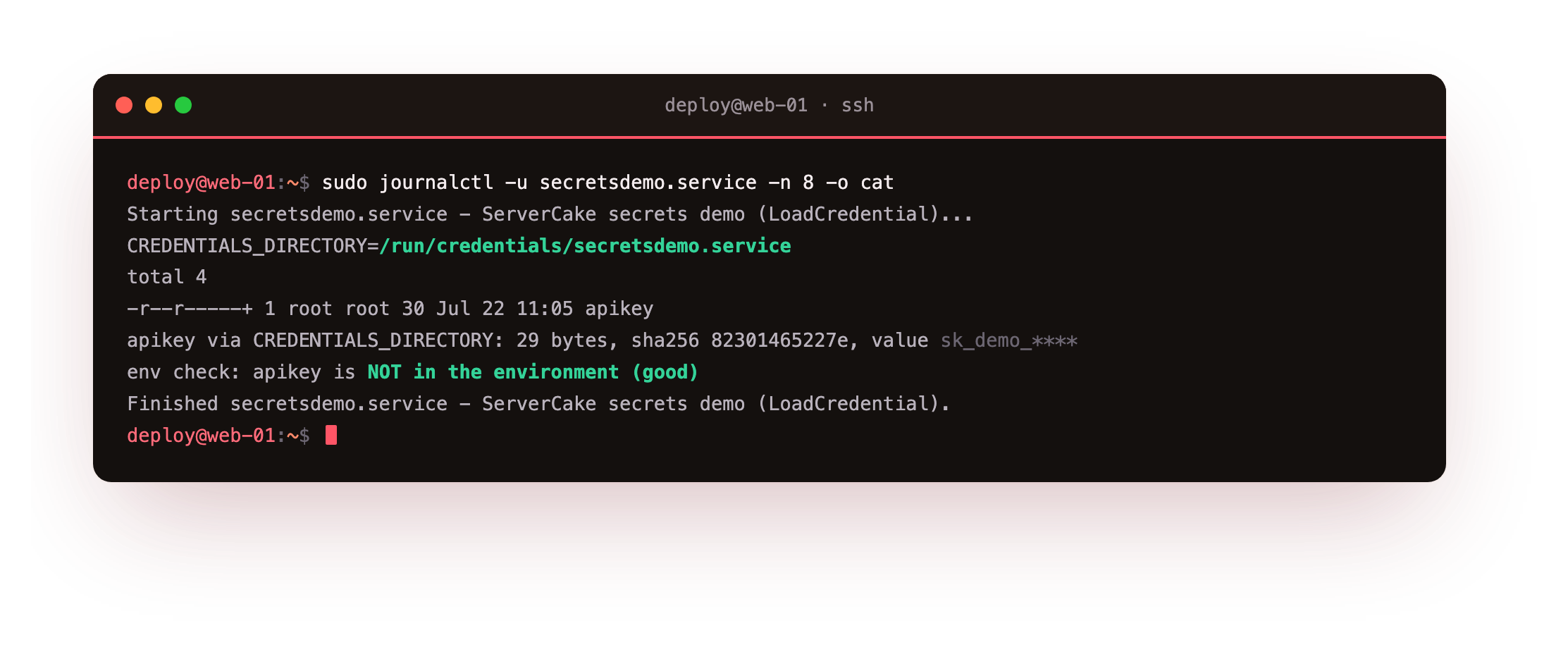
The journal shows $CREDENTIALS_DIRECTORY set to a path under /run, the credential file present and readable, and the final line confirming the key is not in the environment. The credential directory lives on a tmpfs and is cleaned up when the service stops, so the secret never persists. For a fixed value you can also inline it with SetCredential=, though a file keeps the secret out of the unit text.
EnvironmentFile and tmpfs
Many apps still expect their config as environment variables. EnvironmentFile= loads KEY=value lines from a file into the service environment. systemd does not enforce the file's permissions for you, so lock it down yourself: owner-only 600, owned by the service account, exactly like the file above. A world-readable EnvironmentFile reintroduces the chapter-one leak.
For secrets that only exist while the service runs, a tmpfs keeps them in memory. A tmpfs is a filesystem backed by RAM, so anything written there is gone on reboot and never reaches the disk or a disk backup.
findmnt /run/appsvc
sudo stat -c '%A %a  %n' /run/appsvc/token
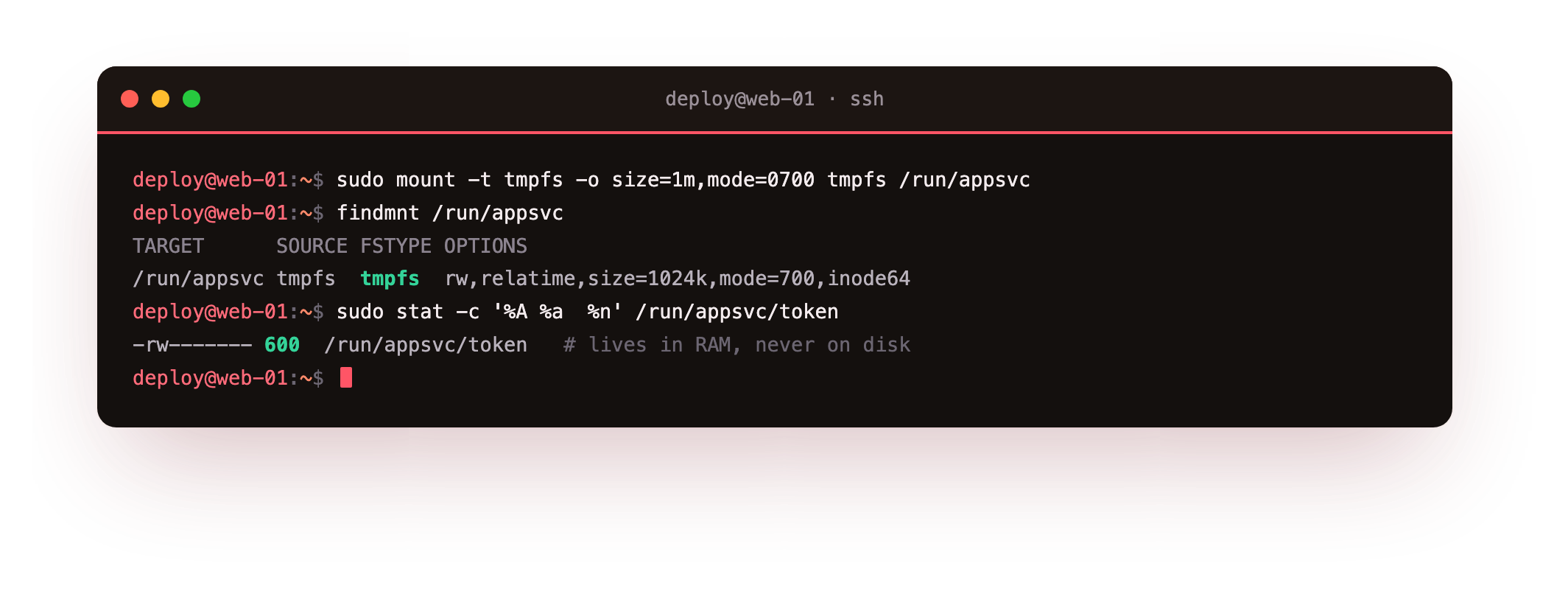
The mount shows type tmpfs, and the token file sits inside it at mode 600. Because /run is already a tmpfs on Ubuntu, runtime secrets placed there stay in RAM by default. Combine the pieces and each secret has one owner, one location, and no path onto the disk or into the environment that you did not choose.
Going further: DynamicUser and short-lived jobs
The demo unit pairs LoadCredential= with DynamicUser=yes, which runs the service under a temporary account created at start and removed at stop. systemd scopes the credential directory to that account, so the file under $CREDENTIALS_DIRECTORY is readable by the running service and by nothing else. That combination gives you an owned, isolated secret without even creating a permanent account, which suits short-lived or one-shot jobs.
For a long-running service you usually want a stable system account instead, so logs, file ownership and audits point at a name that persists. Reach for DynamicUser=yes when the job is transient and leaves nothing behind, and for a named account like appsvc when the service and its files need to outlive a single run.
Frequently asked questions
When should I use LoadCredential instead of an EnvironmentFile?
Prefer LoadCredential= when the app can read a file path, because the secret never enters the environment and cannot leak through /proc. Use EnvironmentFile= only when the app insists on environment variables, and then lock the file to mode 600 owned by the service account.
Does systemd protect an EnvironmentFile automatically?
No. systemd reads whatever file you point it at, with whatever permissions it has. Setting the file to 600 and the right owner is your job. systemd does harden the LoadCredential= directory, which is one reason to prefer it.
Why put runtime secrets on a tmpfs?
A tmpfs lives in RAM, so a secret written there is never flushed to disk and cannot appear in a filesystem backup or on a recovered drive. It also disappears on reboot, which limits how long a leaked value stays around. On Ubuntu, /run is already a tmpfs.
Is a system account really necessary for one app?
It is worth the two commands. A dedicated account limits the blast radius: if the app is compromised, the attacker gets that account's secrets and nothing else. Sharing your login user or root across services means one breach exposes every secret on the box.
What you can do now
Give each service a system account, own its secret file as that account at mode 600, and choose how the app receives the value: LoadCredential= to keep it out of the environment, an EnvironmentFile= locked to 600 when the app needs variables, and a tmpfs for anything that should stay in RAM.
These methods keep a secret safe on the server, but they do not make it safe to commit, because the value is still plaintext on disk. The next chapter installs age and sops on the bare box and encrypts secrets at rest, so the ciphertext is the version you store in the repository: encrypt secrets at rest with age and sops.