What you will have
This tutorial shows you how to back up Immich on a VPS in a way you can actually trust, because it finishes with a restore you have run yourself rather than a folder of .tar.gz files you assume would work. Your photo library is usually the one thing on the slice with no copy anywhere else, so a backup that skips a piece, or grabs the pieces a second apart, is the gap between a mild evening and losing every memory you moved onto the box.
You will finish with one script that pauses the server, dumps its database exactly the way the Immich project documents, folds the database, the photo library and the config into a single dated archive, ships that off the machine to object storage, wakes up on its own each night, and clears out old copies.
Then you will break the instance deliberately and rebuild it from that archive and nothing else.
Here is the destination, shown first. This is the exact sequence captured on the instance we protected while writing this guide, a modest slice running Immich in Docker behind nginx.
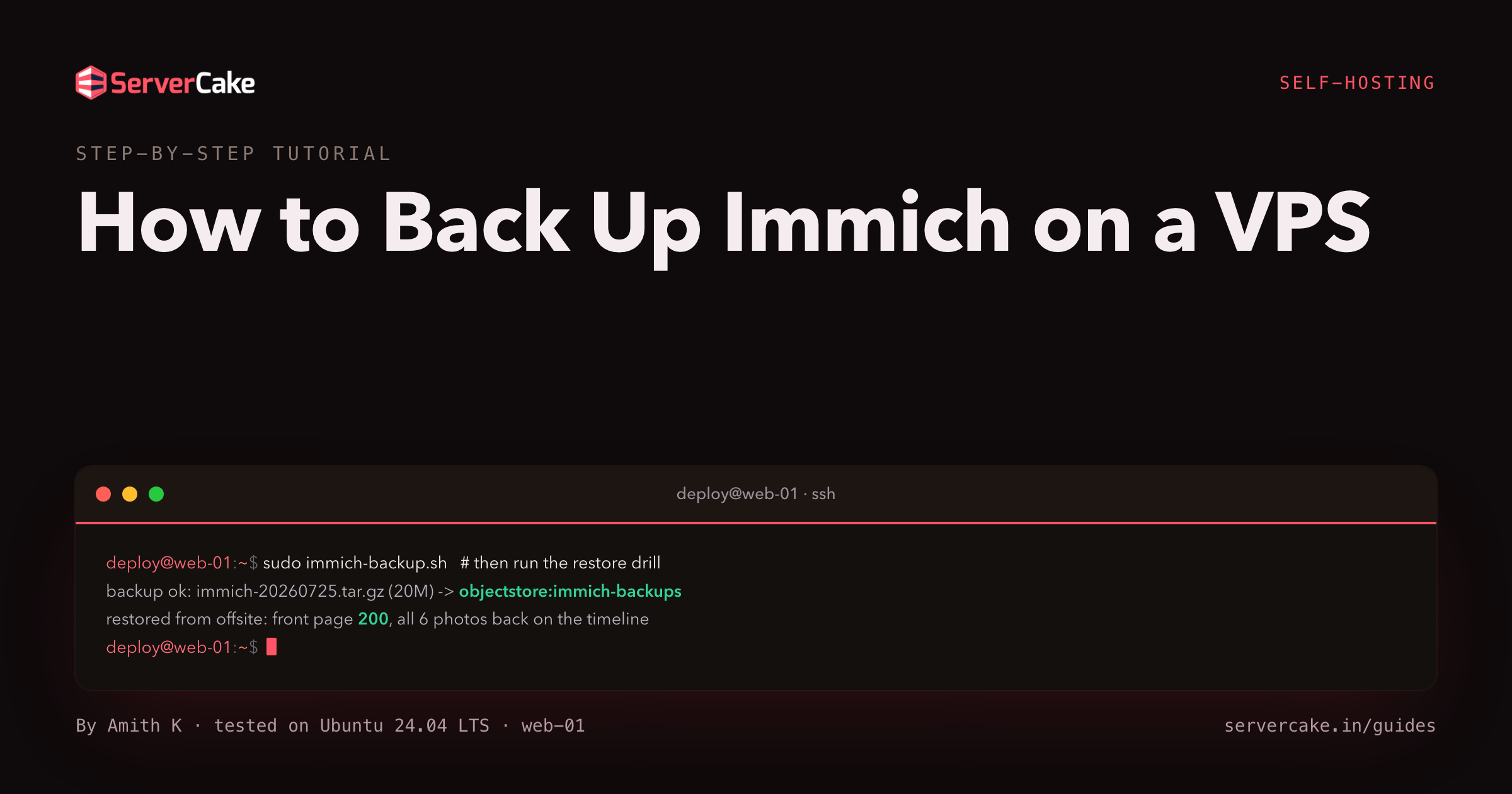
# the payoff: a backup runs, then a restore proves it   (prove a backup by restoring it)
sudo /usr/local/bin/immich-backup.sh
curl -sk -o /dev/null -w 'before   %{http_code}\n' https://your-domain/    # 200
# drop the database, wipe the library, restore from the offsite copy, then:
curl -sk -o /dev/null -w 'restored %{http_code}\n' https://your-domain/    # 200
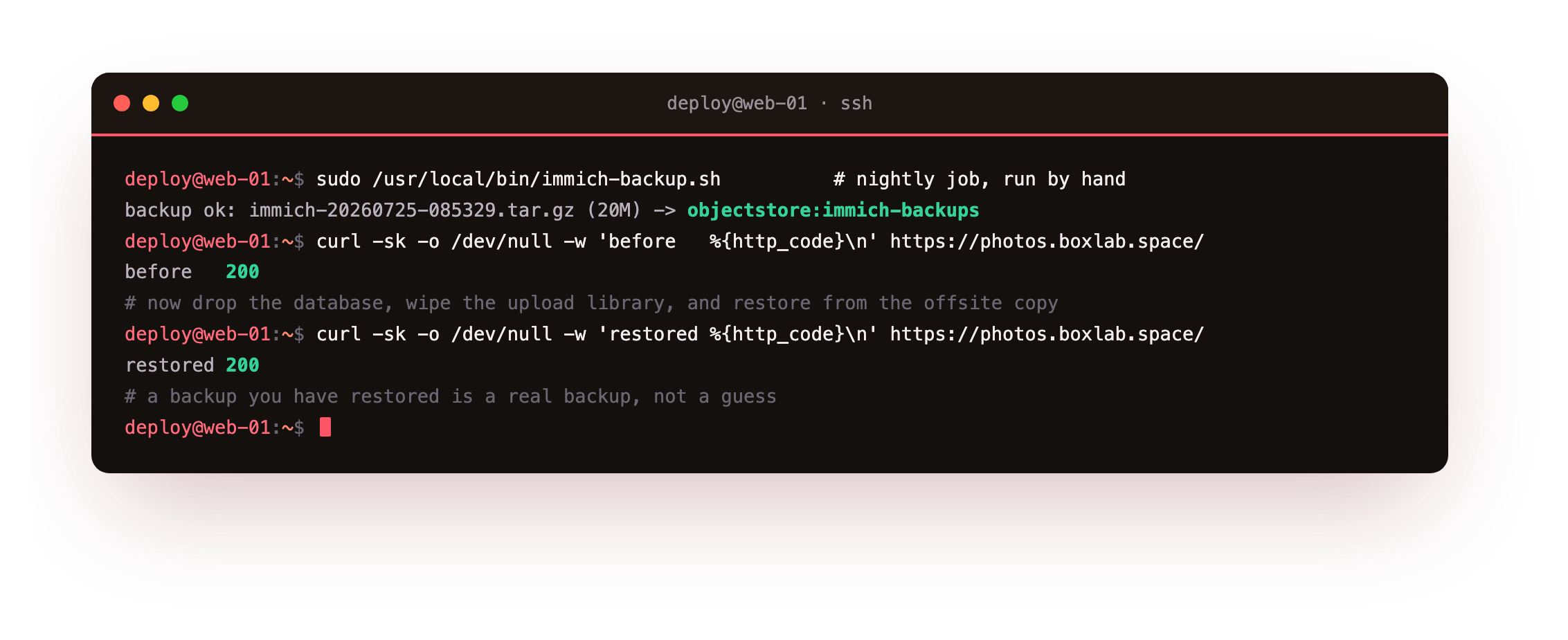
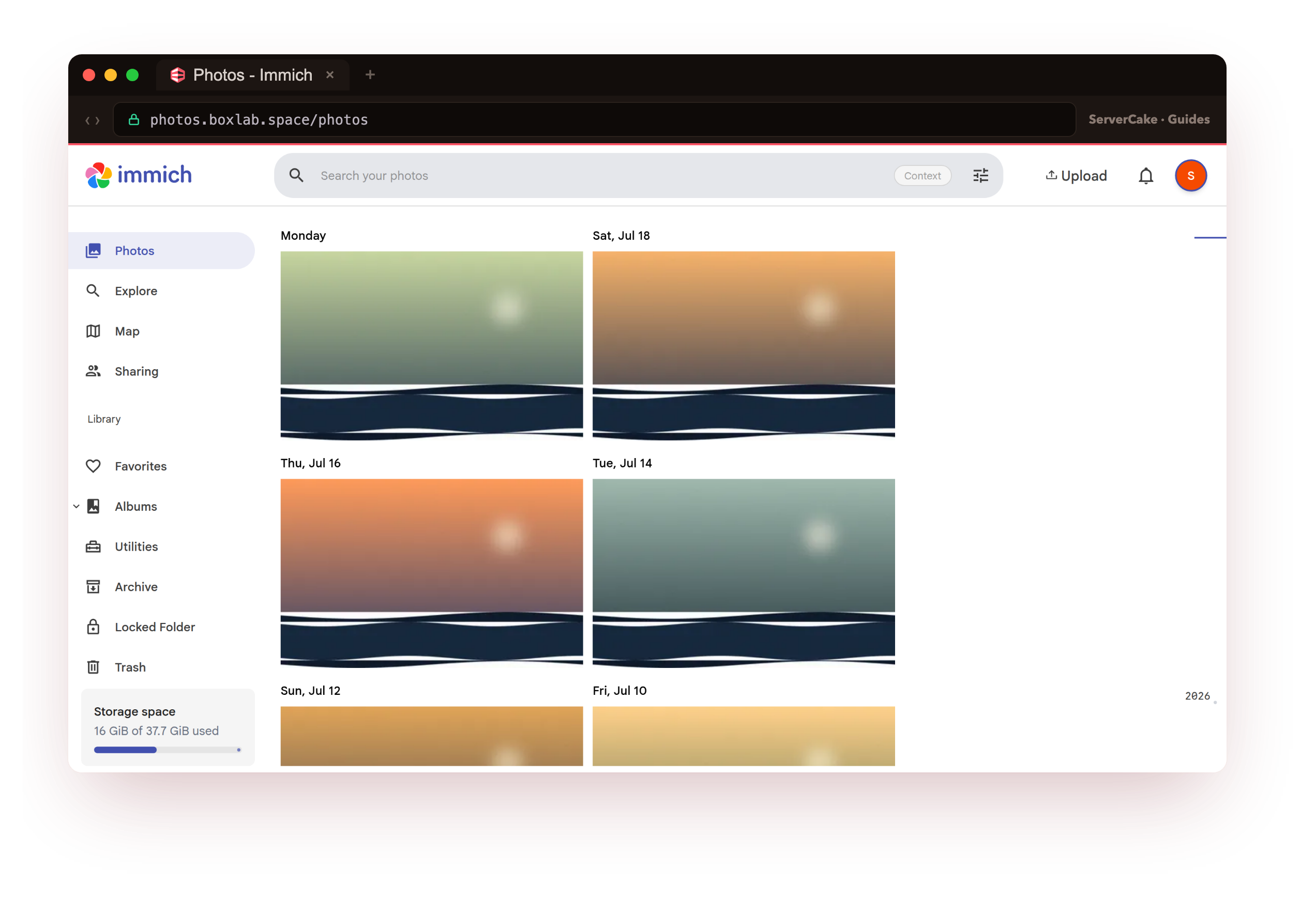
On our box that run wrote a 20M archive and shipped it offsite, and after we dropped the database and deleted the whole photo library, the recovery returned the instance to a 200 with all six photos back on the timeline. A copy you have watched rebuild a live instance counts for far more than a stack of copies you have only ever created.
- The three parts an Immich backup must capture: the database, the upload library, and the .env config.
- Why the database has to be dumped Immich's way, not a plain pg_dump that skips the vector extension.
- A clean backup script that quiesces the server, dumps the database, and tars everything into one archive.
- Shipping each archive offsite to S3-compatible object storage with a scoped, least-privilege key.
- A real restore drill: break the instance, restore from the offsite archive, and see your photos return.
One idea runs under every step below. An Immich backup only earns the name once it has put a broken instance back together. Scheduling a tar is the simple tenth of the work. The other nine tenths are dumping a vector-aware database in a form that reloads, getting the archive off the slice, and rehearsing the recovery often enough that the real one feels routine.
Before you begin
Everything here protects an Immich that is already up, so the assumption is that you have one running to work against.
- A live Immich on a slice with real photos in it, running in Docker Compose behind nginx over HTTPS, from how to self-host Immich on a VPS. The commands assume that same layout: the stack under
/opt/immich, the upload library at/opt/immich/library, and the bundled database running as theimmich_postgrescontainer. - An SSH login on the slice with
sudorights, and Docker Compose v2 (thedocker composesubcommand) available. - A place offsite to keep the copies. Ours is a ServerCake Object Storage bucket, and since it speaks the S3 API, every command below is byte-for-byte the same against any S3-compatible endpoint.
You will stay on SSH throughout as a sudo-capable user. The Docker lines carry sudo because the daemon is owned by root; drop it if your account is in the docker group. Swap your-domain and the paths for your own as they come up.
How to back up Immich on a VPS
Nothing about a single command makes an Immich safe, so the task splits into a handful of parts that each close off one reason you might end up without a working copy. Back up Immich on a VPS by taking them in this order:
- Understand what the three parts of an Immich are, and why its database needs a special dump.
- Put those parts into one archive with a script that freezes the instance while it works.
- Get every archive off the slice, because a copy on a dead disk dies with the disk.
- Let a timer run the script each night in a quiet window, and cap how long copies live.
- Rehearse the recovery, so the real one is a routine you have walked rather than a first try.
They build on each other, and the whole reward sits in the final one, so a comforting heap of archives is a cue to run the drill and not a reason to put it off.
The three parts of an Immich
A running Immich is really three things at once, and dropping any one of them makes recovery impossible. The database, a PostgreSQL container, is the catalogue: users, albums, shares, and the metadata and machine-learning vectors for every asset. The upload library, sitting on disk at UPLOAD_LOCATION, is the pixels: every original photo and video plus the thumbnails and transcodes Immich derived from them. The .env file carries DB_PASSWORD and the paths that bind the first two, so a copy without it cannot even bring the database online.
# the three parts an Immich backup must capture   (three parts of an immich)
sudo docker exec immich_postgres psql -U postgres -d immich -tAc \
     "SELECT pg_size_pretty(pg_database_size('immich'))"       # 1. database size
du -sh /opt/immich/library                                     # 2. the upload library
stat -c '%a %U:%G %n' /opt/immich/.env                         # 3. the config + DB secret
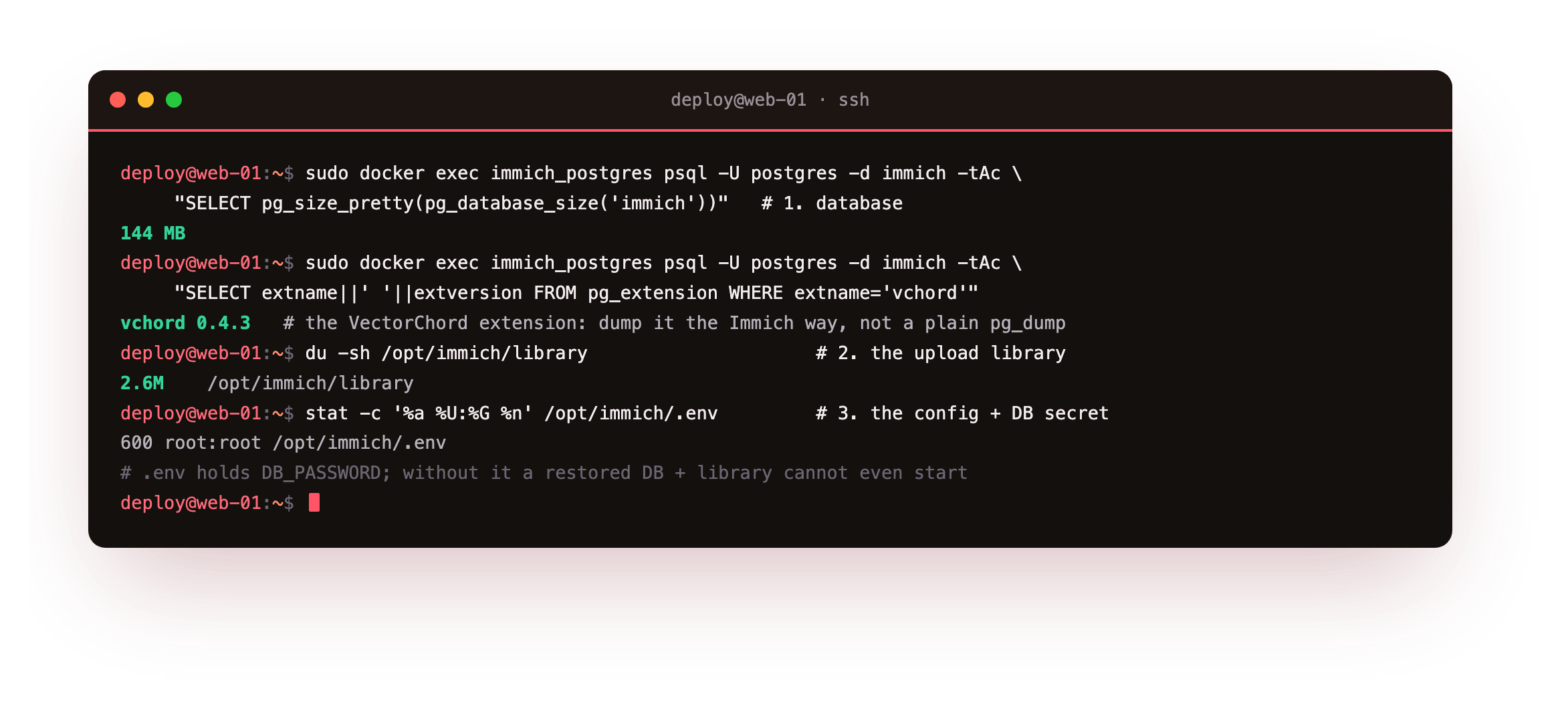
On our box the database came back at 144 MB across 66 tables, the library held the six photos and their thumbnails, and .env sat at mode 600 owned by root. That database is no ordinary Postgres: it runs the VectorChord extension behind Immich search, and that single fact is why it cannot be dumped like a normal database, as you will see next.
What sets Immich apart from a plain website is that its three parts move together. Copy the library while a phone is halfway through an upload, or snapshot the database at a different instant than the files, and the restore can hand you a timeline pointing at a photo the archive never held. The remedy is a short freeze while all three are captured, which is what stopping the server buys you.
/opt/immich/library upload directory, and the .env file. A tool that copies the library but never dumps the database, or reaches for a plain pg_dump, is not an Immich backup you can lean on.Write the backup script
The backup is a single script. It stops only the Immich server so nothing writes during the copy, while Postgres and Redis keep running so the database is still dumpable. It then dumps the database with pg_dumpall, the command Immich itself documents, and folds the upload library, the .env and the docker-compose.yml in with the dump to make one archive stamped by date and time. Save it as /usr/local/bin/immich-backup.sh.
#!/usr/bin/env bash
# Back up Immich: quiesce the server, dump the DB the Immich way, archive the library + config.
set -euo pipefail
IMMICH=/opt/immich
WORK=/var/backups/immich
STAMP=$(date +%Y%m%d-%H%M%S)
mkdir -p "$WORK"
cd "$IMMICH"

# 1. quiesce: stop only the server so nothing writes mid-backup (Postgres + Redis stay up)
sudo docker compose stop immich-server

# 2. database -> Immich's recommended pg_dumpall (roles + the VectorChord state, not a plain pg_dump)
sudo docker exec -t immich_postgres pg_dumpall --clean --if-exists --username=postgres \
  | gzip > "$WORK/immich-db-$STAMP.sql.gz"

# 3. one archive: the upload library + .env + compose file + the DB dump
sudo tar -czf "$WORK/immich-$STAMP.tar.gz" \
  -C "$IMMICH" library .env docker-compose.yml \
  -C "$WORK" "immich-db-$STAMP.sql.gz"
sudo rm -f "$WORK/immich-db-$STAMP.sql.gz"

# 4. release: bring the server back
sudo docker compose start immich-server
echo "backup ok: immich-$STAMP.tar.gz -> local"
The dump is the line that earns its keep. pg_dumpall writes the whole cluster, the roles and the database in one pass, and it records the VectorChord extension in the shape Immich expects on reload. A plain pg_dump of only the immich database is the classic trap: it can drop cluster-level state and leave you holding a dump that never cleanly restores the vector types. Make the script runnable and take it for a spin.
sudo chmod +x /usr/local/bin/immich-backup.sh
sudo /usr/local/bin/immich-backup.sh
ls -lh /var/backups/immich/
tar -tzf /var/backups/immich/immich-*.tar.gz | grep -E '\.env|docker-compose|immich-db-.*sql|library/library/' | head
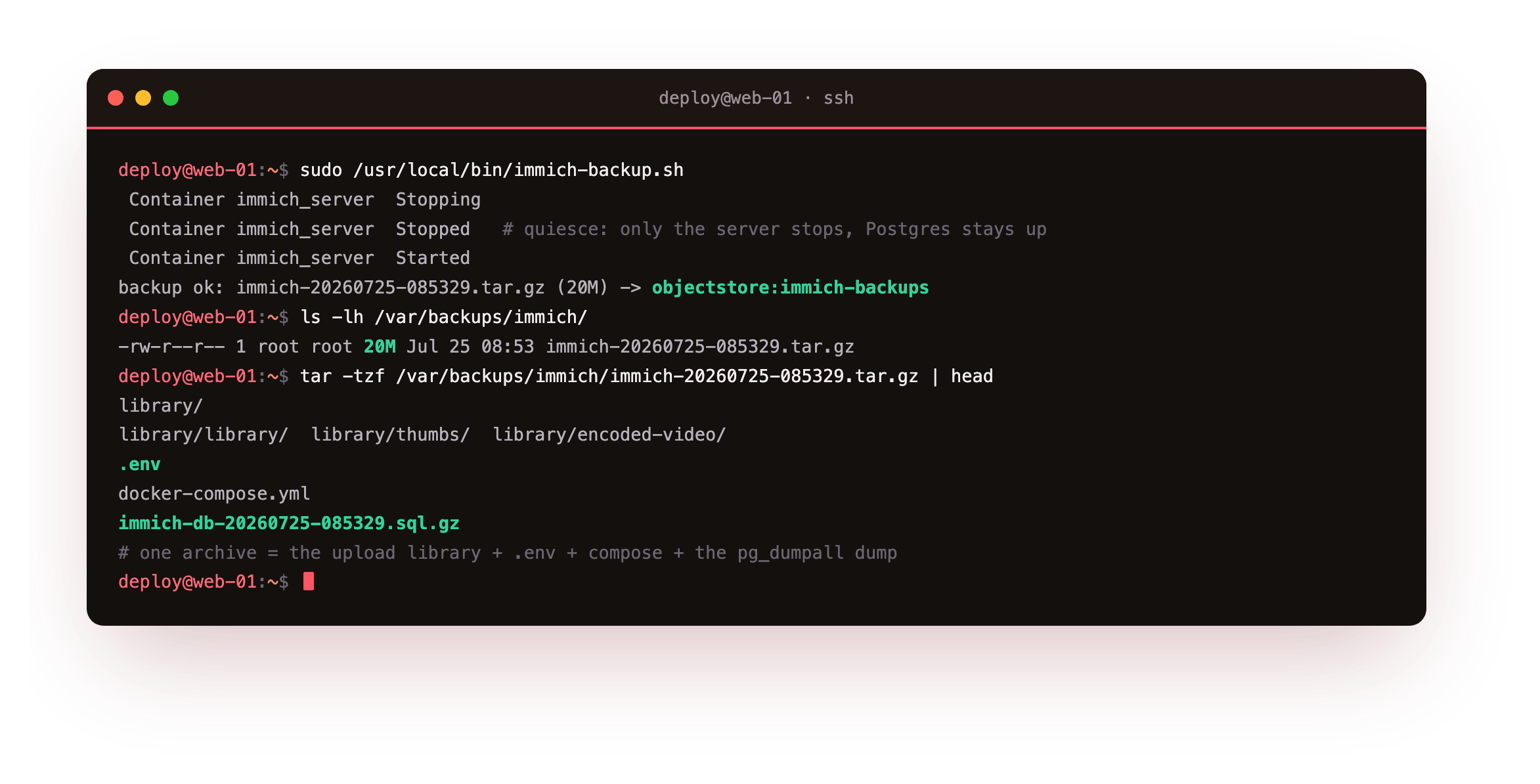
On our box this dropped a single immich-20260725-085329.tar.gz weighing about 20M, and listing it showed precisely what a restore needs: the library tree of originals and thumbnails, the .env, the docker-compose.yml, and the immich-db-*.sql.gz dump. The server sat down for barely two seconds while the dump kicked off. That one file now carries a complete, self-contained copy of all three parts.
library/ subtree, the .env, and an immich-db-*.sql.gz at the end. A tiny or missing dump means pg_dumpall could not reach Postgres, so check that immich_postgres is still up before trusting the archive, since the script stops only the server, never the database.Send the backup offsite
A copy resting next to the instance is barely a backup, because the same disk failure, fat-fingered rm or intruder that takes the slice usually claims the copy alongside it. The archive has to leave the machine. The tool for that is rclone, a single binary that speaks the S3 API, aimed at ServerCake Object Storage or any S3-compatible bucket. Install it, then set up the remote once against your bucket credentials.
sudo -v ; curl https://rclone.org/install.sh | sudo bash    # one static binary
# define the S3 remote once (endpoint + access key + secret from your bucket)
rclone config create objectstore s3 provider Minio \
  endpoint https://blr.objects.servercake.io \
  access_key_id IMMBK**************** secret_access_key **************** \
  region blr acl private
With the remote defined, one command lifts an archive up and a second reads the bucket back to confirm it arrived. Fold both the upload and a local prune into the end of the backup script so every run leaves an offsite copy on its own.
# add to /usr/local/bin/immich-backup.sh, after the archive is built:
rclone copy "$WORK/immich-$STAMP.tar.gz" objectstore:immich-backups/ --s3-no-check-bucket
find "$WORK" -name 'immich-*.tar.gz' -mtime +14 -delete   # keep 14 days on local disk
# confirm the object is really in the bucket   (object landed offsite)
rclone ls objectstore:immich-backups
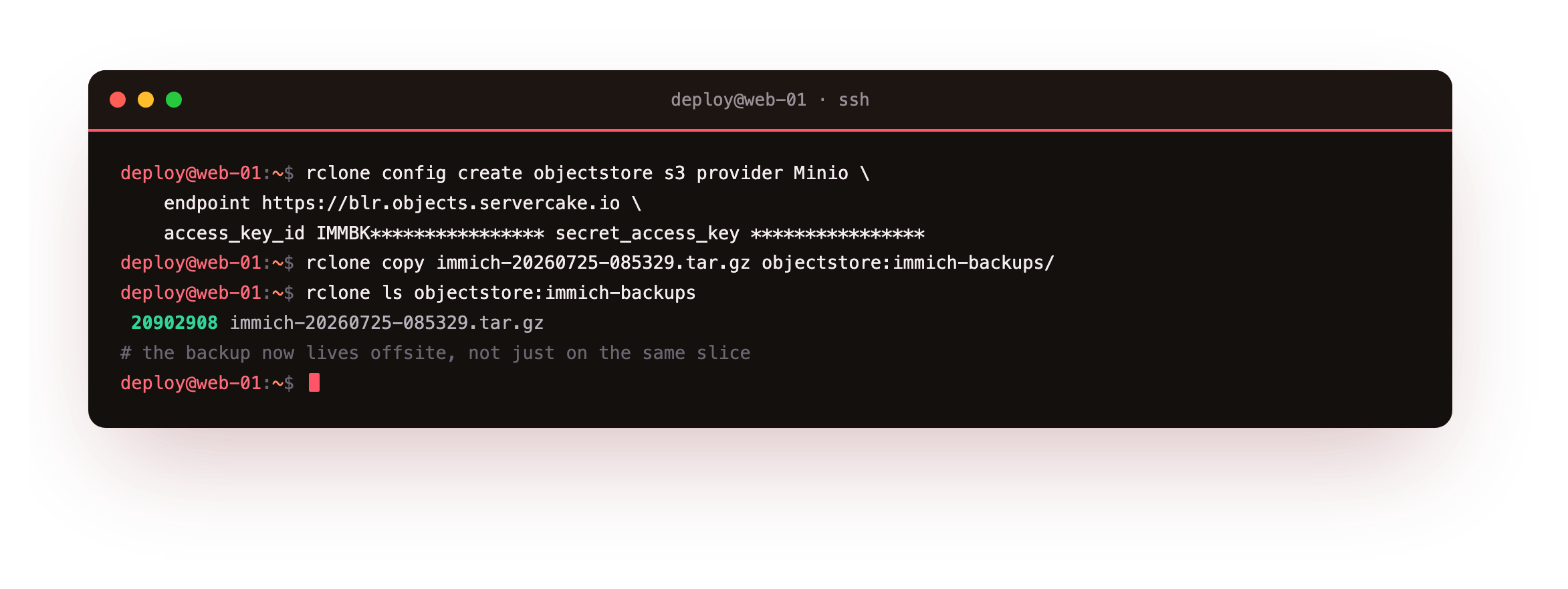
On our box the transfer finished and rclone ls objectstore:immich-backups printed the archive with its byte count, 20902908 immich-20260725-085329.tar.gz. Two copies now live in two places: the local one for a quick rebuild, and the offsite one for the day the slice itself is gone.
PutObject, GetObject, DeleteObject and ListBucket on immich-backups, nothing else, and the script never changes because that is standard S3.Automate it and set retention
A backup that leans on you to remember it is the one you will eventually forget, so hand the chore to the machine. A systemd timer does this tidily on a modern slice, and because the run pauses the server briefly, it belongs in a quiet stretch of the night rather than mid-afternoon. Write the two units.
# /etc/systemd/system/immich-backup.service
[Unit]
Description=Immich backup (database + upload library + config, offsite)
After=network-online.target docker.service
[Service]
Type=oneshot
ExecStart=/usr/local/bin/immich-backup.sh
# /etc/systemd/system/immich-backup.timer
[Timer]
OnCalendar=*-*-* 02:30:00
Persistent=true
[Install]
WantedBy=timers.target
Aiming at 02:30 tucks the brief pause into the calmest hours, and Persistent=true runs a missed job the moment the slice wakes if it happened to be off at half past two, so a night never slips by silently. For offsite retention, let the bucket age copies out with a lifecycle rule, which outlasts a broken client far better than a delete from your end. Turn the timer on, add the rule, and read the schedule back.
sudo systemctl enable --now immich-backup.timer
# offsite retention: expire archives older than 14 days at the bucket
mc ilm rule add --expire-days 14 objectstore/immich-backups
systemctl list-timers immich-backup.timer
On our box systemctl list-timers set the next run at 02:30:00 the following morning, and the bucket reported its 14-day expiry rule as Enabled. A line on a schedule is not evidence, though, so trigger the unit yourself and read what it wrote.
sudo systemctl start immich-backup.service
journalctl -u immich-backup.service -n 4 -o cat
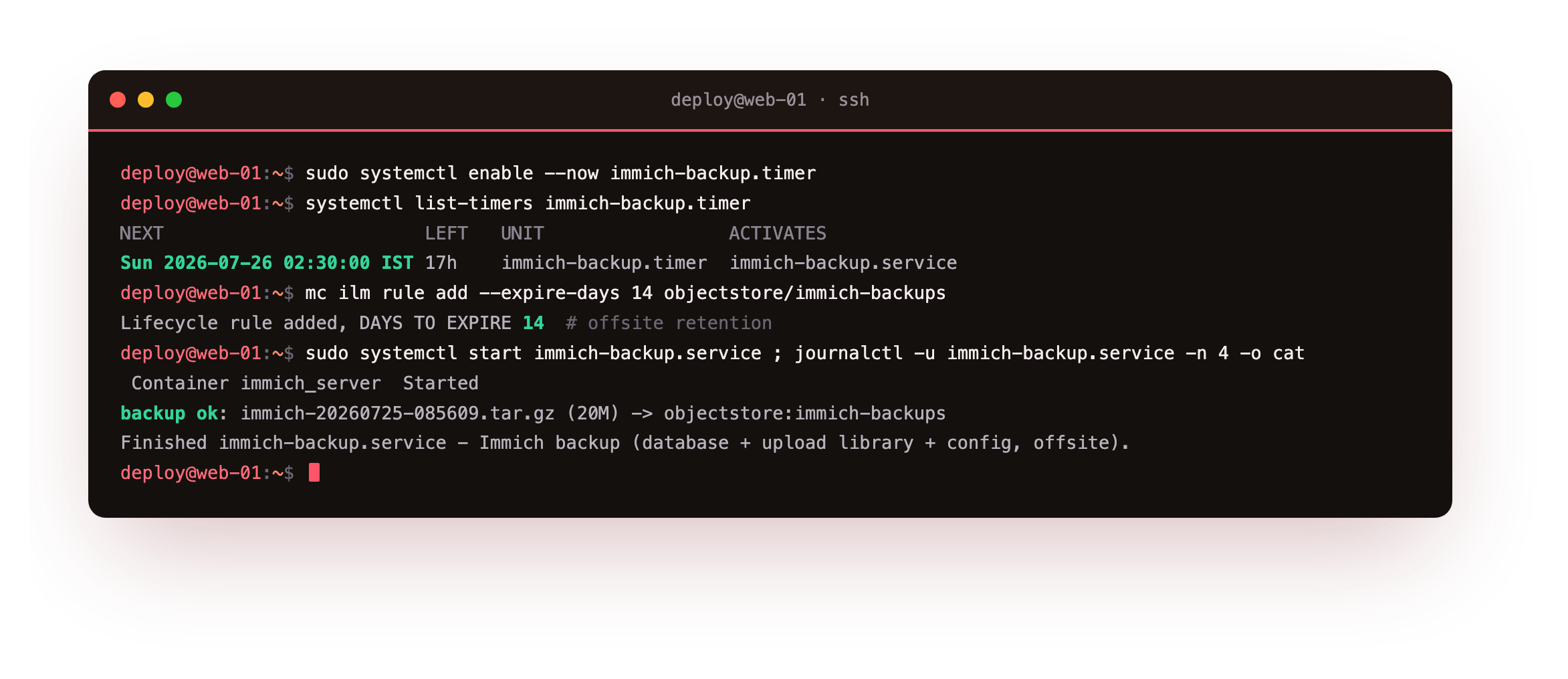
On our box the journal caught the service stopping the server, the script logging backup ok with the archive pushed to the bucket, and the unit exiting clean, with a fresh object appearing offsite. Once it fires by itself and leaves a trail you can read, the backup drops out of the list of things you have to keep in your head.
systemctl list-timers with a real NEXT time, and a hand-run systemctl start should leave backup ok in the journal and a new object in the bucket. If the unit errors, run /usr/local/bin/immich-backup.sh yourself to read the failure, since the script prints exactly what the journal captures.The restore drill
This is the step nearly everyone skips, and the only one that proves the rest was worth doing. You are going to wreck the instance the way a genuine failure would, then rebuild it from the offsite archive alone. If dropping a live photo database unsettles you, run the drill on a staging slice the first time, and read that unease as a healthy instinct. Begin by noting the good state so there is a mark to check the recovery against.
# BEFORE: the instance is healthy and the photos are on the timeline
curl -sk -o /dev/null -w 'front page -> %{http_code}\n' https://your-domain/
curl -s -X POST https://your-domain/api/search/metadata \
     -H "x-api-key: $KEY" -H 'content-type: application/json' -d '{}' | jq '.assets.total'
Now stage the disaster. Take the whole stack down, then delete the database data directory and the upload library, which together are about as rough a day as a slice serves up. The front page should quit answering at once.
# DISASTER: take the stack down, then wipe the database data + the upload library
cd /opt/immich
sudo docker compose down
sudo rm -rf /opt/immich/postgres /opt/immich/library
curl -sk -o /dev/null -w 'front page -> %{http_code}\n' https://your-domain/   # now 502
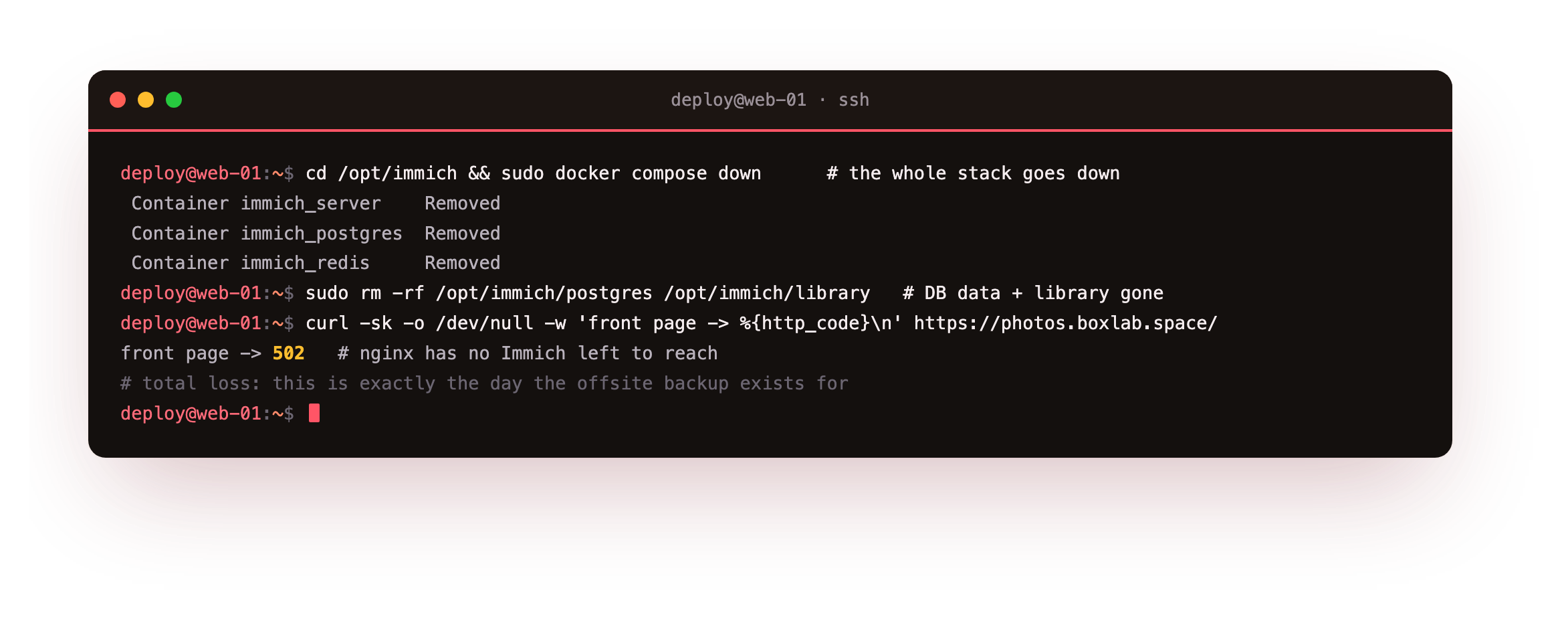
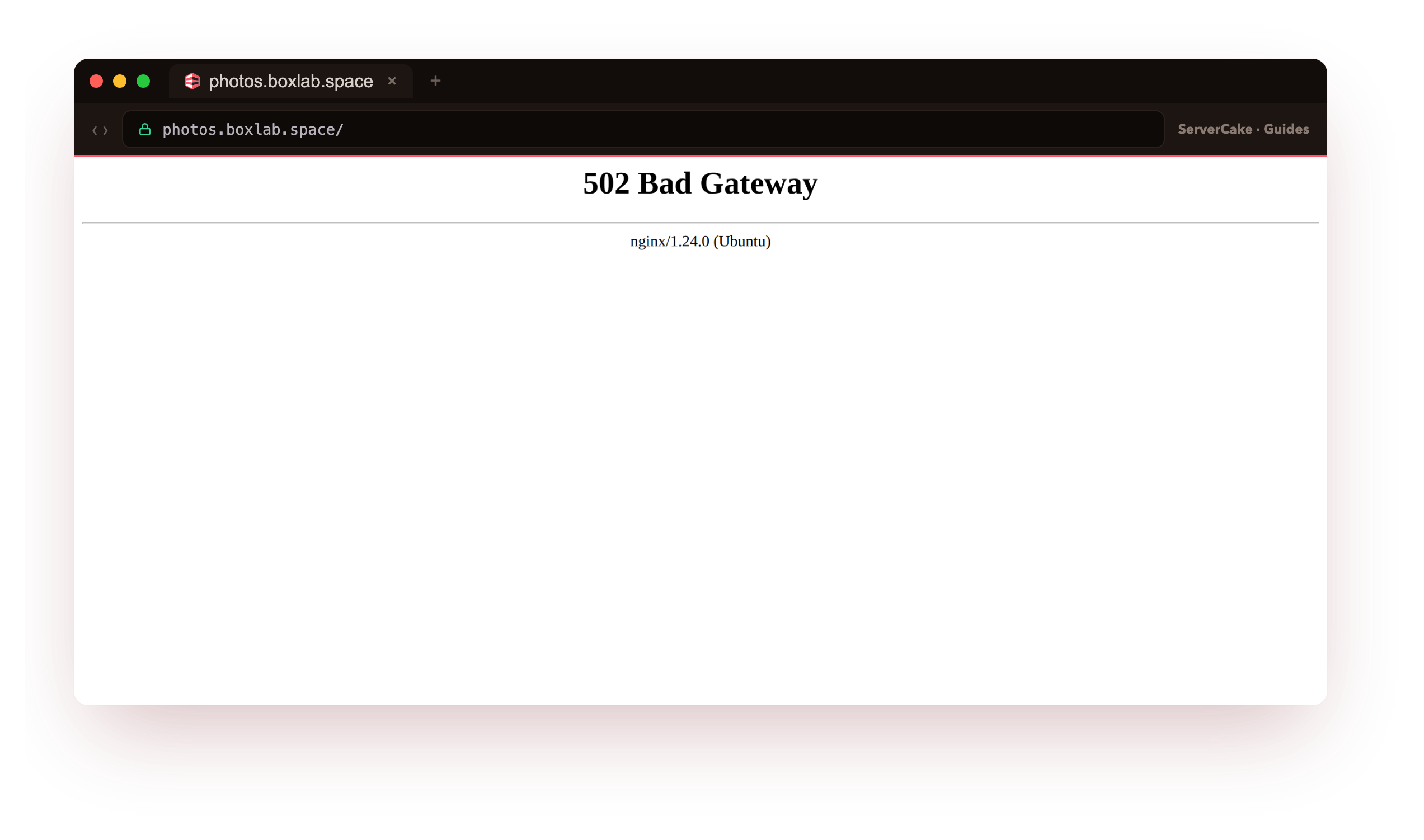
On our box the front page snapped to HTTP 502 the instant the stack came down, because nginx had no Immich left to forward to, and wiping the two directories carried off the database and every photo file with it. This is the precise moment your backup exists for. Now rebuild from the offsite copy: pull the newest archive, unpack it, put the library and config back, bring the database up empty, and replay the dump the way Immich documents.
# RESTORE: pull the latest archive from offsite and unpack it   (restore from the offsite copy)
cd /var/restore
LATEST=$(rclone lsf objectstore:immich-backups | grep '^immich-' | sort | tail -1)
rclone copy "objectstore:immich-backups/$LATEST" .
tar -xzf "$LATEST"          # yields library/, .env, docker-compose.yml, immich-db-*.sql.gz
# put the config + library back, then create the containers and start ONLY the database
sudo cp -a .env docker-compose.yml /opt/immich/
sudo rm -rf /opt/immich/library && sudo cp -a library /opt/immich/library
sudo mkdir -p /opt/immich/postgres
cd /opt/immich && sudo docker compose create && sudo docker start immich_postgres
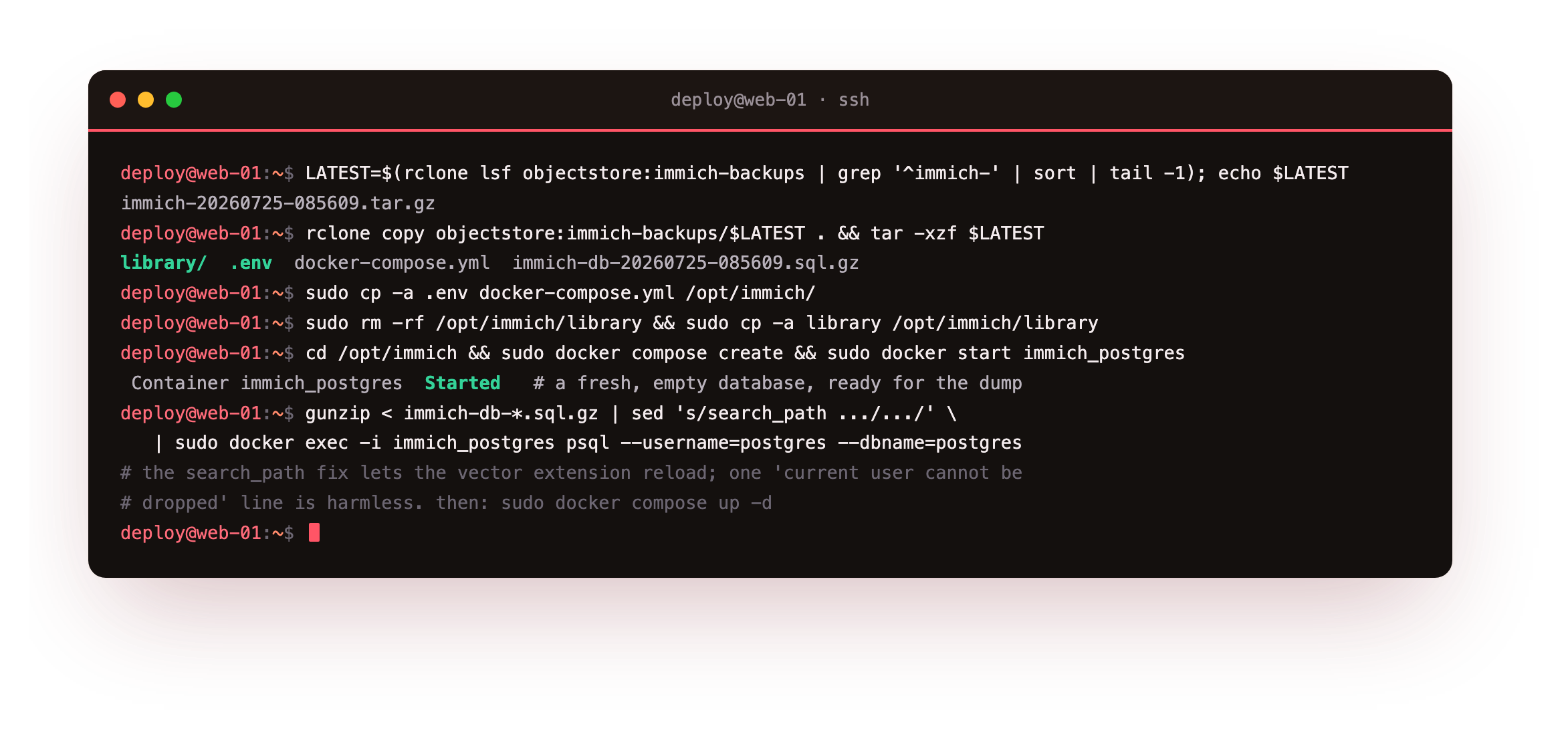
With a fresh, empty database container up, replay the dump into it. Immich's one restore quirk lives right here: the dump sets an empty search_path, and the vector extension needs it aimed at the schema while the reload runs, so a small sed rewrites that single line as the dump streams through. This is the step a plain pg_dump cannot manage cleanly, and the reason the backup reached for pg_dumpall.
# replay the DB dump the Immich way (the search_path fix lets the vector extension reload)
gunzip < /var/restore/immich-db-*.sql.gz \
  | sed "s/SELECT pg_catalog.set_config('search_path', '', false);/SELECT pg_catalog.set_config('search_path', 'public, pg_catalog', true);/g" \
  | sudo docker exec -i immich_postgres psql --dbname=postgres --username=postgres
cd /opt/immich && sudo docker compose up -d
The reload emits one benign current user cannot be dropped line, because the dump tries to drop the very role you are connected as, and that is expected. With the database reloaded and the library back on disk, bring the full stack up and let it settle. Check it the same way you checked the good state, and confirm a specific photo is back.
# AFTER: the instance serves again and a known photo is back   (a specific photo is back)
curl -sk -o /dev/null -w 'front page -> %{http_code}\n' https://your-domain/   # 200 again
curl -s -X POST https://your-domain/api/search/metadata \
     -H "x-api-key: $KEY" -H 'content-type: application/json' -d '{}' | jq '.assets.total'
curl -s -o /dev/null -w '%{http_code}\n' \
     https://your-domain/api/assets/$ID/thumbnail -H "x-api-key: $KEY"   # 200
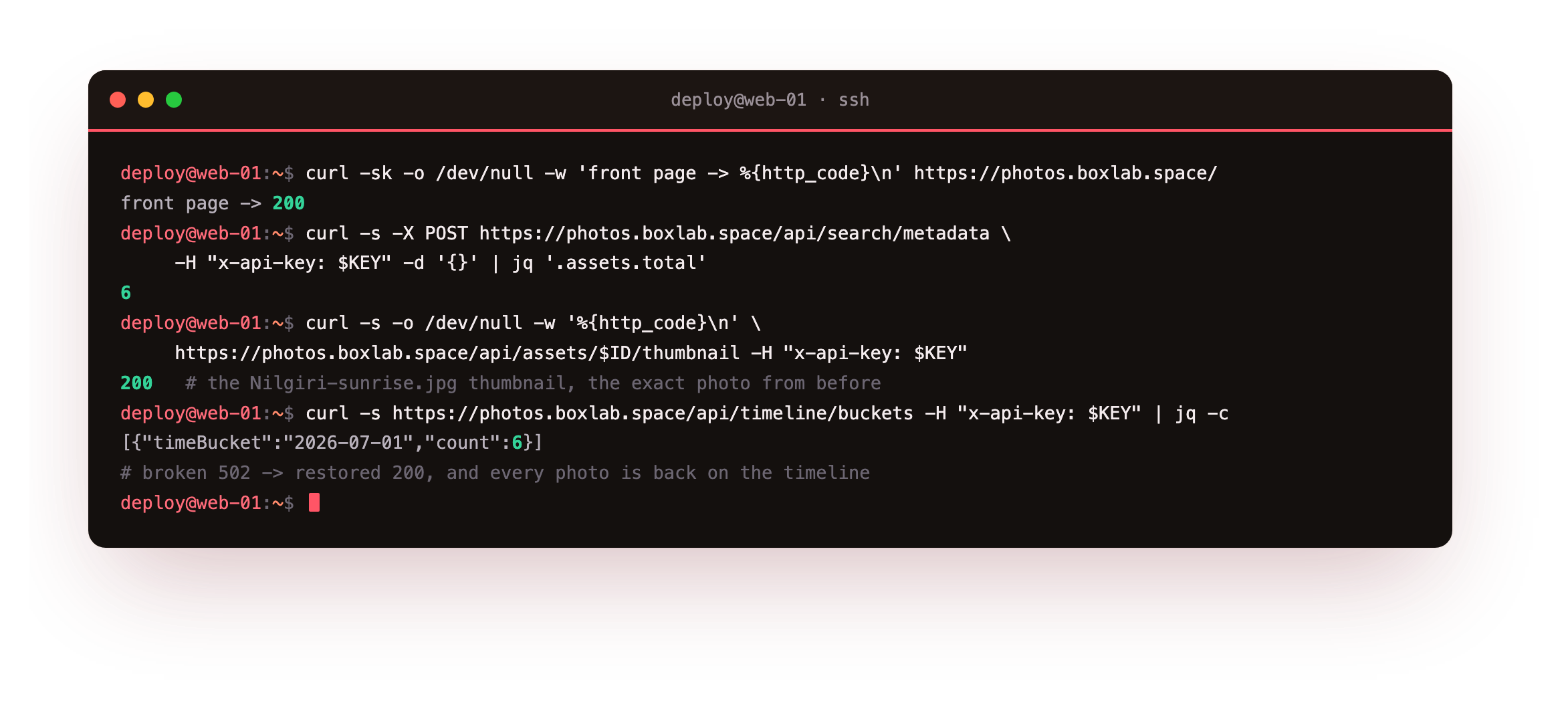
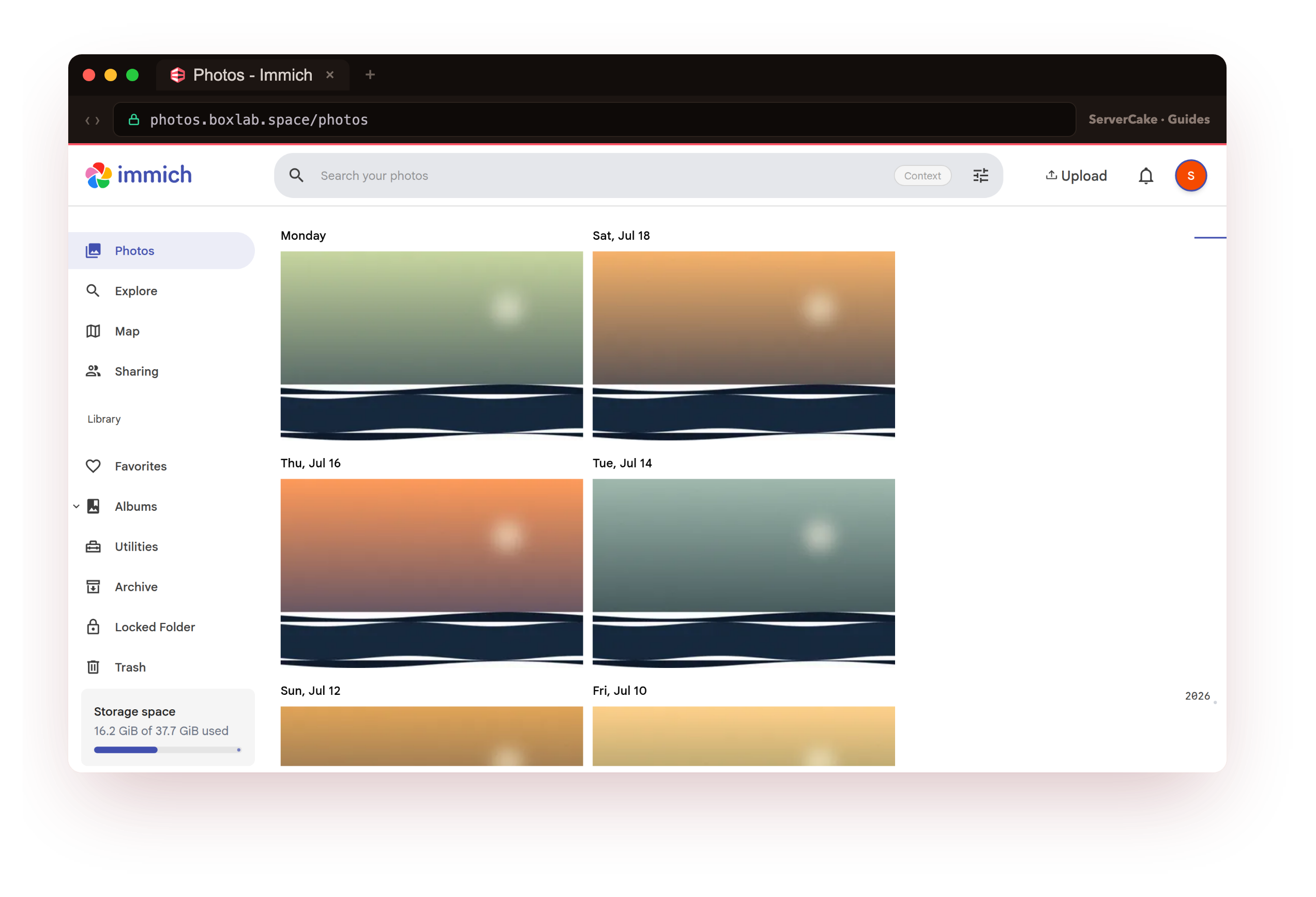
On our box the front page returned to 200, the library count climbed back to 6, and the thumbnail for Nilgiri-sunrise.jpg, the exact photo present before the disaster, returned 200, tucked back under its day on the timeline. From a 502 and a dropped database to a whole photo library again, drawn entirely from the offsite archive. That is the only kind of backup worth keeping: one you have watched come back to life.
200, the asset count should match what you had, and a known photo's thumbnail should return 200. If the timeline loads but a few thumbnails are blank, that is normal right after a restore: Immich rebuilds them from the originals in the background, so wait a few minutes rather than restoring again.Keep your backups reliable
Running the drill once proves the setup works; running it on a rhythm is what keeps it honest as the library grows. Two habits carry most of the weight.
The first is a standing reminder to repeat the drill, ideally by restoring the latest archive onto a staging slice each month, so the person who finds a broken backup is you and not an outage.
The second is watching whether the backup is even happening, because a timer that quietly died is worse than no backup at all, since it still feels covered. A quick check that the newest offsite archive is fresh is enough to catch it.
# monitor: alert if the newest offsite backup is older than a day
/usr/local/bin/immich-backup-check.sh
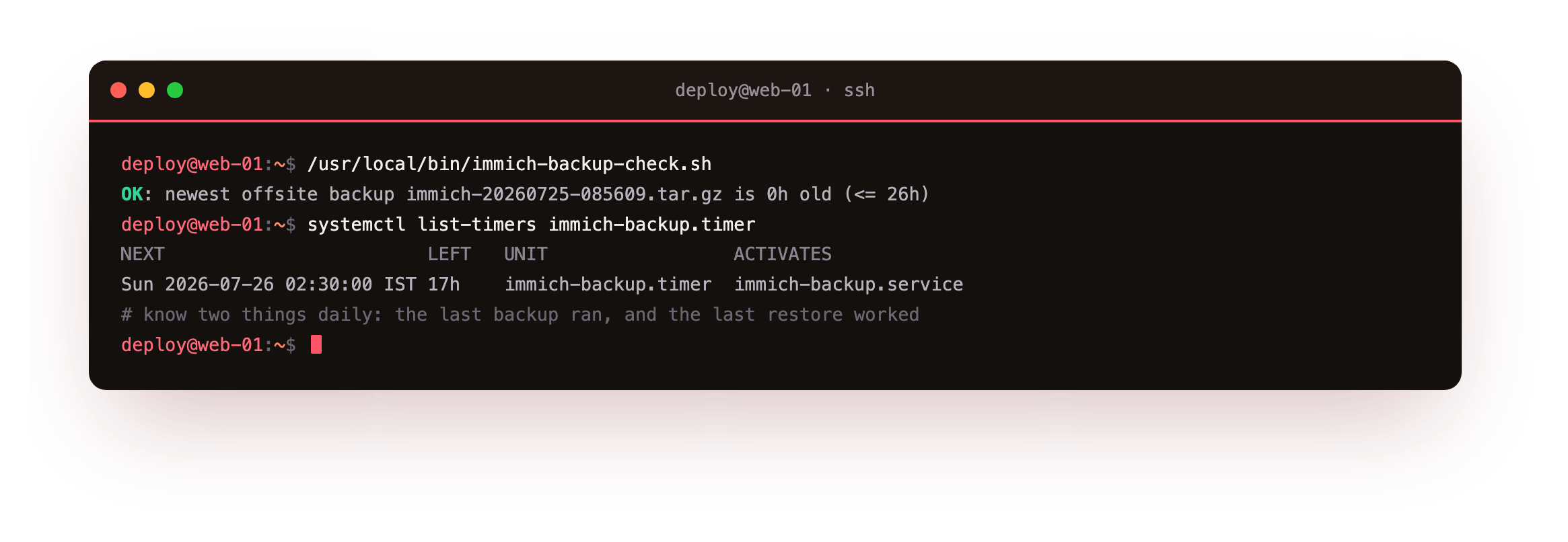
On our box the check printed OK: newest offsite backup ... is 0h old, and routing its non-zero exit into whatever already pages you, a cron mail, a webhook or an uptime probe, turns a stale backup into a warning instead of an ambush.
One nuance is worth holding onto. A file-level snapshot of the live Postgres data directory can catch the database mid-write and restore into a corrupt state, which is exactly why the logical pg_dumpall is the safe way to capture it. The upload library is the opposite case: it is only files, so a snapshot or an rsync of it is fine, provided the database dump that describes those files came from the same window.
Put a monthly restore test on one side and a freshness check on the other, and the backup graduates from a one-off chore into something you can point at and call proven.
Frequently asked questions
Why dump the database with pg_dumpall instead of a plain pg_dump, or a folder snapshot?
Immich's database runs the VectorChord extension for search, and its dump has to reload cleanly on a fresh instance. Immich documentspg_dumpall because it captures the whole cluster, the roles and the database together, in a form that reloads with the vector types intact, whereas a plain pg_dump of just the immich database can miss cluster-level state. A file-level snapshot of the live Postgres data directory is riskier still, because it can catch the database mid-write. The logical dump used here, replayed with the small search_path fix shown in the drill, is the approach that actually restores.
Do I really need to stop Immich to back it up?
You do not have to take the whole thing down, and this tutorial does not: it stops only theimmich-server container for a couple of seconds so no upload lands while the copy runs, while Postgres and Redis stay up so the database can still be dumped. That short quiesce is what keeps the library and the database describing the same set of photos. On a busy family instance the pause is brief and belongs in a quiet window, which is exactly why the timer runs at 02:30. If you would rather have zero downtime, you can dump the running database live and copy the library, and accept that a photo uploaded during the run might land in one part but not the other until the next backup.
What is actually in the upload library, and can I skip the thumbnails?
The upload library underUPLOAD_LOCATION holds your original photos and videos plus the thumbnails and transcodes Immich generated from them. The originals are the irreplaceable part; the thumbnails and encoded videos are derived and Immich can rebuild them from the originals after a restore. Backing up the whole library folder, as this tutorial does, is the simplest and safest default because a restore is then a straight copy. If you are tight on backup space you can exclude the thumbs and encoded-video subfolders and let Immich regenerate them, at the cost of some CPU time and a slower first load after a restore.
How do I restore to a new slice, and how long does a restore take?
The archive restores the same way on a fresh slice: install Docker and pull the same Immich version, drop the.env and docker-compose.yml and the library into place, bring the database up empty, and replay the dump with the search_path fix, exactly as in the drill. Keeping the same IMMICH_VERSION matters, because the database schema is tied to it, so restore onto the version the backup was taken on and upgrade afterwards. A full restore is as fast as the archive is large: on our small library it pulled, extracted and reloaded in a couple of minutes, and the slowest part on a big instance is Postgres replaying a large dump, so budget for that.
Running Immich on your own slice means the backups answer to you: kept where you decide, and restored on your timetable rather than a host's. When you want a box to build this routine on and drill the recovery for real, a ServerCake slice gives you a clean Ubuntu 24.04 server in India, priced in rupees with GST, and object storage a single bucket away for the offsite copy.