Serve a PHP app with a secure FastCGI config
A real PHP app is more than one file, and the way nginx passes it to php-fpm decides whether it is safe. This chapter puts a small multi-file app behind nginx: a front controller that routes requests, a SQLite database call, and a FastCGI config written so nginx never hands an arbitrary path to the runtime. That last part is where most PHP break-ins begin, so the security of the php FastCGI wiring gets the same care as the code. Everything ran on a live Ubuntu 24.04 server.
- A front controller sends every unknown path to index.php, so the app has one entry point.
- try_files in the .php location, with a =404 fallback, stops nginx passing non-existent scripts to fpm.
- cgi.fix_pathinfo=0 keeps php-fpm from guessing a script name out of a crafted path.
- SCRIPT_FILENAME must resolve to a real file inside the document root, never to attacker input.
The demo app is Copperpot, a small recipe box. It reads recipes from an on-disk SQLite file and serves them through a router. SQLite keeps the database in one file with no server to manage, which is enough to show a real query without leaving the runtime topic.
Prerequisites
- The dedicated
copperpotphp-fpm pool from part two, on its own socket. - The
php-sqlite3extension installed, so PDO can open the database file. - Sudo access to edit the nginx site and the fpm php.ini.
The app is a front controller plus a model
The whole app is four files. public/index.php is the only file nginx serves directly; it parses the path and dispatches. app/db.php opens one PDO handle to the SQLite file. app/recipes.php holds the queries, with the slug bound as a parameter rather than concatenated into SQL. app/views.php renders HTML. Keeping the database file and the code out of the document root means a request can never fetch them directly.
$path = rtrim(parse_url($_SERVER['REQUEST_URI'], PHP_URL_PATH), '/') ?: '/';
if ($path === '/health')  { return render_health(); }
if ($path === '/')        { return render_home(all_recipes()); }
if (preg_match('#^/recipes/([a-z0-9-]+)$#', $path, $m)) {
    if ($r = find_recipe($m[1])) { return render_recipe($r); }
}
http_response_code(404);
The lookup is parameterised, so a slug is data and never SQL:
$st = db()->prepare('SELECT * FROM recipes WHERE slug = ?');
$st->execute([$slug]);
Route every path through index.php
nginx needs to send known files straight to disk and everything else to the front controller. The try_files line does exactly that: try the URI as a file, then as a directory, then fall back to /index.php with the query string attached. Real assets are served without waking PHP, and clean URLs like /recipes/copper-pot-dal land in the router.
location / {
    try_files $uri $uri/ /index.php?$query_string;
}

location ~ \.php$ {
    include snippets/fastcgi-php.conf;
    fastcgi_pass unix:/run/php/copperpot.sock;
}
Reload nginx and walk the routes: the home page lists the recipes from the database, a slug returns one recipe, and the health check reports the row count as JSON.
curl -s http://127.0.0.1:8092/recipes/copper-pot-dal
curl -s http://127.0.0.1:8092/health
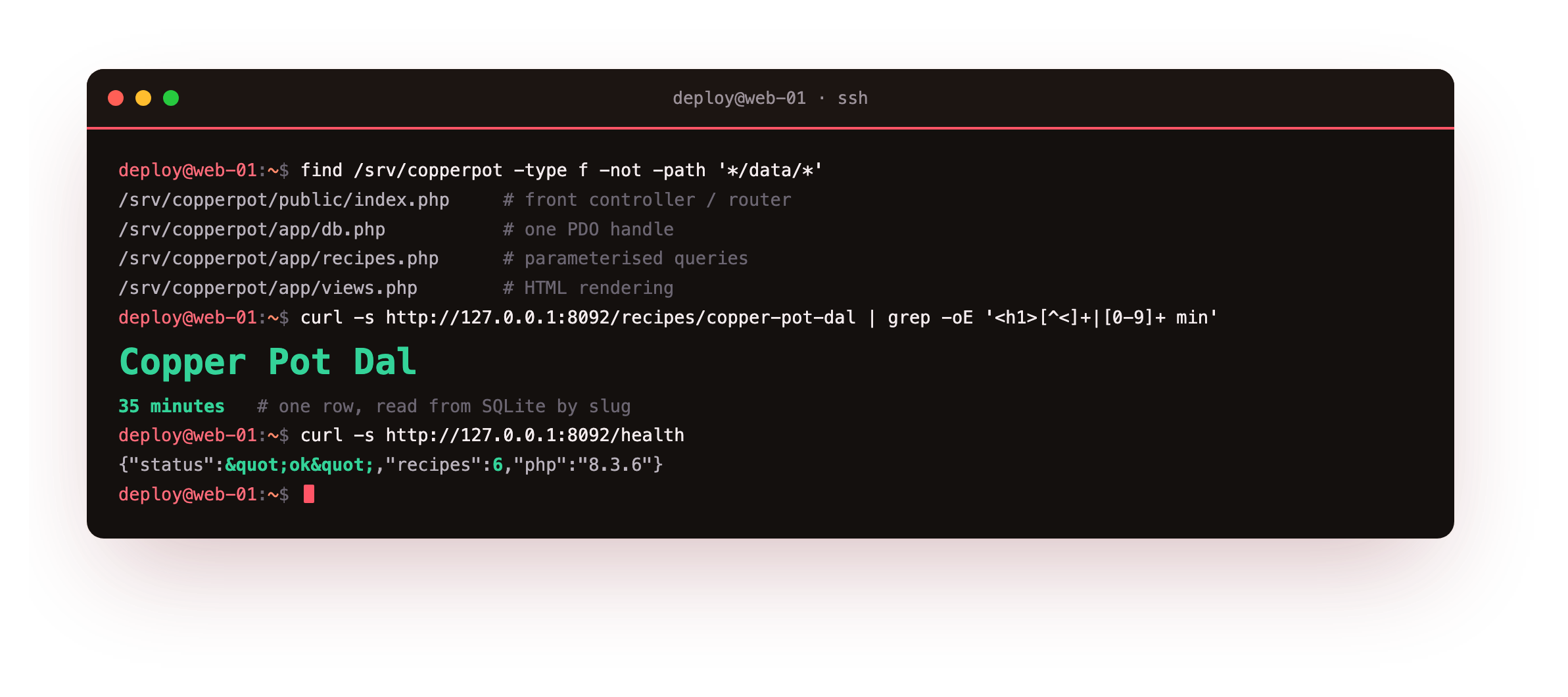
The home page reports six recipes read from SQLite, the slug returns Copper Pot Dal with its cook time, and /health answers {"status":"ok","recipes":6,...}. The router, the query and the view all ran on the copperpot pool.
The home page should list all six recipes, a slug like /recipes/copper-pot-dal should return exactly one, and /health should report the same count as JSON. If a clean URL returns 404 instead of routing, the try_files fallback to /index.php is missing from the location / block, so add it and reload nginx.
See it in a browser
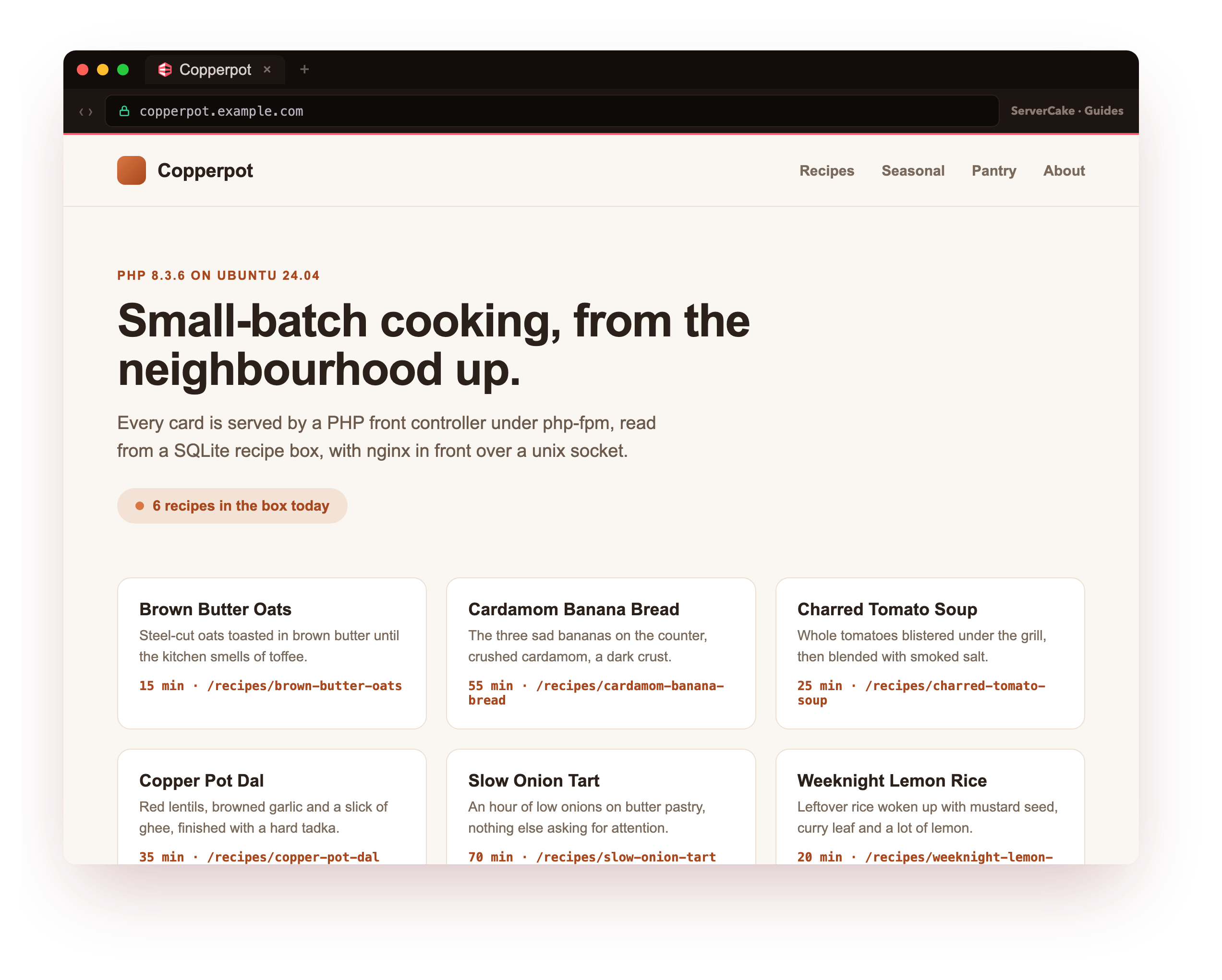
And here it is, live. Point a browser at the app, by its domain if you have one aimed at the slice, and the Copperpot recipe box paints over the public internet. This is the moment the runtime becomes a real site: the cards on the page are the exact rows the SQLite query returned this request, rendered by the view, executed by a php-fpm worker running as copperpot, and handed out by nginx across the unix socket.
Nothing here is a mock-up or a cached snapshot; reload the page and the same front controller runs again. A PHP app you built from a bare box, reachable the way a real one is, is the payoff this series was aimed at.
Lock down the FastCGI config
Here is the part that keeps the app safe. The shipped snippets/fastcgi-php.conf includes try_files $fastcgi_script_name =404, which means nginx returns 404 for a .php path that is not a real file, so the runtime never sees it. Then set cgi.fix_pathinfo=0 in the fpm php.ini, which stops PHP from walking a path backwards to find any file it can execute.
sudo sed -i 's|^;cgi.fix_pathinfo=1|cgi.fix_pathinfo=0|' /etc/php/8.3/fpm/php.ini
sudo systemctl restart php8.3-fpm
The classic attack uploads a file named like an image but full of PHP, then requests it with a fake .php suffix on the path. With a loose config, php-fpm executes the upload. Prove the hardened config refuses it. Plant a fake image that contains PHP, then try every trick against it.
curl -s http://127.0.0.1:8092/uploads/note.jpg
curl -s -o /dev/null -w '%{http_code}\n' http://127.0.0.1:8092/uploads/note.jpg/x.php
curl -s -o /dev/null -w '%{http_code}\n' http://127.0.0.1:8092/nope.php
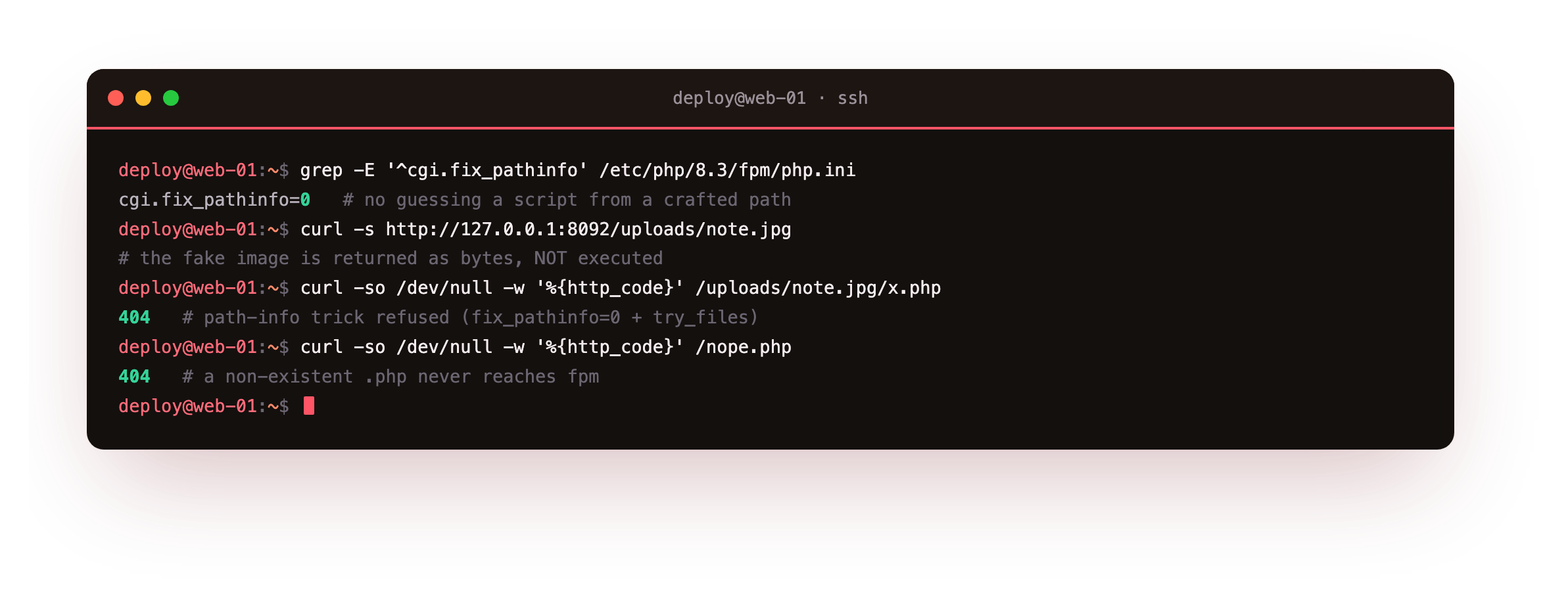
The fake image comes back as plain bytes, its <?php printed as text rather than run. The path-info trick returns 404 because fix_pathinfo=0 and the try_files guard refuse to resolve it to a script. A request for a .php file that does not exist also returns 404 before it ever reaches fpm. Between those three, the runtime only executes files you put in the document root on purpose.
The planted note.jpg should return its <?php bytes as text, and both crafted paths should return 404. If the fake image executes and prints a PHP version instead, cgi.fix_pathinfo is still 1, so set it to 0 in the fpm php.ini and restart php-fpm before you trust the app on the network.
Frequently asked questions
Why keep the app files and database outside the document root?
Because anything inside the document root can be requested directly. If the SQLite file or a config with credentials sits under the web root, a misconfiguration can serve it as a download. Keep only public/ as the root, put code and data one level up, and the front controller reaches them by filesystem path while the web has no route to them at all.
Is cgi.fix_pathinfo=0 enough on its own?
It is one of two guards, and you want both. fix_pathinfo=0 stops PHP guessing a script from a crafted path, and the try_files $fastcgi_script_name =404 line in the nginx snippet stops nginx passing a non-existent script at all. Ubuntu's shipped fastcgi-php.conf already carries the try_files guard, so the remaining job is setting fix_pathinfo in the fpm php.ini and reloading.
Do I need a framework to have a router?
No. The front controller here is a handful of lines: parse the path, match a couple of routes, dispatch. A framework adds a routing layer, middleware and much more, which is worth it as an app grows. For a small service the plain front controller keeps the request flow obvious and has nothing to misconfigure. The nginx side is identical either way.
Why use prepared statements for the slug?
Because a slug arrives from the URL and must be treated as data, not code. A prepared statement binds the value, so the database never parses it as SQL, which closes off injection. Building the query by string concatenation is the mistake that leaks whole tables. PDO makes the safe form the short form, so there is no reason to reach for concatenation here.
What you have, and what comes next
You have a multi-file PHP app behind nginx: a front controller, a parameterised SQLite query, clean URLs through try_files, and a FastCGI config that refuses to run anything you did not place on disk. The app is functional and the runtime boundary is tight.
Next you turn on OPcache and tune it, so the code you just wrote is compiled once and served from memory on every request instead of parsed each time.