What you will build
By the end of this series you run a small self-hosted app called Grove as a set of containers that never once become root: a rootless container in this chapter, a two-container pod in chapter three, and a stack that systemd starts on boot in chapter four.
This opening chapter installs Podman on a bare Ubuntu 24.04 slice, runs your first rootless container serving a real page, and proves the claim that makes Podman worth the switch: the container thinks it is root, while the host sees only your ordinary login.
- Podman has no background daemon, so each container is an ordinary child process of the command you ran, not a job handed to a privileged service.
- An unprivileged user can install nothing new and still run containers, because Podman does the work inside a user namespace that belongs to that login.
- The command surface matches the one you already know, so podman run, podman ps and podman build behave the way the docker versions do.
- Root inside a rootless container maps to your own uid on the host, which is the property the rest of the series builds on.
- A slice running Ubuntu 24.04 that you can reach over SSH and where you hold a login that can use sudo for the one install step.
- A second, deliberately unprivileged login on that same box to run containers as, since the whole point is to work without root and without the docker group.
- Outbound network access, because the first container image is pulled from a public registry the first time you run it.
- No prior container runtime is assumed, though if you have used Docker the muscle memory carries over almost unchanged.
See the destination first
Before installing anything, look at where this lands. On the finished box the Grove app answers an HTTP request from a container that runs under an ordinary user account, with no daemon sitting behind it and no root in the picture.
podman ps
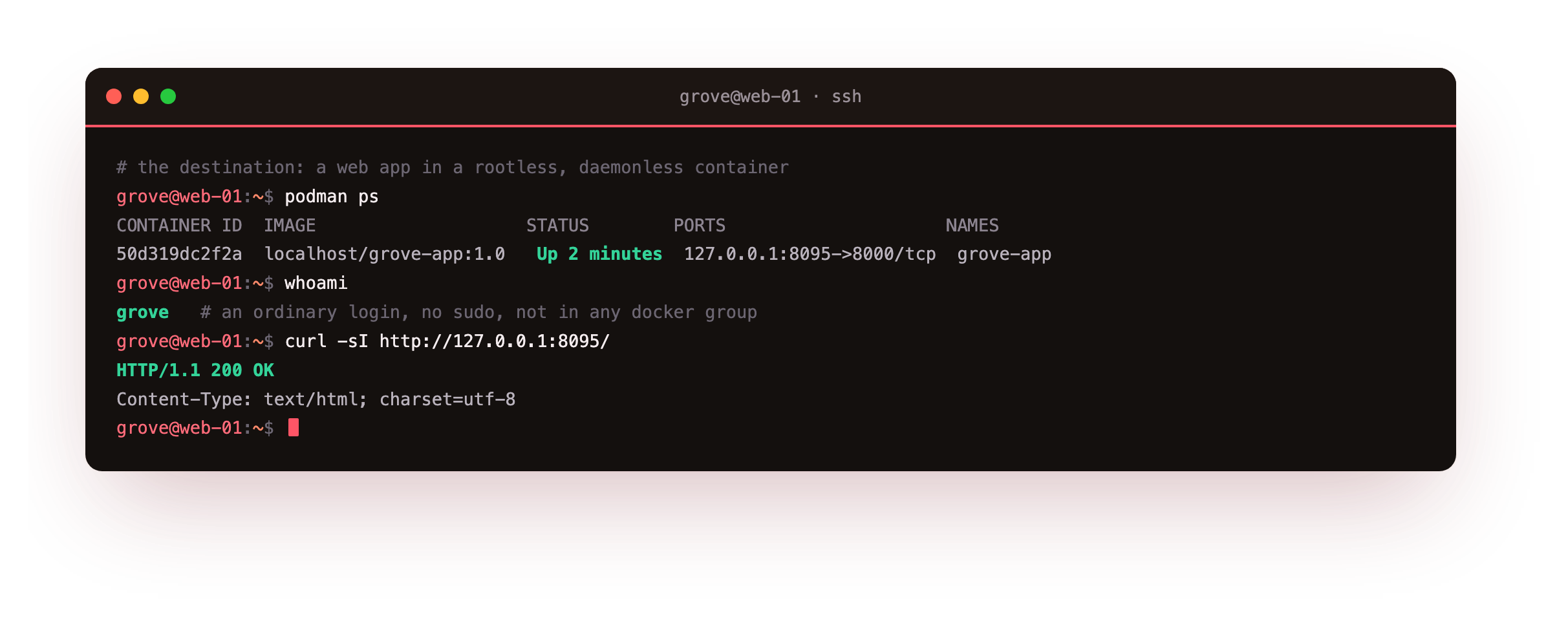
The container is published on loopback, whoami reports the plain user it belongs to, and curl returns a 200. Nothing in that picture ran as root, and there is no podman service in the process list holding it all together. That is the shape of the whole series: an app you host yourself, run by a login that could not damage the system if it tried.
Who this is for
You have run a container or two, maybe under Docker, and a detail has started to bother you: the engine runs as a root daemon, and dropping into the docker group is close to handing out root. You want to run the same workloads as a normal user instead. This guide is written for that reader.
Every command is spelled out and every step ends with a check so you know a result is correct before moving on. Being fluent in Linux namespaces is not required, because the point is that Podman hides that machinery until you want to look at it in chapter two.
Install Podman from the Ubuntu archive
On a fresh slice there is no container tooling at all. Ubuntu 24.04 ships Podman in its own archive, so the install is a single apt line with no extra repository to add. Run it from your sudo-capable login.
sudo apt install -y podman
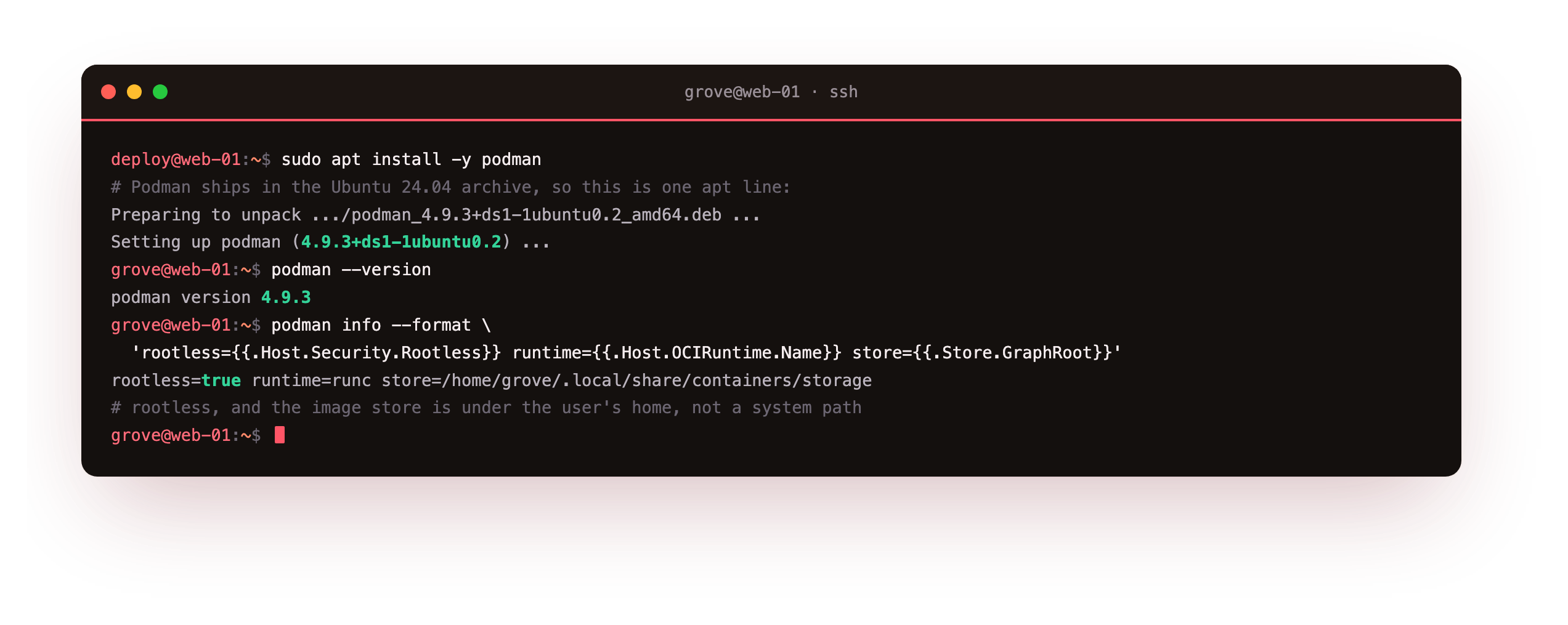
Reading the version back confirms the exact build, and podman info is worth a first look because two of its lines carry the message of this series. The rootless: true line says Podman is running entirely inside your user account. The graph root under your home directory, not under /var/lib, says the images and containers are stored per user, so nothing you pull lands in a system-wide location another user shares. There is no daemon to enable and no socket to start.
podman --version should print a 4.x line and podman info should report rootless: true with a graph root inside your home. If it instead shows a path under /var/lib/containers, you ran it as root by habit, so switch to the unprivileged login before continuing.
Run your first rootless container
Now switch to the unprivileged login, the one with no sudo and no group membership, and serve a page. The commands below put a small static site on disk, then start an nginx container that mounts it read only and publishes it on loopback. Not one of them needs a password.
podman run -d --name grove-web -p 127.0.0.1:8080:80 -v /home/grove/grove-site:/usr/share/nginx/html:ro docker.io/library/nginx:1.27-alpine
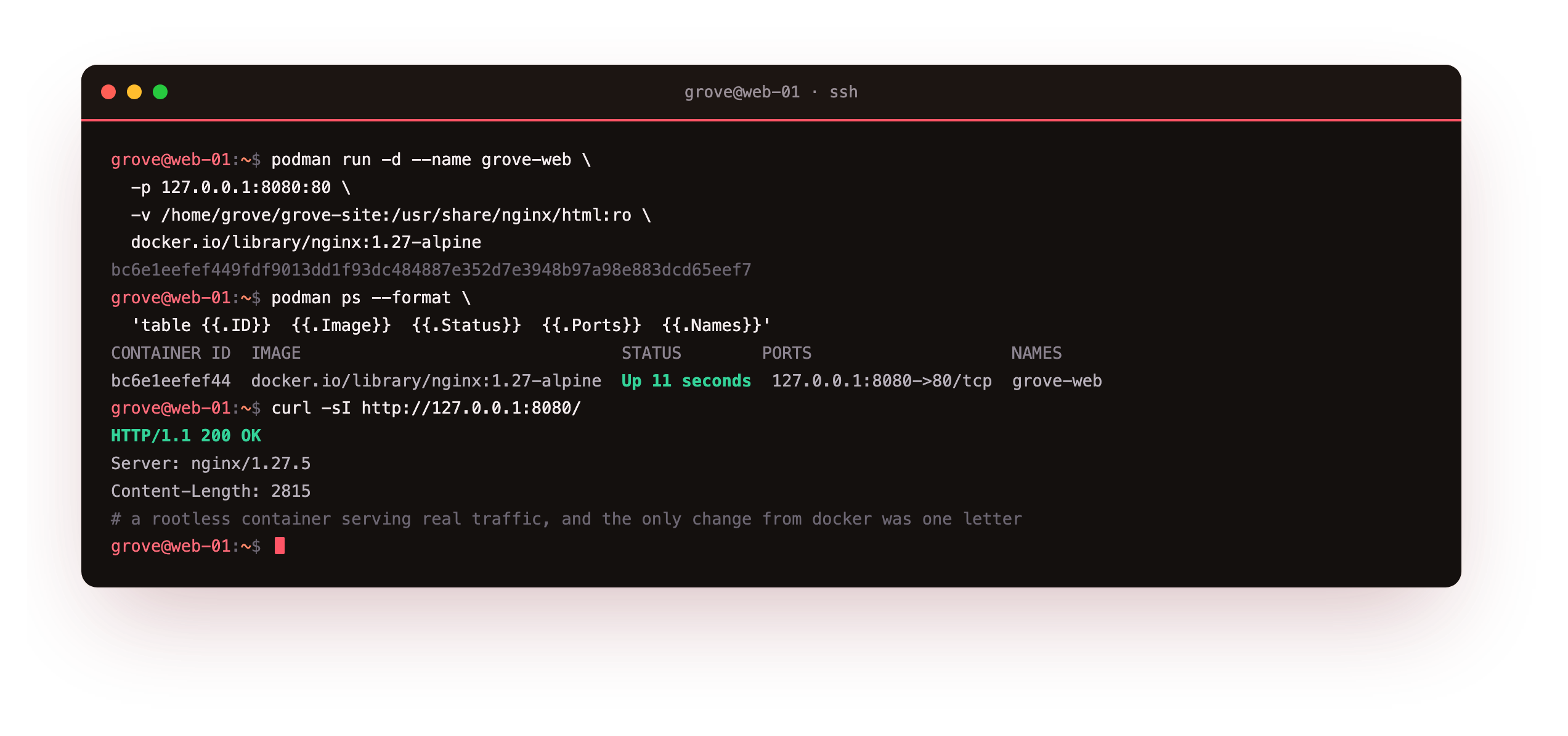
The first run pulls the image and prints a container id, podman ps lists it published on 127.0.0.1:8080, and curl returns the page with an nginx server header. This is a rootless container serving real traffic. If you have typed docker run before, notice that the only change was the letter you started with. Podman took the same arguments and produced the same result, without a daemon in between.
The curl should return HTTP/1.1 200 OK with a Server: nginx header and a content length that matches your page. If the port is refused, the container likely exited, so run podman logs grove-web to read why before retrying.
Why does root in the container stay harmless?
Here is the proof the series rests on. Ask the container who it runs as, then ask the host who owns the same process.
podman top grove-web huser user pid comm
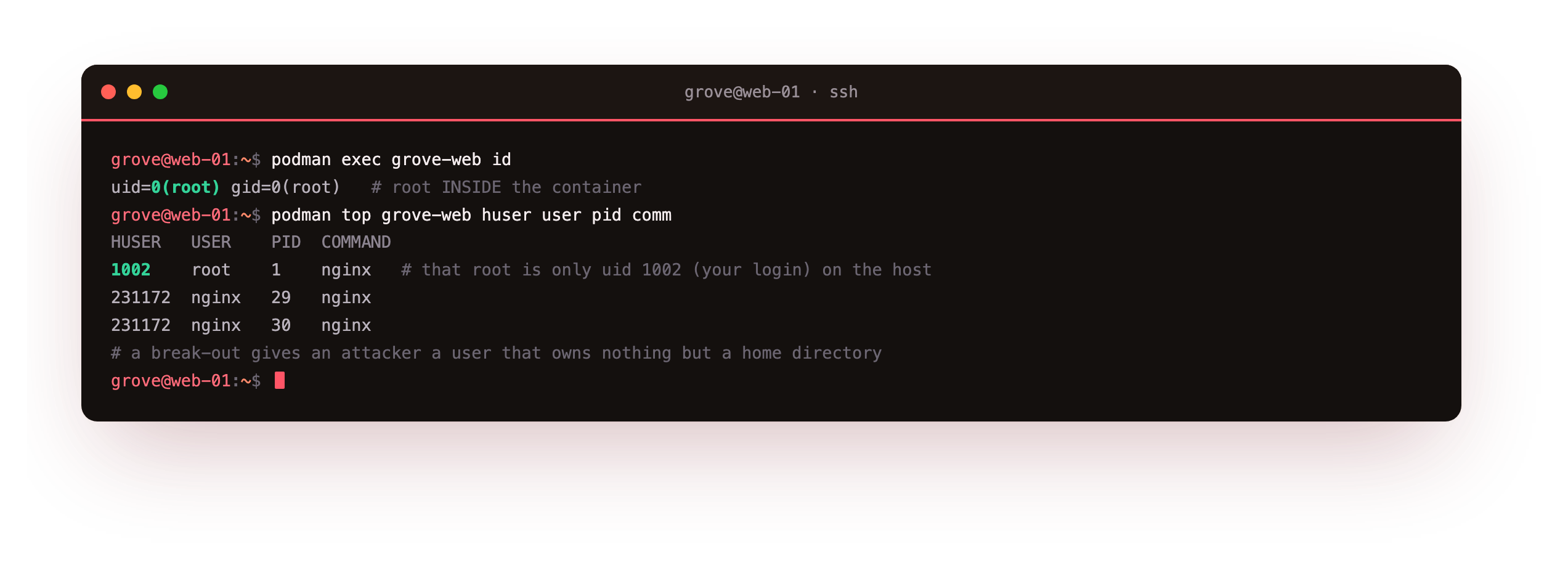
Inside the container id says uid=0(root), exactly as a container expects. But podman top shows the host side of the same processes, and the master process that calls itself root belongs to host uid 1002, your ordinary login. The nginx worker processes, which run as an unprivileged user inside the container, land on an even higher host uid drawn from a range reserved for you.
A break out of this container gives an attacker the powers of a user who owns nothing but a home directory. That single mapping is why running rootless shrinks the blast radius, and chapter two takes it apart line by line.
Open it in a browser
The container binds to loopback, so it is not exposed to the internet. To see the page from your laptop, forward the port over SSH and open it locally.
ssh -L 8080:127.0.0.1:8080 deploy@your-slice
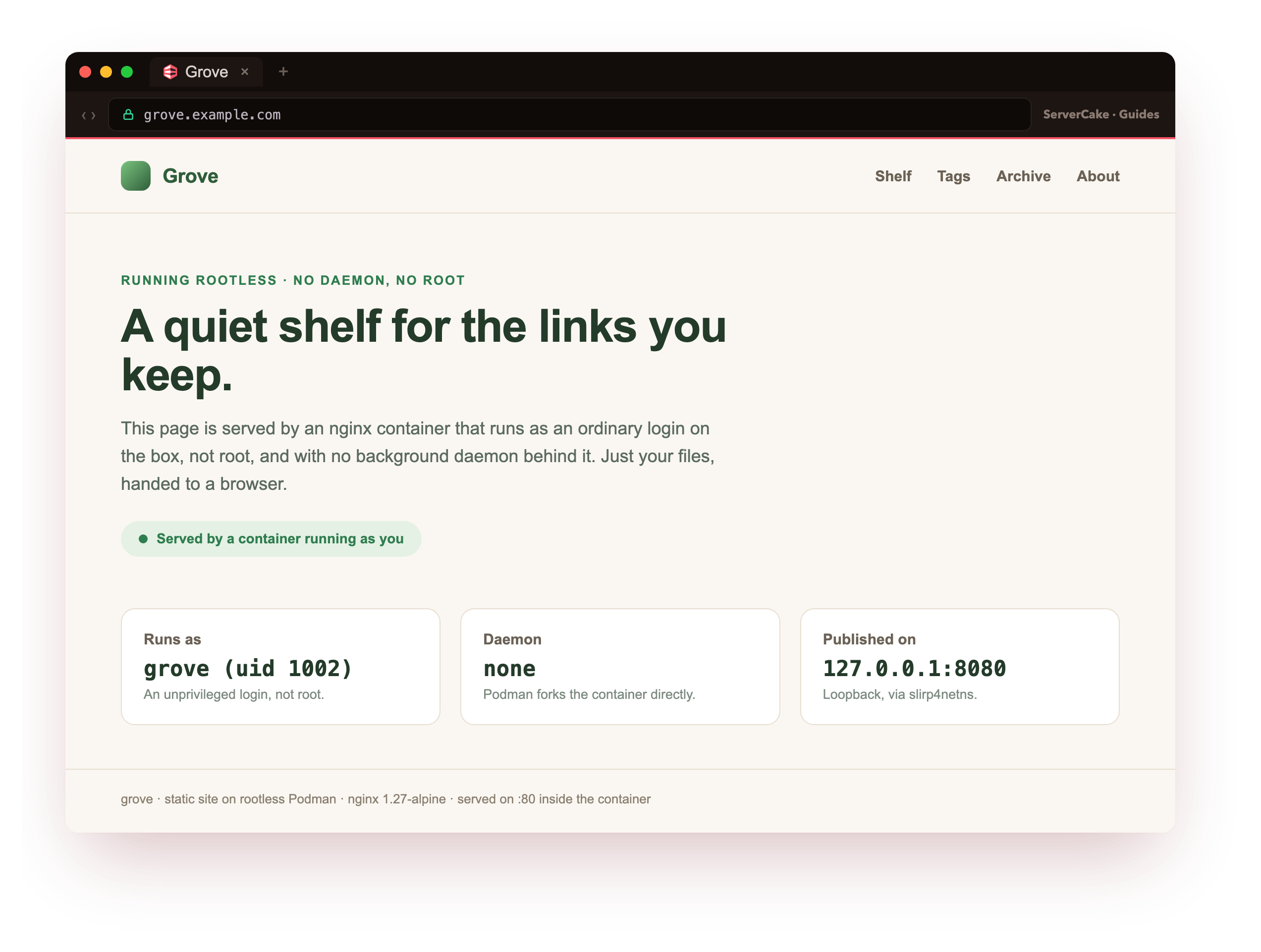
The Grove landing page loads in the browser, served by a container that runs as a login with no special powers. It says as much on the page: runs as an ordinary uid, no daemon behind it, published on loopback. Later chapters make this page dynamic and hand it to systemd, but the trust model on display here never changes.
Going further: what Podman replaces
Docker splits into a client you type at and a daemon that does the work as root; the daemon owns every container and holds a socket that, if you can reach it, is equivalent to root on the box. Podman removes the daemon.
When you run podman run, your shell forks a small monitor process called conmon and the container runtime directly, both as your user, and when the container exits those processes exit too. There is no long-lived privileged service to attack, patch on its own schedule, or restart the whole host's workloads when it crashes.
That design has one consequence worth naming now. Because there is no daemon to keep a container alive after your command returns, a rootless container that should outlive your shell needs something else to supervise it. On a single box that something is systemd running as your user, which is exactly what chapter four wires up with Quadlet. For a container you are only trying out, the foreground run and podman ps you used here are all you need.
Frequently asked questions
Is rootless Podman a drop-in replacement for the docker command?
For everyday work it is close. The subcommands you reach for, run, ps, build, images, exec and logs, take the same flags and behave the same way, and many people alias docker to podman so scripts keep working. The differences show up at the edges: there is no daemon socket, published ports below 1024 need an extra setting because you are unprivileged, and a few Docker specific features have Podman equivalents rather than identical names. For running and building containers, the switch is mostly invisible.
Do I need to add my user to a group like docker to run containers?
No, and that is the point. The docker group grants access to the root daemon socket, which is close to granting root, so a rootless setup deliberately avoids it. The user in this guide is in no special group at all. Podman uses your subordinate uid and gid ranges, which Ubuntu assigns to a normal user automatically, to build the user namespace it runs the container in. Nothing about that needs a privileged group.
Where did Podman store the image it pulled?
Under your home directory, in a per-user storage tree that podman info prints as the graph root. Because a rootless setup cannot write to the system container store, each user keeps their own images and containers in their own home. That means two logins on the same box can pull the same image independently and neither can see or delete the other's containers, which is a reasonable isolation default even before you reach the security chapter.
Can Podman and Docker be installed on the same server at once?
Yes. They use separate storage and separate command names, so a box can run a Docker daemon and rootless Podman side by side without conflict, which is common while a team migrates. The only thing to watch is a published port: two containers, whichever tool started them, cannot both bind the same host port. Beyond that they stay out of each other's way, since Podman's containers live in a user's home and Docker's live under the daemon.
What you have, and what comes next
You installed Podman on a bare Ubuntu 24.04 slice, ran your first rootless container as an unprivileged login, served a real page over loopback, and saw that the container's root is only your own uid on the host. You also saw why there is no daemon to worry about: Podman forks the container as a plain child process and gets out of the way.
That uid mapping is the thread the next chapter pulls. Chapter two opens the user namespace: the subuid and subgid ranges that make the mapping possible, the userspace networking that lets an unprivileged user publish a port at all, and what happens to file ownership when a volume crosses the boundary between the container and the host.