What you will build
This chapter closes the loop. The pod from chapter three works, but it dies with a reboot and stays dead if the app crashes, because a daemonless runtime has nothing watching it once your shell exits. A Podman Quadlet fixes that: you describe each container in a short unit file, and systemd generates a real service that starts on boot, restarts on failure, and runs while no one is logged in.
You will write the units, let systemd generate the services, watch one recover from a kill, and confirm lingering keeps them alive without a session. The app stays rootless the whole way.
- A Quadlet is a small unit file describing a container, and systemd's generator turns it into a full service at daemon-reload time.
- Running the units under systemd as your own user, not as root, keeps the whole stack rootless while still gaining boot start and crash recovery.
- Lingering lets a user's services run with nobody logged in, which is what makes a rootless service survive a reboot.
- Quadlet is the supported path now, and the older podman generate systemd command is deprecated.
- The app image and Redis pulled in the earlier chapters, still in the unprivileged user's store, since the units reference them by name.
- The ability to reach the user's systemd instance, which lingering provides, so systemctl with the user flag works even from a plain SSH session.
- A willingness to stop the hand-run pod first, because the units below claim the same container names and the two cannot both hold them.
- An administrator to enable lingering once for the user, the single step in this chapter that touches anything outside the account.
Clear the way and meet Quadlet
The pod in chapter three was started by hand, and it holds the container names the units are about to claim. Stop and remove it so the names are free.
podman pod rm -f grove
A Quadlet is a plain unit file with a container-shaped section. You drop it in a directory systemd watches, and a generator that ships with Podman reads it on every reload and writes out an ordinary service. For a rootless user those files live under the user's own config, and the services run under the user's own systemd. Nothing about this needs root, which is the whole reason to prefer it over a container started by a root daemon.
Write a Podman Quadlet unit
Two containers means two .container files, plus a .network so they can find each other, since on Podman 4.9 a Quadlet describes a container or a network but not yet a whole pod. The app unit looks like this.
[Unit]
Description=Grove app
Requires=grove-cache.service
After=grove-cache.service

[Container]
Image=localhost/grove-app:1.0
ContainerName=grove-app
Network=grove.network
PublishPort=127.0.0.1:8095:8000
Environment=REDIS_HOST=grove-cache

[Install]
WantedBy=default.target
The [Container] section reads like the flags of a podman run, because that is what it becomes. Network=grove.network refers to a companion .network unit, and Requires plus After on the datastore service means systemd starts Redis first. With the datastore on the same Quadlet network, the app reaches it by the name grove-cache rather than over a pod's localhost. Drop the files in place and reload so the generator runs.
systemctl --user daemon-reload
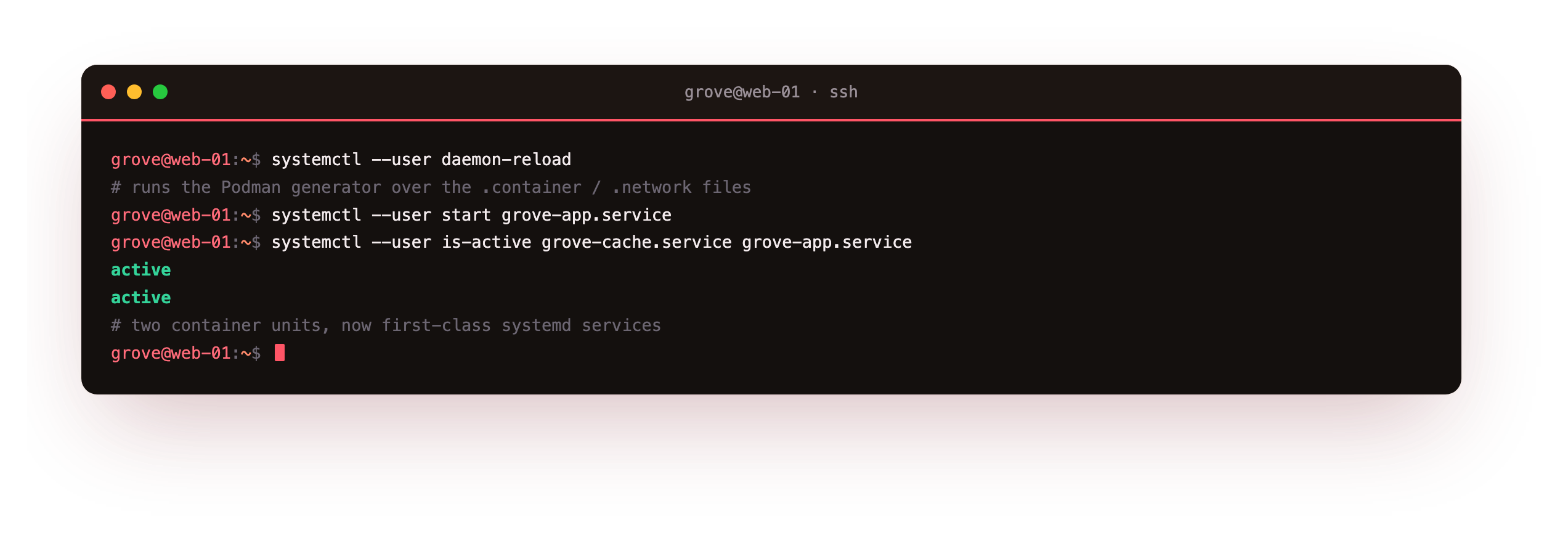
Starting the app service pulls in the datastore through Requires, and asking both whether they are active returns active and active. Two container units are now first-class services.
systemctl --user is-active grove-cache.service grove-app.service should print active twice. If instead you get Failed to connect to bus, the user's systemd is not reachable from this session, which lingering fixes; enable it as shown later and reconnect.
The unit systemd actually runs
The file you wrote is not the whole service. Ask systemd to show it.
systemctl --user status grove-app.service
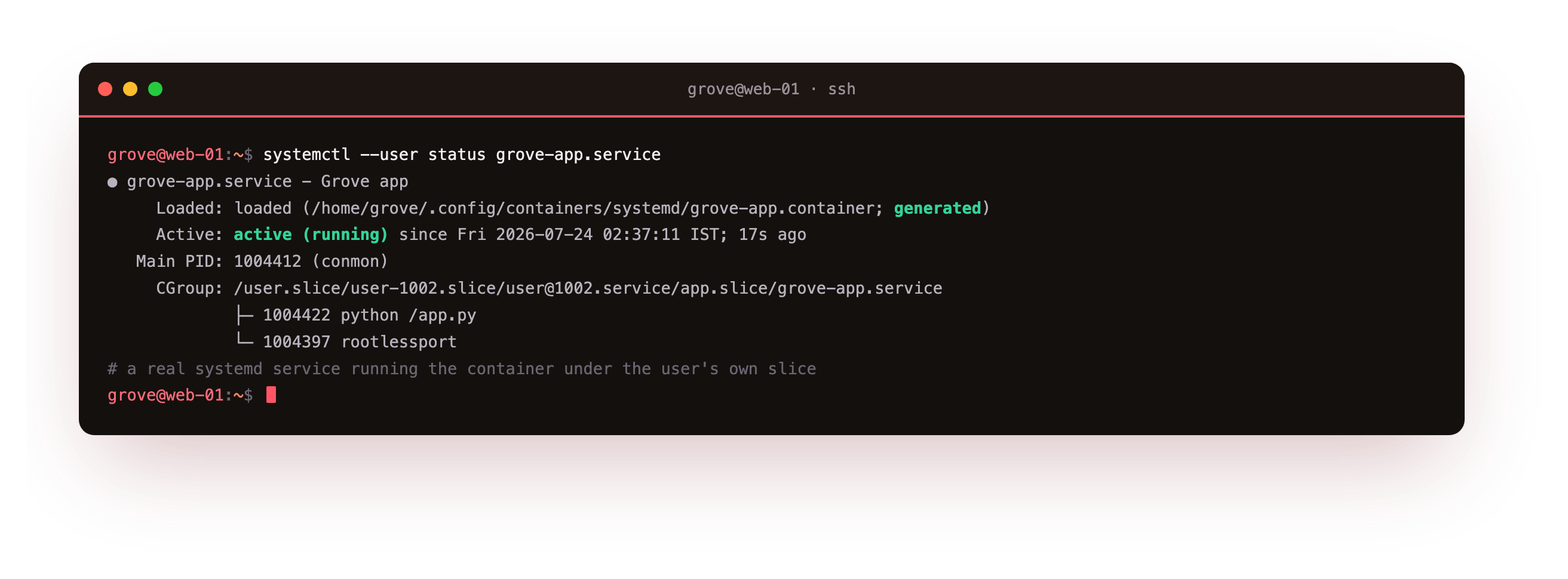
The status line marks the unit generated and points back at your .container file as its source, and the control group holds the container's monitor, the app process, and the rootless port helper, all under your user slice. To see what the generator produced, read the service it wrote.
systemctl --user cat grove-app.service
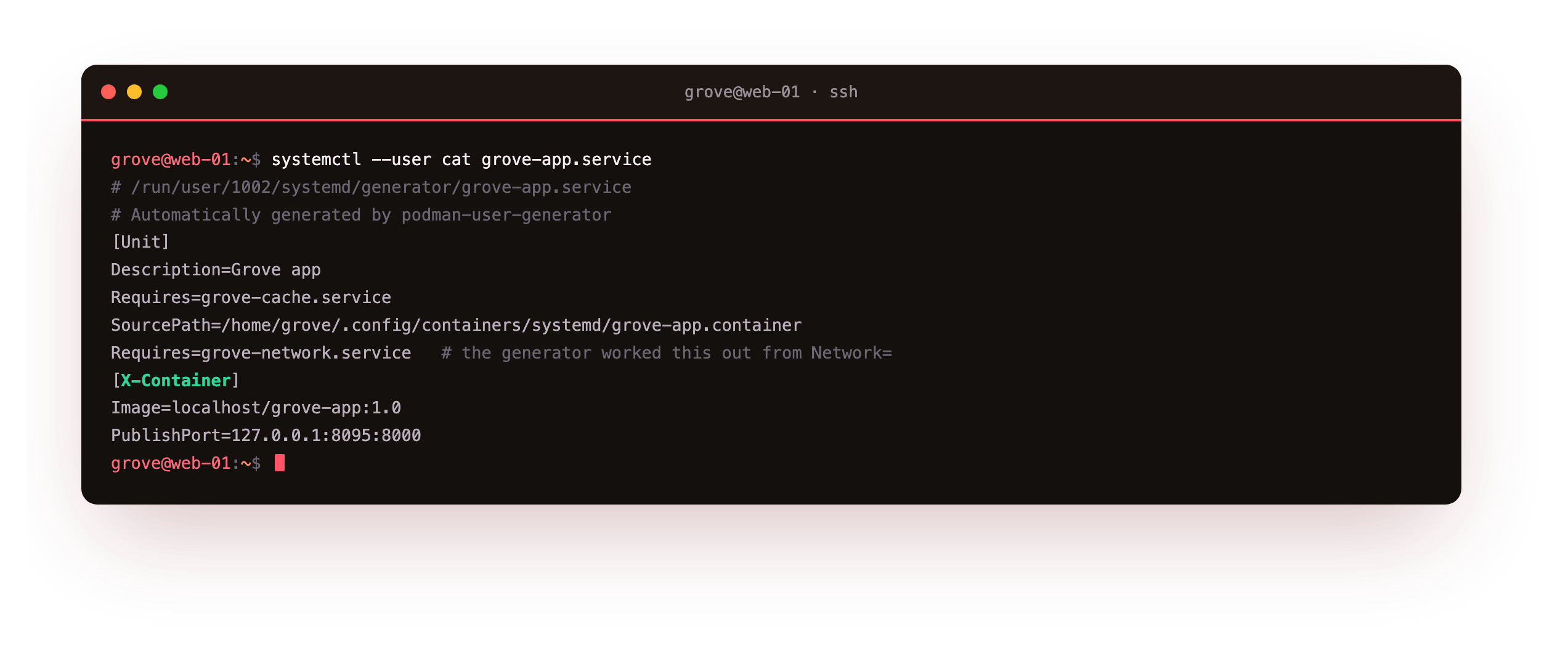
The generated file sits in a runtime generator directory, carries an X-Container block recording the original keys, and has quietly added a dependency on the network service so the network exists before the container starts. You never wrote that dependency; the generator worked it out from Network=.
Keep it running: lingering and crash recovery
A rootless user's services normally stop when the user logs out. Lingering changes that, starting the user's systemd at boot and keeping it running with no session, which is what lets these containers come up on a cold boot.
loginctl show-user grove
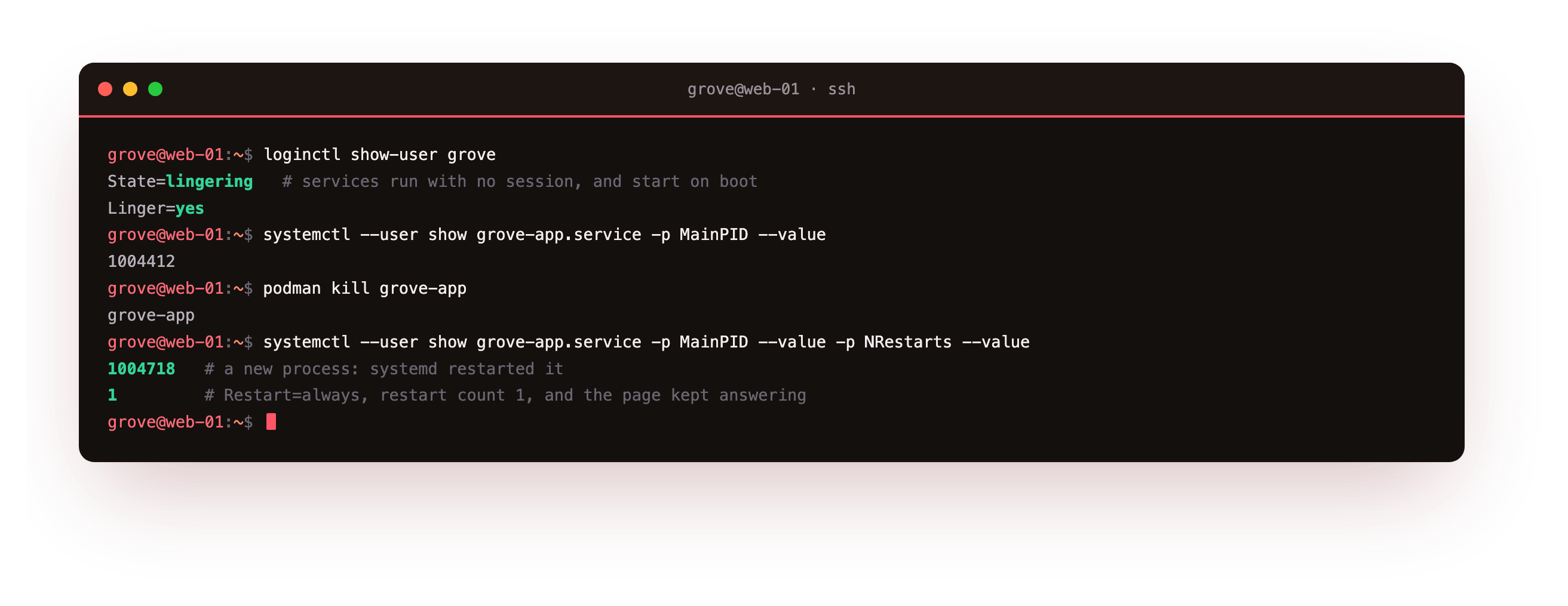
With lingering on, prove the recovery. Note the app's main process id, then kill the container out from under systemd.
podman kill grove-app
Look again and the service is active with a new process id and a restart count of one. The Restart=always line in the unit told systemd to bring it straight back, and the page keeps answering. No alert fired, no human woke up, and nothing ran as root to make it happen.
Why Quadlet instead of podman generate systemd?
If you have read older guides you may know podman generate systemd, which produced a service file from a running container. It still exists, but running its help prints a deprecation notice at the top, and new work is meant to use Quadlet.
The reason is that the generate command froze a container's current settings into a file that then drifted from reality, while a Quadlet is the source of truth that systemd reads fresh every reload. You edit the short .container file, reload, and the service matches it. That is a cleaner model than regenerating and re-pasting a unit whenever something changes.
Going further: auto-updates and pods as Quadlets
Two features are worth knowing once the basics run. A Quadlet container can carry an AutoUpdate=registry label, and a timer Podman ships will pull a newer image and restart the service when the tag moves, with a rollback if the new image fails to start.
And on Podman 5, released after the version on this box, a .pod Quadlet describes a whole pod, so the localhost-sharing arrangement from chapter three can be expressed as units directly rather than as two containers on a shared network. The pattern in this chapter, container units joined by a network unit, is the portable shape that works on both, which is why it is worth learning first.
Everything you have built now survives the machine restarting. The app comes up on boot, restarts itself on a crash, runs as an unprivileged user, and never once needed a root daemon to supervise it. That is a self-hosted service you can walk away from.
Frequently asked questions
Where do rootless Quadlet files go, and who reads them?
They go under the user's own configuration, in a containers systemd directory inside the home config path, and the Podman user generator reads them on every systemctl --user daemon-reload. Because they are per user, a service defined there runs as that user with no root involved. A root-level Quadlet directory exists too for system services, but the whole point of this series is that you do not need it.
What exactly does enabling lingering do?
It tells the login manager to start the user's systemd instance at boot and keep it running even when the user is not logged in. Without it, a rootless user's services start only during a session and stop at logout, which is useless for something meant to stay up. With it, the user manager behaves like a small always-on init for that account, and the container services it owns start on boot and restart on failure like any system service.
How do I update the image a Quadlet service runs?
Change nothing in the unit for a same-tag update: pull the new image and restart the service, and the next start uses it. For a hands-off approach, add an auto-update label to the unit and let Podman's update timer pull and restart on a schedule, rolling back if the new image will not start. For a version bump, edit the image tag in the .container file, reload so the generator rewrites the service, and restart it.
Can I still use a pod with Quadlet, or only standalone containers?
On the Podman version here you wire container units to a shared network unit, which gives you the same result for an app and a datastore that need to talk. Pods as Quadlet units arrive in Podman 5 with a dedicated pod unit type, letting you keep the localhost-sharing model from the pod chapter and express it as files. Writing container-plus-network units now means your setup works on both versions, so it is a safe place to start.
What you have, and where this series leaves you
You turned a hand-run pod into managed services: Quadlet units that systemd generates, start on boot, and restart after a crash, with lingering keeping them alive when no one is logged in, and every piece still running as an unprivileged user. Over four chapters the Grove app went from a single rootless container, through the user namespace that makes it safe, to a two-container pod, to a systemd-managed stack that heals itself.
The trust model held from the first command to the last. There was no root daemon to compromise, no privileged group to join, and no container process that maps to real root on the host. That is what running rootless buys you, and it is why a small self-hosted app on a slice can be something you run without losing sleep over it.