What you will build
In this chapter the Grove app stops being a single container and becomes two: the app itself and a Redis datastore it reads from, grouped into one Podman pod. Because a pod shares a single network namespace, the two containers reach each other over localhost with no linking, no shared bridge and no service discovery to configure.
You will create the pod, add the datastore, build the app image on the box, drop it into the same pod, and load the finished page in a browser with a visit counter that climbs straight out of Redis. All of it stays rootless.
- A Podman pod is a group of containers that share one network namespace, so every container in it sees the others on localhost.
- The pod publishes ports once, at the pod level, and the containers inside simply listen on their own ports behind that.
- Building an image with podman build takes the same Containerfile and flags as a Docker build, so nothing new is learned to package the app.
- The datastore never exposes a host port at all, because the only thing that needs it is one hop away on loopback.
- The rootless setup from the earlier chapters, run as the same unprivileged login, since the pod and both containers live in that user's own storage.
- A small application that talks to a datastore over a network address, so it can be pointed at localhost inside the pod; this guide builds a tiny one.
- Network access to pull the Redis image and, on the first build, the language base image the app is layered on.
- A way to view a loopback port from your machine, such as an SSH tunnel, to see the browser result at the end.
What is a pod, exactly?
The word comes from Kubernetes, where a pod is the smallest unit you schedule: one or more containers that are always placed together and share some of their isolation. Podman brings the same idea to a single machine. Containers in a pod share a network namespace, which is the part that matters here, so they use one loopback address and one set of ports between them.
Each container still has its own filesystem and its own processes; only the network, and a hidden holder process, are common. If you have ever run an app and its cache as two Docker containers and wired them together with a user-defined network, a pod is the tighter version of that, where the wiring is simply localhost.
Create a Podman pod and add the datastore
Start the pod and publish the one public port on it, then run the Redis datastore inside. The datastore takes no port of its own.
podman pod create --name grove -p 127.0.0.1:8090:8000
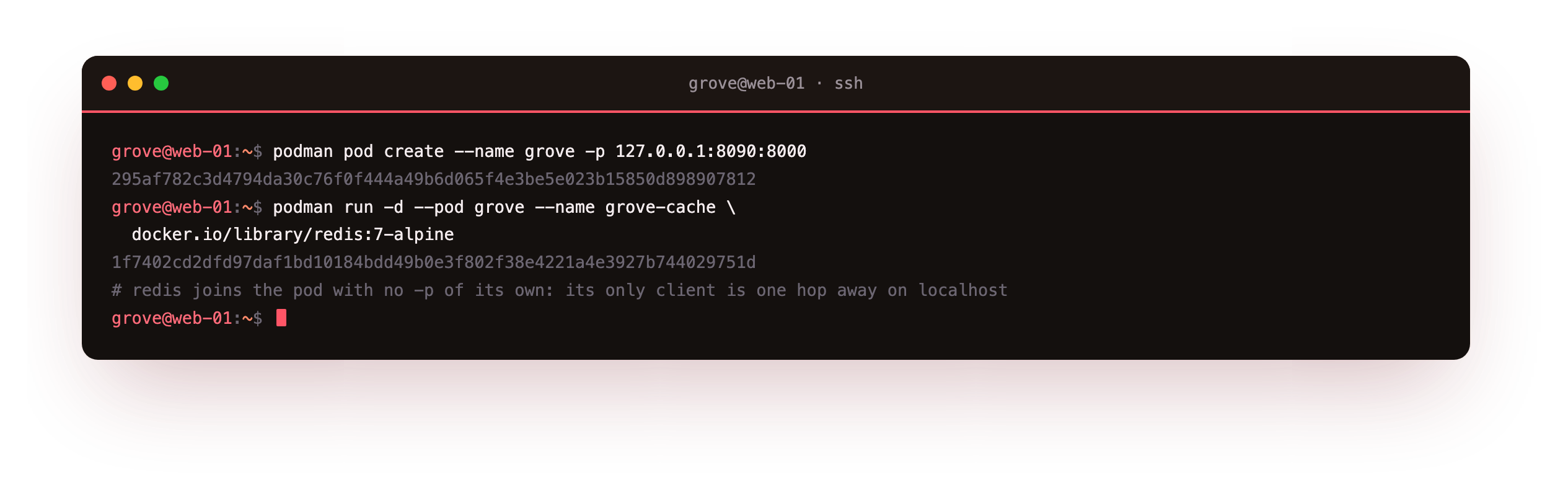
The pod is created and gets an id, and the Redis container joins it with --pod grove. Notice Redis is started with no -p flag at all. It does not need one, because the only client that will ever talk to it is the app, and the app is about to sit on the same localhost. Publishing Redis to the host would be handing the internet a door it has no reason to have.
Build the app and drop it into the pod
The app is a small program that increments a counter in Redis and renders a page. Build its image on the box, then run it into the same pod.
podman build -t grove-app:1.0 .
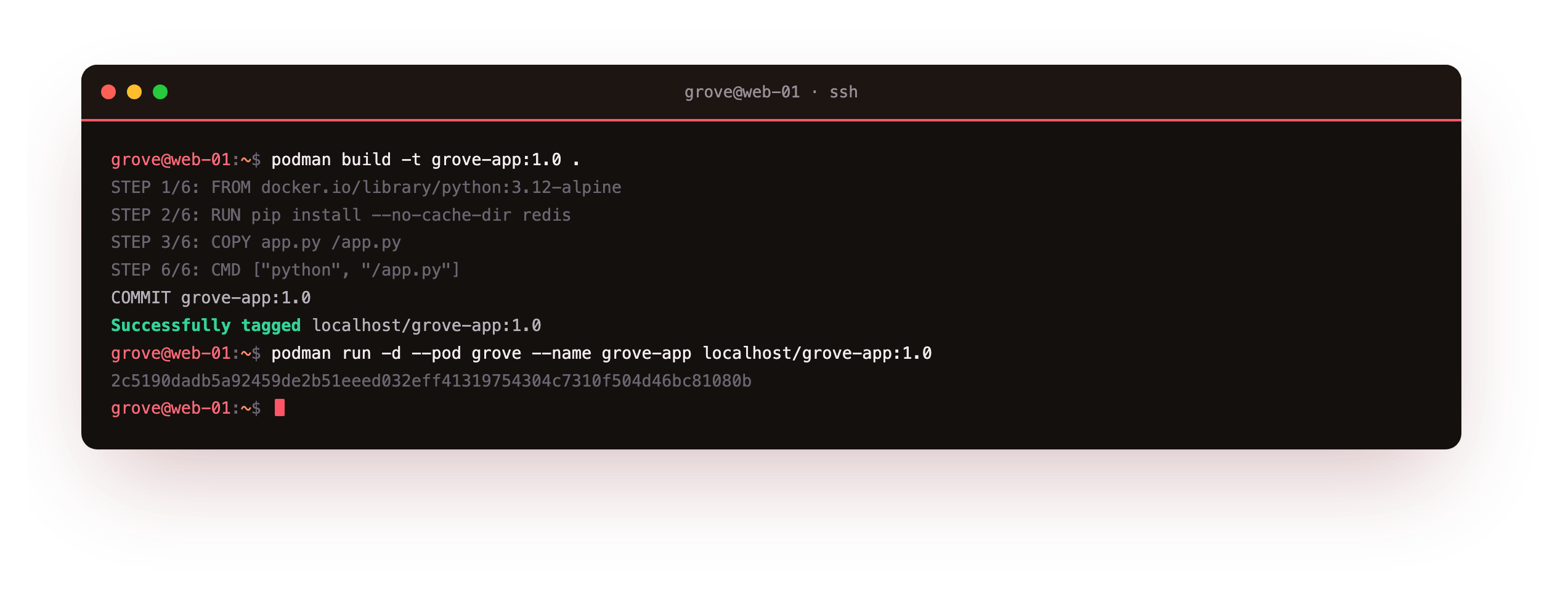
The build reads a Containerfile, the same format a Dockerfile uses, and tags the result into your per-user store as localhost/grove-app:1.0. Running it with --pod grove places it beside Redis. The app is written to reach its datastore at 127.0.0.1:6379, and inside the pod that address is Redis, because the two containers share the pod's loopback. No hostname, no link, no environment variable pointing one at the other.
After the build, podman images should list localhost/grove-app:1.0. If the build failed on the base image, confirm outbound access and that the Containerfile's FROM line names a fully qualified image such as docker.io/library/python:3.12-alpine, since rootless Podman does not silently assume Docker Hub.
The two containers share one localhost
Now confirm the shape. One pod, two workload containers, and a connection between them that never leaves the box.
podman pod ps
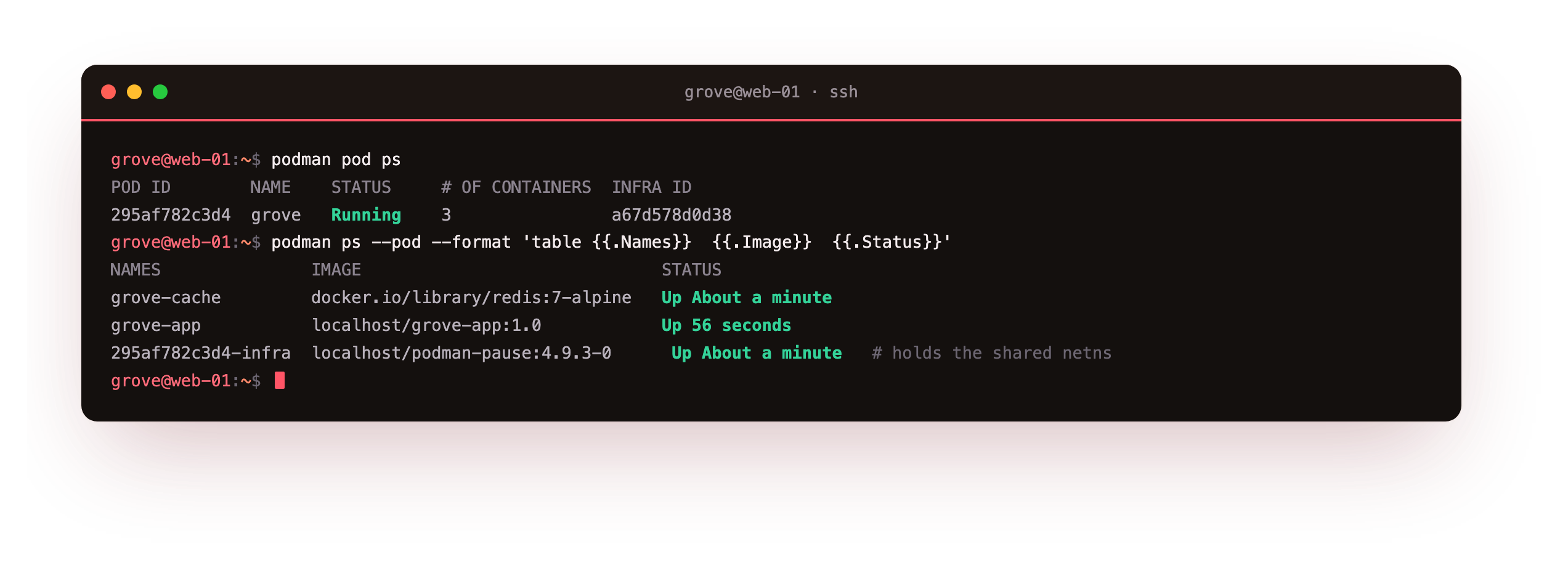
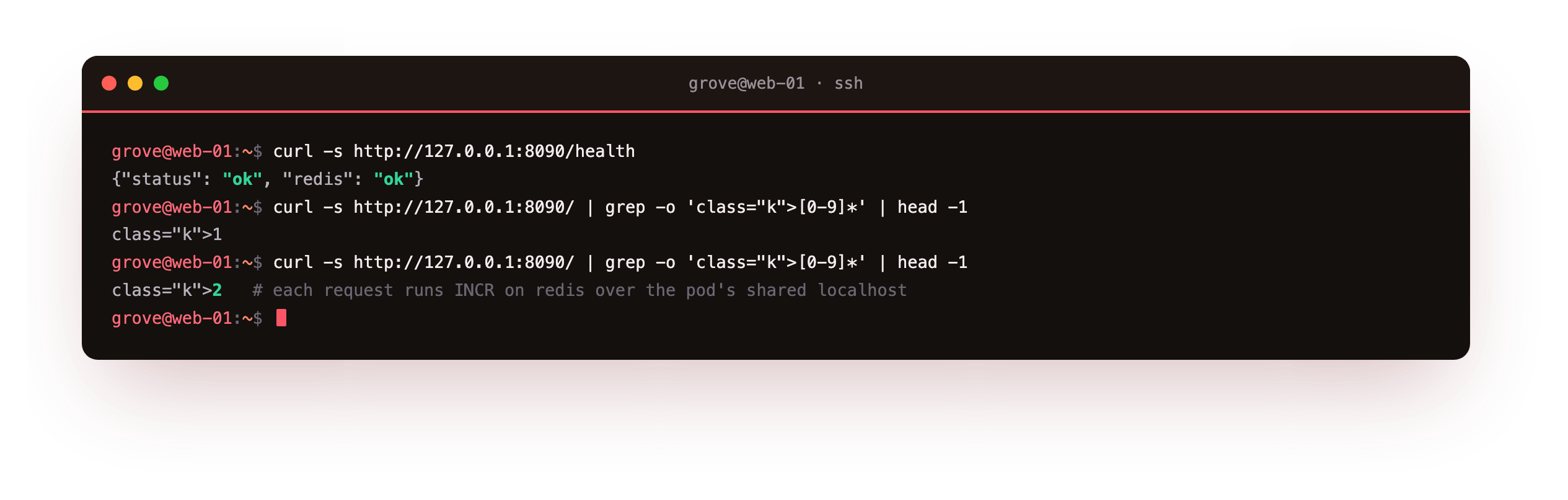
podman pod ps shows the pod running with three containers, and podman ps --pod names them: the app, the datastore, and a third you did not create called the infra container. The proof that they share localhost is the app itself. Ask its health endpoint and it reports Redis reachable; refresh the page and the visit counter climbs, because each request runs an increment against the datastore one hop away on loopback.
curl -s http://127.0.0.1:8090/health
See the pod in a browser
The pod publishes port 8090 on loopback. Forward it and open the page.
ssh -L 8090:127.0.0.1:8090 deploy@your-slice
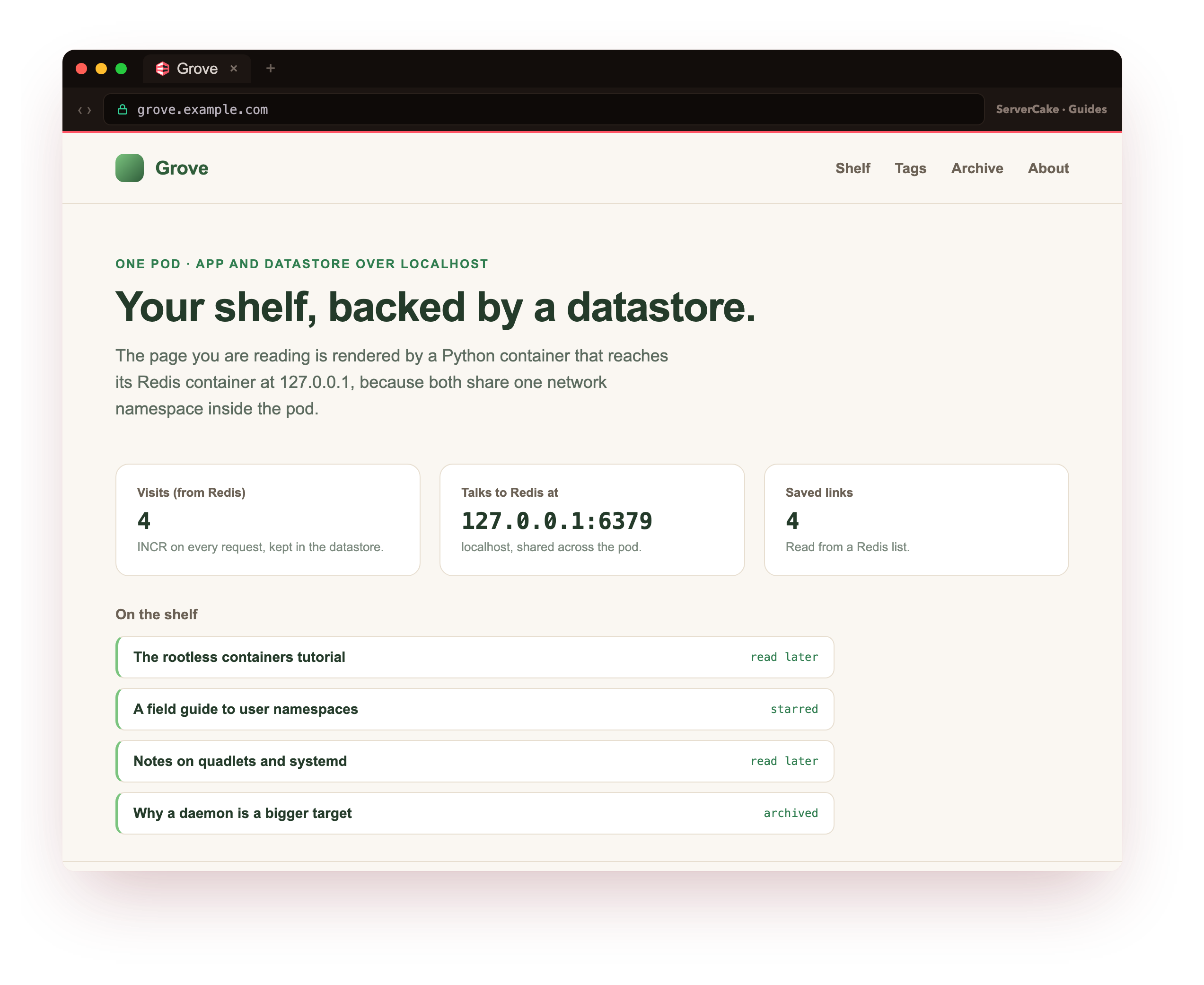
The Grove page now shows a live visit count read from Redis and a shelf of saved links pulled from a Redis list, all rendered by the app container and stored by the datastore container next to it. Two containers, one pod, one loopback between them, and still not a single root process or published datastore port. This is the payoff the series has been building toward, and the next chapter makes it survive a reboot.
Going further: the infra container and Kubernetes YAML
That third container the pod created for you is the infra container, sometimes called the pause container. Its only job is to hold the shared namespaces open so that individual workload containers can come and go without tearing down the pod's network. It runs a tiny image, does nothing, and uses almost no memory. When you stop the pod, it is the last thing to go.
The Kubernetes lineage is not just naming. Podman can write a pod out as a Kubernetes manifest with podman kube generate, and it can start a pod from one with podman kube play, so the pod you built by hand here can become a YAML file you keep in version control and replay elsewhere.
That is a useful bridge if part of your world runs real Kubernetes, but on a single slice it is optional. For keeping this pod alive across reboots and crashes, the next chapter reaches for systemd instead, which is the tool the box already trusts to run services.
Frequently asked questions
How is a pod different from a user-defined network with two containers?
A user-defined network gives each container its own address and lets them find each other by name. A pod goes further and gives the containers one shared network namespace, so they see each other on localhost and share the pod's published ports. For an app and a datastore that only ever talk to one another, the pod is simpler, since localhost needs no DNS and the datastore needs no port. For containers that should stay more independent, a shared network is the looser fit.
Should I publish the datastore's port so I can connect to it?
Not in the running setup. Inside the pod the app already reaches Redis on localhost, so no host port is needed, and publishing one would expose a datastore that has no authentication turned on. When you genuinely need to inspect it, run a one-off client in the same pod, or use podman exec into the Redis container, both of which reach it over the shared loopback without opening anything to the network.
Do the containers in a pod share storage as well as the network?
No. A pod shares the network namespace and a couple of others, but each container keeps its own filesystem. If the app and the datastore need to share a directory, you give them the same named volume explicitly, exactly as you would for two standalone containers. Keeping storage separate by default is deliberate, since it means one container's disk cannot surprise another just because they were grouped together.
Can I add a third container, like a reverse proxy, to the same pod?
Yes, and it is a common shape. A proxy container in the pod can forward to the app on localhost and be the only thing that binds the pod's public port, which keeps TLS and routing in one place. Because everything in the pod shares loopback, the proxy configuration points at 127.0.0.1 and a port, with no service names to resolve. Add it the same way you added the app, with --pod grove.
What you have, and what comes next
You created a Podman pod, ran a Redis datastore inside it with no host port, built the app image on the box, added it to the pod, and saw the two containers talk over one shared localhost, with a browser page whose counter and links come straight from the datastore. The pod idea from Kubernetes now runs on a single rootless slice.
There is one thing the pod cannot do on its own: come back after a reboot, or restart the app if it crashes at three in the morning. The final chapter hands the whole thing to systemd with Quadlet, so the app and its datastore become first-class services that start on boot, recover from failure, and keep running with no one logged in.