The recovery replication cannot give you
PostgreSQL point-in-time recovery lets you restore a database to any second you choose, by starting from a base backup and replaying the archived write-ahead log up to a target time. This chapter turns on WAL archiving on a live Ubuntu 24.04 server, takes a base backup, then recovers to a moment between two writes and proves one row is present and the other is not.
- A standby copies mistakes instantly, so replication is not a backup and cannot undo a bad statement.
- Point-in-time recovery needs two things: a base backup and a continuous archive of the WAL after it.
- archive_command copies each finished WAL segment somewhere safe, ideally off the server.
- recovery_target_time tells the restore where to stop, so you land on the second before the damage.
The previous chapters built a standby that follows the primary within a second. That is exactly why it cannot save you from a dropped table: the standby drops it too, just as fast. To undo human error you need to move backwards in time, and that is what point-in-time recovery does. It replays history from a base backup and stops on the tick you name.
Prerequisites
- A PostgreSQL 16 primary on Ubuntu 24.04 LTS, the
maincluster from this series. - A directory the postgres user can write, to hold the WAL archive, ideally on separate storage.
- Sudo and psql access, and enough free disk for a base backup plus a second data directory to restore into.
- Comfort creating a throwaway cluster, since we restore into a fresh one rather than over the live database.
Turn on WAL archiving
Streaming ships WAL to a standby, but recovery needs a durable copy of every segment. Set archive_mode = on and an archive_command that copies each finished segment into an archive directory, then restart. Prove archiving works before you trust it.
sudo -u postgres psql -p 5432 -c "ALTER SYSTEM SET archive_mode = on;"
sudo -u postgres psql -p 5432 -x -c "SELECT archived_count, \
  last_archived_wal, last_failed_wal FROM pg_stat_archiver;"
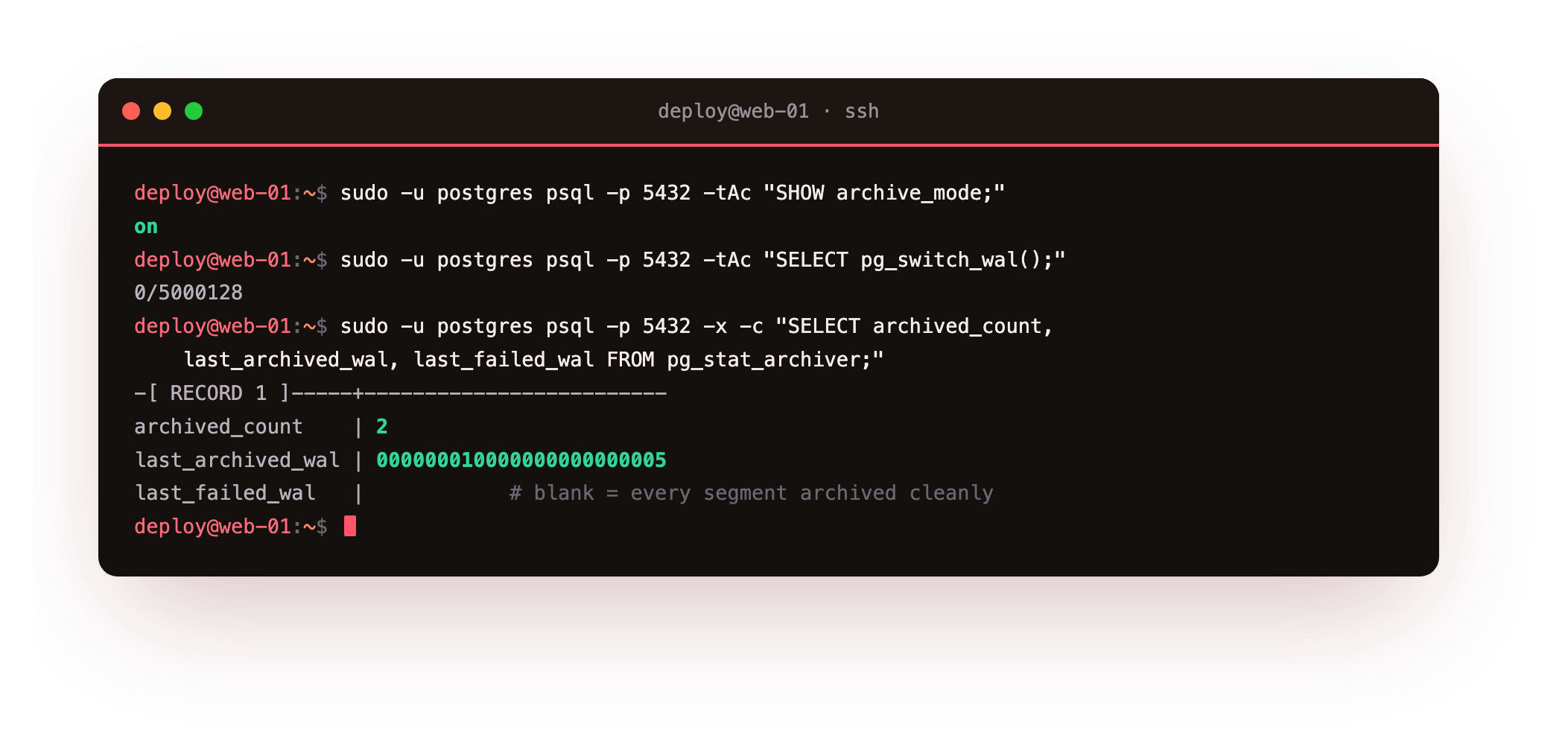
After a WAL switch, pg_stat_archiver shows archived_count climbing, a last_archived_wal filename, and a blank last_failed_wal. That blank field is the one to watch: a non-empty last_failed_wal means the archive command is failing and your recovery window has a hole. The archive is the raw material for every restore that follows, so it has to be working.
The base backup
Point-in-time recovery starts from a physical base backup, then replays archived WAL on top of it. Take the base with pg_basebackup, streaming its own WAL so the copy is internally consistent.
sudo -u postgres pg_basebackup -h 127.0.0.1 -p 5432 -U replicator \
  -D /var/lib/postgresql/pitr_base -Fp -X stream -P
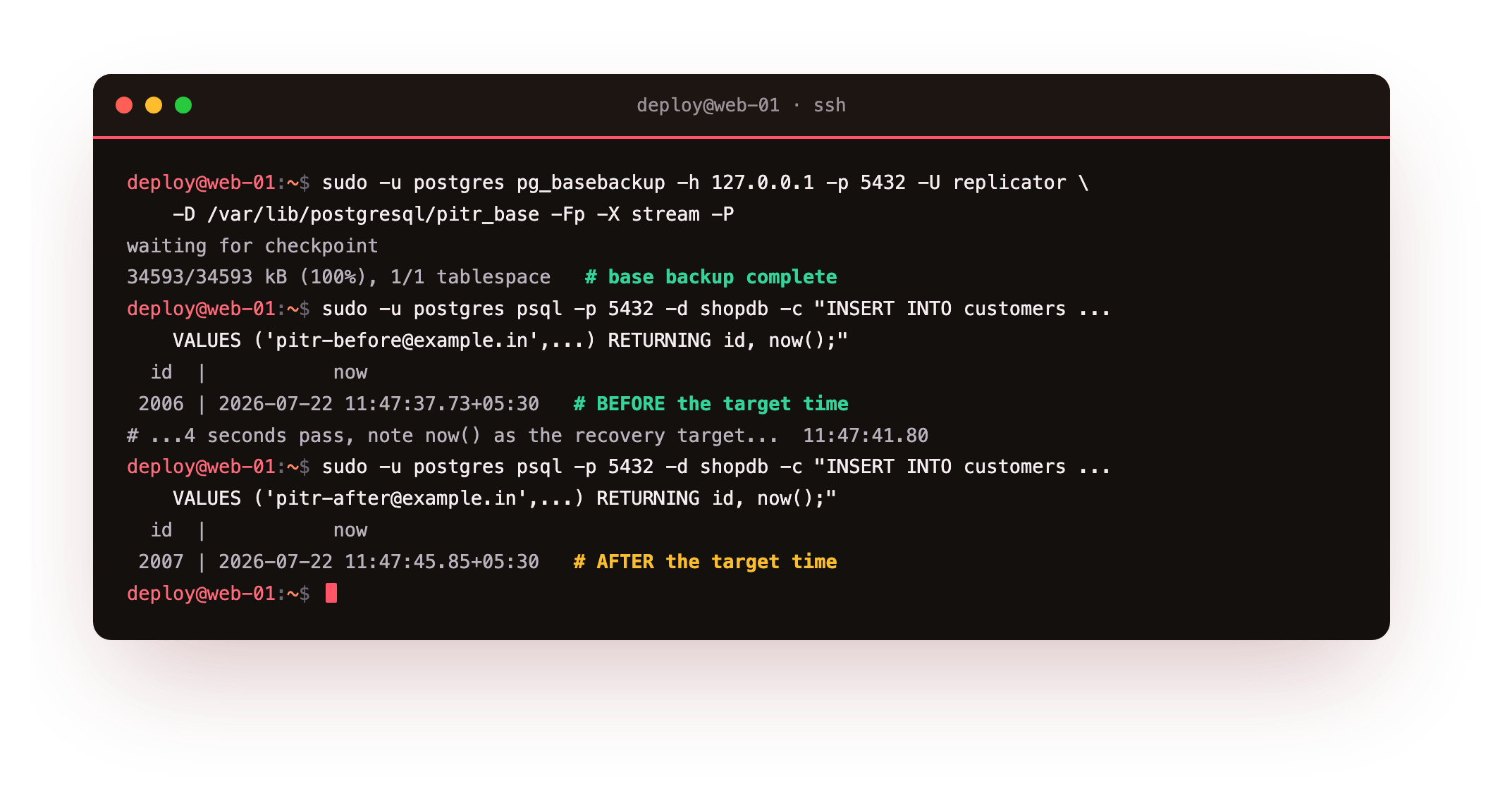
With the base in hand, create the scenario. Insert a row, note the time, wait, then insert a second row. In the capture, the first row committed at 11:47:37 and the second at 11:47:45, with a target time of 11:47:41 chosen deliberately between them. That target is the second we will rewind to: after the first write, before the second. Force a WAL switch so the segments holding both inserts reach the archive.
How PostgreSQL point-in-time recovery works
Recovery is a fresh cluster that reads the base backup, then replays archived WAL until it reaches the target and stops. Restore the base into a throwaway data directory, then write the recovery settings that name the target.
restore_command = 'cp /var/lib/postgresql/wal_archive/%f %p'
recovery_target_time = '2026-07-22 11:47:41+05:30'
recovery_target_action = 'promote'
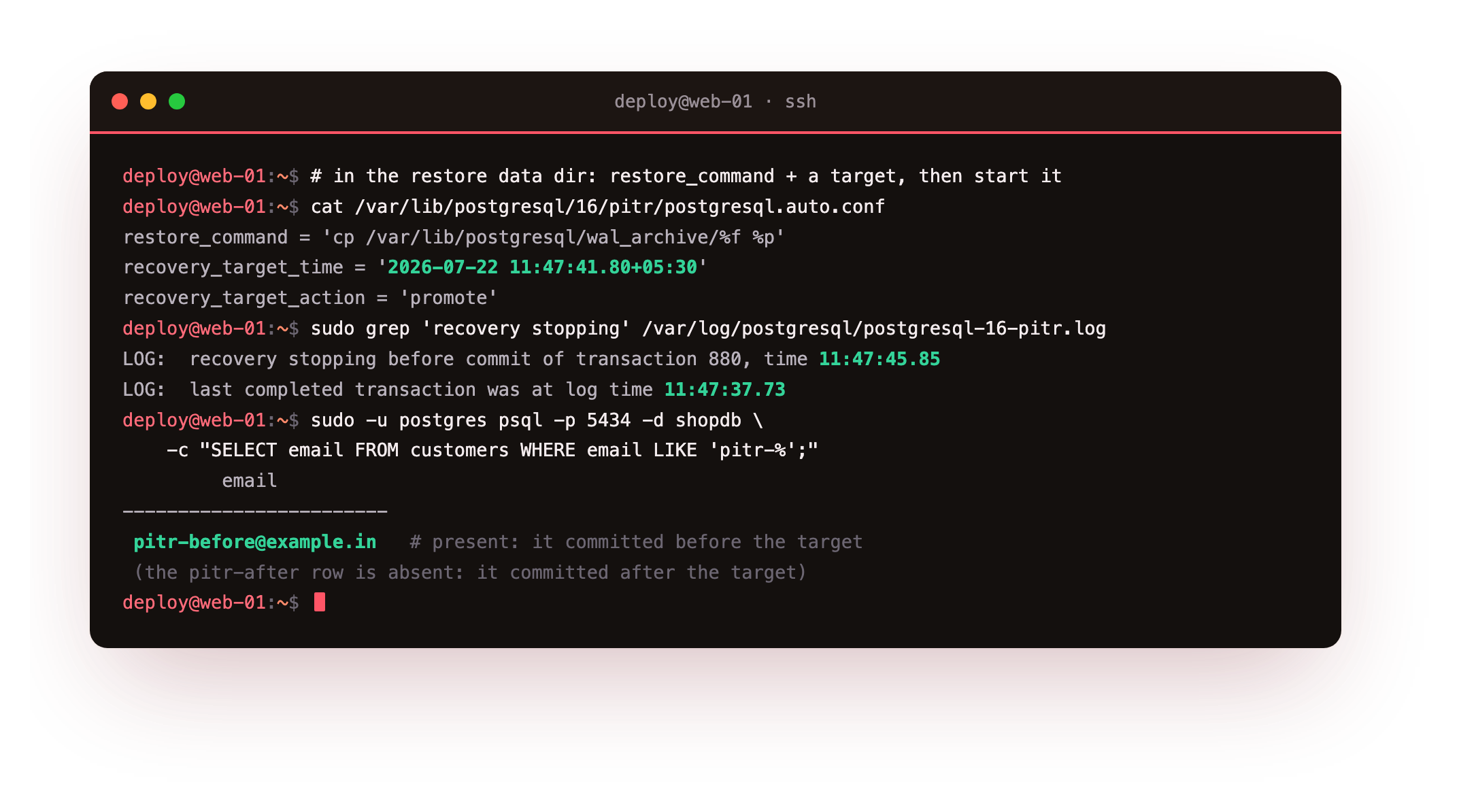
Start the restored cluster and it replays forward, then the log records recovery stopping before commit of transaction at the write that came after the target, with the last completed transaction at the earlier time. pg_is_in_recovery() returns f because the target was reached and the node promoted. Query the restored database and the proof is plain: the row committed before the target is present, and the row committed after it is absent. You have rewound the database to a chosen second.
The restored database should hold the row committed before your target time and be missing the one after it. If both rows are present, recovery ran past the target: confirm recovery_target_time is set and sits earlier than the second insert, then restore into a fresh directory and try again.
Going further: getting the archive off the server
A WAL archive on the same disk as the database dies with it. The cp command here is fine for learning, but production ships each segment off the box, to object storage or another host, so a lost server does not take the recovery path with it. Tools like pgBackRest and WAL-G do this well, adding compression, retention, and parallel restore on top of the same base-backup-plus-WAL mechanism you just ran by hand. The mechanism does not change; they make it robust and hands-off.
Troubleshooting a recovery
Recovery stops early with a missing WAL file. A segment between the base backup and the target never reached the archive. Check last_failed_wal on the source and confirm the archive directory holds an unbroken run of segment files.
The restored cluster will not start. The data directory was not a clean copy of the base backup, or its owner is not postgres. Re-copy the base with cp -a, remove any stale postmaster.pid, and fix ownership.
Recovery overshoots the target. The recovery_target_time was later than you meant, or the clocks differ. Set the target from the source server's own now(), and remember recovery stops before the first transaction after the target, not after it.
Frequently asked questions
Why isn't my standby enough as a backup?
A standby replays every change within about a second, so a dropped table or a bad update is copied to it almost immediately. It protects against a dead server, not against a mistake. Point-in-time recovery is what lets you go back to before the mistake happened.
How far back can point-in-time recovery go?
As far back as your oldest base backup, provided you have kept an unbroken WAL archive from that backup forward. Retention is a policy choice: keep enough base backups and archived WAL to cover the window you are willing to recover to.
Can I recover to a transaction or a named point instead of a time?
Yes. Besides recovery_target_time, PostgreSQL supports a target of a transaction id, a log sequence number, or a named restore point you set earlier. A time is the most common because it maps to when the incident happened.
Do I still need logical dumps if I have PITR?
They serve different needs. Point-in-time recovery restores the whole cluster to a moment, while a logical dump moves one database across versions and machines. Many teams run both: PITR for the cluster and periodic dumps for portability and long-term retention.
What you have, and where this series leaves you
You have WAL archiving running, a base backup taken, and a real recovery that stopped on a second you chose, with the before row present and the after row gone. That is the safety net replication cannot provide, because a standby is loyal to the last mistake as much as the last good write.
Across this series you built a streaming standby, tuned the durability dial, promoted and rewound a primary, routed traffic through a pooler, and rewound the clock with point-in-time recovery. Those five pieces are what high availability actually means on your own PostgreSQL, run and proven on one server, ready to spread across two.