Configure a Python app with environment and secrets
Handling Python secrets well means the value lives in one root-owned file, the app reads it from the environment, and no log line ever prints it in the clear. Hard-coding an API key in app.py puts it in your git history forever, and printing it on boot leaks it into journald. This chapter configures the app through the environment, stores its secret in a file only the service user can read, and proves the app loaded it without exposing it. Every command ran on a live Ubuntu 24.04 server.
- Read every setting from the environment, so the same code runs in development and production with different values.
- Keep production secrets in a systemd EnvironmentFile at mode 600, owned by the service user, outside the code directory.
- Log only a masked preview of a secret, never the value, so journald never becomes a place credentials leak.
- Add the local .env to .gitignore and commit a .env.example instead, so a real secret never reaches the repository.
Configuration and secrets are the same mechanism with different care. Both come from the environment, which keeps them out of the code. The difference is that a secret also needs tight file permissions and must never be logged. Get both right once and the pattern carries to every app you run.
Prerequisites
- The
flaskappservice from earlier parts, running underflaskuser. - Root access to create a file under
/etc/flaskappand set its permissions. - A git repository for the app, so the ignore rules below have somewhere to apply.
Read config from the environment
The app already reads APP_ENV from the environment. Do the same for the secret and any other setting, and log only a masked preview at startup so you can confirm it loaded without printing it.
import os
SECRET = os.environ.get('APP_SECRET', '')

def secret_preview(s):
    return (s[:3] + '***' + s[-2:]) if len(s) > 6 else '***'

# at boot, log the preview, never the value
log_line = {'env': os.environ.get('APP_ENV'), 'secretLoaded': bool(SECRET),
            'secretPreview': secret_preview(SECRET)}
The app never returns the secret from a route and never logs the full value. It reports only whether the secret loaded and a short masked preview, which is enough to debug a missing or wrong value.
Store the secret in an EnvironmentFile
Put production values in /etc/flaskapp/flaskapp.env, outside the code directory. Create it as root, lock it to the service user, and set mode 600 so no other account can read it.
sudo tee /etc/flaskapp/flaskapp.env >/dev/null <<'ENV'
APP_ENV=production
APP_SECRET=sk_live_your_secret_key_here
APP_GREETING=Bound stories, shipped the week they print.
ENV
sudo chown flaskuser:flaskuser /etc/flaskapp/flaskapp.env
sudo chmod 600 /etc/flaskapp/flaskapp.env
Then reference it from the unit with EnvironmentFile=/etc/flaskapp/flaskapp.env and restart. Confirm the permissions and that systemd loaded the file.
stat -c '%A %a %U:%G' /etc/flaskapp/flaskapp.env
systemctl show flaskapp -p EnvironmentFiles
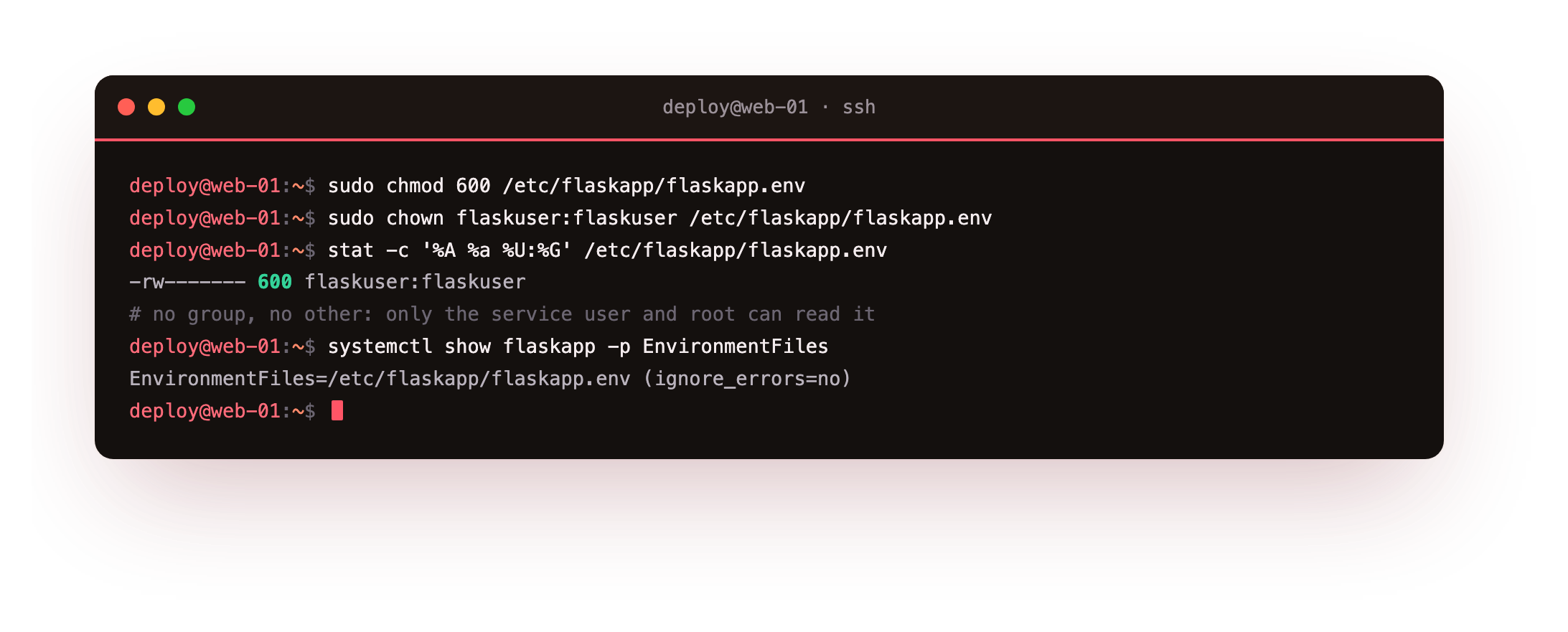
The file is -rw-------, mode 600, owned by flaskuser, so only the service user and root can read it. systemd confirms it loaded the EnvironmentFile, which injects those variables into the process without them ever touching the code.
Prove the app read it, without leaking it
Ask the app its status through nginx, then read the boot line from journald. The status route should report production and that the secret loaded, and the log should show only the masked preview.
curl http://127.0.0.1:8095/api/status
journalctl -u flaskapp -n 2 -o cat
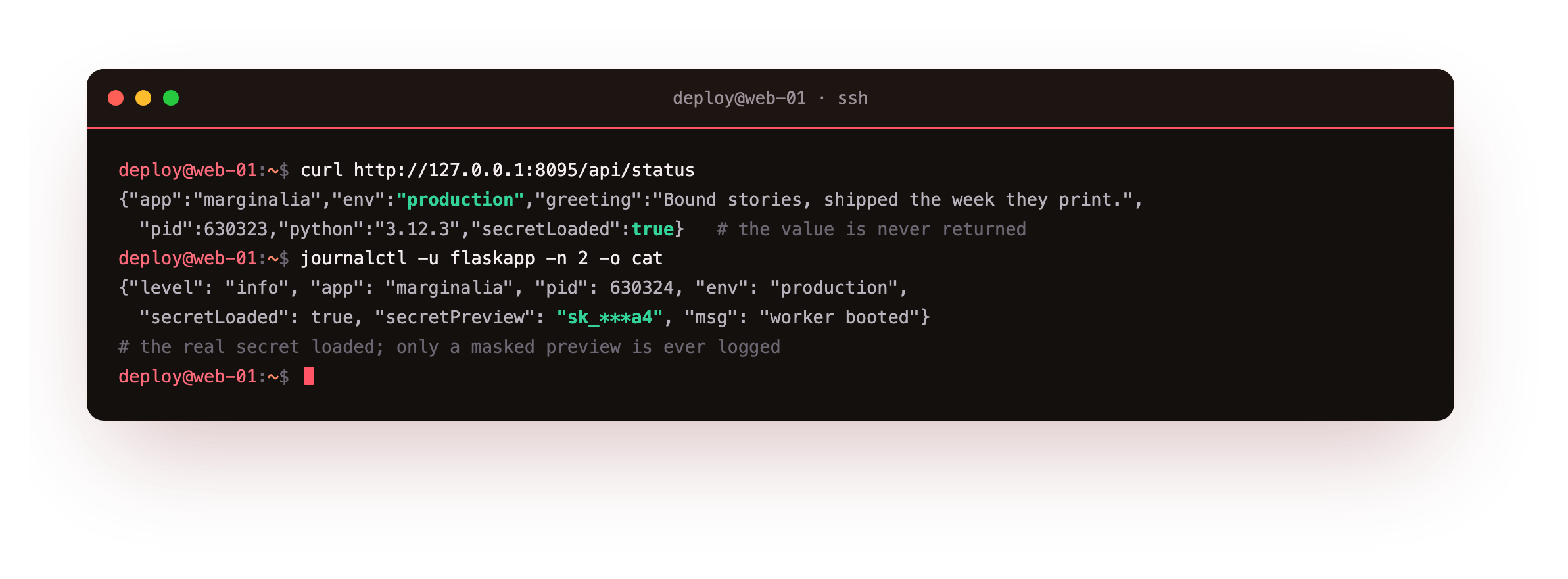
The status route reports env as production and secretLoaded true, and it never returns the value. The boot line shows secretPreview as sk_***a4, a masked stand-in. The real secret is in memory doing its job, and nowhere in the logs.
Keep secrets out of git
The development secret lives in a local .env you never commit. Ignore it in .gitignore and commit a .env.example with placeholder values, so a new machine knows which variables to set without ever seeing a real one.
cat .gitignore
git status --short
git check-ignore -v .env
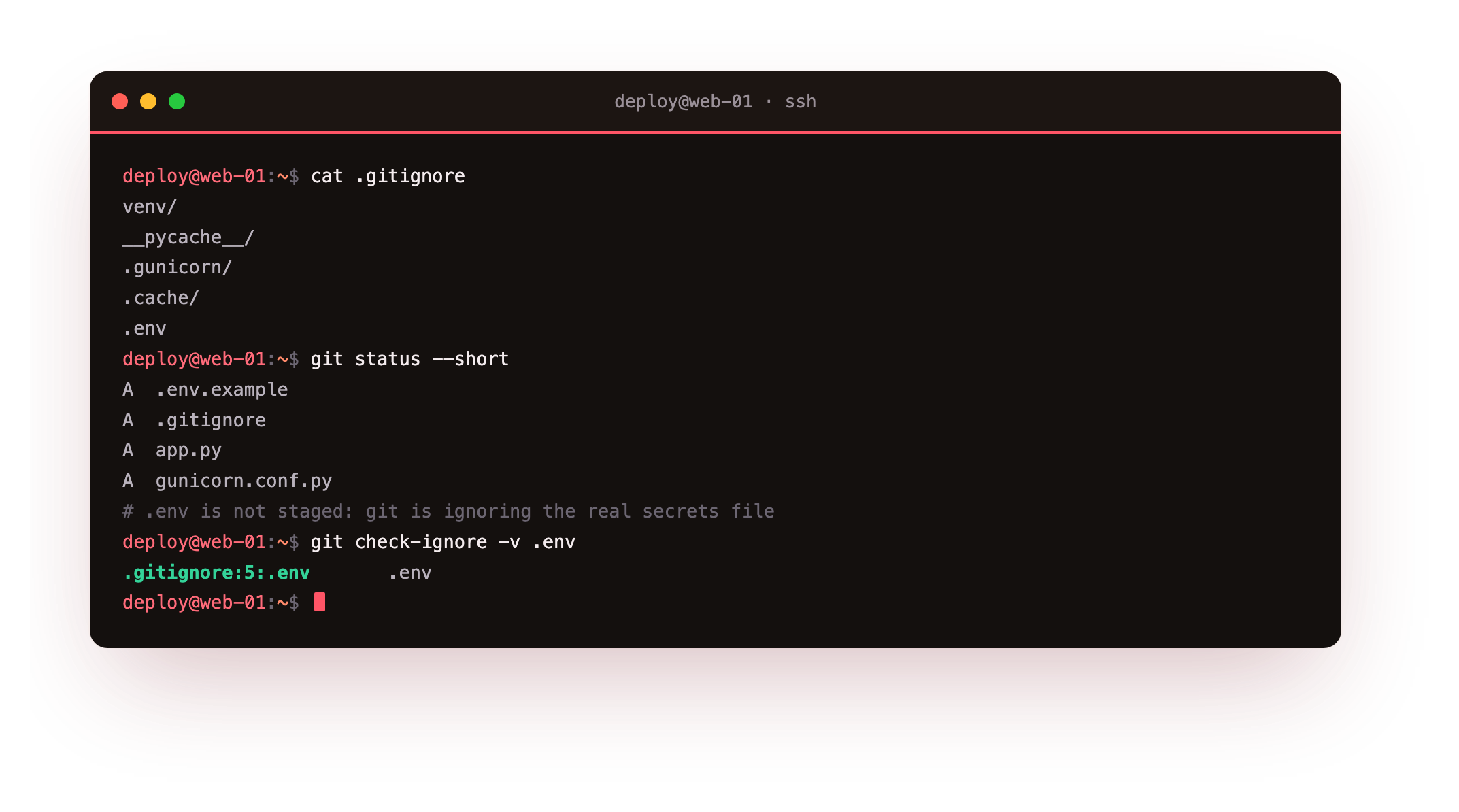
The staged files are .env.example, .gitignore, and the code, while the real .env is absent from the list because git is ignoring it. git check-ignore prints the exact rule that excludes it, which is the proof you want before a first push.
curl http://127.0.0.1:8095/api/status should report "env":"production" and "secretLoaded":true, while no log line prints anything but a masked sk_*** preview. If secretLoaded comes back false, the EnvironmentFile did not load, so re-check its path and run daemon-reload.
- If a variable is set by both
Environment=and anEnvironmentFile, the file wins, regardless of their order in the unit. - So keep operational values like the bind address in the unit, and secrets in the file, to avoid a surprise override.
- After editing either, run
daemon-reloadand restart, because systemd reads them at start.
Frequently asked questions
Should I use python-dotenv on the server?
On a developer laptop, python-dotenv loading a local .env is convenient. On the server, prefer the systemd EnvironmentFile, because it keeps the secret in a root-owned file at mode 600 and injects it into the process without the app reading a file at a known path. Fewer moving parts, and the permissions are enforced by the filesystem rather than by your code remembering to be careful.
Why mode 600 and not 640 with a group?
Mode 600 gives read and write to the owner only, so a single account, the service user, can see the secret. A 640 file adds group read, which is fine only if you trust every member of that group with the credential. For a production secret, keep the circle as small as possible. When only one service reads the file, 600 owned by that service user is the tightest sensible setting.
How do I rotate the secret without downtime?
Write the new value into the EnvironmentFile, then reload the service so workers pick it up. A later chapter covers gunicorn's graceful reload, which replaces workers without dropping requests, so the new secret takes effect while traffic keeps flowing. Keep the old value valid at the provider until every worker has cycled, then revoke it, so no in-flight request fails during the swap.
What if I already committed a secret by accident?
Treat it as compromised and rotate it at the provider immediately, because it is in the git history even after you delete the file. Removing it from history with a tool like git filter-repo is worth doing, but rotation is the part that actually protects you. Then add the file to .gitignore so it cannot happen again, and verify with git check-ignore.
What you have, and what comes next
You have config coming from the environment, a production secret in a 600 file the service user reads, a masked preview in the logs instead of the value, and the local secret kept out of git. Nothing sensitive is hard-coded or printed.
Next you size gunicorn's workers to the machine, so both CPU cores serve traffic, and watch concurrent requests land on different workers.