Put gunicorn behind nginx on a unix socket
Running gunicorn behind nginx is the shape a Python web app takes in production. nginx terminates the public connection, adds TLS and headers, and forwards inward to gunicorn. This chapter moves gunicorn off its loopback TCP port and onto a unix socket, then configures nginx to proxy to it and forward the headers your app needs. Every command ran on a live Ubuntu 24.04 server with nginx 1.24, and the request through nginx returned a real 200.
- A unix socket is a file, so gunicorn and nginx talk through the filesystem instead of the TCP stack, with permissions you control.
- systemd's RuntimeDirectory creates the socket directory under /run with the right owner, and cleans it up on stop.
- nginx reaches the socket through a group it shares with the app user, so the socket never needs world access.
- Forwarding Host and X-Forwarded-For lets the app see the real client and scheme, not nginx's own address.
A TCP port on loopback works, and chapter one used one. A unix socket is a small step better: there is no port to collide with, no chance of it being exposed on an interface by mistake, and access is governed by file permissions. On a single box where nginx and gunicorn share a host, it is the natural choice.
Prerequisites
- The
flaskappsystemd service from part two, running underflaskuser. - nginx installed and serving on the same host.
- Sudo access to edit the unit and add an nginx server block.
Move gunicorn onto a unix socket
Point gunicorn's bind at a socket path instead of a host and port. Use systemd's RuntimeDirectory so /run/flaskapp is created for you, owned by the service user, and removed when the service stops. Set the socket permissions so its group can reach it.
[Service]
RuntimeDirectory=flaskapp
Environment=BIND=unix:/run/flaskapp/flaskapp.sock
In gunicorn.conf.py, set umask = 0o007 when the bind is a socket, which creates it at mode 0770: read and write for the owner and group, nothing for everyone else. Reload systemd and restart, then look at the socket and confirm gunicorn no longer holds a TCP port.
sudo systemctl daemon-reload
sudo systemctl restart flaskapp
sudo ls -l /run/flaskapp
sudo ss -tlnp | grep gunicorn
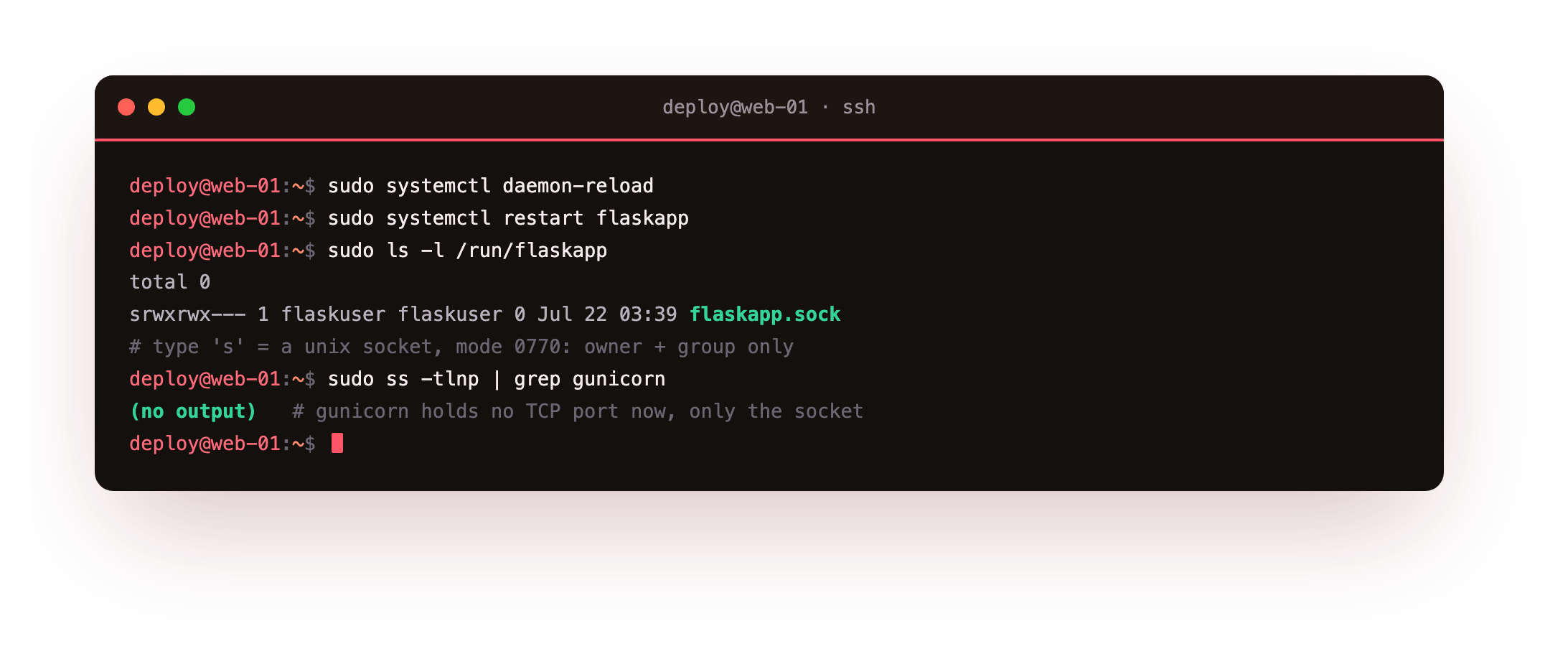
The socket file shows up as type s at mode 0770 owned by flaskuser, and the ss grep finds nothing, because gunicorn is no longer listening on any TCP port. The app has left the TCP stack.
Give nginx access to the socket
nginx runs as the www-data user. For it to connect to a 0770 socket owned by flaskuser, add www-data to the flaskuser group. That grants group access to the socket without opening it to the whole system.
sudo usermod -aG flaskuser www-data
This is least privilege in practice: nginx gets exactly the group membership it needs to reach one socket, and nothing wider.
Configure the reverse proxy
Create an nginx server block that proxies to the socket through a named upstream, and forwards the headers the app needs to see the real request. Enable the site, test the config, and reload nginx.
upstream marginalia {
    server unix:/run/flaskapp/flaskapp.sock;
}
server {
    listen 127.0.0.1:8095;
    server_name books.example.com;

    location / {
        proxy_pass http://marginalia;
        proxy_set_header Host $host;
        proxy_set_header X-Real-IP $remote_addr;
        proxy_set_header X-Forwarded-For $proxy_add_x_forwarded_for;
        proxy_set_header X-Forwarded-Proto $scheme;
    }
}
Without those proxy_set_header lines, the app sees every request as coming from nginx on localhost over plain HTTP. Forwarding Host, X-Forwarded-For and X-Forwarded-Proto lets it log the real client and know whether the original request used HTTPS.
Curl through nginx
Test the nginx config, reload it, and make a request through the proxy. The response should carry a Server: nginx header, which proves it came back through the proxy rather than from gunicorn directly.
sudo nginx -t
sudo systemctl reload nginx
curl -I http://127.0.0.1:8095/
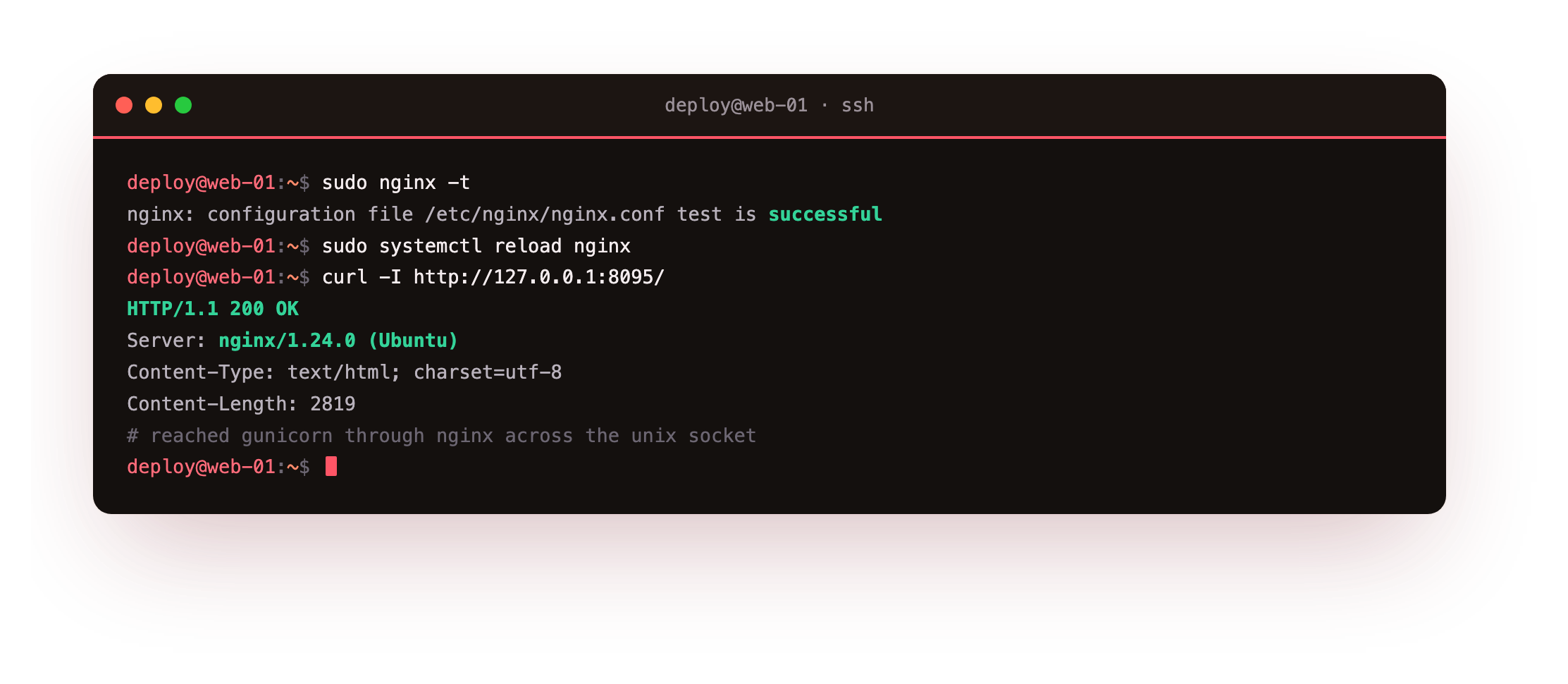
The config test passes, and the request returns 200 OK with Server: nginx/1.24.0 and a real Content-Length. nginx accepted the connection, forwarded it across the unix socket to gunicorn, and handed the app's response back.
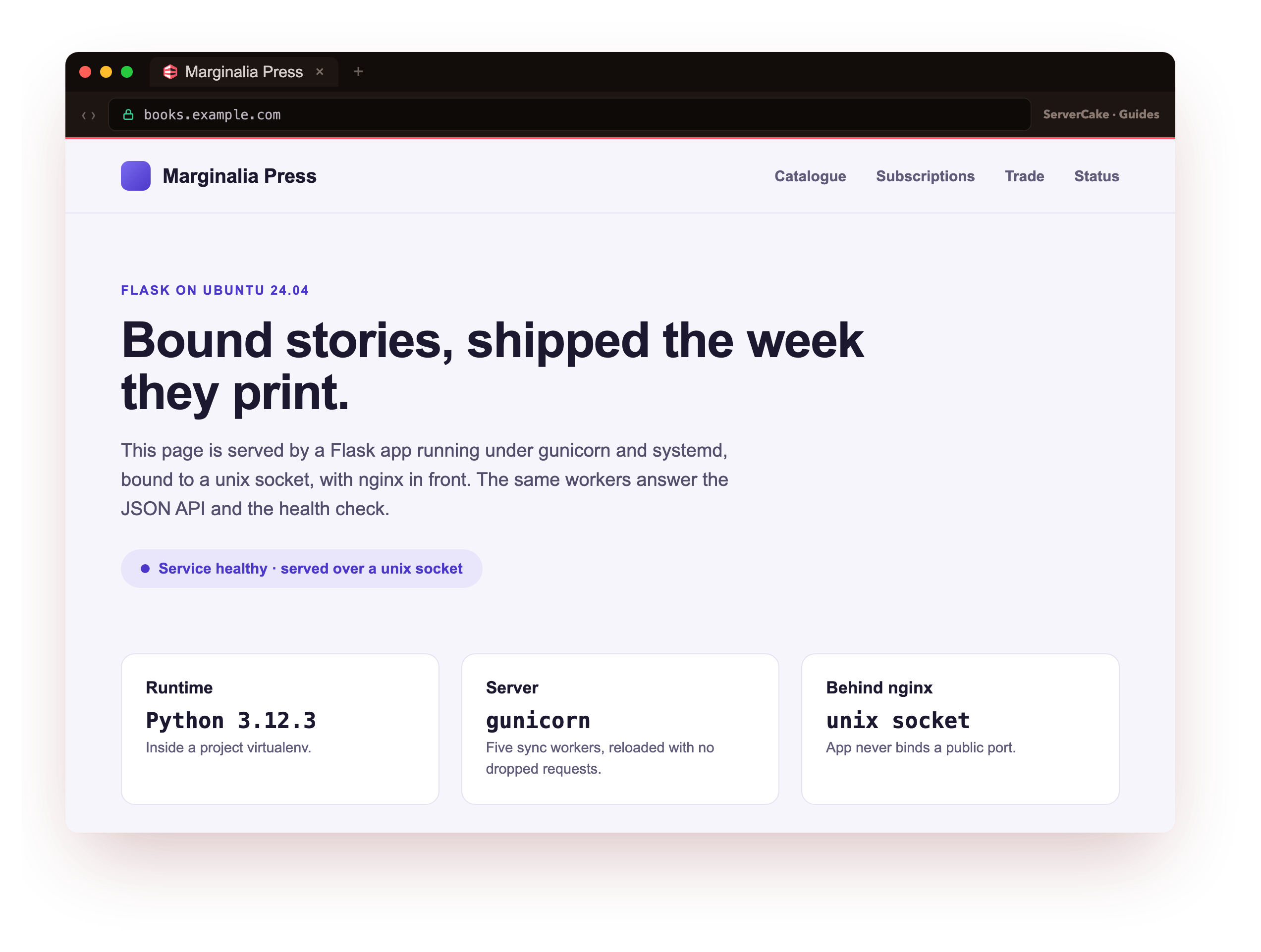
And here it is, live. Point a browser at the site, by its domain if you have one aimed at the slice, and the marginalia status page loads over the public internet, served by your own gunicorn workers on a private socket with nginx terminating the connection in front. This is the moment the series was heading toward: a Python web app you deployed from an empty box, reachable the way a real one is.
The page rendering in a browser, plus curl -I http://127.0.0.1:8095/ returning 200 with a Server: nginx header, together prove the production shape: gunicorn on a private socket, nginx facing the network. If nginx returns 502 instead, it cannot reach the socket, so confirm www-data is in the flaskuser group and reload nginx.
- No TCP port means nothing to expose on an interface by accident, and no port collisions.
- Access is a file permission, so the socket is reachable only by its owner and group.
- On one host, socket traffic skips the loopback network layer, which trims a little overhead.
Frequently asked questions
Unix socket or 127.0.0.1, does it really matter?
For a single box, the socket is a small, clear win: no port to manage and access controlled by file permissions. A TCP loopback port is the better choice when the app and nginx run on different hosts, or when a tool insists on a host and port. Both keep the app off the public interface, which is the part that actually matters. This series uses a socket because everything is on one server.
Why did nginx return 502 before I fixed permissions?
A 502 from nginx in front of a socket almost always means nginx could not connect to it. The usual cause is permissions: the socket is mode 0770 owned by the app user, and nginx runs as www-data, which is not in that group. Adding www-data to the app group fixes it. Check the nginx error log, which names the socket path and the permission error directly.
Do I still need X-Forwarded-For if I only have one server?
Yes, because the app sees the connection from nginx, not from the client. Without the forwarded header the app logs and any rate limiting would treat every request as coming from localhost. Set X-Forwarded-For and X-Forwarded-Proto at the proxy, and read them in the app or a middleware, so the real client address and scheme survive the hop.
Should the socket live in /run or in the app directory?
Prefer /run, which is a tmpfs cleared on every boot, so no stale socket file is left behind after a crash. systemd's RuntimeDirectory creates the path with the right owner and removes it on stop, which is exactly the lifecycle you want. Putting the socket in the app directory works but leaves cleanup to you and mixes runtime state with code.
What you have, and what comes next
You have gunicorn on a unix socket, nginx proxying to it with the client headers forwarded, and a request through nginx returning 200. The app is off the TCP stack and reachable only through the proxy. If you are new to nginx itself, the Nginx in Production series covers the config model in depth.
Next you configure the app through the environment and keep its secrets in a file only the service user can read, so no credential is ever hard-coded or logged in the clear.