What you will build
By the end of this series your Python web app runs the way a real service should: inside its own virtualenv, driven by gunicorn under systemd, answered through nginx over a unix socket, sized to the cores it has, reloaded with nothing dropped, and reporting its own health. This opening chapter shows that finished shape first, installs the runtime on a bare Ubuntu 24.04 slice from nothing, and gets gunicorn returning a real 200 you can see.
- The series goal: a Flask or FastAPI app on its own virtualenv, under systemd, behind nginx on a socket, tuned, reloaded without downtime, and health-checked.
- A bare slice has the Python interpreter but not the venv tooling, so
apt install python3-venvis the honest first step before any pip command. - Flask's built-in server carries a development warning; gunicorn is the WSGI server that runs the same app under real worker processes for traffic.
- Read the versions back and curl the running app, so a 200 and a JSON body prove the install rather than a hopeful package name.
- A freshly provisioned Ubuntu 24.04 slice you can SSH into, with an account that can run sudo.
- Outbound network so apt and pip can fetch packages, and a few hundred megabytes free on disk.
- The Flask app you mean to deploy, or the small one written below, and roughly thirty minutes.
- Familiarity with curl at the shell, since the proof at each step is whatever it prints back.
See the destination first
Before a single package goes on, look at where this ends up. The command below asks the finished stack whether it is healthy, and the answer travels the exact path production uses: in through nginx, across a unix socket, to a gunicorn worker, and back.
curl -si http://127.0.0.1:8095/health
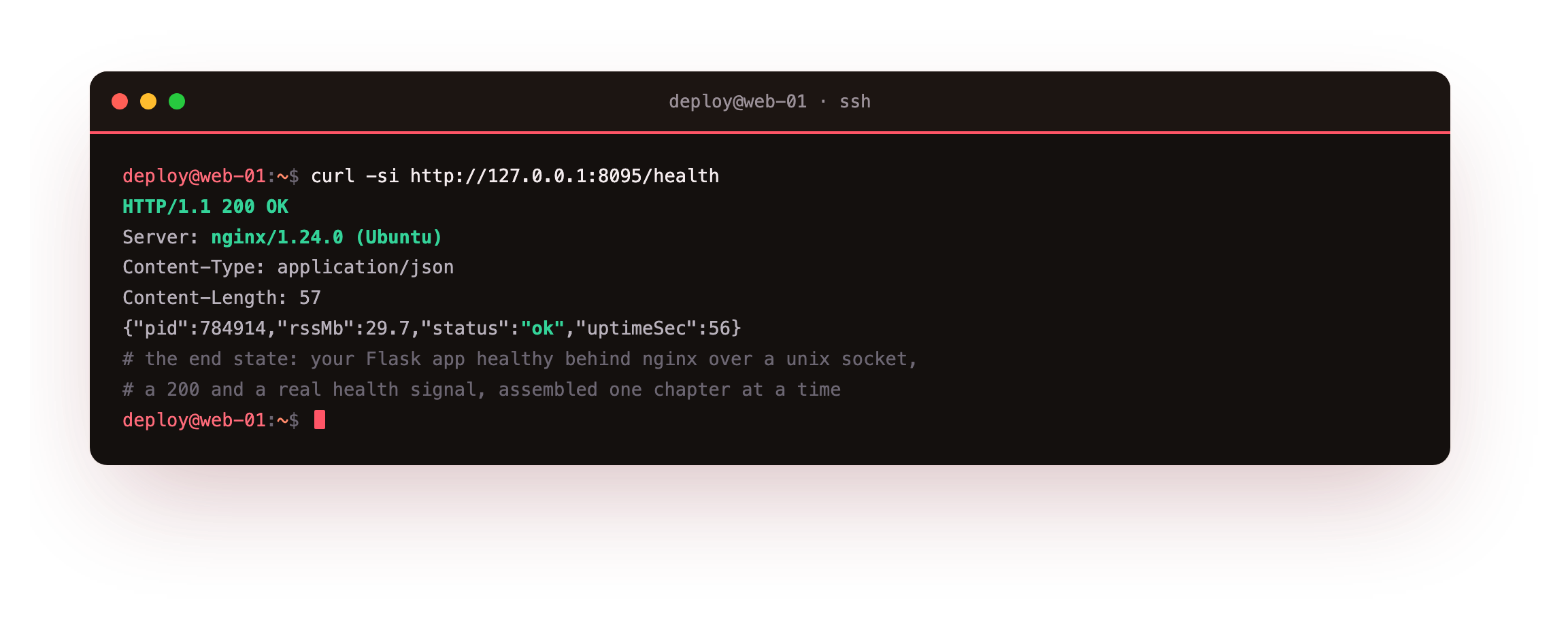
The HTTP/1.1 200 OK with Server: nginx says the request reached a worker through the proxy, not by knocking on the runtime directly. The JSON is the health signal built in the final chapter: an ok status, the worker that answered, its uptime, and the memory it holds. Six chapters assemble this one response, and every one of them starts from the empty box in front of you.
Who this is for
You have a Flask or FastAPI app that runs fine under flask run on your laptop and stops the instant you close the terminal. You want it to behave like a service instead: reachable over the internet, back on its feet after a crash, alive across a reboot, and updatable without an outage. Systems administration is not a prerequisite here. Every command is written out in full, and a checkpoint after each one tells you what a correct result looks like before you continue.
What the whole thing needs is a machine with a public address that never sleeps, because a service has to answer while your laptop is shut. A slice is that always-on address, and the next section brings one up from a clean install.
Install Python and build a virtualenv on a bare slice
A fresh slice already carries the system Python, but not the piece that builds isolated environments. Confirm the interpreter, add the venv package, then create an environment that belongs to this project alone.
python3 --version
sudo apt install -y python3-venv
mkdir -p /srv/flaskapp && cd /srv/flaskapp
python3 -m venv venv
python3 --version reports the interpreter Ubuntu ships, and apt install python3-venv adds the tooling that python3 -m venv needs. The virtualenv lands in venv/ with its own copy of pip, walled off from the system packages apt manages. Now install the web framework and the production server into that environment, and read their versions straight back.
venv/bin/pip install flask gunicorn
venv/bin/gunicorn --version
venv/bin/pip --version
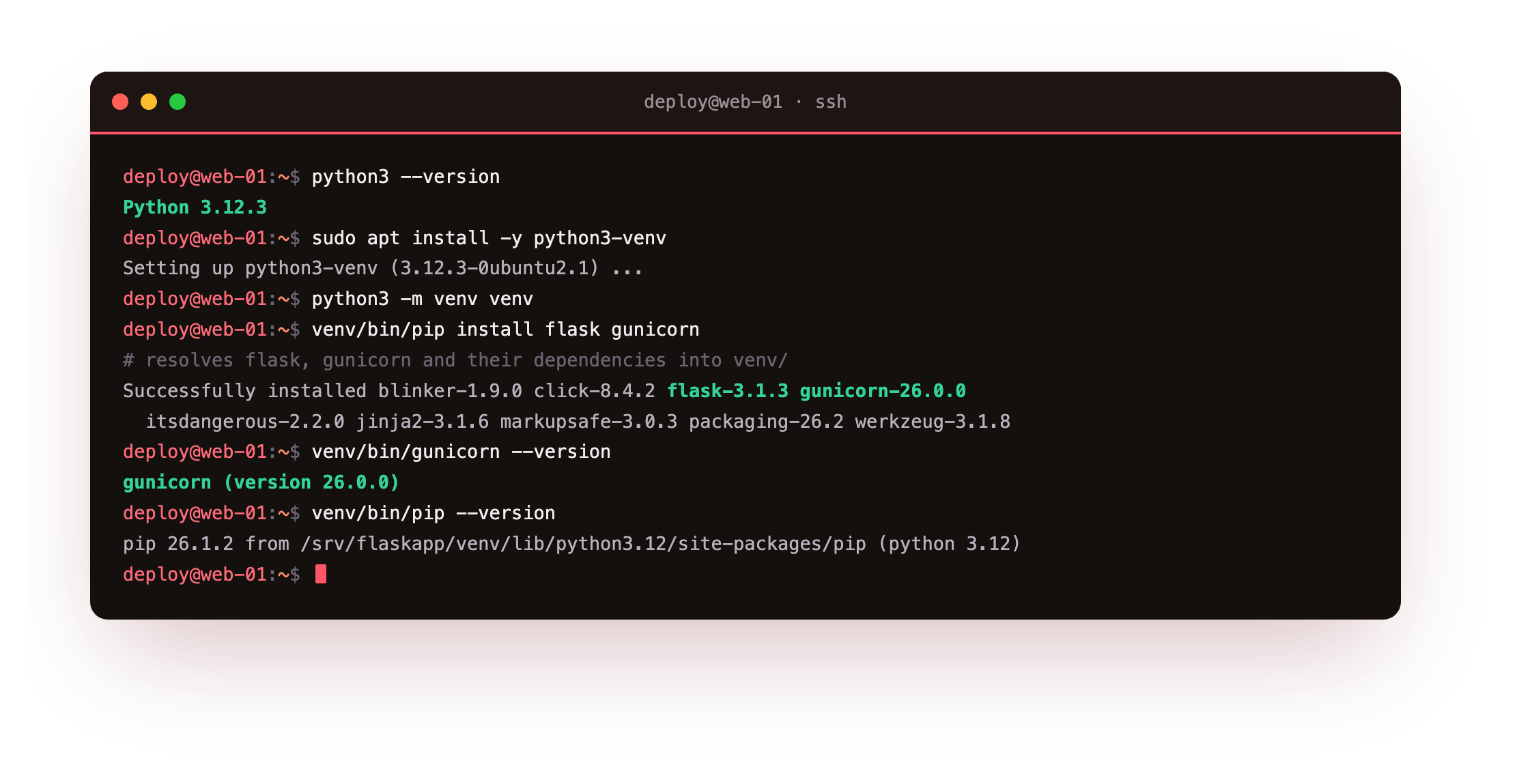
Because you called venv/bin/pip, the packages resolve into venv/ and nowhere else. On this slice that pulls Flask 3.1.3 and gunicorn 26.0.0, and asking gunicorn for its own version confirms the WSGI server is installed and runnable, not merely fetched. Reading pip back shows it is the virtualenv's pip on Python 3.12.
venv/bin/gunicorn --version should print gunicorn (version 26.0.0) or newer, and venv/bin/pip --version should end in (python 3.12). If either command is not found, the virtualenv did not build, so recreate it with python3 -m venv venv before going on.
Write a small Python web app
A real service is more than one hello line. Create app.py with a JSON status route and an HTML page served from the same process, which is the shape an actual app takes.
import os, sys
from flask import Flask, Response, jsonify

app = Flask(__name__)

@app.get('/api/status')
def status():
    return jsonify(app='marginalia', env=os.environ.get('APP_ENV', 'development'),
                   pid=os.getpid(), python='.'.join(map(str, sys.version_info[:3])))

@app.get('/')
def home():
    return Response(PAGE, mimetype='text/html')  # PAGE is a small status page, omitted here
One line does the heavy lifting: the environment name comes from APP_ENV, so the same file runs in development or production untouched. Reading os.getpid() matters shortly, when five workers each answer with a process id of their own.
Run the Python web app under gunicorn
Flask's own server prints a line telling you it is for development. In production you hand the same app object to gunicorn instead. Start two workers on loopback, then put a question to the app from the same box.
venv/bin/gunicorn --workers 2 --bind 127.0.0.1:8000 app:app
curl http://127.0.0.1:8000/api/status
curl -I http://127.0.0.1:8000/
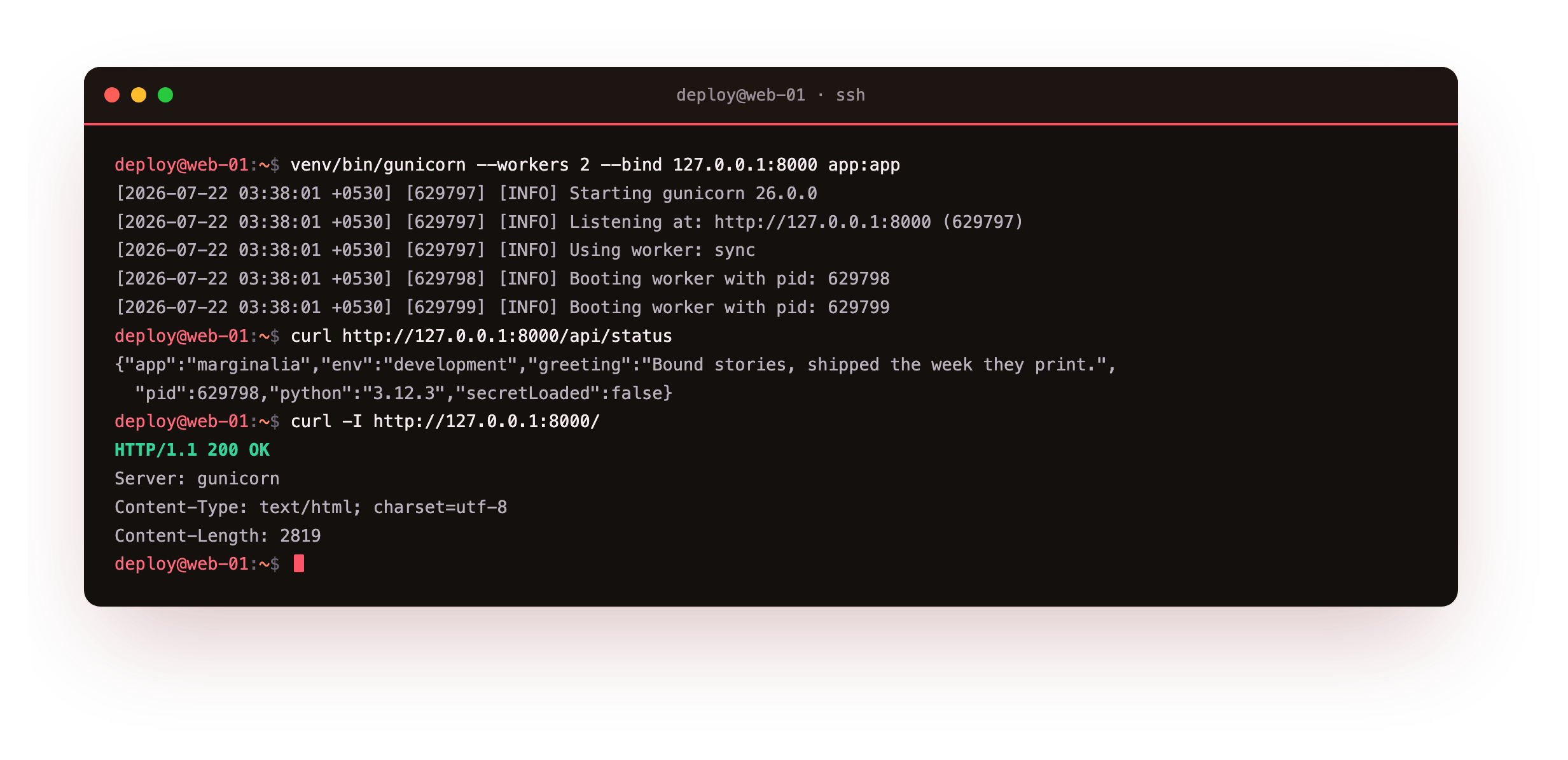
Gunicorn logs the version it booted, the address it bound, the worker type, and one line per worker started. The status route hands back JSON with the process id and environment, and the page returns 200 OK with a real Content-Length. This is a working web app, though not a durable one, since it stops the moment the shell closes.
curl http://127.0.0.1:8000/api/status should return JSON carrying a pid and "python":"3.12.3". If curl reports a refused connection, gunicorn is not up, so start it again and retry the request.
Confirm it only answers on loopback
Check what gunicorn is actually bound to. The listener should read 127.0.0.1, not 0.0.0.0; the latter would put an application server straight onto the open internet with nothing in front of it.
sudo ss -tlnp | grep gunicorn
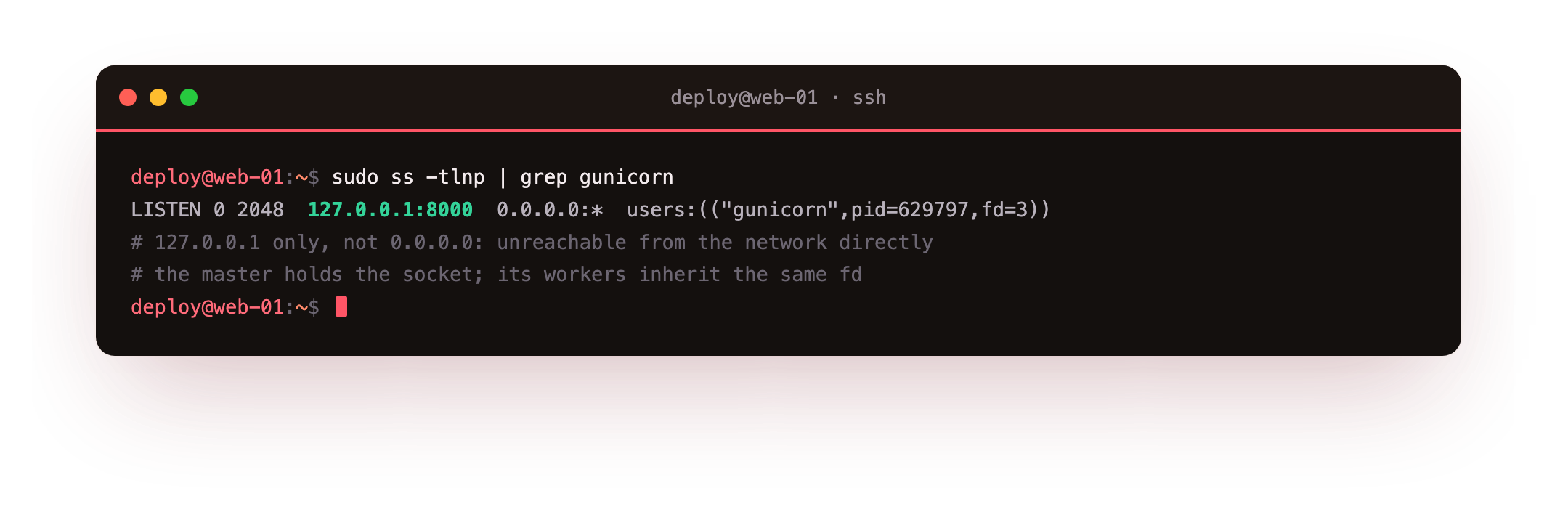
The socket is on loopback alone, so only a process on this same host can reach gunicorn directly. That is the position you want it in: nginx will own the public ports and forward inward. Chapter three swaps this TCP port for a unix socket and stands nginx in front, and that is where the same page loads live in a browser.
A loopback-only listener is the from-zero milestone of this chapter: your own Python web app, installed by you, answering a real request on a slice you brought up from nothing. Everything after this keeps it alive and puts it safely on the network.
Going further: why a virtualenv, and why loopback
You do not have to take either rule on faith. The system Python is a dependency of Ubuntu itself, and tools the OS ships expect the package versions it was built with. Install your app's libraries into that shared Python and one pip upgrade can move a version the system relied on, which is how a working box quietly breaks its own apt.
A virtualenv gives the project its own package tree, so your dependencies and the system's never collide. Delete venv/ and rebuild it and you get the same tree back, which is what makes a deploy reproducible from a requirements file.
The loopback bind is the other habit worth understanding. Binding an app runtime to a public port hands the raw framework to the internet and skips every control a proxy gives you, from TLS to rate limits to access logs. Keep gunicorn on 127.0.0.1 or a socket, and nginx becomes the only way in, for one flag on the bind address.
Frequently asked questions
Why not just use flask run in production?
The Flask development server runs a single thread by default and prints a warning that it is not built for production traffic. It has no worker management, no graceful reload, and modest throughput. Gunicorn runs your same app object under several worker processes, handles signals, and is meant to sit behind a reverse proxy. Keep flask run for local work and gunicorn for the server.
Do I need a virtualenv if only one app runs on the box?
Yes, and it costs almost nothing. The system Python is a dependency of Ubuntu itself, so tools the OS ships rely on its package versions. Installing your app's libraries there can upgrade a package the system expected at a different version. A virtualenv keeps the two apart, and it also lets you pin and reproduce your exact tree from a requirements file.
Should I use FastAPI and uvicorn instead?
If your app is async and speaks ASGI, then uvicorn, or gunicorn with a uvicorn worker class, is the right server. Flask is a WSGI framework, so gunicorn runs it directly. The operational shape in this series, a virtualenv, a systemd unit, nginx in front, and a health check, is the same either way. Pick the framework your code needs, then apply the same production habits.
What port should gunicorn listen on?
Any free high port on loopback works, and 8000 is gunicorn's own default. The exact number is irrelevant, since nothing on the outside talks to it; only nginx does. In the chapter on nginx you replace the port with a unix socket, which removes the port question entirely and keeps the app off the TCP stack.
What you have, and what comes next
You brought up a bare Ubuntu 24.04 slice, confirmed the interpreter, added the venv tooling, built an isolated environment, installed Flask and gunicorn, and served a real 200 on loopback. You also saw the destination the series builds toward: that same app healthy behind nginx.
It has one flaw: it only runs while your shell is open. The next chapter hands gunicorn to systemd, so it starts on boot, restarts if it crashes, and writes its logs where the system keeps them.