What redis persistence buys you, and what it costs
Caching treated data as disposable, because the database held the truth. This chapter is about the opposite case: a queue or a session store Redis holds that you cannot recreate. Redis lives in memory, so a crash or a restart wipes the dataset unless it was written to disk, and redis persistence is the machinery that writes it: RDB point-in-time snapshots and the append-only file, or AOF.
The two make different trades between speed and how much recent data a failure can lose. This chapter runs both on a live Ubuntu 24.04 server and then restarts the service to prove the data comes back.
- RDB writes a compact snapshot of the whole dataset to dump.rdb, cheap to load and to ship, but a crash loses everything since the last snapshot.
- AOF logs every write to an append-only file and replays it on startup, so a failure loses at most the last second or so of writes.
- Enabling AOF at runtime is not enough on its own, because a CONFIG SET is lost on restart unless you also persist it to the config file.
- The only honest durability test is to restart the service and read the data back, which is what this chapter finishes with.
Durability is a spectrum, not a switch. At one end, a pure cache needs no persistence because the database is the source of truth. At the other, Redis holds a queue or a session store you cannot recreate, and losing minutes of it is a real incident. RDB and AOF let you sit anywhere on that line, and running as a cache with neither is a legitimate choice too.
We will take a snapshot, inspect it on disk, turn on the append-only file, make the setting stick, and then pull the rug out with a restart. Every step ends at a file or a counter you can see.
Let's build.
Prerequisites
- A working Redis 7.0.15 on Ubuntu 24.04 LTS, set up back in part one.
- sudo access, since the data files live under /var/lib/redis owned by the redis user.
- A few keys of test data, seeded below, so a restart has something to recover.
Take an RDB snapshot with BGSAVE
RDB is the default. Redis periodically forks and writes the entire dataset to a single file, dump.rdb, in its data directory. You can also trigger one by hand. BGSAVE does it in the background so the server keeps serving while the child process writes.
redis-cli MSET order:1 paid order:2 paid order:3 pending
redis-cli SET persist:proof "survived-the-restart"
redis-cli BGSAVE
redis-cli INFO persistence
sudo ls -lh /var/lib/redis/dump.rdb
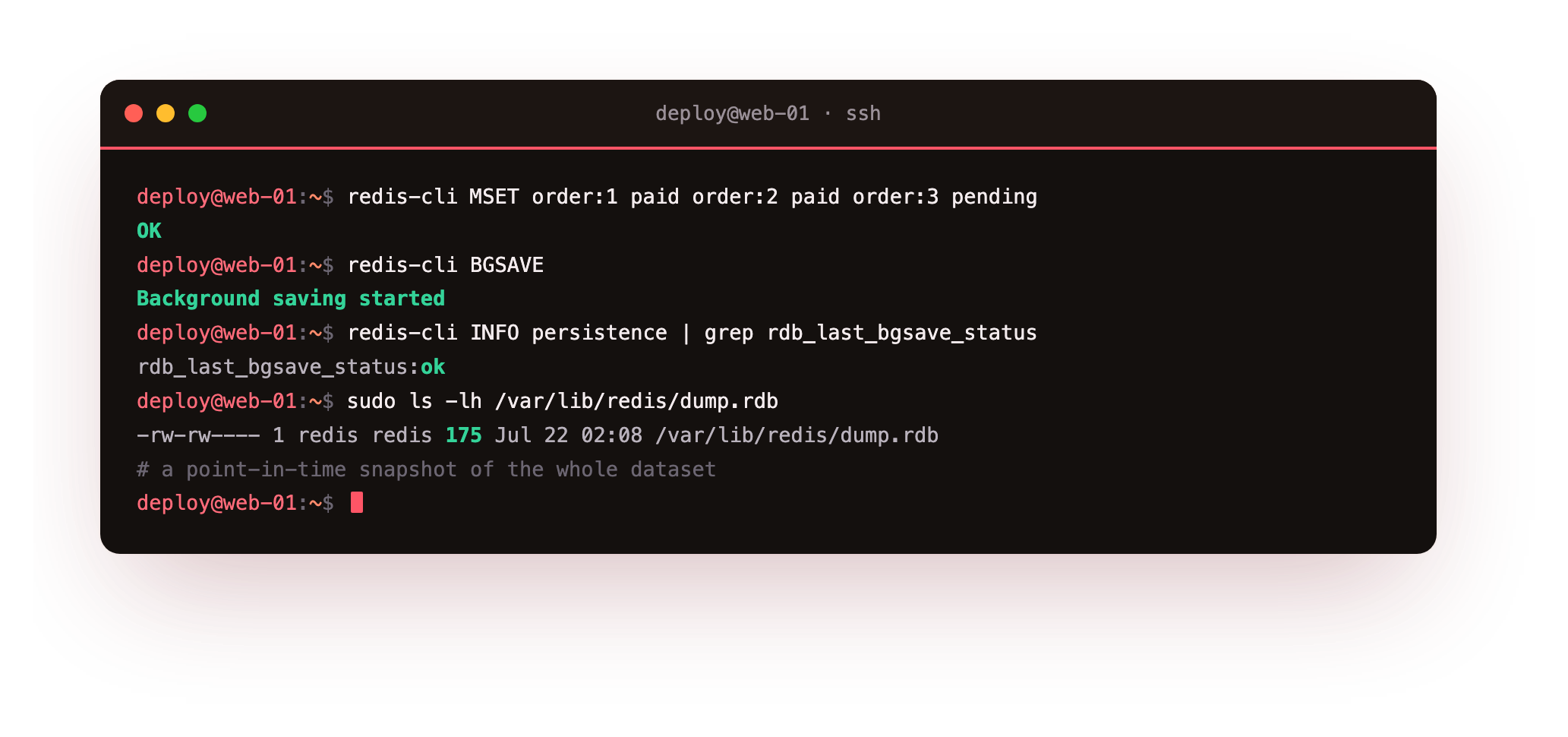
BGSAVE replies Background saving started, INFO persistence shows rdb_last_bgsave_status:ok, and the snapshot appears on disk as dump.rdb. The automatic schedule is set by the save directive, which on this install fires after so many changes in a window. RDB is compact and loads quickly, which makes it a natural backup artifact. Its weakness is the gap: anything written after the last snapshot is gone in a crash.
Turn on the append-only file
AOF closes that gap. Instead of periodic snapshots, Redis appends every write command to a log and replays it on startup. Turn it on and look at what appears on disk.
redis-cli CONFIG SET appendonly yes
redis-cli INFO persistence
sudo ls -lh /var/lib/redis/appendonlydir/
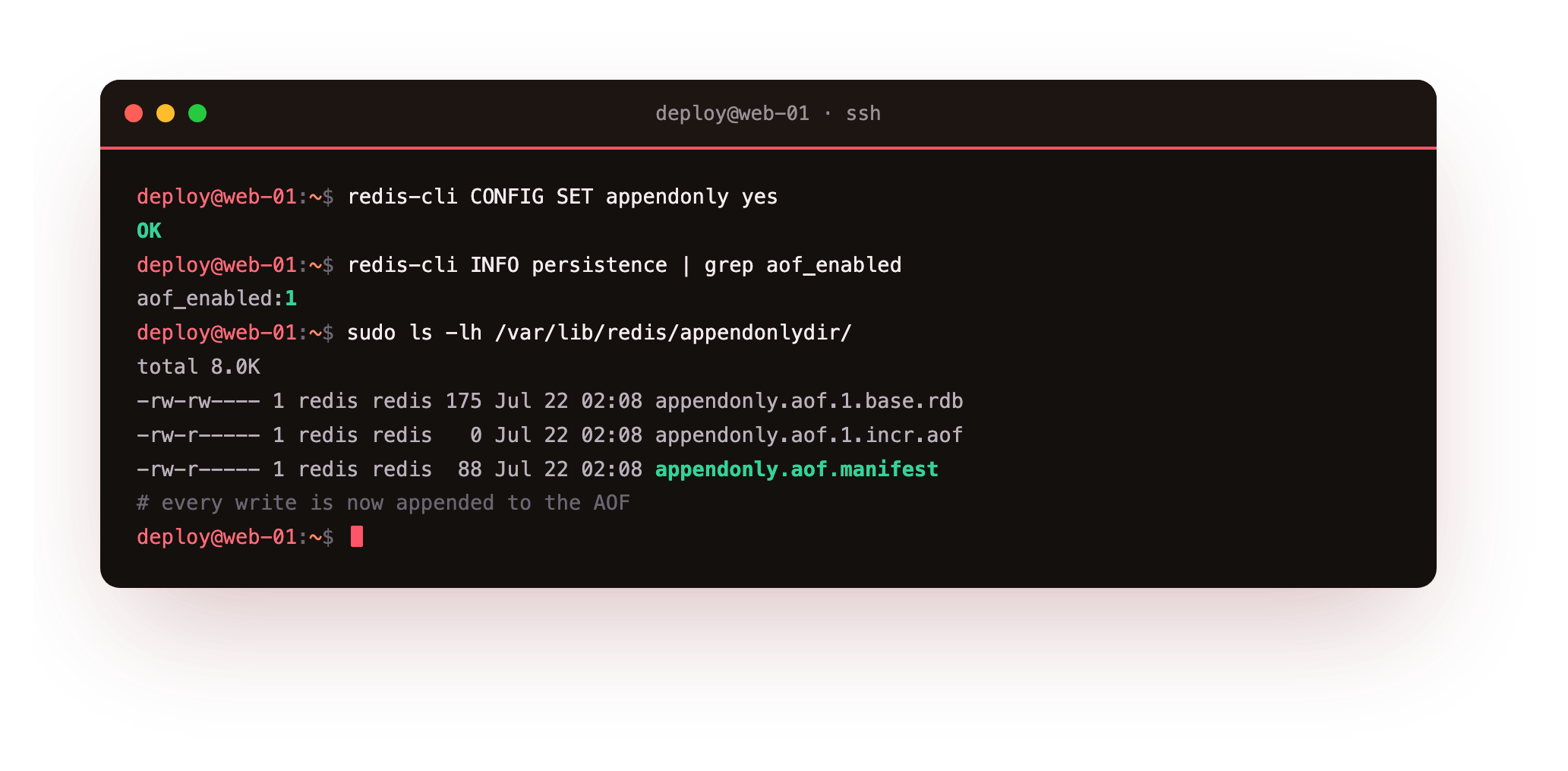
INFO persistence now reports aof_enabled:1. In Redis 7 the AOF is not one file but a directory, appendonlydir, holding a base snapshot, one or more incremental logs, and a manifest that ties them together. By default Redis flushes the AOF to disk once a second, so a crash loses at most that last second. You can make it flush on every write for stricter durability, at a real cost to write speed.
redis-cli CONFIG REWRITE
Prove the data survives a restart
This is the test that matters. Persistence you did not restart into is a guess. Write a known value, restart the whole service, and read it back.
redis-cli SET persist:proof "survived-the-restart"
redis-cli GET persist:proof
sudo systemctl restart redis-server
redis-cli GET persist:proof
redis-cli DBSIZE
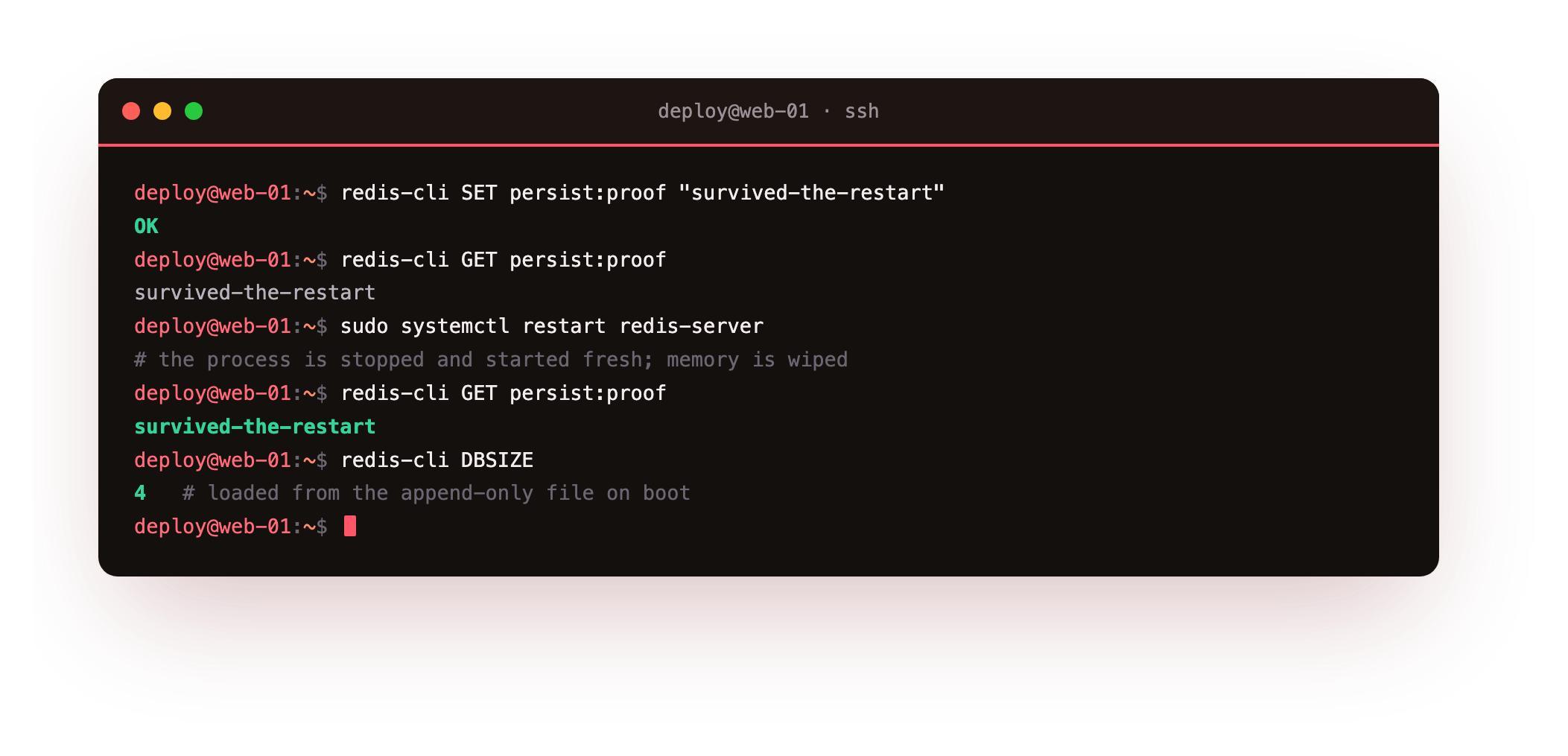
Before the restart the key reads back its value. After systemctl restart stops and starts a brand new process, with the old memory gone, the same GET still returns survived-the-restart and DBSIZE matches. The server log records loading the data from the append-only file on boot. The dataset was reconstructed from disk, which is the definition of durable.
After the restart, GET persist:proof should return the same value and DBSIZE should match the count from before. If the key comes back empty, persistence was not actually on, so confirm redis-cli CONFIG GET appendonly reads yes and that you ran CONFIG REWRITE before restarting.
RDB or AOF, or both
- Cache only: neither. The database is the truth and Redis can rebuild cold.
- RDB only: fast restarts and easy backups, accepting the loss window between snapshots.
- AOF only: minimal data loss, slower and larger on disk than a snapshot.
- Both: the common production setup, AOF for durability and RDB for quick restores and backups.
Running both is usual because they cover each other. Redis prefers the AOF on startup when it is enabled, since it is the more complete record, and the RDB snapshot remains a compact file you can copy off the box for backups, which the backups series treats in full.
Going further: keeping the append-only file from growing forever
An append-only log has an obvious problem: it only grows. If you SET the same key a thousand times, the AOF holds a thousand writes even though only the last one matters. Redis fixes this by rewriting the log in the background, replacing the history with the smallest set of commands that reproduces the current dataset.
redis-cli INFO persistence | grep aof_
redis-cli BGREWRITEAOF
The aof_base_size and aof_current_size counters in INFO persistence show how far the log has drifted from its compact base. Redis triggers a rewrite automatically once the file grows past auto-aof-rewrite-percentage, a hundred by default, meaning it rewrites when the log has doubled.
You can force one with BGREWRITEAOF, which forks a child to write the new file while the main process keeps serving, the same pattern BGSAVE uses. This is why AOF stays bounded in practice rather than filling the disk, and why the appendonlydir holds a base file plus incremental logs rather than one ever-growing file.
Frequently asked questions
Does redis persistence make Redis a database I can trust like PostgreSQL?
AOF with per-second flushing makes Redis durable enough for many workloads, but it is still an in-memory store whose dataset must fit in RAM and whose default flush can lose about a second of writes. Treat it as durable for queues, sessions, and derived state, and keep a disk-based database as the system of record for data you can never lose.
How much data can I lose with the default AOF setting?
The default appendfsync everysec flushes the append-only file to disk once per second, so a hard crash can lose up to roughly one second of writes. Setting appendfsync always flushes on every write for near-zero loss at a large speed penalty, while appendfsync no leaves flushing to the operating system and can lose more.
Where does Redis store its data files on Ubuntu?
On Ubuntu 24.04 the data directory is /var/lib/redis, owned by the redis system user. RDB snapshots land there as dump.rdb and the append-only file lives in the appendonlydir subdirectory. The location is set by the dir directive in the config, and you need sudo to read those files since they are not world readable.
Will enabling AOF slow down my writes?
With the default per-second flush the overhead is small because the flush happens off the critical path. The cost rises sharply only if you set appendfsync always, which forces a disk sync on every write. For most workloads the per-second setting is the right balance of durability and speed.
What you have, and what comes next
You can now place Redis anywhere on the durability line: a snapshot for cheap restores, an append-only file for a small loss window, both together for production, and you proved it by restarting the service and watching the data return. That restart test is the habit worth keeping, because a persistence setting is only real once you have recovered into it.
With durability understood, the next chapter builds something that depends on it. A session store and a rate limiter are both small pieces of state that Redis holds well, one as a hash with a sliding expiry, the other as a counter that resets on a window. We will build both and watch the limiter block the request that goes over.