Where redis pub/sub fits, and where a queue fits instead
So far every value has sat still, waiting to be read. Once data has to move between processes instead, you reach for one of three tools, and redis pub/sub is the first. Pub/sub fans a message out to whoever is listening right now. A list turns Redis into a work queue that one worker drains in order. Streams add durability when losing a message is not acceptable. This chapter runs all three on a live Ubuntu 24.04 server so you can see which fits which job.
- Pub/sub delivers a published message to every current subscriber and to nobody else, so a subscriber that was offline never sees it.
- A list with LPUSH and BRPOP is a durable work queue: the job waits in Redis until a worker blocks on BRPOP and pulls it.
- BRPOP blocks the worker until a job arrives or a timeout passes, so the worker idles cheaply instead of polling in a loop.
- Streams keep an append-only log with consumer groups and acknowledgements, the right upgrade when a job must not be lost.
The distinction that trips people up is delivery. Pub/sub is fire-and-forget: fast, simple, and lossy, because a message goes only to connections subscribed at that moment. A queue is the opposite, since the job sits and waits until something takes it. Choosing wrongly means either dropped work or a design fighting the tool.
We will start with pub/sub across two clients, build a list queue a worker drains, then meet Streams as the durable version. Two redis-cli sessions stand in for two processes.
Let's build.
Prerequisites
- An Ubuntu 24.04 LTS box running Redis 7.0.15, ready since part one.
- Two terminals into the box, so one can subscribe while the other publishes.
- The list commands from part one, since the work queue is built on them.
Redis pub/sub fans a message out to live subscribers
Pub/sub has two roles. A subscriber connects and listens on a channel. A publisher sends a message to that channel, and Redis pushes it to every current subscriber. Open two sessions: in the first, subscribe and wait; in the second, publish.
# terminal 1: subscribe and wait for messages
redis-cli SUBSCRIBE alerts

# terminal 2: publish two messages to the same channel
redis-cli PUBLISH alerts "disk at 85% on cache node"
redis-cli PUBLISH alerts "backup completed"
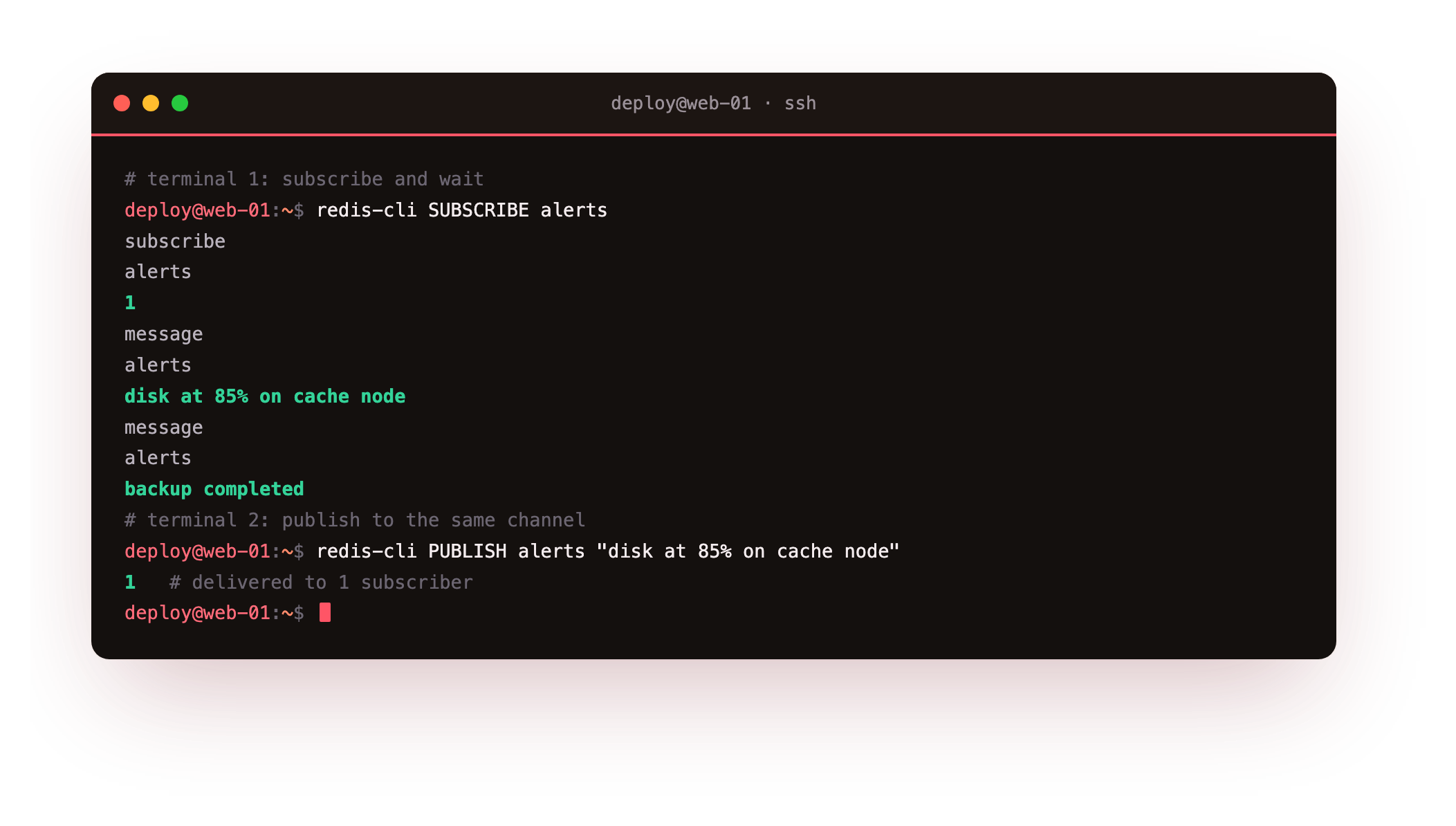
The subscriber prints a confirmation, then the two messages the instant they are published. Each PUBLISH returns the number of subscribers that received it, one here. Turn off the subscriber, publish again, turn it back on, and that message is gone: pub/sub keeps no history. It suits live fan-out, a dashboard tailing events or cache-invalidation signals, where only listeners that are connected need to care.
A work queue with LPUSH and BRPOP
A queue is the other shape. A producer pushes jobs onto a list and they wait there. A worker pulls them one at a time and processes each. Push on the left with LPUSH, pull from the right with BRPOP, and the list behaves as first in, first out.
redis-cli LPUSH q:emails "email:welcome:1042" "email:receipt:1043" "email:digest:1044"
redis-cli LLEN q:emails
redis-cli BRPOP q:emails 5
redis-cli BRPOP q:emails 5
redis-cli LLEN q:emails
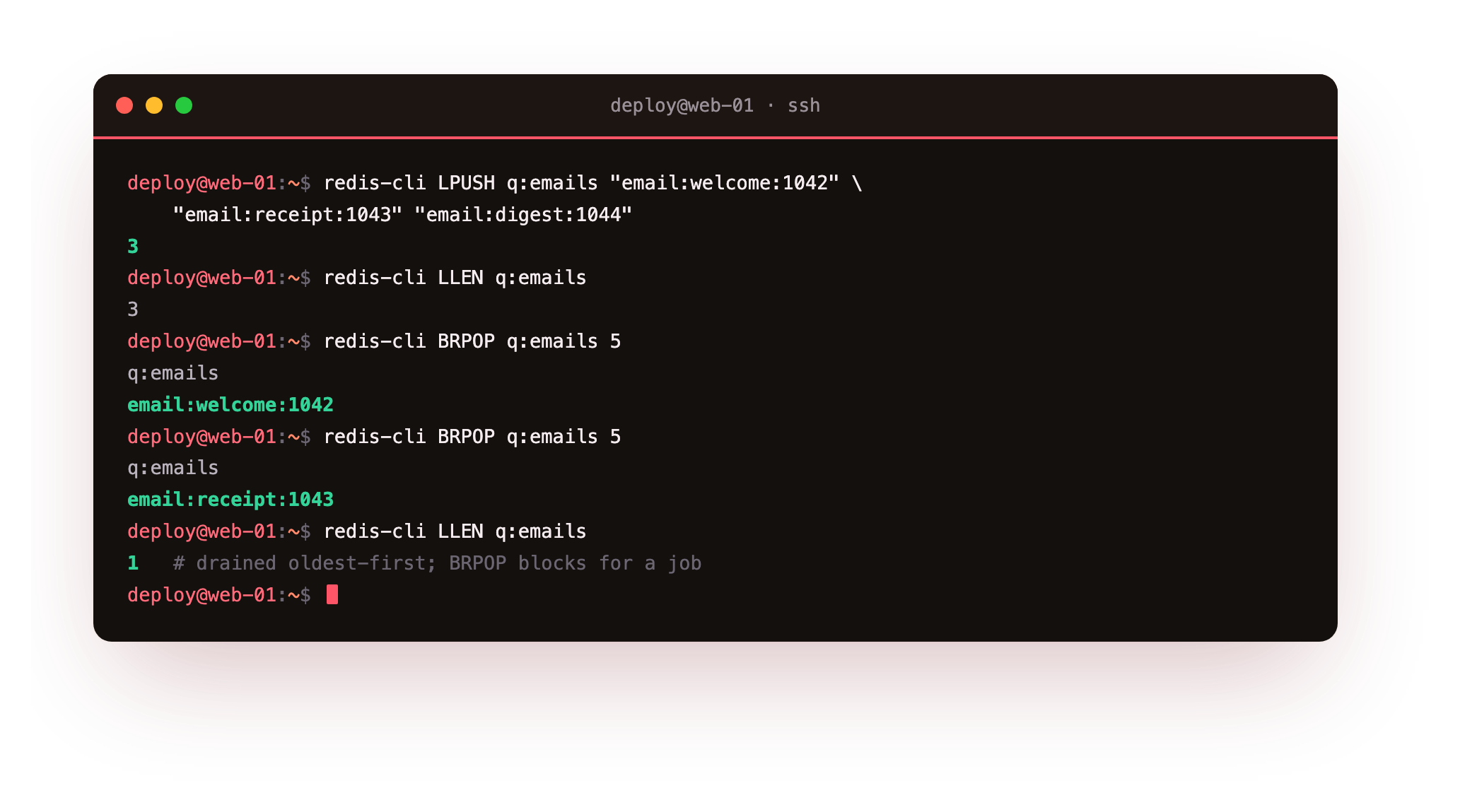
LLEN shows three jobs waiting. Each BRPOP returns the channel name and the oldest job, draining the list in the order the jobs were pushed. The B is the point: BRPOP blocks for up to five seconds waiting for a job rather than returning empty. A real worker calls it with a timeout of zero, so it sleeps until work arrives and wakes the moment it does, with no busy polling. Unlike pub/sub, a job pushed while no worker is running still sits in the list, waiting.
LLEN q:emails should read 3 after the push, then 1 after two BRPOP calls drain the two oldest jobs. If a BRPOP hangs for the full five seconds and returns nothing, the list was already empty, so push the jobs again before draining.
Streams are the durable upgrade
Streams are an append-only log that keeps its entries. Producers append with XADD, and each entry gets an ID and a set of fields. Readers can replay from any point, and consumer groups let several workers share a stream while Redis tracks who processed what.
redis-cli XADD stream:orders "*" order_id 5573 amount 349
redis-cli XADD stream:orders "*" order_id 5574 amount 1299
redis-cli XLEN stream:orders
redis-cli XRANGE stream:orders - + COUNT 5
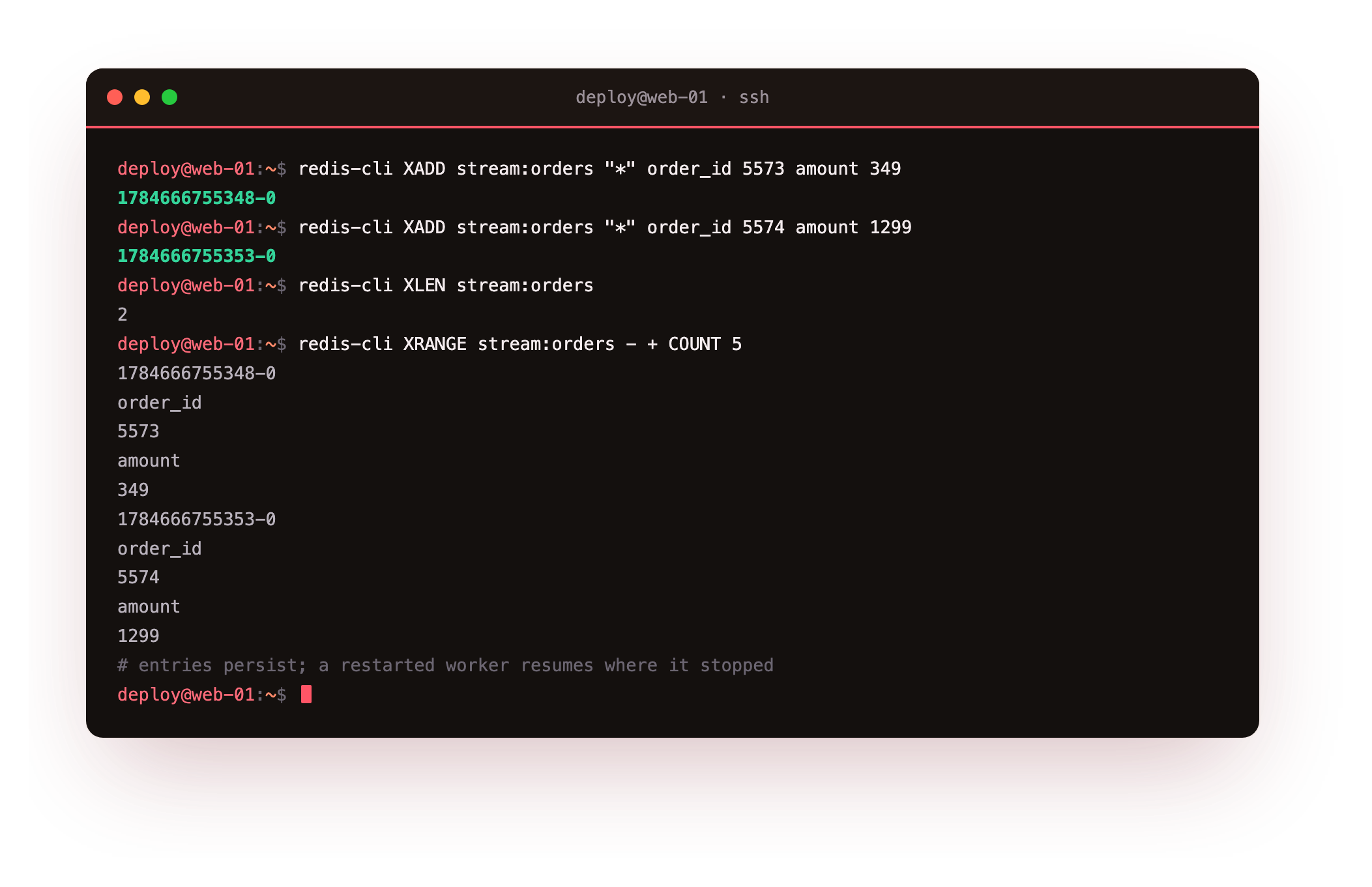
Each XADD returns an ID like a millisecond timestamp with a sequence suffix, and the star tells Redis to generate it. XLEN counts the entries, and XRANGE reads them back with their fields, oldest first. Because the entries persist, a worker that restarts resumes from where it stopped instead of losing everything, which is the gap a plain list leaves open. Streams cost more memory and more care than a list, so reach for them when delivery guarantees are worth it.
Choosing between the three
- Pub/sub: live fan-out to current listeners, and it is fine to miss messages while offline.
- List queue: one worker pool draining jobs in order, simple and good enough for most background work.
- Streams: many workers, replay, and acknowledgements, when a lost job is a real problem.
Most systems use more than one. A list queue handles the bulk of background jobs, pub/sub carries live signals, and Streams take the handful of flows where losing a message would cost money or correctness.
Going further: sharing a stream with a consumer group
A plain XRANGE reads a stream but does not track who has processed what, so two workers reading the same stream would both do every job. Consumer groups solve that. A group hands each entry to exactly one member and remembers which entries are still unacknowledged, so several workers share the load and a crashed worker's jobs can be reclaimed.
redis-cli XGROUP CREATE stream:orders billing 0
redis-cli XREADGROUP GROUP billing worker-1 COUNT 1 STREAMS stream:orders ">"
redis-cli XACK stream:orders billing 1784666755348-0
XREADGROUP delivers the next unread entry to worker-1 and moves it into that worker's pending list. The job is not done until XACK confirms it, and until then XPENDING will show it as owed, so a worker that dies mid-job leaves a claimable entry rather than a lost one. This is the machinery that turns a Stream into a real work queue with at-least-once delivery, and it is the reason to pay the extra memory a Stream costs over a plain list.
Frequently asked questions
Does redis pub/sub guarantee a message is delivered?
No. Pub/sub delivers only to subscribers connected at the moment of publishing and keeps no history, so a subscriber that is offline or reconnecting misses the message entirely. If you need every consumer to eventually see every message, use a list queue or a Stream, which hold the data until it is taken.
Why use BRPOP instead of RPOP in a loop?
RPOP returns immediately whether or not a job is present, so a worker using it must poll in a tight loop, which wastes CPU and adds latency. BRPOP blocks until a job arrives or a timeout passes, so the worker sleeps cheaply and wakes the instant work appears, which is both faster to react and lighter on the server.
When should I move from a list queue to Streams?
Move to Streams when losing a job is unacceptable or when several workers must share a queue with tracked progress. Streams keep entries after they are read, support consumer groups with acknowledgements, and let a restarted worker re-claim jobs that were never confirmed. For simple best-effort background work, a list is lighter and enough.
Can I run Redis pub/sub and a queue on the same server?
Yes, and it is common. They are independent features on the same instance, using different commands and key spaces, so one Redis can carry live pub/sub signals, background list queues, and Streams at once. Watch total memory and consider a separate instance only when one workload is large enough to affect the others.
What you have, and what comes next
You now have three ways to move data between processes and a rule for choosing: pub/sub for live fan-out, a list for a plain work queue, and Streams when a job must survive. You watched a message cross between two clients, drained a queue in order, and appended to a durable log, all on one server.
Every chapter so far has assumed the only clients are trusted ones on the same box. The final chapter removes that assumption. We will require a password, keep Redis on loopback, rename the commands that can wipe or reconfigure it, prove TLS encrypts the connection, and put a firewall in front of the port.