Why certbot renewal has to be automatic
certbot renewal is the part of TLS you set up once and then depend on for years, because a Let's Encrypt certificate lasts only ninety days and an expired certificate takes your whole site offline. On Ubuntu 24.04 LTS the certbot package installs a systemd timer that renews certificates for you, and this chapter proves that machinery works before it ever has to.
- An expired certificate is a full outage, and it is one of the most common self-inflicted ones, so renewal must run without you remembering it.
- certbot renew only reissues certificates within thirty days of expiry, so it is safe to run often and the timer runs it twice a day.
- certbot renew --dry-run runs the whole renewal against staging, so you can confirm it works today instead of finding out in ninety days.
- A deploy hook runs only after a certificate actually renews, and it is where you reload nginx so it picks up the new certificate.
The wildcard you issued in chapter two is valid for ninety days and no longer. This chapter is the part that keeps the destination alive: the certbot timer that was enabled the moment you installed the tool, proven to work before it ever has to.
The trap with TLS is that everything works the day you set it up. The padlock is green, the site loads, and you move on. Ninety days later the certificate expires, every visitor hits a full-page security warning, and you are debugging an outage that a background job should have prevented.
certbot is built to prevent exactly that, and on Ubuntu the automation is already installed the moment you install certbot. The work in this chapter is not building the renewal; it is understanding it and proving it runs, so you trust it instead of setting a calendar reminder you will eventually ignore.
The renewal that is already running
When you install certbot from apt, it ships a systemd timer. You did not configure it, but it is there and enabled. List it:
systemctl list-timers certbot.timer
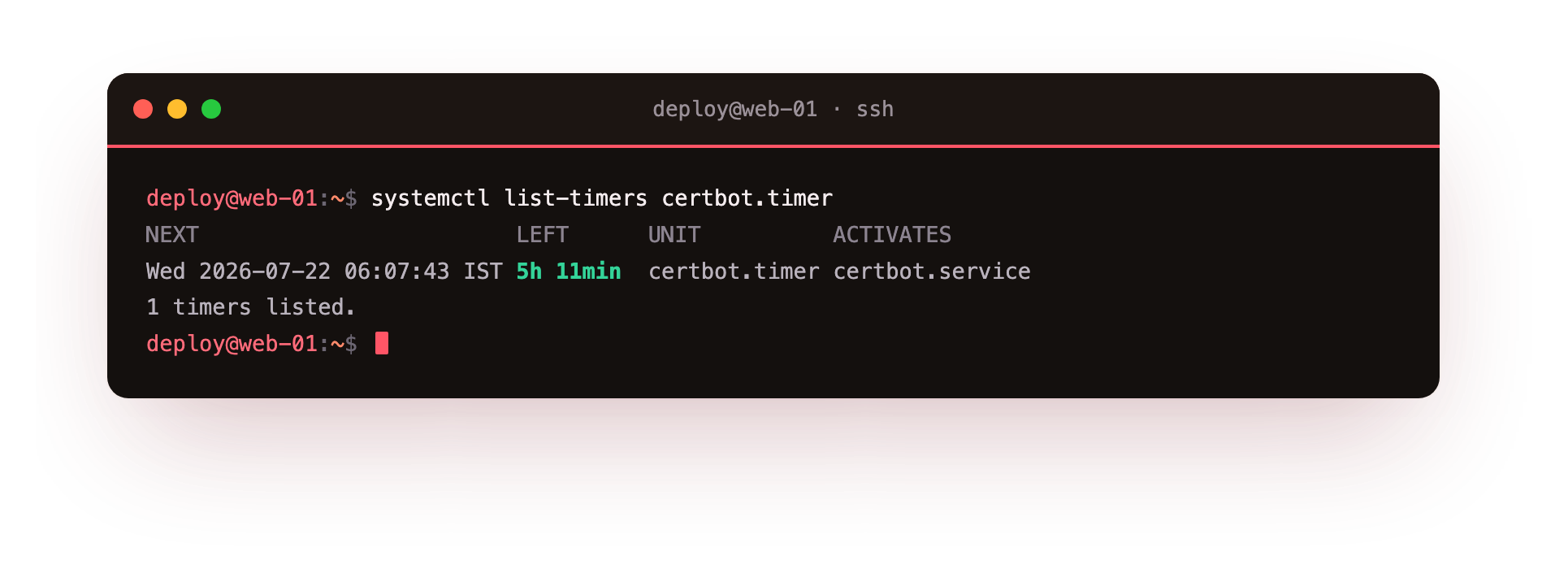
The output shows the next time the timer fires and the service it triggers, certbot.service. The unit runs on a schedule of OnCalendar=*-*-* 00,12:00:00 with a large RandomizedDelaySec, which means twice a day at a random offset. The random offset spreads load so the whole internet does not hit Let's Encrypt at exactly midnight.
Twice a day sounds excessive for a certificate that lives ninety days, and it is meant to. certbot renew checks every certificate and only actually renews the ones within thirty days of expiry; the rest are a quick no-op. Running it often means that if one renewal fails, there are dozens more attempts before the certificate actually expires. Frequent and idempotent beats a single monthly cron job that fails silently.
The service itself runs certbot -q renew --no-random-sleep-on-renew. The -q keeps it quiet unless something needs attention, and the systemd timer handles the spread, so the in-process sleep is switched off.
Proving it works without waiting
The problem with a job that only acts near expiry is that you cannot easily see it succeed. You do not want to wait eighty days to learn the renewal is broken. certbot solves this with a dry run that exercises the full path against the staging environment:
sudo certbot renew --dry-run
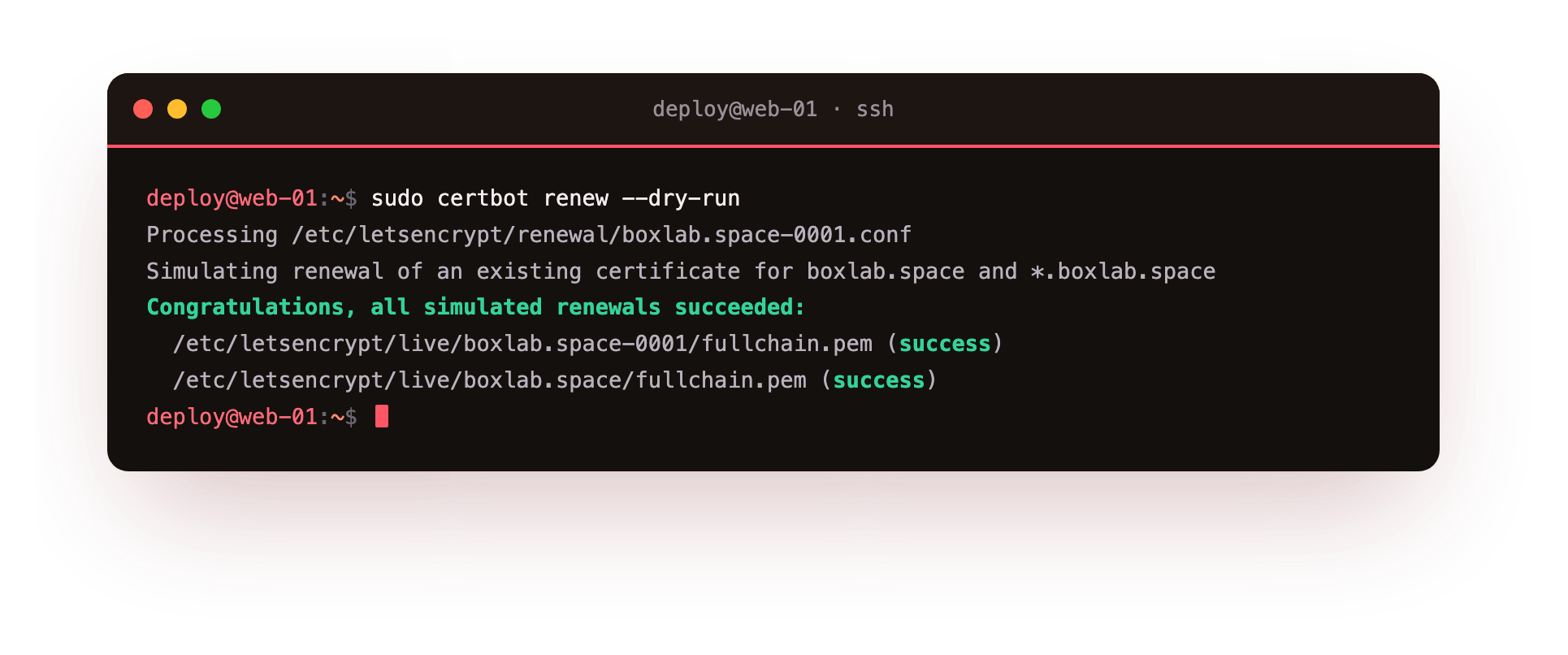
This ignores the thirty-day window and simulates renewing every certificate the box holds, running the real challenge against staging, writing nothing to disk. A successful run ends with Congratulations, all simulated renewals succeeded and lists each certificate path. If a renewal is going to fail, because a DNS credential expired or a plugin broke, the dry run fails now, on your terms, instead of at 3am in ninety days.
Run this whenever you change anything that touches TLS: a new DNS token, a moved credentials file, a certbot upgrade. It is the cheapest confidence you can buy, and it is why you let certbot manage renewal rather than issuing certificates by hand.
A clean dry run ends with Congratulations, all simulated renewals succeeded and lists each certificate path. If it fails instead, it fails now, on your terms, while the real certificate is still valid, which is the entire reason you run it long before the ninety days are up.
Hooks: doing something after renewal
Renewing the certificate file is only half the job. nginx read the old certificate into memory when it started, and it keeps serving that copy until it is told to reload. A freshly renewed certificate on disk does nothing until nginx re-reads it. That is what hooks are for.
certbot runs hooks around a renewal, and the one that matters most is the deploy hook, which fires only when a certificate was actually renewed. Any executable script in /etc/letsencrypt/renewal-hooks/deploy/ runs after every successful renewal, for every certificate:
cat /etc/letsencrypt/renewal-hooks/deploy/reload-nginx.sh
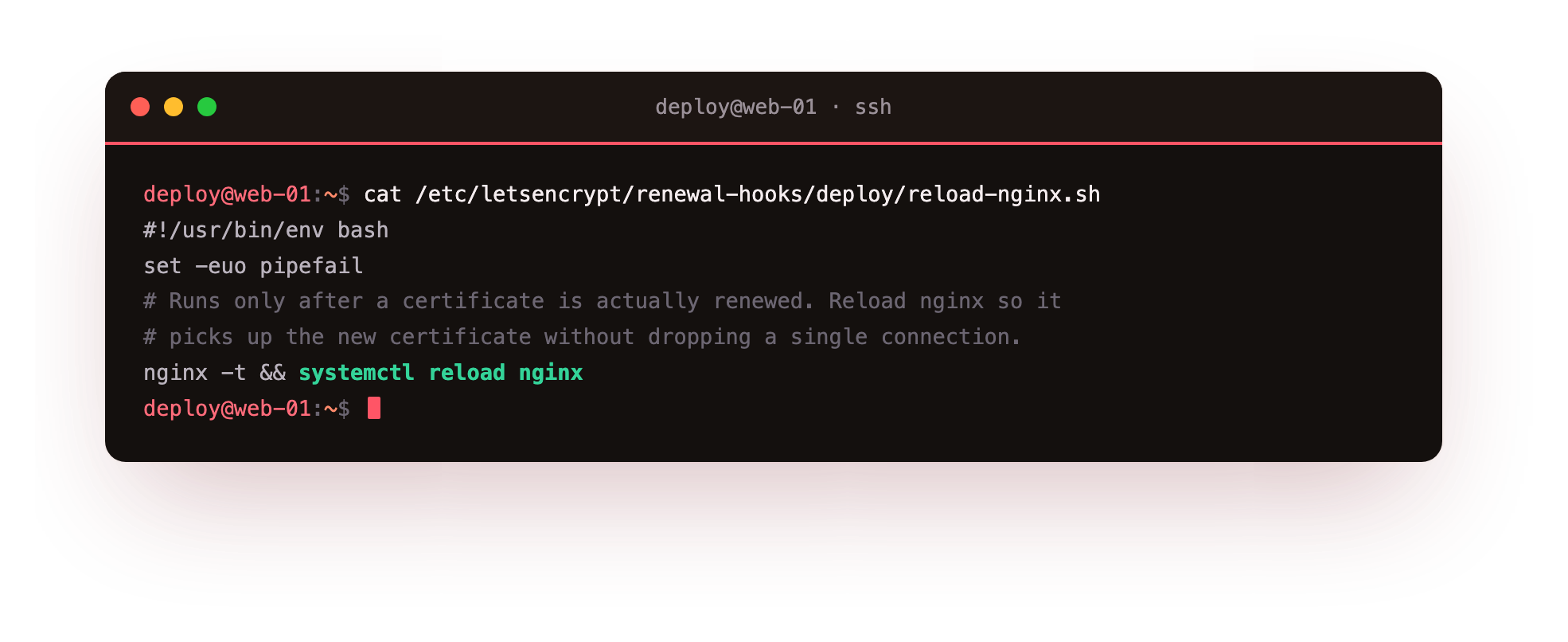
The script is small: test the config, then reload nginx so it loads the new certificate without dropping a connection. Because it lives in the deploy/ directory, certbot runs it after any renewal automatically, and the timer-driven renewal picks it up with no extra flags. You can also attach a one-off hook to a single command with --deploy-hook "systemctl reload nginx", which certbot then remembers in that certificate's renewal config.
The deploy hook only runs when something actually renewed, which is the behaviour you want. A twice-daily timer that mostly does nothing will not reload nginx pointlessly; the hook stays quiet until the day the certificate is replaced, and then it reloads once.
The three hook directories
certbot has three hook directories, and knowing which is which prevents surprises. Scripts in pre/ run before any renewal is attempted, useful for stopping a service or opening a firewall port for a standalone challenge. Scripts in post/ run after the attempt, renewed or not, and are where you undo whatever pre/ did. Scripts in deploy/ run only when a certificate genuinely renewed, which is where a reload belongs.
The distinction matters because a reload in post/ would fire on every timer run, twice a day, whether or not anything changed. Putting it in deploy/ means it runs only when there is a new certificate to load. Match the hook to the directory and the automation stays clean: prepare in pre, clean up in post, act on the new certificate in deploy.
Frequently asked questions
How often does certbot actually renew a certificate?
The timer runs certbot twice a day, but certbot only renews a certificate once it is within thirty days of expiry. Every other run is a quick check that changes nothing, which is why running it frequently is safe and recommended.
Does certbot renew --dry-run change my real certificate?
No. The dry run uses the staging environment and writes nothing to disk. It exercises the full renewal path so you can confirm it works, without replacing your certificate or counting against the production rate limit.
Why does my renewed certificate not take effect until I reload nginx?
nginx reads the certificate into memory at start and keeps serving that copy. A renewed file on disk is ignored until nginx reloads. A deploy hook that runs systemctl reload nginx after renewal closes that gap automatically.
What is the difference between a deploy hook and a post hook?
A deploy hook runs only when a certificate actually renewed, so it is right for reloading a service. A post hook runs after every renewal attempt, renewed or not, so a reload there would fire needlessly on every twice-daily timer run.
What you can do now
You can confirm the certbot timer is running, understand why it fires twice a day and only renews near expiry, prove the whole renewal path works today with a dry run, and wire a deploy hook that reloads nginx the moment a certificate is replaced. That is renewal you can trust without a reminder.
So far every certificate has come from a public authority for public clients. The next chapter turns the trust model around: instead of the server proving itself to the browser, the client proves itself to the server, with mutual TLS and a certificate you issue yourself.