When you need a wildcard certificate
A wildcard certificate covers a domain and every direct subdomain with a single certificate, so *.boxlab.space secures app.boxlab.space, api.boxlab.space and any other host you add later without re-issuing. Let's Encrypt issues wildcards for free, but only through the DNS-01 challenge, and this chapter shows why on a live Ubuntu 24.04 LTS server that already holds one.
- Let's Encrypt proves you control a domain with a challenge: HTTP-01 serves a file over port 80, DNS-01 publishes a TXT record.
- A wildcard certificate can only be issued via DNS-01, because there is no single web root a wildcard could serve a file from.
- DNS-01 also works when port 80 is closed or the host is not yet reachable, which HTTP-01 cannot handle.
- certbot with the dns-cloudflare plugin creates and removes the TXT record for you through the API, so nothing is manual.
In chapter one you installed certbot and read a finished certificate on the origin. This chapter is where such a certificate comes into being: you point that same certbot at Let's Encrypt, and it hands you the real thing with the wildcard included.
Before a certificate authority signs a certificate for your domain, it has to be sure you actually control that domain. Let's Encrypt does this with an automated challenge, and there are two you will meet. Which one you can use depends on what you are asking for and what your server can expose.
Most single-host certificates go through HTTP-01, the simpler path. It works, it is fast, and certbot with the nginx plugin does the whole thing. But the moment you ask for a wildcard, that path closes and DNS-01 is the only way through. Understanding why saves you an afternoon of confusion.
HTTP-01: prove control by serving a file
HTTP-01 is the default. certbot asks Let's Encrypt for a certificate, Let's Encrypt hands back a random token, and certbot places that token at a well known path on your site: http://your-domain/.well-known/acme-challenge/<token>. Let's Encrypt then fetches that URL over plain HTTP on port 80. If the token comes back, you have proven you control the server behind that domain, and the certificate is issued.
This is why the nginx plugin needs port 80 open and the domain already pointing at the box. The check happens over the network, through the real domain name. On a normal single-site deployment this is the path you want, and it is a single command.
But HTTP-01 has two limits baked into how it works. It needs port 80 reachable from the public internet, and it can only validate a hostname it can fetch a file from. Both of those become a problem the moment you want a wildcard.
Why a wildcard forces DNS-01
Think about what a wildcard claims. A certificate for *.boxlab.space is valid for anything.boxlab.space, including hostnames that do not exist yet. There is no single web server for Let's Encrypt to fetch a challenge file from, because the wildcard is not one host. HTTP-01 has nothing to connect to.
DNS-01 solves this at a different layer. Instead of serving a file, you publish a special TXT record, _acme-challenge.boxlab.space, containing a value Let's Encrypt gives you. Let's Encrypt queries DNS for that record. Control of the domain's DNS is exactly what a wildcard needs to prove, because DNS is what defines every possible subdomain. So a wildcard can only be validated by DNS-01, never HTTP-01.
DNS-01 is also the answer to the other cases HTTP-01 cannot serve. Port 80 firewalled off, an internal host with no public web server, a certificate you want before the domain points anywhere: all of them work with DNS-01, because nothing has to be reachable over HTTP. The tradeoff is that certbot needs permission to edit your DNS, which is where the provider plugin comes in.
Issuing the wildcard with certbot
This origin uses Cloudflare for DNS, so certbot has the python3-certbot-dns-cloudflare plugin and an API token in a credentials file. The plugin adds the TXT record, waits for it to propagate, lets Let's Encrypt validate, then deletes the record. You never touch the DNS console.
A real wildcard already exists here, so re-issuing would waste a Let's Encrypt rate-limit slot for nothing. certbot has --dry-run for exactly this: it runs the entire challenge against the staging environment, proving the flow works without touching your real certificate or the rate limit.
sudo certbot certonly --dns-cloudflare \
  --dns-cloudflare-credentials /etc/letsencrypt/cloudflare.ini \
  -d boxlab.space -d "*.boxlab.space" --dry-run
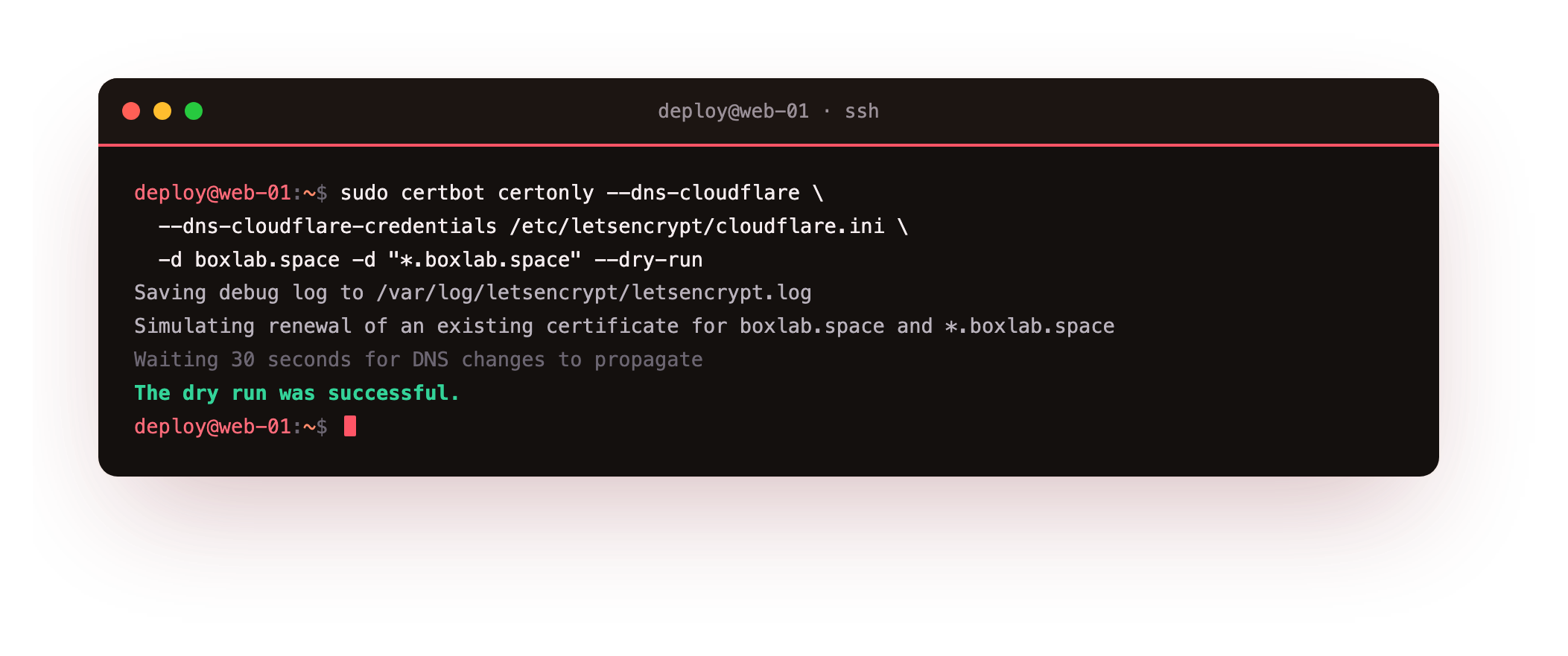
certbot publishes the TXT record through the Cloudflare API, waits the propagation seconds, and reports The dry run was successful. Drop --dry-run and this same command issues the real wildcard. Note the two -d flags: one for the bare boxlab.space, one for *.boxlab.space, because a wildcard does not cover the apex domain on its own. You list both.
Confirming what you hold
Once issued, certbot tracks the certificate and its renewal configuration. Ask it what it is managing:
sudo certbot certificates
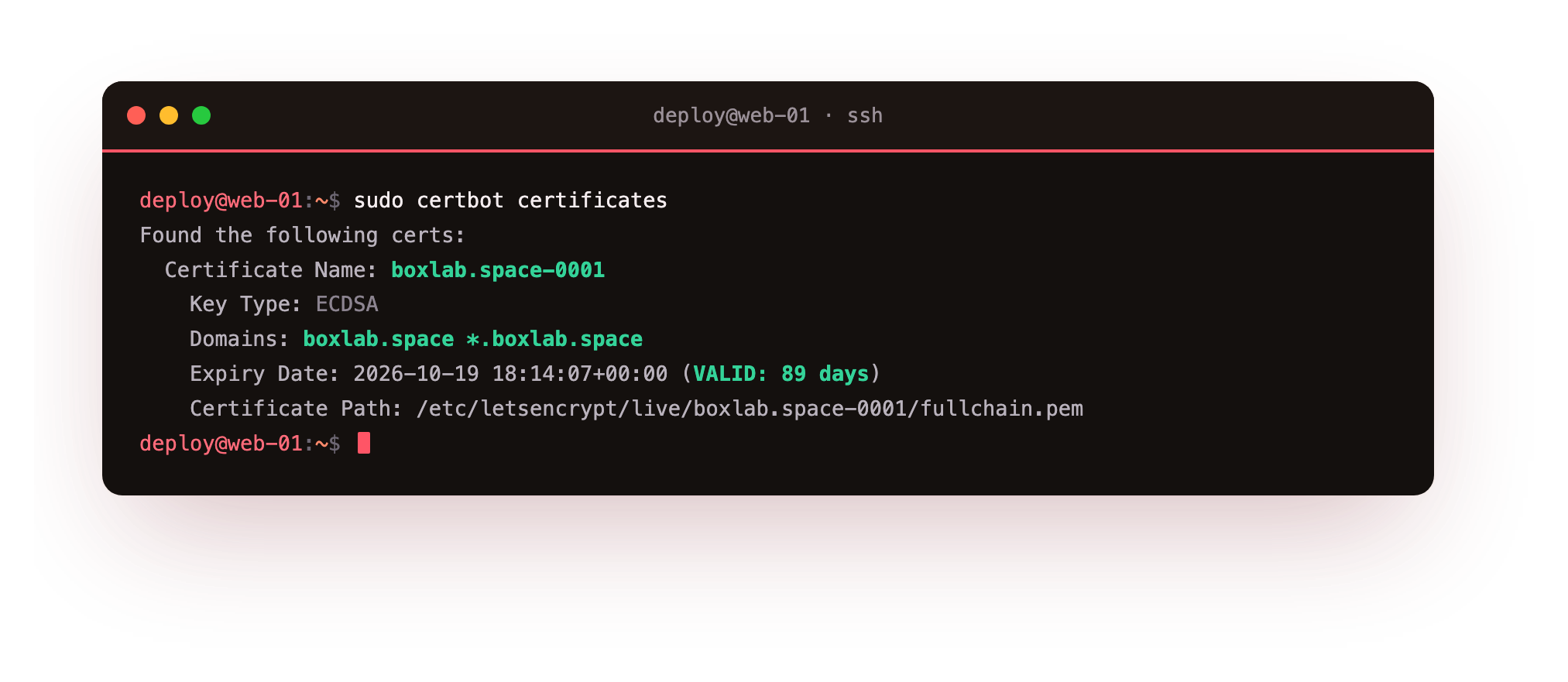
The output names the certificate, lists its domains, its key type, and the exact expiry date with days remaining. Here it shows boxlab.space *.boxlab.space, an ECDSA key, and roughly ninety days of validity. This is the command to run when you want to know what certificates a server holds and when each one expires, without digging through /etc/letsencrypt by hand.
Your certbot certificates should list one entry whose Domains line names both the apex and the *. wildcard, with a valid expiry roughly ninety days out. That single line is the certificate the whole series is built around: point openssl s_client at a server that serves it and you get the Verify return code: 0 from chapter one.
That ninety-day validity is deliberate, and it is the reason the next chapter matters. A certificate you issue today and forget will expire in three months and take your site down. certbot can renew it for you automatically, and the next chapter proves that the renewal works before you ever need it.
Frequently asked questions
Can I get a wildcard certificate with HTTP-01?
No. A wildcard is not a single host, so there is no web root for Let's Encrypt to fetch a challenge file from. Wildcards are only issued through DNS-01, which proves control of the domain's DNS rather than one server.
Do I still need HTTP-01 if DNS-01 does more?
HTTP-01 stays the simpler choice for a single public host on port 80: no DNS credentials, one command with the nginx plugin. Reach for DNS-01 when you need a wildcard, port 80 is closed, or the host is not yet reachable from the internet.
Does a wildcard for *.boxlab.space cover boxlab.space itself?
No. The wildcard matches one label of subdomain, like app.boxlab.space, but not the bare apex. That is why the certbot command lists both -d boxlab.space and -d "*.boxlab.space", so the certificate covers the apex and the subdomains together.
Is it safe to run certbot with --dry-run repeatedly?
Yes. A dry run uses the Let's Encrypt staging environment and never writes your real certificate or counts against the production rate limit. Use it to test issuance and renewal flows as often as you like before running the real command.
What you can do now
You can tell which challenge a certificate request needs: HTTP-01 for a straightforward single host, DNS-01 when you want a wildcard, have port 80 closed, or need the certificate before the host is live. You can issue a wildcard with certbot and the Cloudflare plugin, and read back exactly what a server holds with certbot certificates.
A certificate is only useful while it is valid, and Let's Encrypt certificates last ninety days on purpose. Next we make renewal automatic and, more importantly, prove the automation works with a dry run and a systemd timer, so the padlock stays lit without a calendar reminder.