How to approach TLS debugging
TLS debugging comes down to three questions you ask in order: does the handshake complete, is the certificate valid and unexpired, and does its name match the site. Two tools answer all three on an Ubuntu 24.04 LTS server: openssl s_client for a single connection and testssl.sh for a full audit. This chapter runs both against a live origin and walks the errors that produce most TLS tickets.
- openssl s_client is the first tool for any TLS problem: it shows the chain, the negotiated version, the cipher, and a verify code in one connection.
- Check expiry before it bites by piping s_client into openssl x509 -noout -dates, or scripting it so a certificate near expiry pages you.
- testssl.sh audits a server end to end, reporting which protocols are offered and flagging weak or dangerous configuration.
- Most TLS errors are one of three: a missing intermediate (chain order), a name that does not match (SNI), or an expired certificate.
You have issued a certificate, automated its renewal, and enforced client certificates with mTLS. This last chapter is the skill that pays off every time something still goes wrong: reading a broken handshake at the command line and placing the fault in seconds instead of guessing.
When HTTPS breaks, the browser gives you a vague full-page warning and almost no detail. That is by design for a visitor, and useless for an operator. The command line gives you the specifics: the exact chain the server sent, the exact validity dates, the exact reason a name did not match.
The habit worth building is to reach for the command line first, not the browser. A browser caches intermediates and remembers past visits, so it can hide the very bug that is breaking other clients. openssl and testssl.sh see the connection cold, the way a fresh client does, which is what you need.
Checking expiry before it bites
The single most common TLS outage is an expired certificate, and it is entirely preventable because expiry is a known date. Read it straight off the live server by piping the handshake into openssl x509:
echo | openssl s_client -connect 127.0.0.1:443 -servername boxlab.space 2>/dev/null \
  | openssl x509 -noout -dates
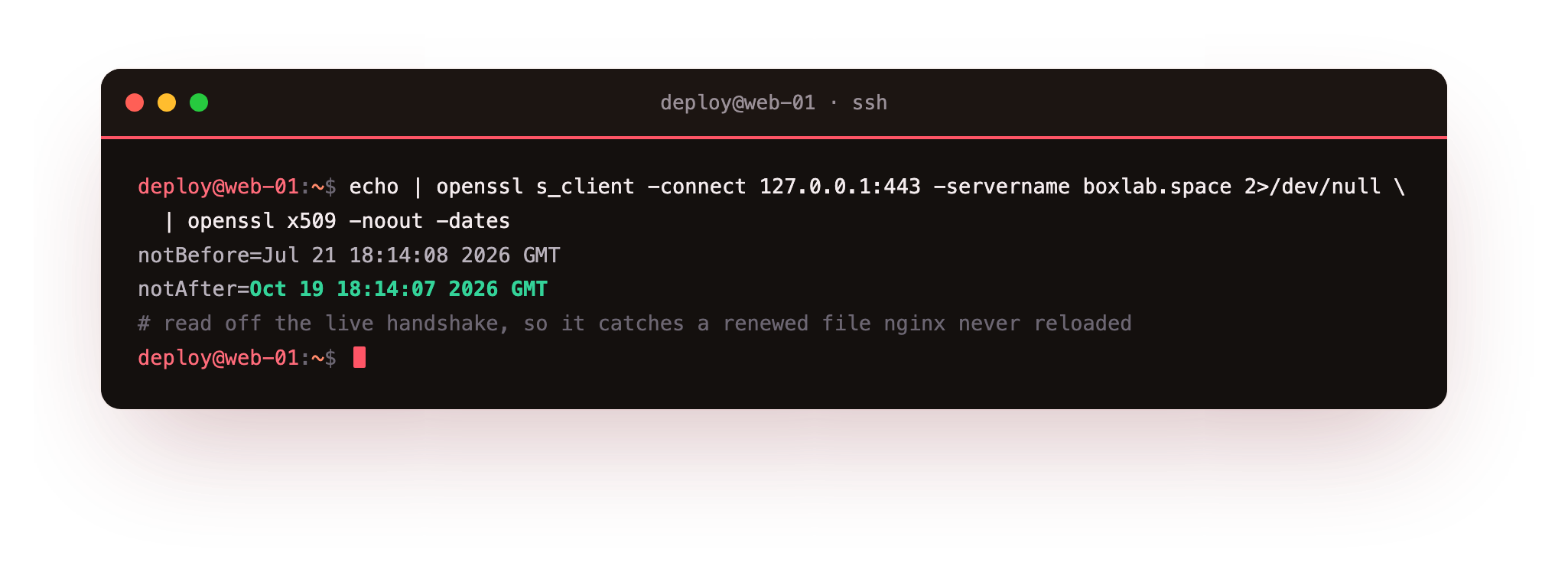
That prints notBefore and notAfter for the certificate the server is actually serving, which is the copy that matters, not whatever is sitting in a file. On this origin notAfter reads a date in October, comfortably ahead. The value of reading it from the live handshake is that it catches the case where the file on disk was renewed but nginx was never reloaded, so the old certificate is still being served.
Turn this into monitoring and expiry stops surprising you. A small cron job that runs this check and alerts when notAfter is within, say, fourteen days gives you a warning with time to act. openssl x509 -checkend 1209600 exits non-zero if the certificate expires within the given seconds, which is a one-line test for a script.
Read the dates off the live handshake, not off the file on disk. If notAfter here is sooner than what certbot certificates reports, the certificate was renewed but nginx was never reloaded, so it is still serving the old copy. That gap is the deploy hook from chapter three doing its job, or not.
Auditing the whole configuration
openssl s_client inspects one connection. To grade the whole TLS setup, use testssl.sh, a script that probes a server for every protocol and cipher and flags weak configuration. On Ubuntu it comes from apt and installs as the testssl command:
sudo apt install testssl.sh
testssl --protocols boxlab.space
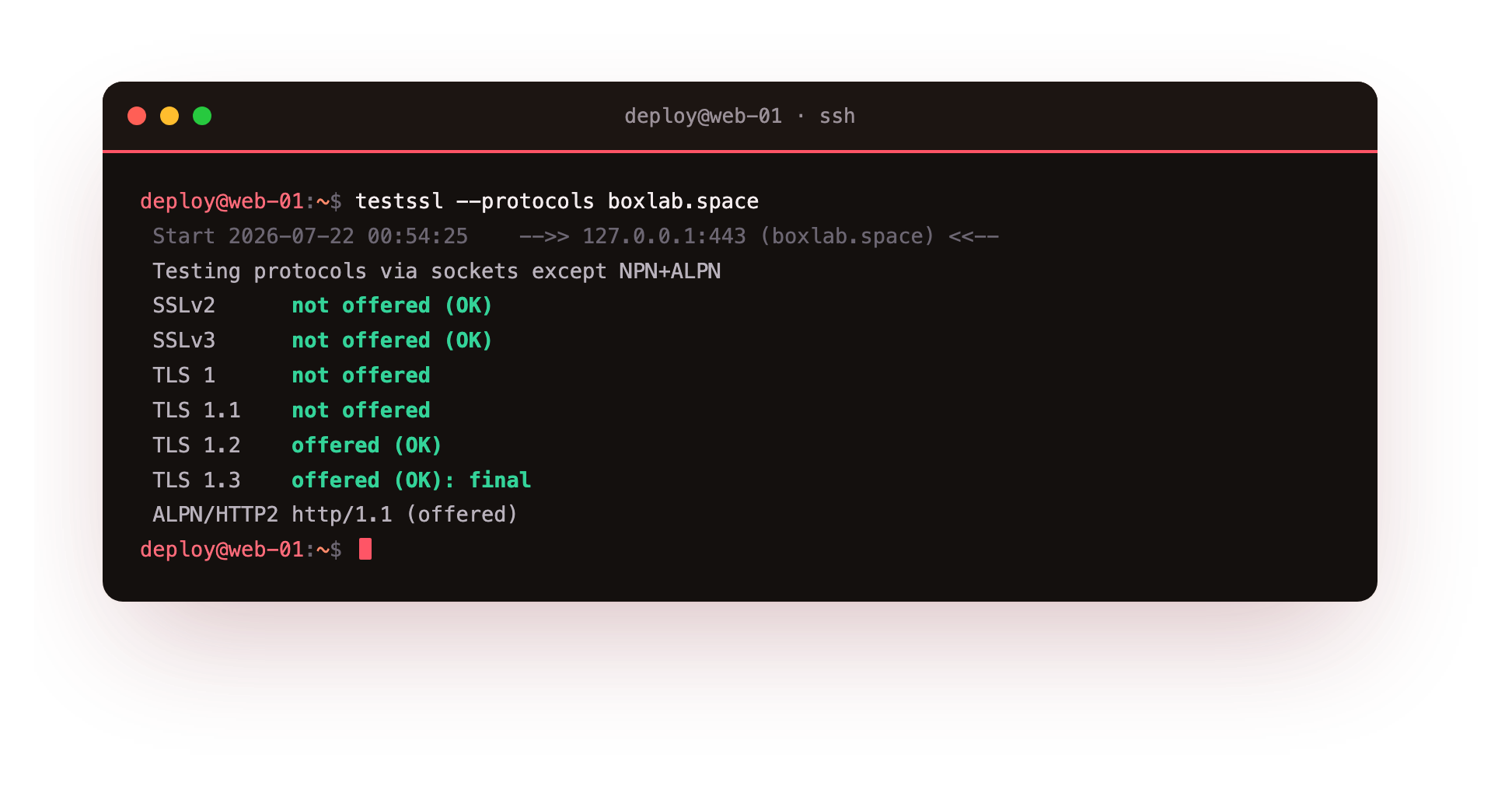
The protocols section is the one to read first. It reports each protocol as offered or not: SSLv2 and SSLv3 should be not offered, TLS 1 and TLS 1.1 should be gone too, and TLS 1.2 and TLS 1.3 should both be offered. Against this origin that is exactly what comes back, with TLS 1.3 marked as the final negotiated version. A full testssl run without the --protocols flag goes further and rates ciphers, checks for known vulnerabilities by name, and inspects the certificate, which is worth doing before you put a new server in front of users.
Read testssl output as a checklist. Anything old marked offered is a finding to fix; the modern protocols marked offered is what you want to see. It turns a fuzzy "is my TLS okay" into a concrete list.
The three errors you will actually hit
Almost every TLS support ticket is one of three problems. The first is a broken chain. The server sends its leaf certificate but forgets the intermediate, so some clients cannot build a path to a trusted root. It often loads in a desktop browser, which caches intermediates, and fails on a phone or an API client that does not. The fix is to serve the full chain, fullchain.pem, not just the leaf.
The second is a name mismatch. The certificate is valid, but for a different hostname than the one in the address bar, or SNI was not sent so the server returned its default certificate. You can reproduce it exactly with curl:
curl --resolve shop.example.com:443:127.0.0.1 https://shop.example.com/
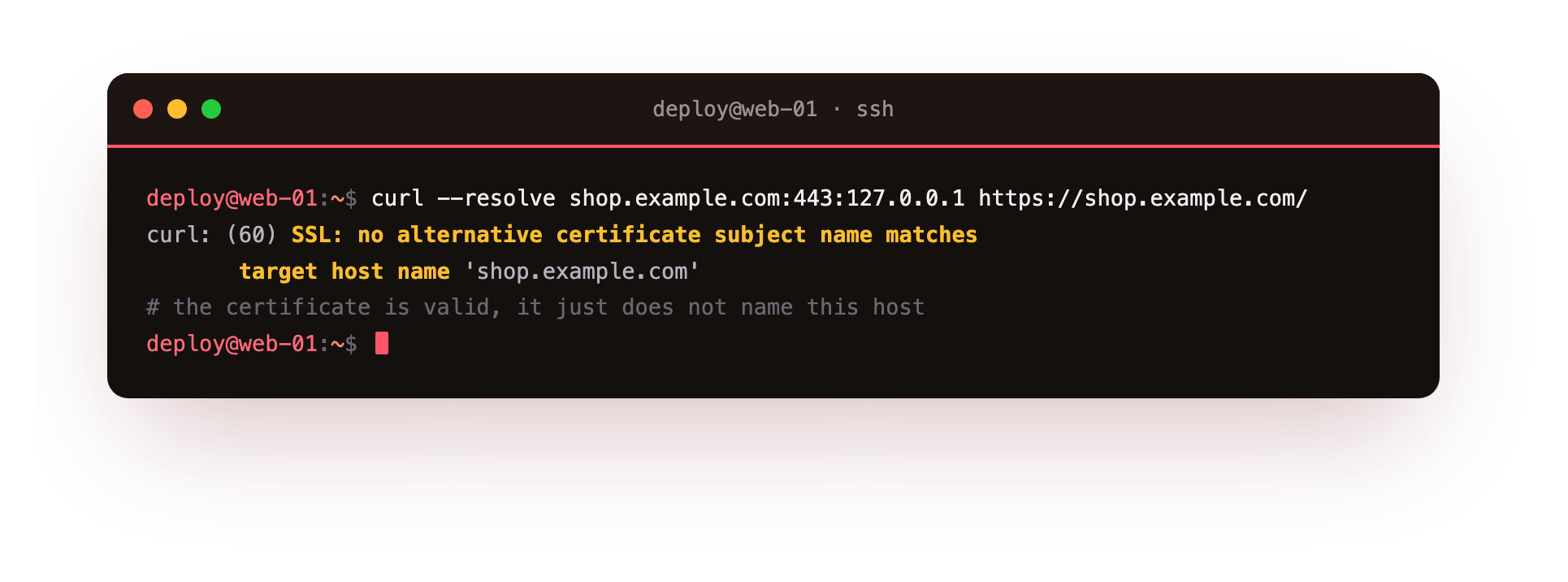
That forces shop.example.com at an origin whose certificate is for boxlab.space, and curl reports SSL: no alternative certificate subject name matches target host name. The certificate is fine; it just does not name this host. The fix is a certificate whose SAN includes the hostname, or sending the right SNI.
The third is expiry, covered above: the certificate lapsed, usually because a renewal or a reload did not happen. openssl s_client shows it immediately as a verify failure, and the dates confirm it. Between these three, chain, name, and expiry, you can place nearly any TLS error you meet.
Frequently asked questions
What is the first command to run when HTTPS breaks?
openssl s_client -connect host:443 -servername host. It shows the certificate chain, the negotiated protocol and cipher, and a verify return code in one connection, which tells you whether the problem is the chain, the name, or expiry before you guess.
Why does a site load in my browser but fail elsewhere?
Usually a missing intermediate. Desktop browsers cache intermediate certificates from past sites and can complete the chain anyway, while a phone or API client that lacks the cache cannot. Serve the full chain, fullchain.pem, so every client can build the path.
How do I check a certificate's expiry from the command line?
Pipe openssl s_client into openssl x509 -noout -dates to read notBefore and notAfter from the live server. For scripts, openssl x509 -checkend SECONDS exits non-zero when the certificate expires within that window, so it can drive an alert.
What does testssl.sh check that openssl does not?
testssl.sh automates a full audit: every protocol offered, cipher strength, named vulnerabilities, and certificate details, in one report. openssl s_client inspects a single connection in detail. Use s_client to debug one problem and testssl.sh to grade the whole configuration.
What you can do now
You can open a connection with openssl s_client, read expiry off the live server, audit a whole setup with testssl.sh, and recognise the three errors, chain order, name mismatch, and expiry, that produce most TLS problems. That is a working diagnostic loop for any HTTPS server you run.
That closes the series. You have read a handshake, issued public and wildcard certificates, automated their renewal, enforced client certificates with mTLS, and learned to debug the whole thing from the command line. TLS is no longer a padlock you hope stays lit; it is a system you can inspect, prove, and fix.