What your WireGuard VPN gives you
By the end of this series you have your own WireGuard VPN: a small always-on server on a slice, your real laptop and phone connected to it, and a private service you reach through the tunnel that the public internet cannot see. No ports exposed, no third-party VPN app, no monthly subscription.
This first chapter shows you the finished result before any theory, so every command that follows has a clear purpose. You start from a bare Ubuntu 24.04 box and end with a personal private network you use daily.
- A WireGuard VPN is one server on a public IP plus a peer for each of your devices.
- Each peer has one keypair; the whole config is a few lines of keys and addresses.
AllowedIPsis cryptokey routing: it is both the route and the inbound filter.- The payoff is a private service on
10.99.0.1reachable only through the tunnel.
- A slice, or any always-on server, running Ubuntu 24.04 with a public IP address.
- SSH access to that slice as a sudo user.
- The laptop and phone you want to connect, plus about twenty minutes.
- Optional: a domain, if you later want to reach the tunnel by name instead of address.
See the destination first
Here is the end state. On the laptop, WireGuard reports a live tunnel to the slice: a peer, its endpoint on the server, a recent handshake, and traffic counters ticking up. This is the "connected" proof you are working toward.
sudo wg show
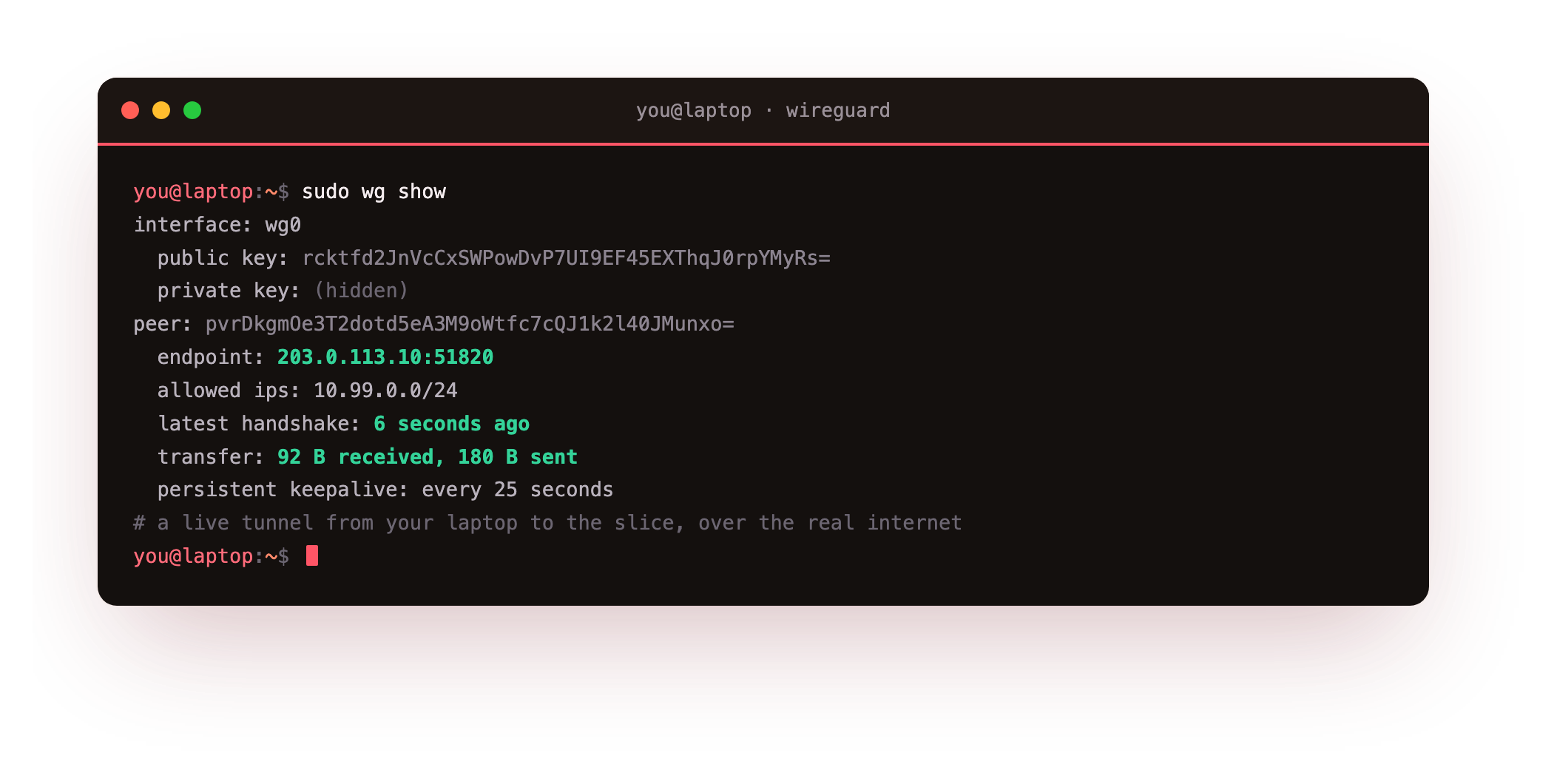
The latest handshake line is the signal that matters. It means the encrypted key exchange completed over the real internet, and the persistent keepalive keeps the link alive behind home NAT. With that tunnel up, you reach a service that listens only on the tunnel address 10.99.0.1, never on the public internet.
curl -s http://10.99.0.1:8080
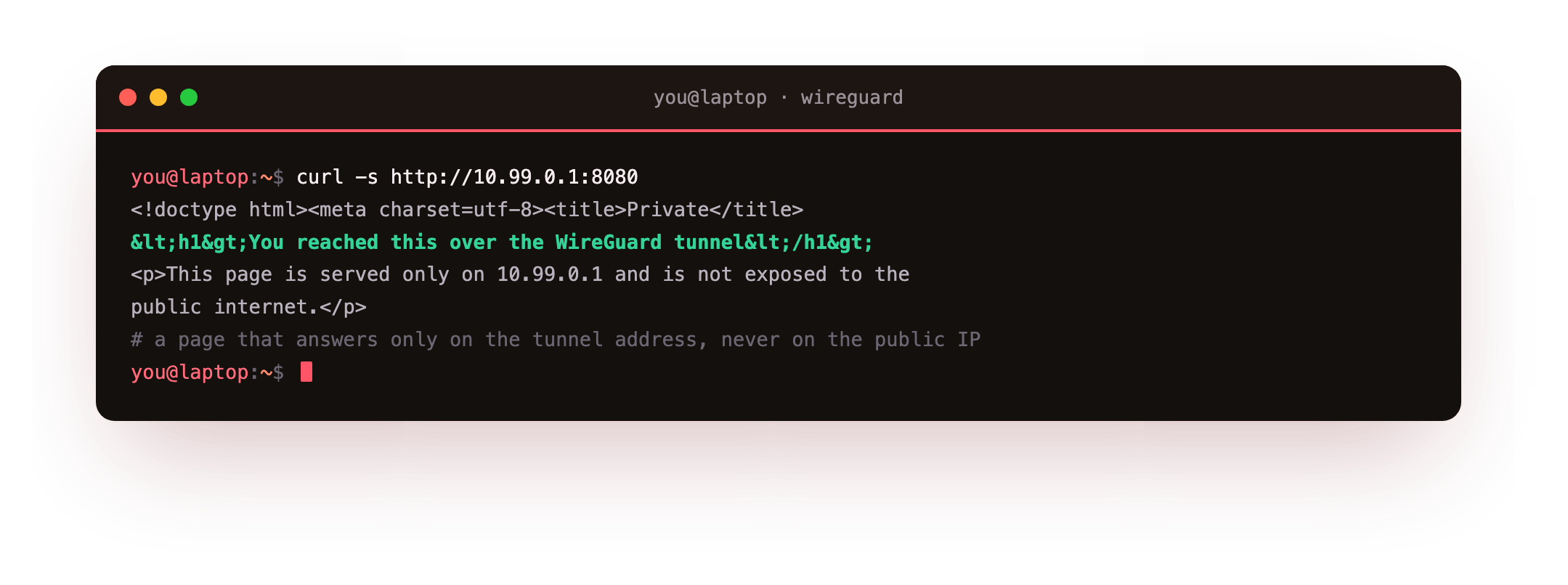
The server returns the page with an HTTP 200. That same request to the slice's public IP is refused, because the service is bound to the tunnel alone. A browser on the connected device loads the identical page. That private page, reachable from your laptop and phone yet invisible to everyone else, is the destination.
How WireGuard thinks: keys, peers, one small config
WireGuard is a VPN built into the Linux kernel, so a tunnel is just a network interface named wg0 that encrypts whatever you route into it. There is no daemon to babysit, no certificate authority, and no login step.
Each machine owns one curve25519 keypair. The private key never leaves the box; the public key is safe to share. Two peers trust each other by exchanging public keys, and that is the entire setup. A server config is a short [Interface] block with the server address and port, and one [Peer] block per device. You will write exactly that in the next chapter.
AllowedIPs: the route and the filter
The one idea to hold onto is AllowedIPs, WireGuard's cryptokey routing. Each peer entry ties a public key to a set of addresses, and that binding does two jobs.
Outbound, it is a route: a packet for 10.99.0.2 is sent to whichever peer lists 10.99.0.2. Inbound, it is a filter: a decrypted packet is dropped unless its source falls inside that peer's AllowedIPs. There is no separate routing daemon or firewall making this decision. The peer list is the routing table, and the key is the identity. Keep each device's AllowedIPs as narrow as it needs to be and a stolen key can reach almost nothing.
Why a slice, and not just your laptop
WireGuard needs one peer that is always on and reachable at a fixed public address, so your roaming devices have something stable to dial. A laptop that sleeps and changes networks cannot be that anchor. A slice can: it stays up, keeps one public IP, and costs little to run.
That is the whole reason this series leads to a server. Your phone and laptop roam between wifi and mobile data, and the slice is the fixed point they always find. Put the private service on the slice too, and you reach it from anywhere without exposing it to the internet.
Frequently asked questions
What is a WireGuard VPN in plain terms?
It is a private, encrypted network you run yourself. One server with a public IP acts as the meeting point, and each device you add becomes a peer with its own key. Traffic between peers is encrypted by the Linux kernel. Unlike a commercial VPN app, you own the server and the keys, so no third party sees your traffic or your device list.
Do I need to be a network engineer to follow this?
No. The series starts from a bare Ubuntu 24.04 slice and shows every command, with a checkpoint after each step so you can confirm it worked. You need SSH access and the ability to copy a config to your laptop and scan a QR on your phone. The concepts, keys and AllowedIPs, are explained as you use them.
Is WireGuard safe to run on a public server?
Yes, with normal care. WireGuard listens on one UDP port and does not reply at all to a packet without a valid key, so a port scanner cannot even tell it is there. You keep the kernel patched, restrict the firewall to that one port, and guard the private keys. The last chapter covers hardening and a preshared key for an extra layer.
How is this different from paying for a VPN service?
A paid VPN routes your traffic through someone else's servers on their terms. This VPN is yours: you choose the server, hold the keys, and decide what it reaches, such as a private admin page or a home network. It also doubles as a private mesh between your own machines, which a consumer VPN does not offer.
Recap and what is next
You have seen the destination: a WireGuard VPN on a slice, a laptop and phone connected, and a private service reached through the tunnel and hidden from the public internet. You know the mental model, one keypair per peer and AllowedIPs as both route and filter, and why the anchor is a slice rather than your laptop.
The next chapter is the from-zero build. On a bare Ubuntu 24.04 slice you install WireGuard, generate the server keypair, write wg0.conf, bring the interface up, and open the firewall to one UDP port.
WireGuard needs an always-on box with a public IP, and that is exactly what a slice is. Launch a slice and run your own WireGuard VPN as you follow this series, from the bare box to a private service you reach from anywhere.