Give node.js secrets a home outside the code
Node.js secrets, database URLs, and mode flags do not belong in the source tree. They belong in the environment, loaded from a file that only the service user can read. This chapter feeds the app its config through process.env, stores the values in a systemd environment file locked to mode 600, sets NODE_ENV=production, and proves the running process read every value while the secret itself never appears in a log or a commit. Every command ran on a live Ubuntu 24.04 server.
- Read configuration from process.env so the same build runs in development and production without a code change.
- Keep node.js secrets in a systemd EnvironmentFile owned by the service user with mode 600, so no other account can read it.
- Set NODE_ENV=production so Express and its dependencies drop development overhead and cache what they can.
- A .env file belongs in .gitignore, with a committed .env.example that lists the keys but none of the values.
The rule underneath all of this is one line: config that changes between servers, and anything secret, lives outside the code. Hardcode a key and it ends up in git history, in a backup, and in a screenshot. Read it from the environment and the code is the same everywhere, while the value stays on the box that needs it.
Read config from the environment
The app already reads its port and host from process.env. Extend that to the values a real service needs, and never fall back to a real secret in code.
const PORT = parseInt(process.env.PORT || '3000', 10);
const NODE_ENV = process.env.NODE_ENV || 'development';
const APP_SECRET = process.env.APP_SECRET || '';

// log that the secret loaded, but only a masked preview, never the value
const mask = (s) => (s ? s.slice(0, 3) + '***' + s.slice(-2) : '(unset)');
log.info({ env: NODE_ENV, secretLoaded: APP_SECRET.length > 0, secretPreview: mask(APP_SECRET) }, 'config loaded');
The default for APP_SECRET is an empty string, not a placeholder key, so a missing secret fails loudly instead of running with a fake one. The log records that the secret loaded and shows three characters of it, which is enough to tell two keys apart without printing either.
Store the values in a locked-down file
systemd reads an EnvironmentFile before it starts the process and injects each line as a variable. Put it outside the app directory, own it as the service user, and set mode 600 so only that user and root can read it.
sudo chmod 600 /etc/shopapp/shopapp.env
sudo chown nodeapp:nodeapp /etc/shopapp/shopapp.env
stat -c '%A %a %U:%G' /etc/shopapp/shopapp.env
systemctl show shopapp -p EnvironmentFiles
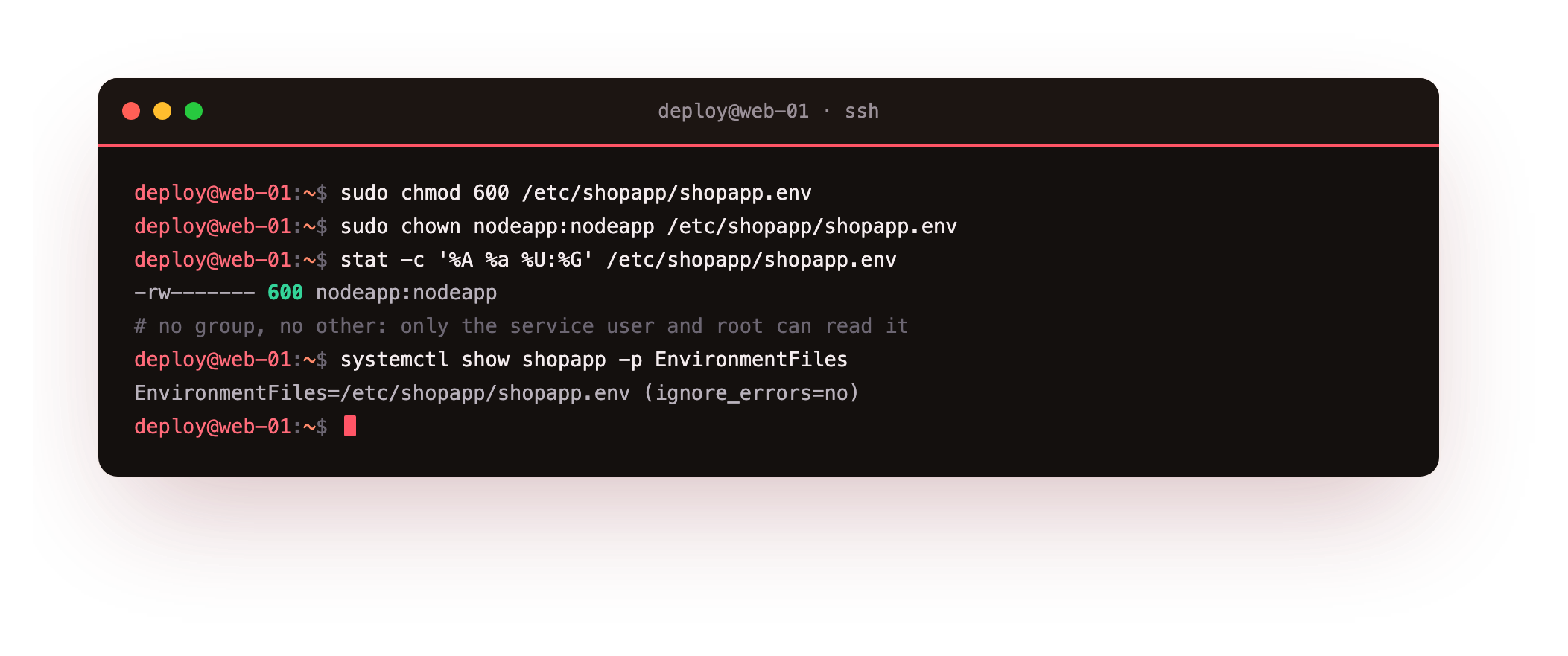
The stat line reads -rw------- 600 nodeapp:nodeapp, so no group and no other user can open it. systemd confirms it loaded the file with ignore_errors=no, which means a missing file is a startup failure, not a silent skip. The file holds NODE_ENV=production, the secret, and the app's tunables, one KEY=value per line.
stat -c '%A' /etc/shopapp/shopapp.env should read -rw-------. If a group or other bit is set, run chmod 600 before the service starts, so no account but the service user and root can read a secret.
Prove the app read them
Config you cannot observe is config you are guessing at. Ask the running app what environment it is in, then read the one boot log line that reports the secret.
curl http://127.0.0.1:3000/api/status
journalctl -u shopapp -n 1 -o cat
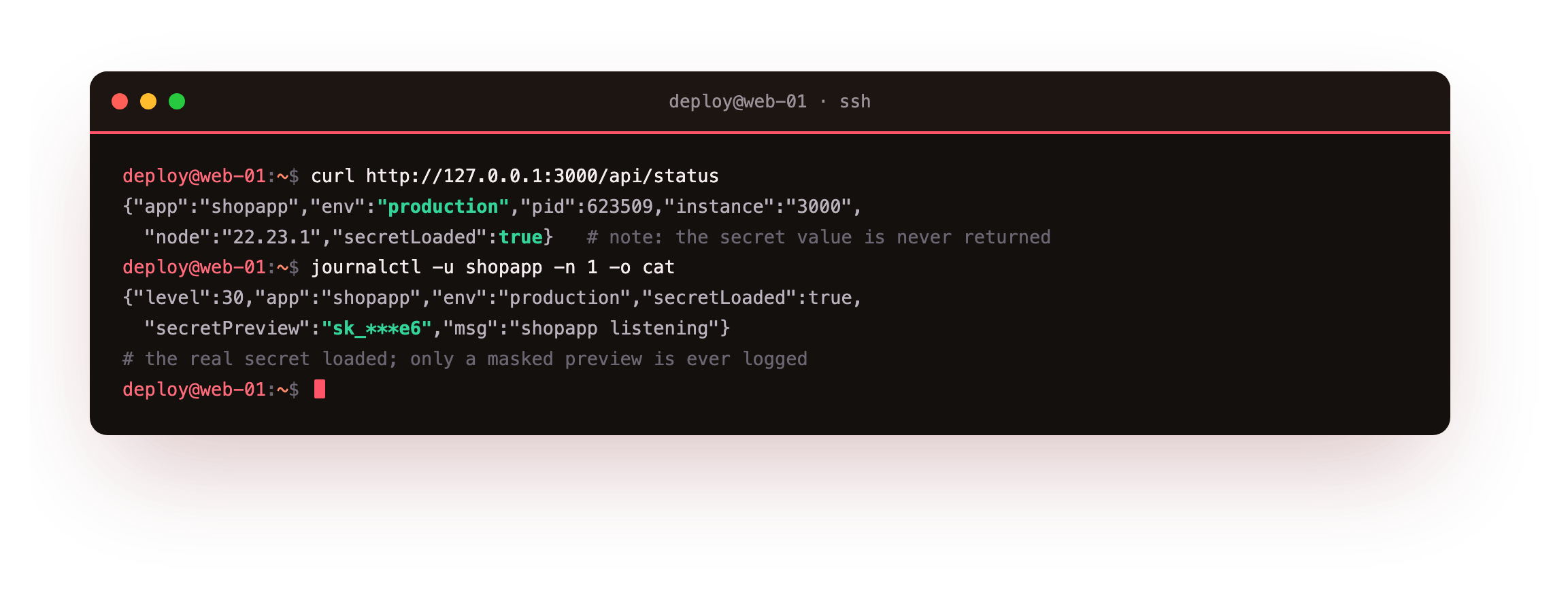
The status route reports "env":"production" and "secretLoaded":true, and it never returns the secret. The boot log shows "secretPreview":"sk_***e6", which confirms the real key loaded while keeping it out of the journal. That masking habit is what lets you log "the secret is present" without leaking it to anyone who can read logs.
The status route should show "env":"production", and the boot log should carry a masked secretPreview, never the raw value. If the whole secret shows up in the journal, fix the logging before you deploy, because journald keeps that line.
Keep the secret out of git
The file on the server is safe. The danger is a copy of the config sneaking into the repository. Ignore it, and commit an example instead so the next person knows which keys to set.
cat .gitignore
git status --short
git check-ignore -v .env
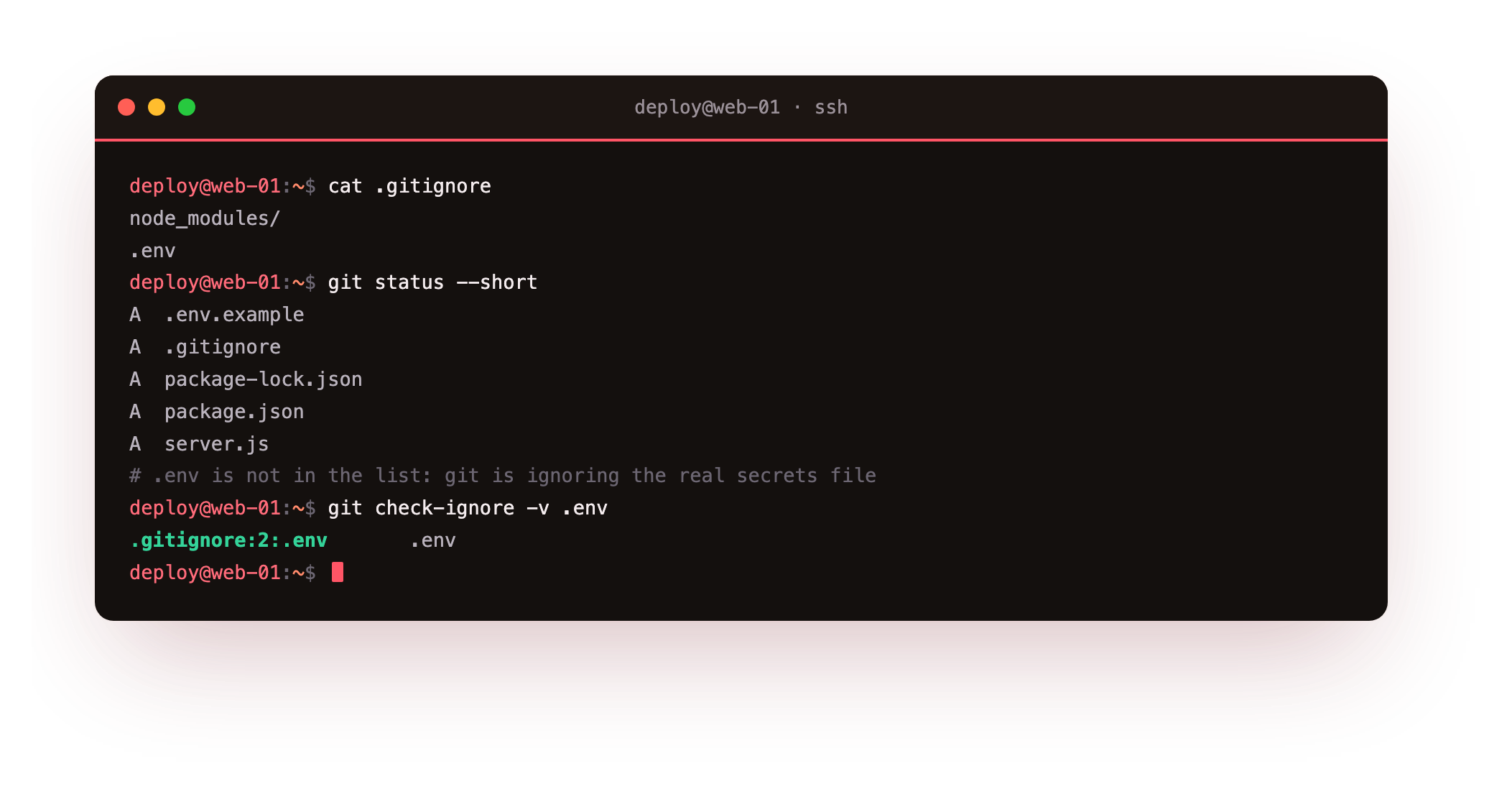
git status lists .env.example and .gitignore as staged, and .env is nowhere in the list. git check-ignore -v prints the exact rule that excludes it: .gitignore:2:.env. The example file carries the keys with replace-me values, so a checkout documents the config surface without shipping a single real credential.
What NODE_ENV=production changes
- Express skips view-template recompilation and caches what it can when NODE_ENV is production.
- Many libraries read the same flag to drop verbose warnings and development-only checks.
- It is a signal, not a switch: your own code should branch on it where behaviour must differ.
Setting NODE_ENV=production is not a performance trick on its own, but leaving it unset means the whole dependency tree runs in development mode on your live server. It is one line in the environment file, and it makes the ecosystem behave the way a production box expects.
Frequently asked questions
Should I use a .env file and dotenv, or systemd's EnvironmentFile?
On a server managed by systemd, EnvironmentFile is the cleaner choice because the init system injects the values before the process starts, and the file lives outside the app directory with tight permissions. The dotenv library is handy in development, where you run the app by hand. Using EnvironmentFile in production means one fewer dependency and one file that only the service user can read.
Is mode 600 enough to protect a secret?
It stops other users on the box from reading the file, which is the common exposure. It does not protect against root or against a backup that copies the file in the clear, so pair it with encrypted backups and a small set of admins. For higher-value secrets, a dedicated secret manager adds rotation and an audit trail, but a 600 file owned by the service user is the sound baseline.
Why mask the secret in logs instead of hiding it entirely?
Logging that a secret loaded, with a short masked preview, lets you confirm the right key is in place after a deploy without printing it. If you log nothing, a wrong or empty key looks the same as a correct one until something breaks. Three characters and a couple of stars distinguish two keys while leaking neither.
What goes in .env.example?
Every key the app reads, with a safe placeholder value such as replace-me or a non-working default. It is committed to the repository as living documentation of the config surface, so a new checkout tells you exactly which variables to set. The real .env, with real values, stays ignored and never leaves the server.
What you have, and what comes next
The app now reads its config from the environment, its secret sits in a 600 file that only the service user can open, NODE_ENV is production, and git refuses to track the real values. The running process confirmed every one of them, and the secret stayed masked throughout.
So far there is one process serving requests. The next chapter puts the server's other CPU core to work, running the app as a cluster so more than one worker answers traffic at once.