Why one process is a ceiling
Your app is fast and guarded, but it is still one process. Load balancing removes that ceiling. A single application process can only do so much, and when it is busy or crashes, your site is down. Load balancing runs several copies of your app and has nginx spread requests across them, so you get more capacity and survive a copy dying. This chapter puts two app instances behind one nginx and proves both the balancing and the failover on a live server.
- An upstream block lists your app instances, and proxy_pass to that upstream spreads requests across them, round-robin by default.
- Nginx does passive health checks for free: if an instance stops answering, it is taken out of rotation and traffic continues on the healthy ones.
- least_conn sends each request to the instance with the fewest active connections, which is better than round-robin when request times vary.
- ip_hash pins each client to one instance, a simple way to keep sessions sticky when your app stores state in memory.
There comes a point where one copy of your application is not enough. Maybe it is CPU-bound and you have more cores to use. Maybe you want to deploy a new version without downtime. Maybe you just do not want a single crash to take the whole site offline.
The answer to all three is the same: run several instances of your app, each on its own port, and put Nginx in front to distribute the work. Nginx has been a load balancer as long as it has been a proxy, and the config is short.
On a single VPS you run the instances as separate processes on different local ports, or as separate containers. In this chapter two instances stand in for that, one answering as app-1 and one as app-2, so you can see the balancing directly.
Load balancing with an upstream block
You group your instances into a named upstream, then point proxy_pass at the name instead of a single address:
upstream app {
    server 127.0.0.1:3001;
    server 127.0.0.1:3002;
}

server {
    listen 80;
    location / {
        proxy_pass http://app;
    }
}
That is the whole load balancer. upstream app lists the two instances, and proxy_pass http://app sends each request to one of them. By default Nginx uses round-robin, alternating between instances. Send six requests and watch:
curl http://your-domain/ # repeated
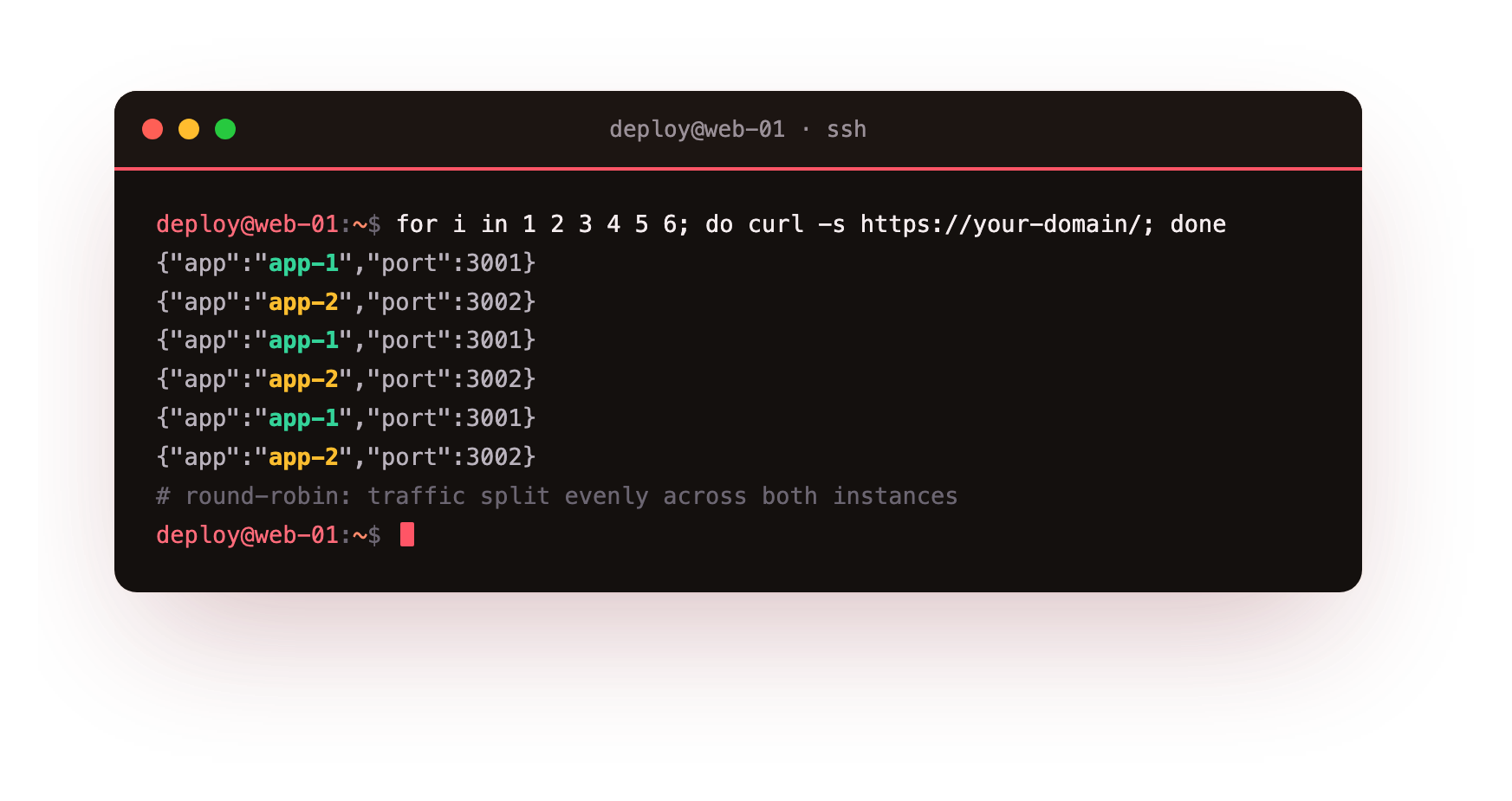
The responses alternate: app-1, app-2, app-1, app-2, and so on. Traffic is now split evenly across both instances, and adding a third is one more line in the upstream block. Your capacity scales with the number of copies you run.
Repeated requests to the same URL should alternate between your instances. If every response comes from one instance, the others are not in the upstream block or are failing their health check, so confirm each is listening on its own port.
Failover you get for free
The reason load balancing matters for reliability, not just capacity, is that Nginx watches the instances and routes around a dead one automatically. This is passive health checking, and it needs no extra config: if an instance stops answering, Nginx marks it unavailable and stops sending it traffic until it recovers.
You can see the mechanism by taking an instance out deliberately. Mark one down in the upstream:
upstream app {
    server 127.0.0.1:3001;
    server 127.0.0.1:3002 down;
}
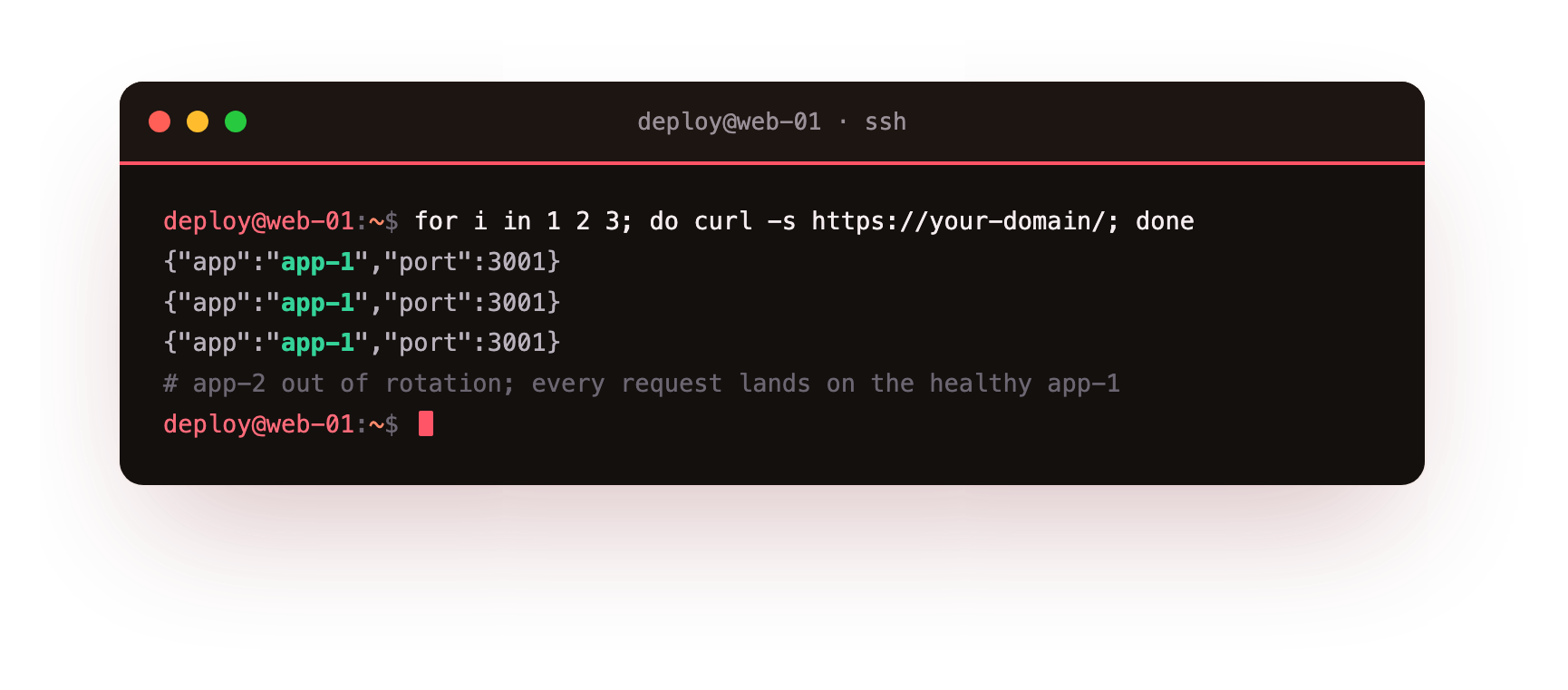
Now every request goes to app-1, because app-2 is out of rotation. In real operation you do not set down by hand; nginx does the equivalent automatically when an instance fails to respond, using max_fails and fail_timeout to decide when to give up on it and when to try it again. The result is that one crashed instance is invisible to your users: their requests land on a healthy copy. That is the difference between a single process, where a crash is an outage, and a pool, where a crash is a shrug.
Stop one instance and keep loading the site. Every request should still succeed, served by the survivors, with the failure invisible to the browser. If requests start failing, the failed instance is still in rotation, so check max_fails and fail_timeout.
Choosing how to balance
Round-robin is the default and it is fine when every request costs about the same. When request times vary, a slow report here, a fast health check there, round-robin can pile slow requests onto one instance while another sits idle. least_conn fixes that by sending each new request to the instance with the fewest active connections:
upstream app {
    least_conn;
    server 127.0.0.1:3001;
    server 127.0.0.1:3002;
}
This keeps load genuinely even when work is uneven, and it is a good default for most real applications. You can also weight instances, server 127.0.0.1:3001 weight=3;, to send a bigger box more traffic than a smaller one.
Going further: sticky sessions
Load balancing assumes any instance can handle any request, which is true if your app is stateless, storing sessions in a database or Redis rather than in its own memory. That is the design you want. But if your app keeps sessions in memory, a user balanced to a different instance on each request loses their login. The quick fix is ip_hash:
upstream app {
    ip_hash;
    server 127.0.0.1:3001;
    server 127.0.0.1:3002;
}
ip_hash sends each client IP consistently to the same instance, so their session stays put. It works, but treat it as a bridge, not a destination: it undermines even balancing, and it breaks when an instance goes down and its users are reshuffled. The better long-term answer is to make your app stateless by moving sessions to a shared store, which is a chapter of its own in the Redis series. Use ip_hash to get a stateful app balanced today; plan to not need it.
Frequently asked questions
How does Nginx spread requests across instances by default?
With round-robin. Each request goes to the next server in the upstream block in turn, so traffic is split evenly. Adding another instance is one more server line, and your capacity grows with the number of copies you run.
Does Nginx health-check my instances?
Yes, passively and for free. If an instance stops answering, Nginx marks it unavailable using max_fails and fail_timeout and routes around it, so one crashed copy is invisible to users while the healthy ones keep serving.
When should I use least_conn instead of round-robin?
Use least_conn when request times vary, since round-robin can pile slow requests onto one instance while another sits idle. least_conn sends each new request to the instance with the fewest active connections, keeping load even under uneven work.
Do I need ip_hash for sessions?
Only if your app stores sessions in its own memory. ip_hash pins each client to one instance so their login survives, but it undermines even balancing. The better fix is to move sessions to a shared store and keep the app stateless.
Recap and what is next
You can run several copies of your application behind one nginx, spread traffic across them evenly, and survive any single copy crashing without your users noticing. You can choose round-robin or least-connections to match how uniform your requests are, and pin sessions with ip_hash when an app is not yet stateless. Your app now scales with the instances you give it and no longer has a single point of failure.
One thing is left to reach the hardened response from chapter one: the security layer. Next we lock the whole thing down, with the version hidden, the headers browsers enforce, and logging you can actually use.
Several app instances behind one nginx is a real setup you can run today. Launch a slice, run two copies of your app, and watch traffic split and fail over between them.