From the default page to your first server block
Last chapter you installed nginx and it served the default "Welcome to nginx" page. Now you replace that page with your own site. A server block is nginx's unit for a single site: the ports it listens on and the hostnames it answers to. You write one server block per site, and nginx routes each request to the right one by its Host header. By the end of this chapter your own site is live and loading in a browser.
- A server block matches on listen port plus server_name, so one nginx serves many sites on the same port and IP.
- Write each site in sites-available and switch it on with a symlink into sites-enabled, so you enable or disable a site with one link and no rewrite.
- try_files is how nginx decides what to serve and what to do when a file is missing, and getting it right is what separates a working site from a 404 maze.
- root and alias both point at files on disk, but they join the URL to the path differently, and mixing them up is the most common static-file bug.
The whole mechanism is one idea: the Host header. Every browser request carries the hostname the user typed, and nginx reads it to pick which server block answers. Ten sites on one box is the same machinery as one, just with ten server blocks. We saw the config tree in the last chapter; server blocks live inside the http context, and on Ubuntu they live in files under sites-available, linked into sites-enabled. Let us use that structure to serve two real sites.
Two sites, two server blocks
Create a directory and an index file for each site, then a config that declares both:
server { listen 80; server_name alpha.test; root /var/www/alpha; index index.html; }
server { listen 80; server_name beta.test;  root /var/www/beta;  index index.html; }
Both blocks listen on port 80. What tells them apart is server_name. When a request arrives, nginx looks at the Host header, finds the block whose server_name matches, and serves from that block's root. Enable the file and reload with the discipline from chapter one:
sudo ln -s /etc/nginx/sites-available/sites /etc/nginx/sites-enabled/
sudo nginx -t
sudo systemctl reload nginx
nginx -t should print test is successful before you reload. If it fails, nginx names the file and line, and your live site keeps serving the old config until you fix it.
Now prove the routing. You do not need two real domains to test it, because curl lets you send any Host header you like:
curl -H "Host: alpha.test" localhost
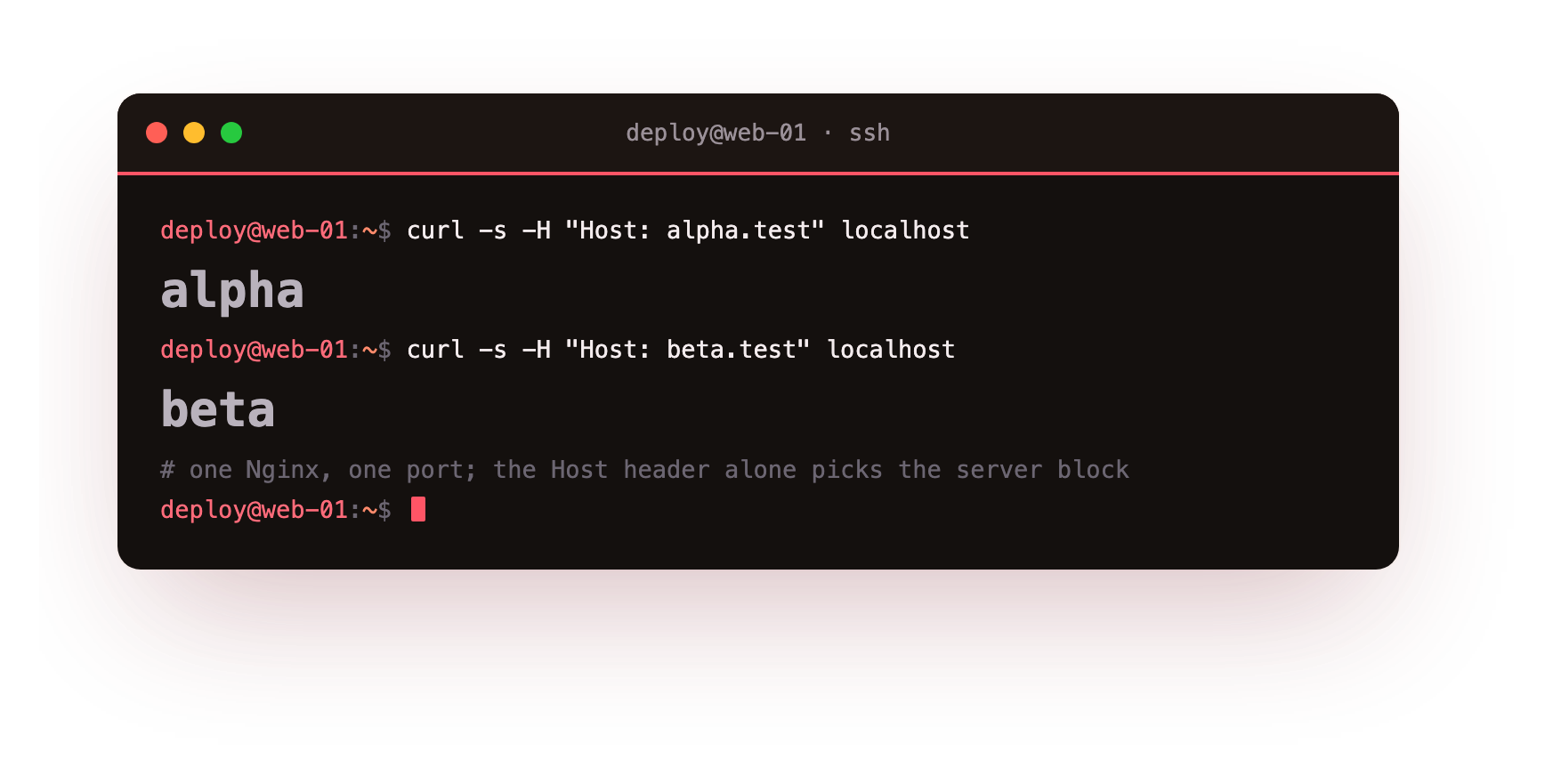
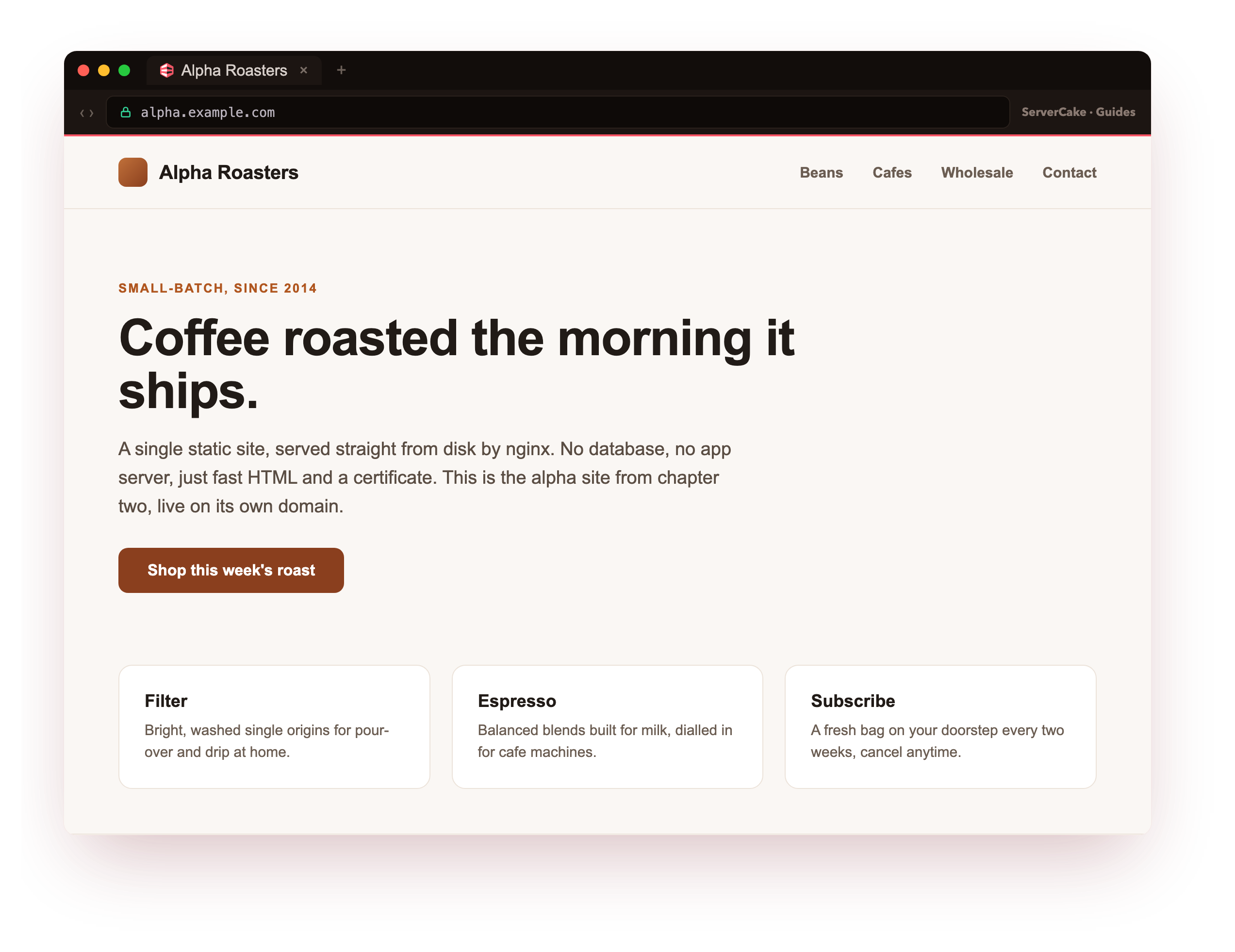
Send alpha.test and you get the alpha site; send beta.test and you get beta, from the same nginx on the same port. That is name-based virtual hosting, and it is how a single slice can serve a dozen customers' sites without a dozen servers. Here is the payoff: point a real browser at the site on its own domain, and it loads, served straight from disk by nginx over HTTPS. That is your own site, live, in a browser.
You should see your site render in the browser, not the default nginx page. If you still get the default page, the request matched no server_name, so nginx fell through to the default block. Check the Host header and the server_name spelling.
One thing worth knowing: if a request arrives with a Host that matches no block, nginx serves the first block listed, or the one you mark default_server. On a public server you almost always want an explicit default block that returns 444 or a plain page, so a bot hitting your raw IP does not get a random customer's site by accident. Be deliberate about which site is the default.
root versus alias, the bug everyone hits
root and alias both tell nginx where files live, but they combine the URL with the path differently, and this trips up nearly everyone once.
With root /var/www/alpha, a request for /images/logo.png is served from /var/www/alpha/images/logo.png. nginx appends the full URL path to the root. This is what you want almost all the time.
alias is different. With location /assets/ { alias /var/www/shared/; }, a request for /assets/logo.png is served from /var/www/shared/logo.png. The matched location prefix is stripped and replaced by the alias path. Use alias when the URL prefix and the directory name do not line up. The classic mistake is using alias where root was meant, which doubles a path segment and produces confusing 404s. When a static file will not load and the path looks almost right, this is the first thing to check.
try_files, the request's decision tree
root says where to look. try_files says what to try, in order, and what to do when nothing is found. It is the single most useful directive for static sites and single-page apps.
location / {
    try_files $uri $uri/ =404;
}
Read it left to right. For each request, nginx tries the exact file ($uri), then the directory ($uri/, which serves its index), and if neither exists it returns =404. Predictable, and it keeps nginx from leaking directory listings or guessing.
Single-page apps need a different last step. A React or Vue app owns its own routing, so a request for /dashboard has no file on disk but must still load index.html and let the app's router take over:
location / {
    try_files $uri $uri/ /index.html;
}
Now a missing path falls back to the app shell instead of a 404. This one line is the difference between a working SPA and one that 404s on every refresh, and it is the config people search for most.
Going further: keeping many sites tidy
As sites multiply, two habits keep the box sane. First, one file per site under sites-available, named after the site, so nginx -T and a directory listing both tell you exactly what is served. Second, put anything shared, a TLS block, a set of security headers, a gzip config, into snippets/ and include it, so you write it once and every site stays consistent. When you change the shared rule, you change one file, not twenty.
The sites-available and sites-enabled split earns its keep here. A site you are preparing but not ready to expose sits in sites-available with no symlink, fully written, serving nothing. Link it when you go live, unlink it to take it down, and the config itself never changes. That is a real operational lever, not just Debian tidiness.
Frequently asked questions
What decides which server block answers a request?
nginx matches the listen port first, then the Host header against each block's server_name. The block whose server_name matches serves the request, which is how one nginx on one port hosts many sites side by side.
When should I use alias instead of root?
Use root when the URL path and the directory layout line up, which is almost always. Reach for alias only when a location prefix maps to a directory with a different name, and remember alias replaces the matched prefix rather than appending the whole URL to it.
Why does my single-page app return a 404 on refresh?
The browser asks nginx for a path like /dashboard that has no file on disk, so the default try_files returns 404. Change the last try_files fallback to /index.html, so the app shell loads and its own router takes over the route.
How do I stop a bot hitting my raw IP from getting a random site?
Add an explicit default_server block that returns 444 or a plain page. Without one, a request whose Host matches no server_name falls through to the first block listed, which might be a real customer's site.
Recap and what is next
You can now host as many sites as you like on one nginx, route each by its hostname, and see your own site live in a browser instead of the default page. root and alias place your files, try_files decides the outcome, and the sites-available split lets you turn sites on and off with a symlink.
That covers a static site. Next we stop serving files ourselves and put nginx in front of a running application, the reverse proxy that is the reason most people reach for nginx at all.
A server block plus a slice is a real site on the public internet. Launch a slice, drop your files in place, and watch your own page load in the browser as you follow along.