Run an app and its datastore with Docker Compose
Docker Compose describes a multi-service stack in one YAML file and starts the whole thing with a single command. This chapter uses Docker Compose to run the cadence app beside a Redis datastore on Ubuntu 24.04 LTS: two services, one private network, health checks on both, and the app reachable on loopback. Every status and response below came off the live server.
- A
compose.yamlfile declares each service, its image or build, ports, and dependencies in one place you can commit. docker compose up -dcreates the network, the volume, and every container in dependency order.- A health check plus
depends_on: condition: service_healthymakes the app wait for Redis to actually accept connections, not just start. - Services reach each other by service name over the private network Compose creates, so the app connects to
redis:6379with no IP addresses hard-coded.
Running each container by hand with a long docker run line works for one service. With two or more it becomes a script you have to keep in your head. Compose moves that description into a file, so the stack is reproducible from git and readable by the next person.
Prerequisites
- An Ubuntu 24.04 LTS server with Docker 29.1.3 and the Compose plugin (
docker compose version). - The
cadence:1.0image from the previous chapter, or its Dockerfile to build.
Write the compose file
The file lists two services. The app builds from the local Dockerfile and publishes port 3000 to loopback. The redis service uses the official image and turns on append-only persistence. Both carry a health check, and the app waits for Redis to report healthy before it starts.
services:
  app:
    build: .
    image: cadence:1.0
    environment:
      REDIS_ADDR: redis:6379
    ports:
      - "127.0.0.1:8090:3000"
    depends_on:
      redis:
        condition: service_healthy
    healthcheck:
      test: ["CMD", "wget", "-qO-", "http://localhost:3000/health"]
      interval: 10s
      retries: 3
  redis:
    image: redis:7-alpine
    command: ["redis-server", "--appendonly", "yes"]
    volumes:
      - redisdata:/data
    healthcheck:
      test: ["CMD", "redis-cli", "ping"]
      interval: 10s
      retries: 3

volumes:
  redisdata:
The REDIS_ADDR: redis:6379 line is the whole trick of service networking. The app connects to the name redis, and Compose resolves it to the Redis container on the private network. No IP address appears anywhere.
Bring the stack up
One command creates the network, the named volume, and both containers in the right order.
docker compose up -d
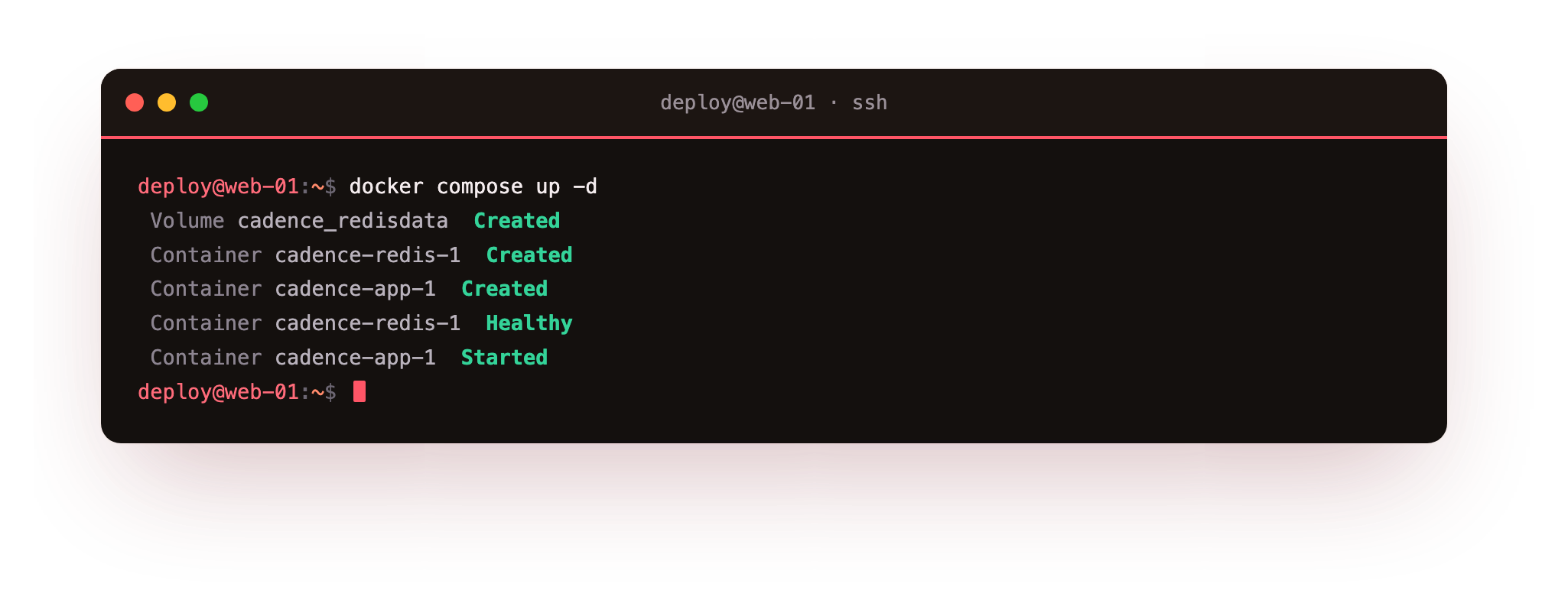
Compose creates redisdata and the cadence_default network, starts Redis first, waits for it to report healthy, then starts the app. Because the app declared depends_on with condition: service_healthy, it never boots against a Redis that is still loading. The ordering is in the file, not in a sleep you had to guess.
Confirm both are healthy
Ask Compose for the state of the stack.
docker compose ps
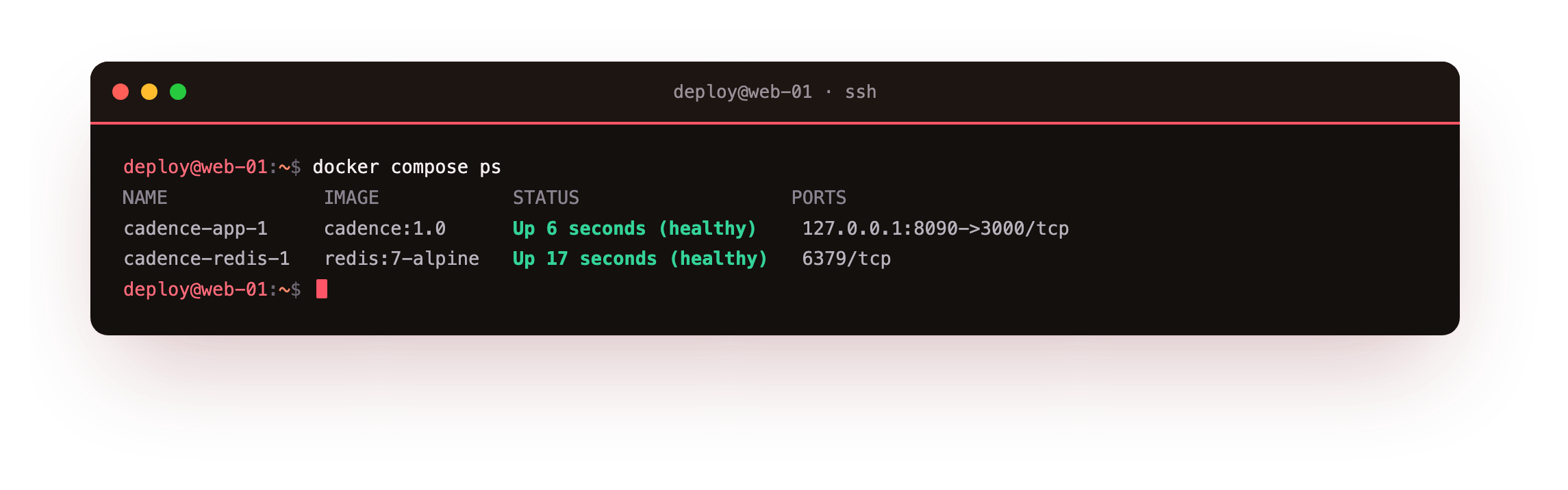
Both rows read Up (healthy). The app shows its port mapped to 127.0.0.1:8090, and Redis shows 6379/tcp with no host mapping, because only the app needs to reach it. A health check is more honest than a running flag: it runs a real command inside the container, wget against the app's own /health and redis-cli ping for Redis, so healthy means the service actually answered.
Both rows in docker compose ps should read Up (healthy), not just Up. If the app is stuck starting, it is waiting on Redis by design, so check docker compose logs redis first: the app only boots once Redis passes its health check.
Curl the app through its published port
The app is on loopback port 8090. Ask it two questions.
curl http://127.0.0.1:8090/api/status
curl http://127.0.0.1:8090/health
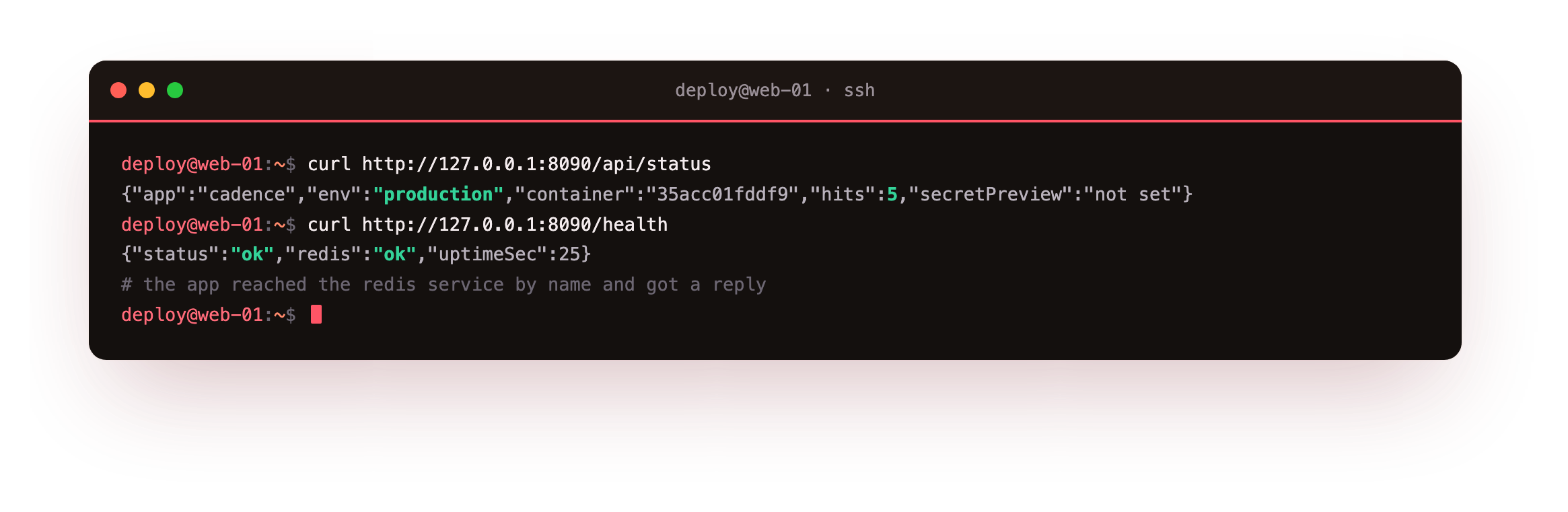
The status route returns JSON naming the app, its environment, the container ID, and a hit counter it reads from Redis. The health route returns ok with redis: ok, which means the app opened a connection to the redis service and got a reply. That round trip, app to datastore by name, is the thing Compose set up for you.
See it live in a browser
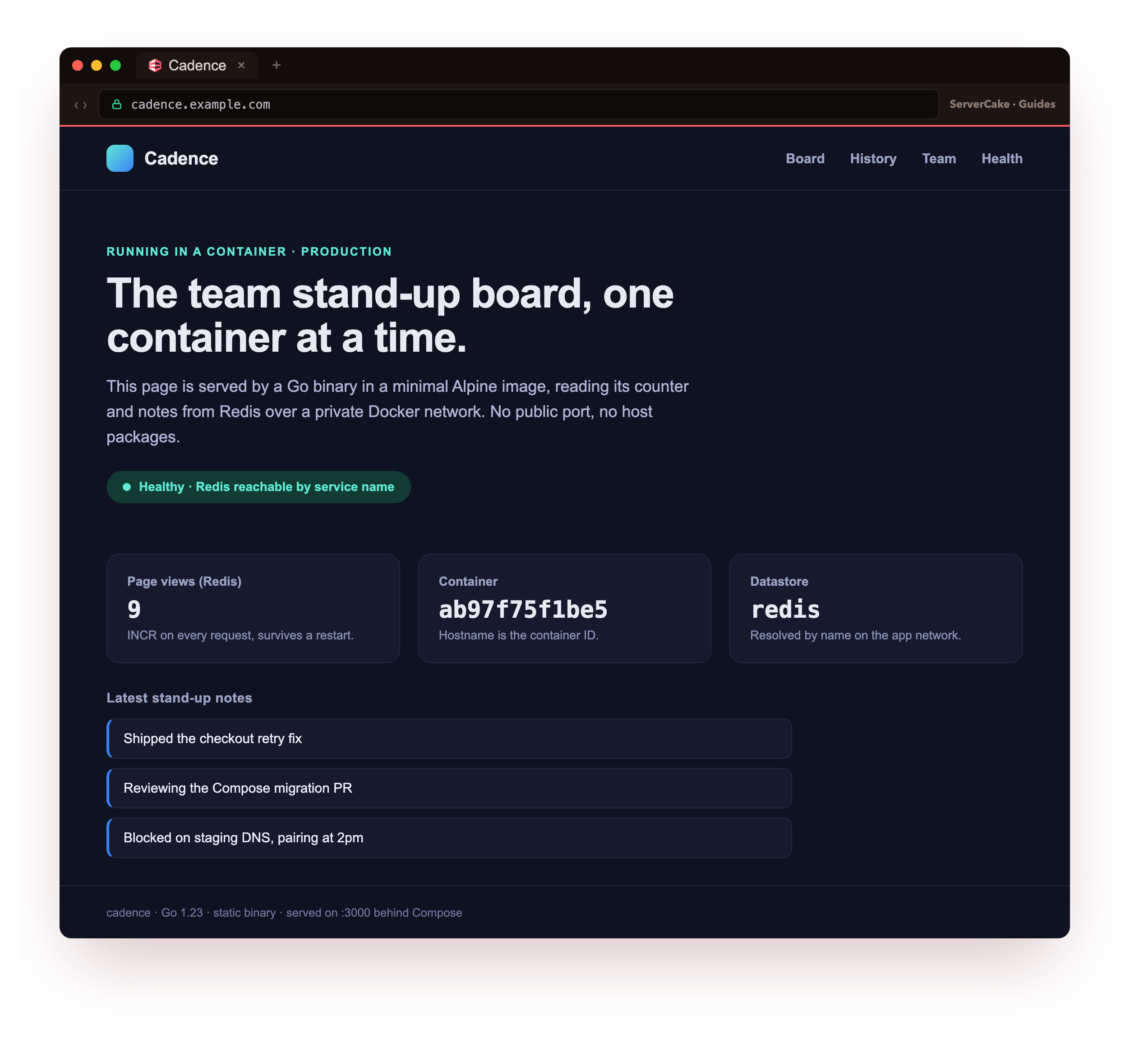
Now the payoff. Open the slice in a browser, and here it is, live: the containerized app serving its own page. The page-view counter climbs on every refresh because the app reads and increments it in Redis, the container ID it shows is the app container's own hostname, and the stand-up notes come straight from the datastore over the private network. This is the destination from chapter one, now running for real: a small app and its datastore, both in containers, brought up from a single file you can commit.
The app's page loading in your browser, with a counter that goes up each time you refresh, is the from-zero payoff of this series so far: a multi-service app you brought up from one Compose file, serving live. If the page loads but the counter never changes, the app is not reaching Redis, so check that REDIS_ADDR names the redis service and that docker compose ps shows Redis healthy.
Change the stack and re-apply
The file is the source of truth, so you change the stack by editing it and running docker compose up -d again. Compose compares the file to what is running and recreates only the services that changed, leaving the rest alone. Edit the app's environment and re-run, and Redis keeps serving while just the app container is replaced.
Two more commands round out daily use. docker compose logs -f app follows one service's output as it happens, and docker compose down stops and removes the whole stack when you are done, keeping the named volume unless you add -v. Everything you did by hand for a single container now applies to the stack as a unit, driven from one file you can review in a pull request.
Frequently asked questions
What is the difference between docker run and Docker Compose?
docker run starts one container from one image. Docker Compose reads a file that declares several services, their networks, and their volumes, and manages them together. For anything beyond a single container, Compose keeps the description in version control instead of in a shell history you cannot reproduce.
How do containers find each other by name?
Compose puts every service on a private user-defined network and runs an embedded DNS server on it. A service name resolves to that container's current address, so the app connects to redis:6379 and always reaches Redis even after the container is recreated with a new IP.
Why does the app wait for Redis to be healthy?
Starting is not the same as ready. A datastore may be up as a process while it still loads data and refuses connections. A health check plus condition: service_healthy makes Compose hold the app back until Redis answers redis-cli ping, which removes a whole class of race conditions on boot.
Is the app exposed to the internet on port 8090?
No. The mapping is 127.0.0.1:8090, so only the server itself can reach it. A public deployment puts a reverse proxy in front to add TLS and forward inward, which keeps the app off the open network the same way a single container does.
What you have, and what comes next
You wrote one Compose file, brought up an app and a Redis datastore with a single command, watched the app wait for Redis to be healthy, and curled a working service that talks to its datastore by name. The stack is reproducible from the file alone.
There is a gap, though. Redis keeps its data in a volume, and you have not yet proved that data survives the stack being torn down. The next chapter tests exactly that, and shows how a user-defined network lets services find each other by name.