A Kubernetes Ingress that routes a hostname
A Kubernetes Ingress is a rule that maps a hostname or path to a Service, so many sites can share one entry point instead of each grabbing a node port. This is the payoff chapter, run on the live k3s node: you install the Traefik ingress controller you skipped at setup, write an Ingress that sends beacon.example.com to the Beacon Service, and then open the app in a browser served entirely by the cluster.
A Service exposes pods to the cluster; an Ingress decides which Service a request should reach based on its host, and it is the last piece Beacon needs to face the outside world.
- An Ingress resource is only a set of routing rules. A controller such as Traefik must be running to act on them.
- Rules match on hostname and path, so one address can serve many apps by sending each host to its own Service.
- The controller watches the API for Ingress objects and reconfigures itself the moment one changes.
- A request that matches no rule gets a 404 from the controller, which is a clean signal that routing, not the app, turned it away.
On a single slice you often already run something on ports 80 and 443, such as a plain web server. That is why chapter one disabled the bundled controller and load balancer. So here the Traefik controller is installed as an internal Service and reached with a port-forward, which keeps it clear of anything else on the host. The Ingress rules and the routing are exactly the same as a setup that owns the public ports. Only the last hop, how traffic first reaches Traefik, differs.
Prerequisites
- The
beaconService from part three, backed by three healthy pods. - A cluster that can still reach the internet, since installing the controller pulls the Traefik chart and image.
- Nothing extra bound inside the cluster on port 8081, the local port used for the port-forward at the end.
Install the ingress controller
Because you disabled the bundled Traefik in chapter one, install it now on your own terms. k3s ships a helm-controller, so applying a small HelmChart object installs the Traefik chart with no separate helm binary.
kubectl apply -f - <<'EOF'
apiVersion: helm.cattle.io/v1
kind: HelmChart
metadata:
  name: traefik
  namespace: kube-system
spec:
  repo: https://traefik.github.io/charts
  chart: traefik
  targetNamespace: kube-system
EOF
kubectl -n kube-system rollout status deploy/traefik
Give it a moment and kubectl -n kube-system get deploy traefik reports the controller ready. Its Service asks for a load balancer, but because you disabled k3s's built-in one, the external address stays pending. That is deliberate and harmless here: you never wanted Traefik on the host's public ports. You reach it through a port-forward instead, which is all a single learning slice needs.
You should see the traefik Deployment in kube-system reporting one pod ready. A pending external IP on its Service is expected, not an error, since the built-in load balancer is off.
Write the Ingress rule
Save this as beacon-ingress.yaml. It says that any request for the host beacon.example.com on path / should go to the beacon Service on port 80.
apiVersion: networking.k8s.io/v1
kind: Ingress
metadata: { name: beacon }
spec:
  rules:
    - host: beacon.example.com
      http:
        paths:
          - path: /
            pathType: Prefix
            backend:
              service:
                name: beacon
                port: { number: 80 }
Apply it and read the object back.
kubectl apply -f beacon-ingress.yaml
kubectl get ingress beacon
kubectl describe ingress beacon
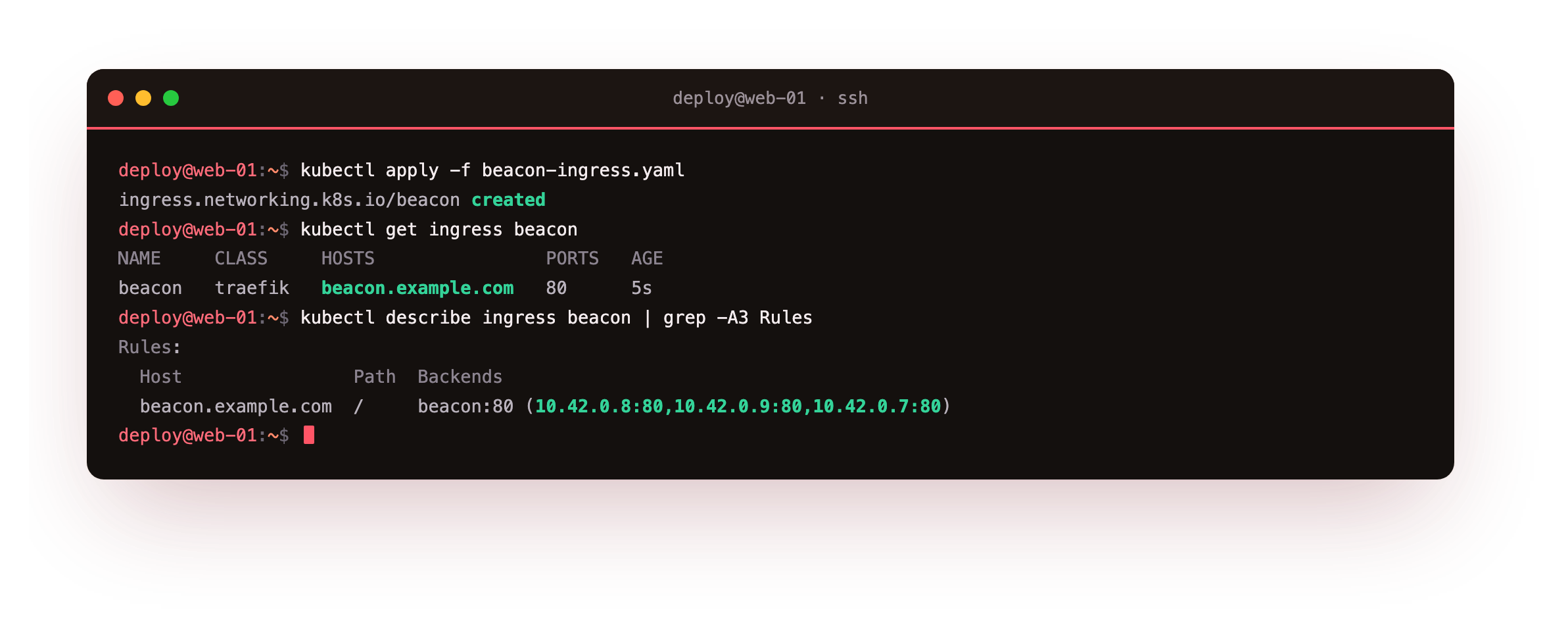
kubectl get ingress beacon shows the host beacon.example.com on the traefik class. kubectl describe prints the rule and, under Backends, the three pod IPs the Service resolves to. The Ingress does not carry traffic itself. It is a record in the API that the controller reads and turns into live routing. Delete the Traefik controller and this object still exists, but nothing acts on it.
Curl the app through the Ingress
Traefik here listens inside the cluster, so forward a local port to it and send a request with the ingress hostname in the Host header.
kubectl -n kube-system port-forward svc/traefik 8081:80 &
curl -sI -H "Host: beacon.example.com" http://127.0.0.1:8081/
curl -sI http://127.0.0.1:8081/
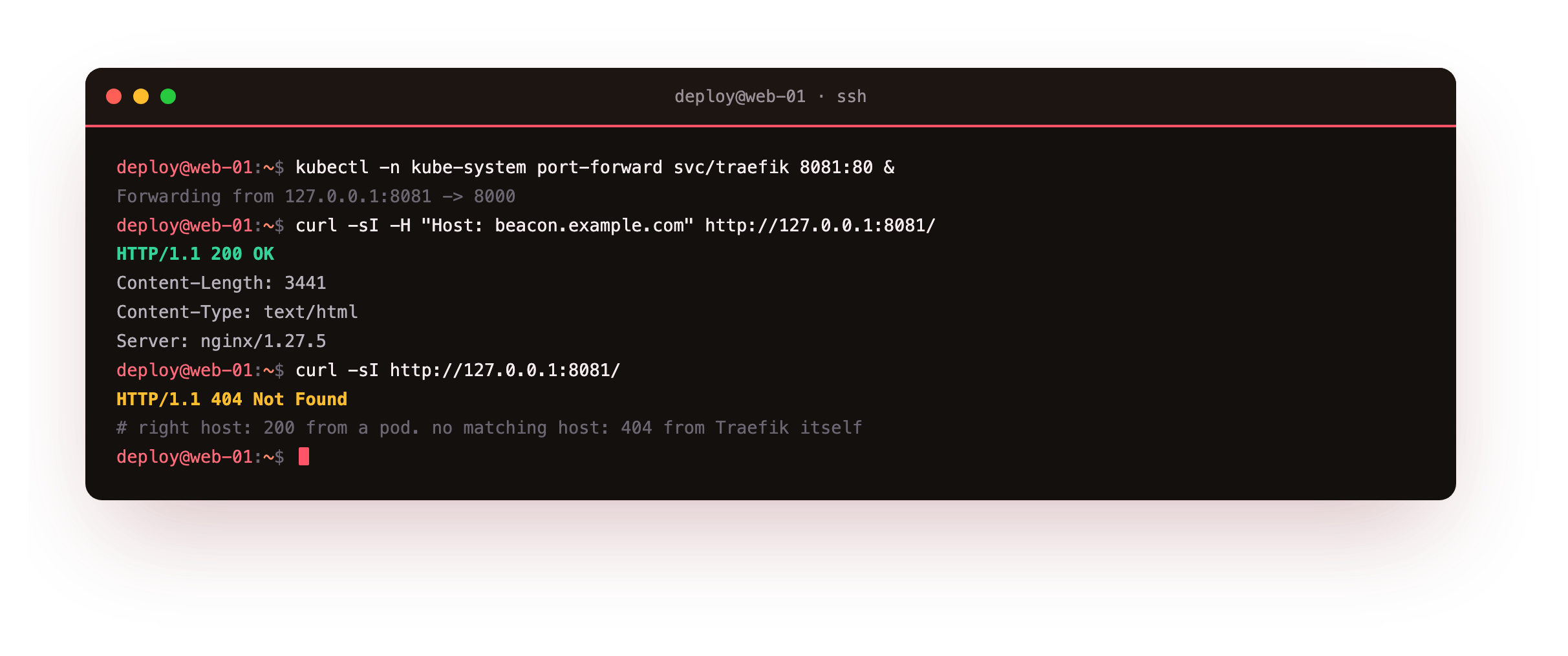
The first curl carries the right Host header and returns HTTP/1.1 200 OK with a Server: nginx header, which proves the request travelled through Traefik, matched the rule, and landed on a Beacon pod. The second curl has no matching host and gets a 404 straight from Traefik, before any app is involved. That contrast is the point of an Ingress: the same controller, the same port, but the hostname decides where a request goes.
A 200 with an nginx server header means the whole path worked: Traefik matched the host, the Service load-balanced to a pod, and the pod served the page. A 404 from Traefik means routing rejected the request, which is different from the app returning its own error.
See Beacon live in a browser
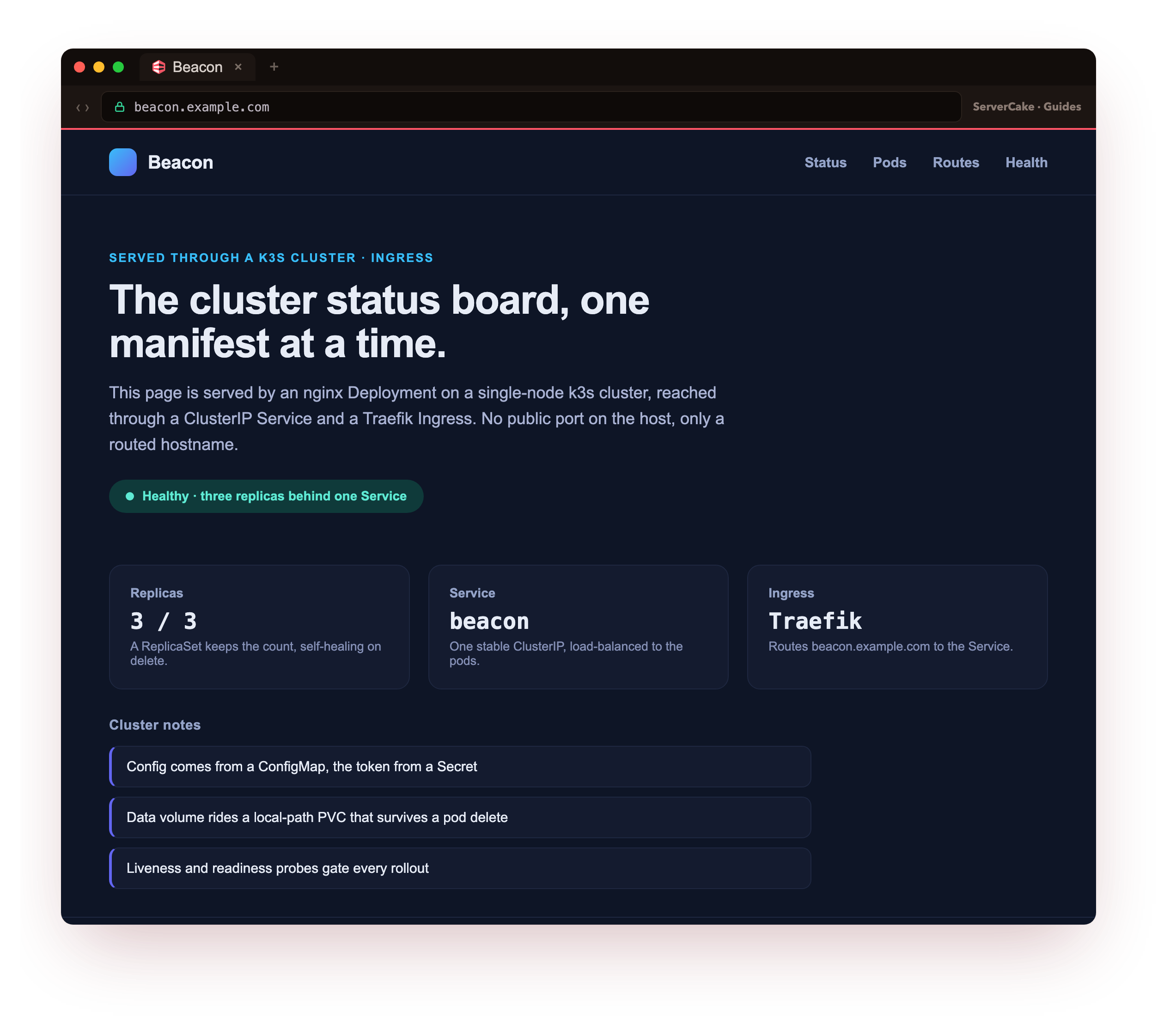
This is the moment the series was building toward. With the port-forward still running, open http://127.0.0.1:8081/ in a browser with the same host header, or point a beacon.example.com line at it in your hosts file and visit that. Up comes the Beacon status board, the exact page you saw promised in chapter one, now genuinely served by Kubernetes: three nginx pods behind one Service, routed by a hostname through the Traefik Ingress, with no public port opened on the host by hand.
Nothing about this page is a mock. The bytes came from a pod, chosen by the Service, reached through the Ingress. You are looking at your own cluster answering a browser. That is real Kubernetes, running on one slice, doing the one job a web app exists to do.
Going further: TLS and many hosts on one ingress
The same Ingress scales past one site. Add more entries under rules, each with its own host and its own backend Service, and the single controller routes them all from one entry point.
TLS slots in the same way: an Ingress can terminate HTTPS by referencing a secret that holds a certificate and key for the host, and the controller then serves that host over 443. Certificates are their own topic, covered in the TLS and Certificates series, and they pair cleanly with an Ingress once the plain routing works. On a slice that owns its public ports, you would let Traefik bind 80 and 443 directly instead of port-forwarding, and everything above the last hop stays identical.
Frequently asked questions
Why does my Ingress do nothing after I apply it?
An Ingress needs a controller. If no controller is running, the rules sit in the API with nothing to enforce them. Install Traefik or another controller, confirm its pod is Running, then the routing takes effect. In this series you install Traefik yourself because chapter one disabled the bundled one.
Do I need a NodePort if I have an Ingress?
No. Once traffic reaches the Service through the Ingress, a NodePort is redundant for that path. Ingress backends target the Service directly. Keep a NodePort only if you have a separate reason to expose a fixed node port, such as a quick internal test.
Can one Ingress serve several hostnames?
Yes. Add more entries under rules, each with its own host and backend Service. That is the main reason to use an Ingress: many sites share one entry point, and each hostname routes to its own app without extra ports.
How does TLS fit in?
An Ingress can terminate HTTPS by referencing a TLS secret that holds a certificate and key for the host. The controller then serves that host over 443. Certificates are their own topic, covered in the TLS and Certificates series, and pair cleanly with an Ingress once routing works.
What you have, and what comes next
You installed a controller, wrote an Ingress that maps a hostname to a Service, curled the app through it for a 200 while a non-matching host got a clean 404, and opened Beacon live in a browser served by the cluster. That is real host-based routing on a single node, the same model a large cluster uses.
The app serves a fixed page today. Real apps need settings and secrets that differ by environment. The next chapter feeds the pod its configuration through a ConfigMap and a Secret, and shows the app reading them with the secret kept out of view.