A k3s backup, and the rest of day two
A k3s backup is a copy of the cluster's datastore, the one file that holds every object you created, and it is the operation you must get right before any upgrade. This chapter, run on the live k3s node, reads live metrics with kubectl top, plans a version upgrade, takes a consistent backup of the datastore and restores from it, then uninstalls k3s cleanly.
Beacon is now a healing, routed, configured, storage-backed app on one slice. Day one was building it. Day two is keeping it running, and it starts with knowing you can get the whole cluster back.
- metrics-server ships with k3s, so
kubectl topreports live CPU and memory for the node and every pod with no extra setup. - A single-node k3s cluster keeps its state in SQLite, so a backup is a consistent copy of that datastore plus the node token.
- Upgrading k3s means installing a new version over the old one; the systemd service restarts and your workloads keep their state.
- The
k3s-uninstall.shscript removes the cluster and its data completely, which is the clean way to tear a test node down.
None of this is glamorous, and all of it is the job. A cluster you cannot measure, cannot patch, and cannot restore is a liability the day something breaks. The good news is that k3s keeps each of these to one or two commands, which is much of why it suits a single server run by a small team.
Prerequisites
- The k3s node from the earlier chapters, with the Beacon workloads still running so the metrics have something to show.
- A user with
sudoon the host, since the backup and uninstall steps touch files owned by root.
Read live metrics
Because metrics-server is already running, the top commands work immediately.
kubectl top nodes
kubectl top pods
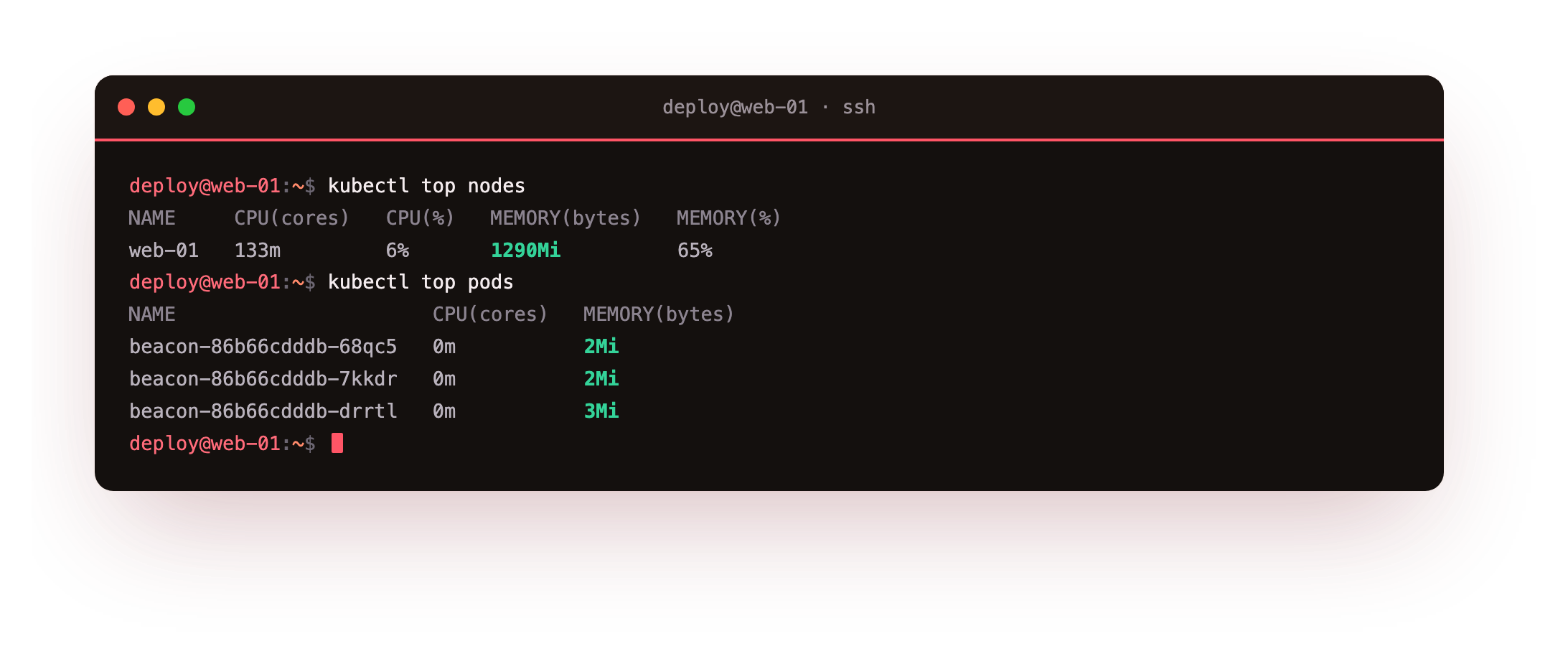
kubectl top nodes reports the node's CPU in millicores and memory in mebibytes, with a percentage of capacity. On this 2 GB slice the node sat around two thirds of memory with the demo workloads running, which is the kind of number you want to watch before adding more. kubectl top pods breaks the same figures down per pod, so you can see which workload is spending the resources. These are the first commands to reach for when the node feels slow.
You should get real CPU and memory numbers back, not an error about metrics not being available. If top reports no metrics, give metrics-server a minute after a fresh install to gather its first sample.
Plan a version upgrade
Check what you are on before changing anything.
k3s --version
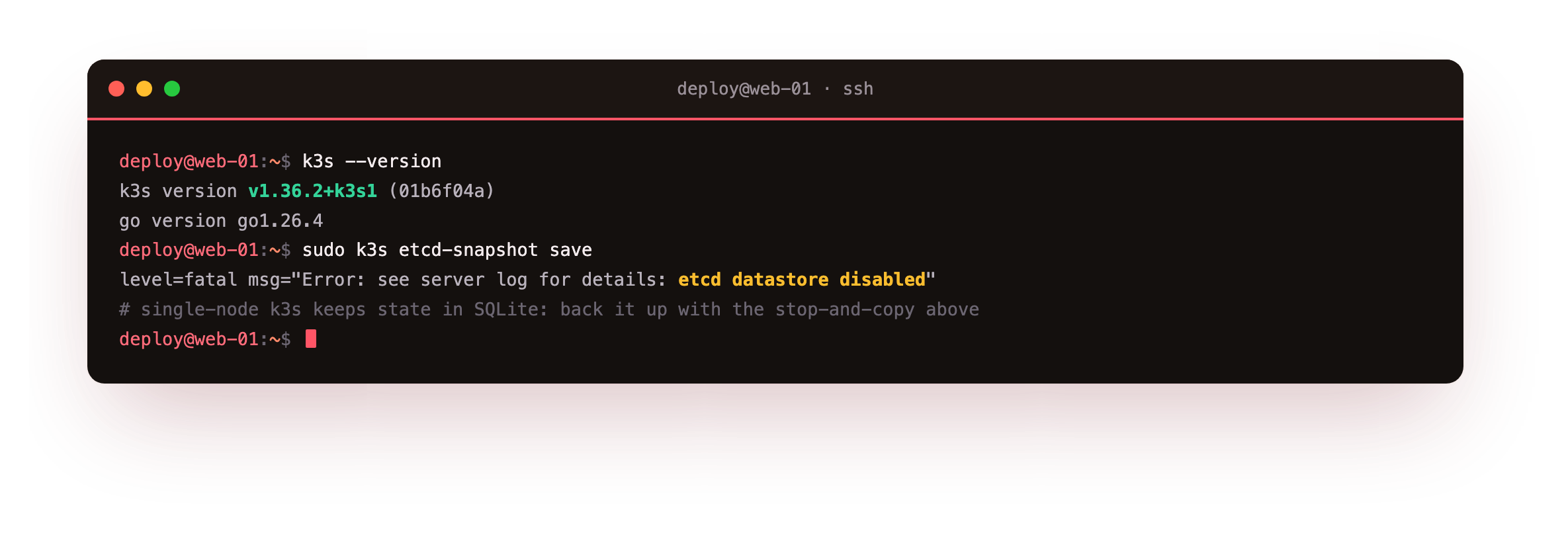
This prints the k3s version and the Go build it was compiled with. Upgrading is deliberately dull: you re-run the install script pinned to a newer release, or point it at a release channel, and the new binary replaces the old one while systemd restarts the service. Because your objects live in the datastore, not in the binary, the workloads come back as they were.
The discipline is to read the release notes for the target version, take a backup first, and upgrade one minor version at a time rather than jumping several.
Back up the datastore
A single-node k3s cluster does not run etcd. It keeps state in SQLite under /var/lib/rancher/k3s/server/db. The safe way to copy that is with the service briefly stopped, so the files are consistent.
sudo ls -lh /var/lib/rancher/k3s/server/db/
sudo systemctl stop k3s
sudo tar -czf /tmp/k3s-backup/k3s-backup-2026-07-22.tar.gz \
  -C /var/lib/rancher/k3s/server db token
sudo systemctl start k3s
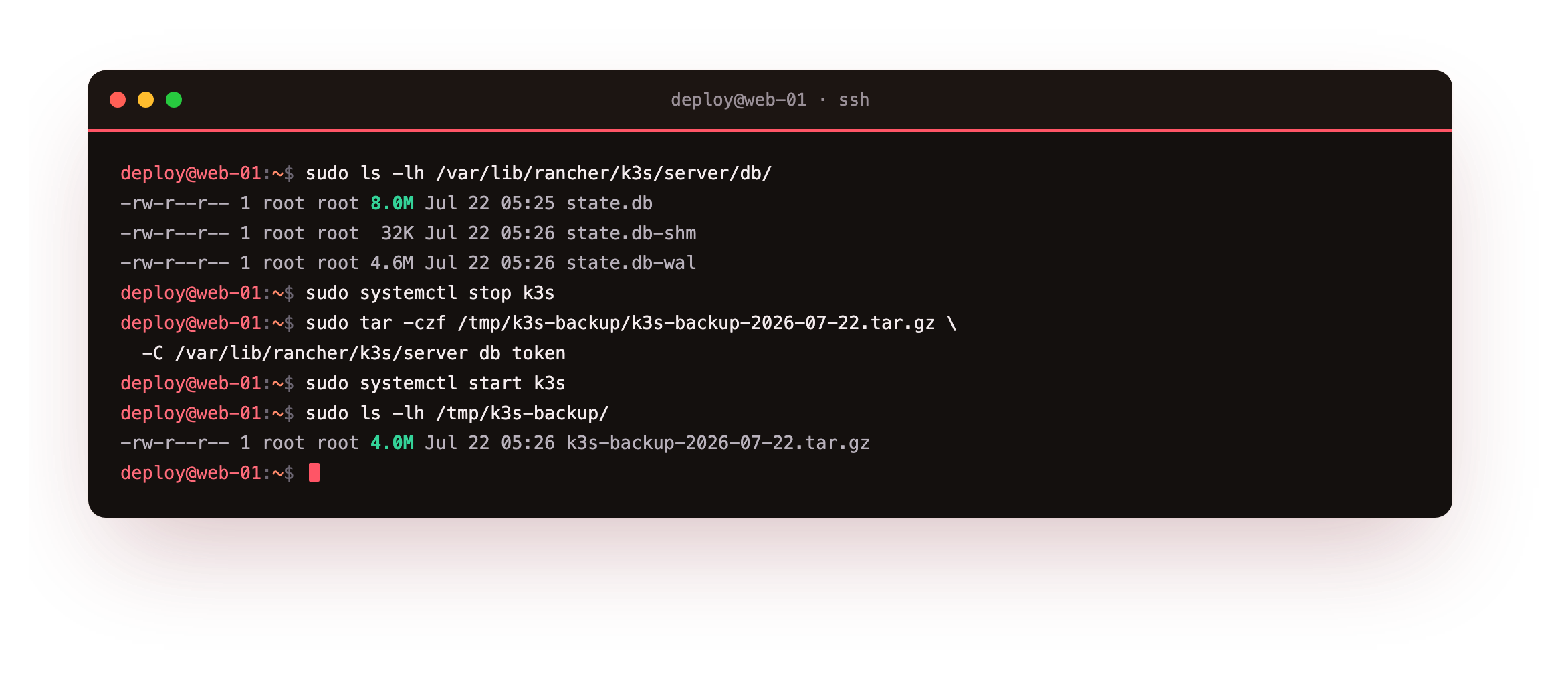
The listing shows state.db alongside its write-ahead log. Stopping k3s flushes those, the tar captures the datastore and the node token together, and starting the service brings the node back Ready within seconds. Restore is the reverse: stop k3s, extract the archive back into /var/lib/rancher/k3s/server, and start it again, and every object returns. Keep that archive off the node, because a backup that only lives on the machine it protects is not a backup.
You should end with a single archive on disk and the node back to Ready within seconds of the restart. Copy that archive somewhere off the slice now. A restore you have never rehearsed is a hope, not a plan.
Going further: why etcd-snapshot refuses to run
The k3s etcd-snapshot command exists, but it is for clusters that run embedded etcd, which you get by initialising with --cluster-init. On a default single node it refuses to run and reports that the etcd datastore is disabled, which is correct rather than a fault. For the SQLite setup, the stop-and-copy above is the backup path.
If you later grow to a multi-node control plane, you switch to etcd and its snapshot tooling, and the backup story changes with it. For one slice, SQLite and a nightly tar are enough.
Tear the node down cleanly
When a test cluster has served its purpose, remove it in full. The installer left an uninstall script that stops the service, deletes the data, and removes the binary and its systemd units.
/usr/local/bin/k3s-uninstall.sh
This leaves the host as it was before k3s: no cluster, no /var/lib/rancher/k3s, no leftover service. Anything else on the box, such as a separate Docker install or a web server on ports 80 and 443, is untouched, because k3s kept to its own files throughout and you kept its load balancer off those ports from the first command. A clean uninstall is part of running a cluster responsibly, especially on a shared or reused server.
Frequently asked questions
Why can I not use k3s etcd-snapshot on my node?
Because a default single-node k3s uses SQLite, not etcd. The snapshot command only works on clusters started with embedded etcd. On SQLite, back up by stopping the service and copying /var/lib/rancher/k3s/server/db and the token. Both paths give you a restorable copy of cluster state.
Will an upgrade delete my workloads?
No. Upgrading replaces the k3s binary and restarts the service, but your objects live in the datastore and return afterward. Still take a backup first and read the release notes, since occasionally a version changes a default. Upgrade one minor version at a time to keep changes small.
How often should I back up a single-node cluster?
Back up before every upgrade and on a schedule that matches how often your objects change, often daily. Because the datastore is small, a nightly stop-and-copy is cheap. Store the archive off the node so a disk failure does not take the backup with the cluster.
Does uninstalling k3s remove Docker or other services?
No. The uninstall script only removes k3s: its service, binary, and data directory. A Docker engine, a web server, or anything else on the host stays exactly as it was. k3s manages its own files and does not touch unrelated software.
What you have, and what comes next
You read live metrics with kubectl top, planned an upgrade around a backup, took a consistent copy of the SQLite datastore and knew how to restore it, then removed the cluster cleanly. That is the day-two loop that keeps a single-node cluster trustworthy.
This closes the series. You went from one install command on a bare slice to a self-healing, routed, configured, storage-backed cluster serving Beacon in a browser, all on one slice. Everything here scales up: the same YAML and the same commands run against a cluster of any size, so a single node is a real place to start.