A backup you have never restored is a hope
A mariadb backup has two halves, and almost everyone finishes only the first. Writing the dump is the easy half: one command, a file appears, the job feels done. The half that saves you is the restore, loading that file into a clean database and confirming the numbers match. This chapter does both on a live Ubuntu 24.04 server, then adds a physical backup and the idea behind point-in-time recovery.
- mysqldump writes a plain-SQL file of CREATE TABLE and INSERT statements you can read, grep, and restore into any MariaDB or MySQL.
- The only proof a backup works is restoring it into a fresh database and comparing row counts against production.
- mariabackup copies the InnoDB data files while the server runs, which restores faster than replaying a large SQL dump.
- Point-in-time recovery needs the binary log: a full backup plus every change since lets you stop at an exact moment.
Most backup stories end the same way. Someone set up a nightly dump, watched it produce a file, and moved on. Months later the data is gone, they reach for the backup, and the file is empty or the load fails on the first table. The command had run fine every night. Nobody had ever asked it to give the data back.
The fix is not a fancier tool. It is treating the restore as the real deliverable and the dump as a means to it. Once you have restored a backup and counted the rows, you know the difference between a file and a safety net. We will build a logical backup, prove it, then add a physical backup and the binary log as the database grows.
Let's build.
Prerequisites
- A running MariaDB on Ubuntu 24.04 with a shopdb database holding real tables, from the earlier chapters in this series.
- A sudo user allowed to run mariadb and mysqldump through the system root.
- A few tens of megabytes free in /tmp for the dump and the physical backup.
- Enough comfort with SQL to read a SELECT COUNT and a CREATE DATABASE.
Take a mariadb backup with mysqldump
Start with the logical backup, the one you reach for first. mysqldump connects to the running server, reads every table in the database you name, and writes the SQL that would rebuild it from nothing. Point it at shopdb and send the output to a file.
sudo mysqldump shopdb --result-file=/tmp/shopdb.sql
ls -lh /tmp/shopdb.sql
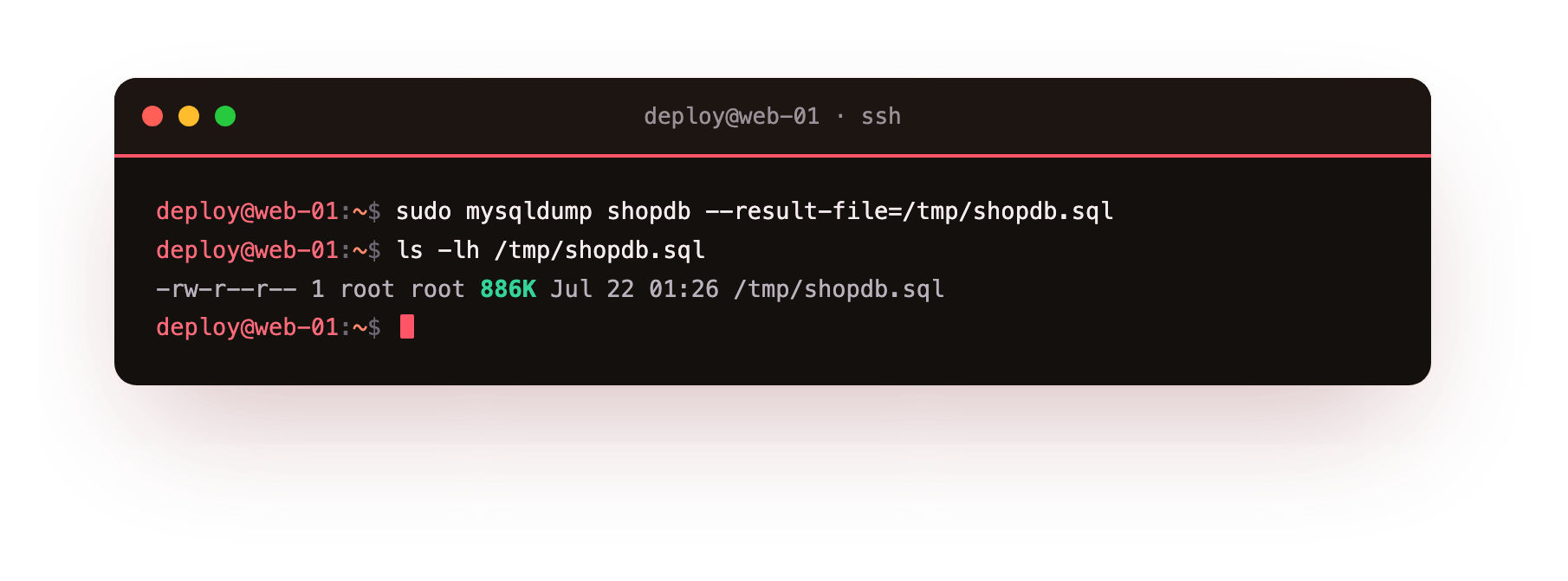
The file lands at 886K. Open it and you find plain text: a CREATE TABLE for each table, followed by INSERT statements carrying every row. That readability is the strength of a logical dump. It restores into any MariaDB or MySQL, you can grep it, and you can edit it before loading. The cost is size and speed, which start to matter as the database grows.
The restore is the half that saves you
Here is the step the pattern skips. A dump file on disk tells you a command ran, not that the data inside is complete and loadable. The way to know is to restore it somewhere safe and count. Create a throwaway database, load the dump into it, then compare the row counts against production.
sudo mariadb -e "CREATE DATABASE shopdb_restore_test;"
sudo mariadb shopdb_restore_test < /tmp/shopdb.sql
sudo mariadb shopdb_restore_test -e "SELECT (SELECT COUNT(*) FROM customers) AS customers, (SELECT COUNT(*) FROM orders) AS orders;"
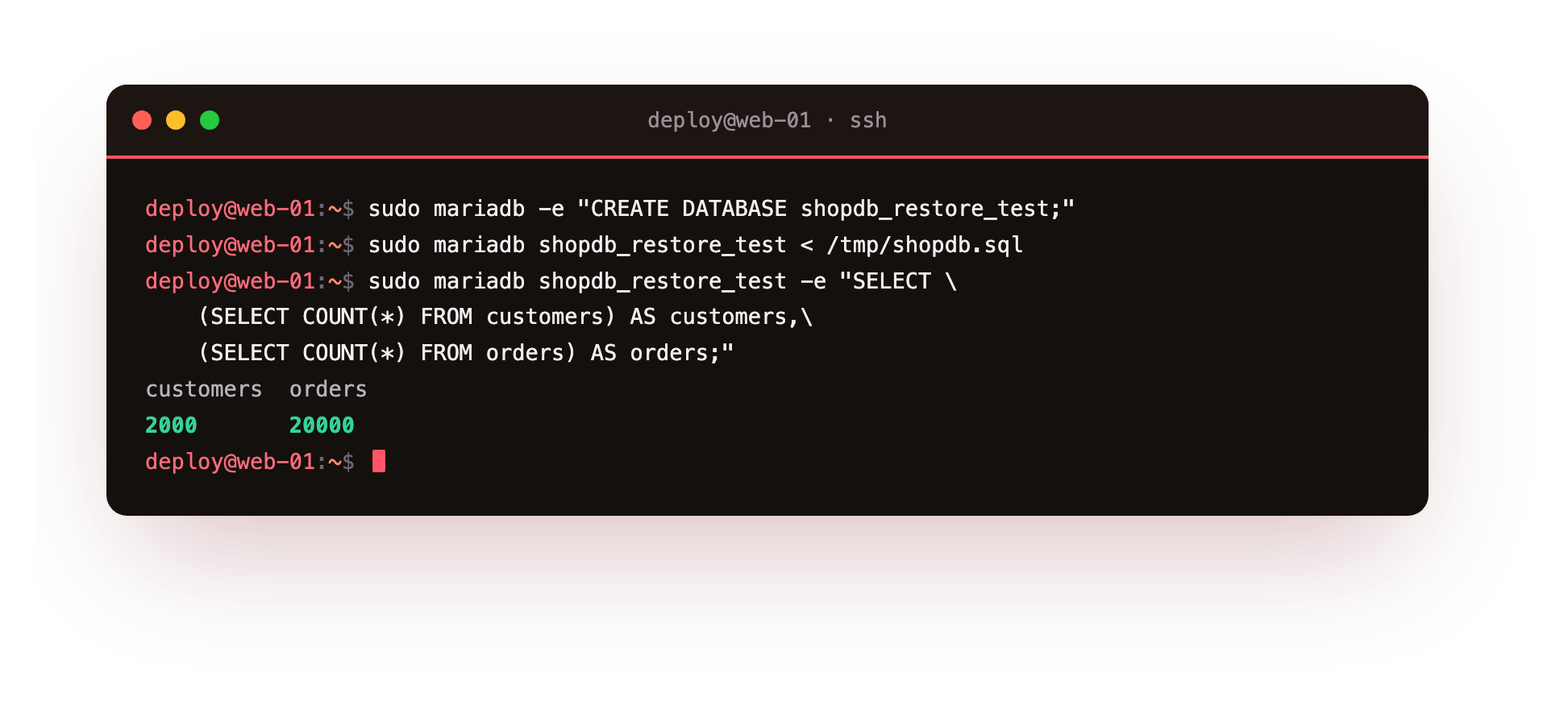
The restored database reports 2000 customers and 20000 orders, the same counts production carries. Now the backup has earned the name. A backup you have never restored is a hope, not a backup: the file might be truncated, the dump might have raced a running write, the disk might have lied. Restoring into a clean database and matching the counts is the only proof, and it costs a minute.
The two counts from the restored database should match what production reports for the same tables. If a count comes back short or the load stops with an error partway, treat the dump as bad and take a fresh one before you rely on it, because a backup that restores incomplete is worse than knowing you have none.
A physical backup with mariabackup
mysqldump is right until the database gets big. Replaying millions of INSERT statements one at a time is slow, and the dump can take longer than your backup window allows. Then you switch to a physical backup, which copies the data files directly. On MariaDB that tool is mariabackup, the project's fork of Percona XtraBackup. Install it and run a full backup into a target directory.
sudo apt install -y mariadb-backup
sudo mariabackup --backup --target-dir=/tmp/mariabackup
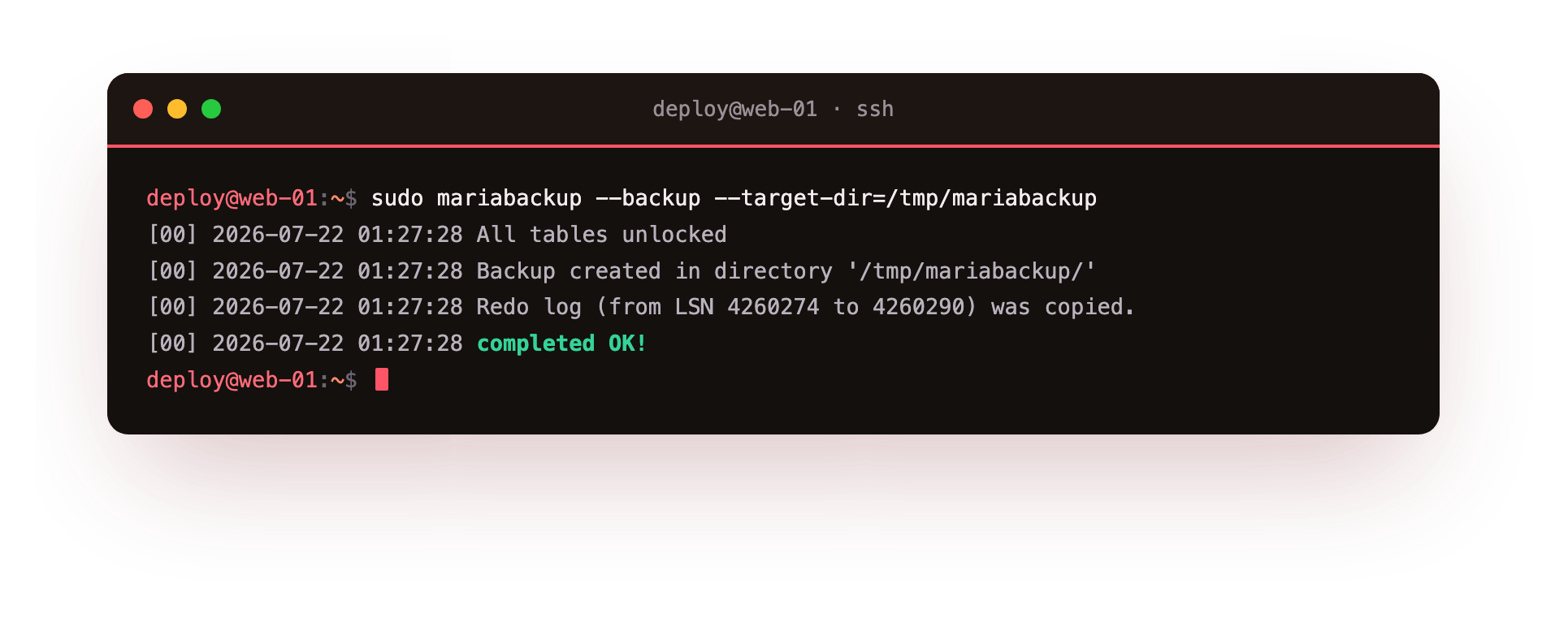
The run ends with Backup created in directory '/tmp/mariabackup/', a note that the redo log from LSN 4260274 to 4260290 was copied, and completed OK!. The directory comes to about 33M and holds a physical copy of the InnoDB data files, not SQL. Because mariabackup reads the files while the server keeps serving traffic and captures the redo log to stay consistent, a restore is a file copy rather than a replay. On a large database that is the difference between minutes and hours.
Point-in-time recovery and the binary log
A full backup taken at 02:00 gets you back to 02:00. If a bad query runs at 10:42 and you only notice at 11:00, restoring last night's dump loses the whole morning. Point-in-time recovery closes that gap, and it depends on one setting. Ask the server whether the binary log is on.
sudo mariadb -e "SHOW VARIABLES LIKE 'log_bin';"
Here log_bin reports OFF, the default on a fresh install. With the binary log enabled the server records every change as it happens, so you keep a full backup plus the running stream of edits since. To recover to 10:42 you restore the last full backup and replay the binary log up to that exact second, stopping just before the bad query. The binary log is also what feeds a replica, so we turn it on in the next chapter.
Make backups a routine, not a rescue
Three habits turn these commands into a real safety net. Schedule the dump so it runs without you: a nightly cron entry or a systemd timer that calls mysqldump and writes a dated file. Copy every backup off the server, because a dump sitting on the same disk as the database dies with it. Object storage on another network is the usual home.
The third habit is the one this chapter is built around: test a restore on a schedule, not only during an incident. A monthly job that loads the latest dump into a scratch database and checks the row counts catches a silent failure long before you need the data. The wider plan for offsite copies and recovery drills lives in the backups and disaster recovery guide.
Troubleshooting backups and restores
mysqldump warns about tables changing during the dump. On a busy InnoDB database add --single-transaction, which takes the dump inside one consistent read and avoids locking every table. It gives you a clean snapshot without blocking writes for the length of the run.
The restore stops partway with a foreign key error. A dump loaded out of order can reference a table that does not exist yet. mysqldump normally disables key checks inside the file, so if you hit this, confirm you loaded the whole dump and did not truncate it while copying.
mariabackup cannot read the data directory. It reads the live data files, so run it through sudo as a user that can reach /var/lib/mysql. A permission error here almost always means it ran without the rights the server holds.
The dump file is far smaller than expected. A few hundred bytes usually means the dump failed early, often a wrong database name or a denied login. Check the exit status, not just that a file appeared, which is the silent failure a scheduled restore test would surface.
Frequently asked questions
Should I use mysqldump or mariabackup?
Use mysqldump while a dump and restore finish inside your maintenance window. The file is portable and readable. Move to mariabackup once a logical restore takes too long, because copying the data files and replaying only the redo log restores a large database far quicker.
Can I restore a mysqldump file onto MySQL instead of MariaDB?
In most cases yes, because the dump is plain SQL and the two engines share the same core syntax. Differences show up around engine-specific options and newer data types, so test the restore on the target version before you rely on it rather than assuming it loads clean.
Does mysqldump lock my tables while it runs?
By default it can, which stalls writes on a busy server. Add `--single-transaction` for InnoDB tables and the dump runs inside one consistent read with no table locks. That flag is the standard choice for backing up a live production database without an outage.
How often should I test a restore?
Test on a fixed schedule, not only after something breaks. A monthly automated restore into a scratch database with a row-count check is enough for most small servers. The point is to find a bad backup during a quiet Tuesday, not during the outage you took the backup to survive.
What you have, and what comes next
You can now take a logical backup with mysqldump, prove it by restoring into a clean database and matching row counts, and reach for mariabackup when a dump grows too slow. You also know what the binary log adds. That is a backup you have tested, which is the only kind worth keeping.
The binary log we found switched off does more than power recovery. Turned on, it is the stream a second server reads to stay in step with this one. The next chapter, Replication: Primary to Replica, enables it and builds a replica that copies every change as it happens, giving you a warm standby and a place to send reads.