Five controls that stand between your data and a bad day
Good MariaDB security on a production box is not one setting you flip. It is a short checklist you can run and then verify: keep the server on loopback, encrypt connections with TLS, require that encryption for the accounts that hold data, put a firewall in front of the port, and stop the server following symbolic links. Every item below runs on a live Ubuntu 24.04 server, and each one ends in a command that proves it worked rather than a claim that it did.
- bind-address = 127.0.0.1 keeps the listener on loopback, so no host off the box can reach port 3306.
- An account marked REQUIRE SSL is refused even with the correct password when the connection is not encrypted.
- A ufw deny rule on 3306 is defense in depth: it still holds if the bind address is ever widened by mistake.
- skip-symbolic-links makes have_symlink read DISABLED, closing an old trick where a symlink redirects a table file.
By this point in the series the database is installed, scoped to least privilege, indexed, backed up, replicated, pooled, and monitored. What is left is the outer shell: the network path in, and the encryption on the wire. These are the controls an attacker meets first, so they are worth proving one at a time.
None of this is exotic. It is five settings, two of which live in a single config file, and each has a matching check you run on the server. We treat a control as done only after the server demonstrates it.
Let's build.
Prerequisites
- An Ubuntu 24.04 LTS server with MariaDB 10.11 installed and hardened per part 1 of this series.
- sudo access to write files under /etc/mysql/mariadb.conf.d and to restart the mariadb service.
- openssl on the box, which Ubuntu 24.04 ships by default, to generate the certificates.
- The shopdb database and an application account from the earlier chapters, so there is something real to protect.
Encrypt the connection and pin it to loopback
TLS needs certificates. Create the directory /etc/mysql/ssl. With openssl you generate a self-signed certificate authority, then a server key and a certificate signed by that CA, all written into that directory. The commands are the standard openssl req and openssl x509 pair, run a few times: one CA, then one server certificate.
Two details decide whether MariaDB can use them. Change ownership of /etc/mysql/ssl to the mysql user so the server can read the files, and chmod 600 the private keys so no other account can. Then name the files in a config drop-in and restart the service.
[mariadb]
bind-address = 127.0.0.1
skip-symbolic-links
ssl-ca   = /etc/mysql/ssl/ca-cert.pem
ssl-cert = /etc/mysql/ssl/server-cert.pem
ssl-key  = /etc/mysql/ssl/server-key.pem
Save this as /etc/mysql/mariadb.conf.d/70-security.cnf. The bind-address line keeps the listener on 127.0.0.1. The skip-symbolic-links line tells the server not to follow symbolic links for its data files, which closes a path where a symlink points a table file somewhere it should not sit. The three ssl- lines name the CA, the server certificate, and its private key, and that is what turns TLS on. Restart with sudo systemctl restart mariadb.
Require TLS for the application account
Encryption protects the wire. It does not decide what an account can do once connected, and that stays the job of the least privilege model from chapter 2: the application logs in as a user holding only the grants its work needs, never a blanket GRANT ALL. We keep that model and add a TLS requirement on top of it.
CREATE USER 'secure_app'@'127.0.0.1' IDENTIFIED BY 'a-strong-password' REQUIRE SSL;
GRANT SELECT ON shopdb.* TO 'secure_app'@'127.0.0.1';
FLUSH PRIVILEGES;
REQUIRE SSL is the new part. With it set, MariaDB refuses the secure_app account unless the connection is encrypted. A correct username and a correct password are not enough on their own. The grant itself stays narrow: SELECT on shopdb and nothing else, which is the least privilege posture carried forward, now paired with mandatory TLS.
Prove the MariaDB security controls hold
First confirm the server itself has TLS enabled, then connect as secure_app over TLS and read back the cipher that the session negotiated.
sudo mariadb -e "SHOW VARIABLES LIKE 'have_ssl';"
mariadb -u secure_app -p -h 127.0.0.1 --protocol=tcp --ssl -e "SHOW SESSION STATUS LIKE 'Ssl_cipher';"
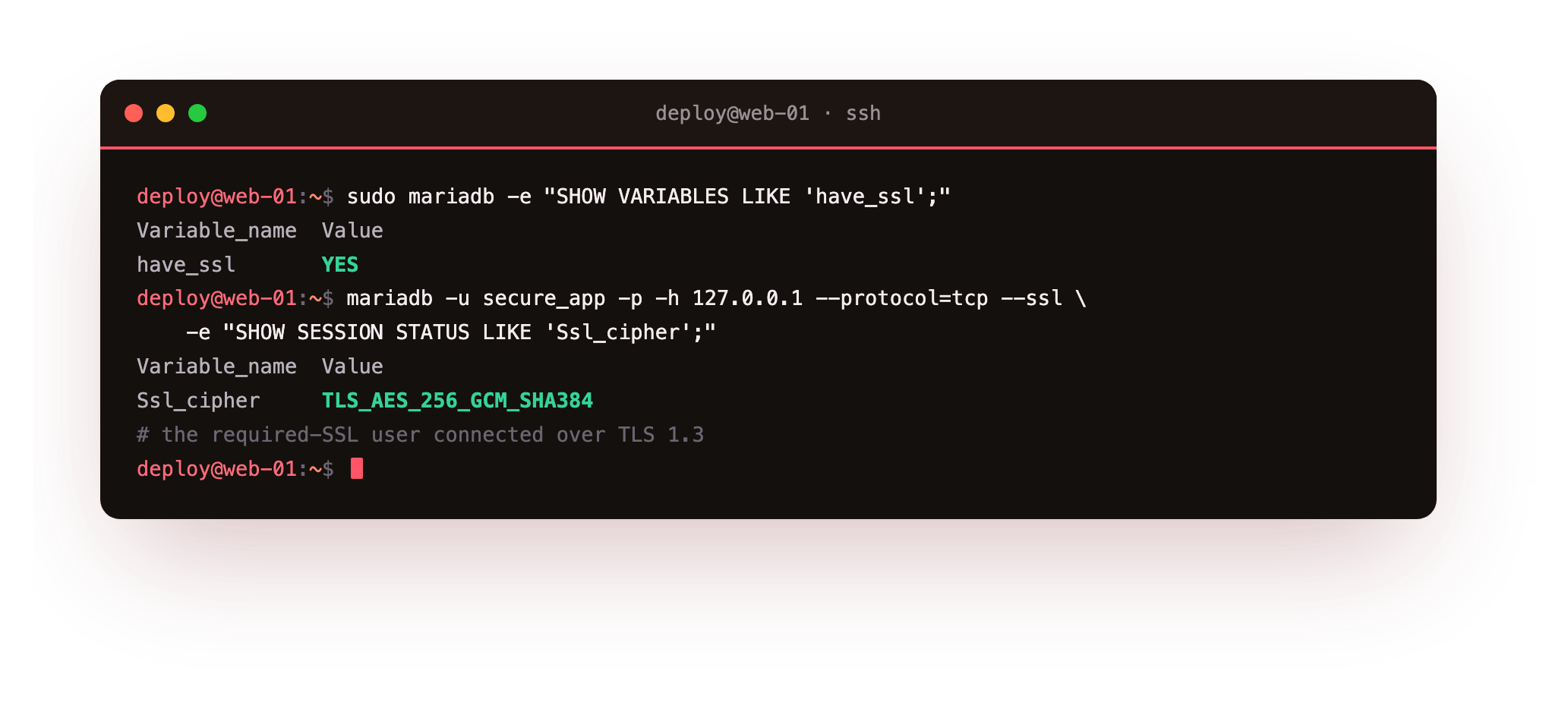
have_ssl reports YES, which means the certificates loaded and the restart took. The secure_app session, made with --ssl, reports Ssl_cipher = TLS_AES_256_GCM_SHA384. That is a TLS 1.3 cipher, so the connection is genuinely encrypted, not merely allowed to proceed unprotected.
Now prove the control bites. Use the same correct credentials, but tell the client to skip TLS with --skip-ssl, which is what a misconfigured or hostile client would do.
mariadb -u secure_app -p -h 127.0.0.1 -P 3306 --protocol=tcp --skip-ssl -e "SELECT 1;"
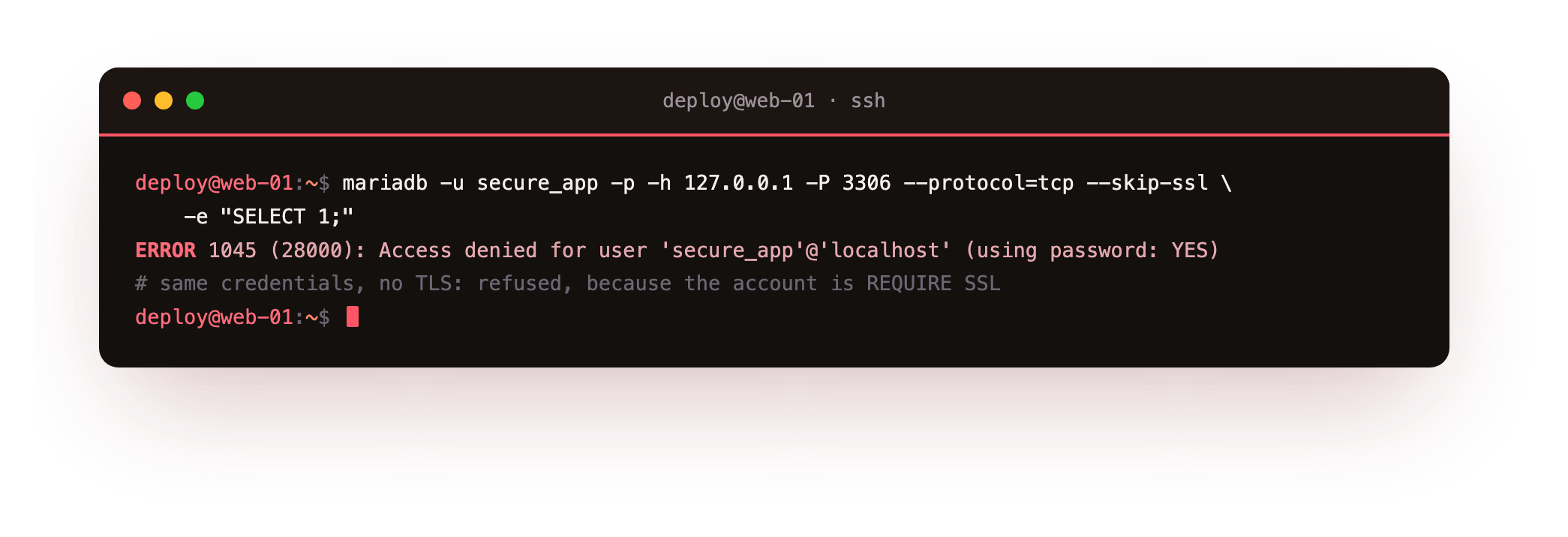
The server answers ERROR 1045 (28000): Access denied for user 'secure_app'@'localhost' (using password: YES). The password is right. The account is refused because it is REQUIRE SSL and this connection was not encrypted. A denied login here is the control working, not a fault to fix.
The --ssl session should report a real cipher, and the --skip-ssl session with the same password should be refused. If the unencrypted attempt connects anyway, the REQUIRE SSL clause did not take, so confirm you tested over --protocol=tcp rather than the local socket and that the account host matches the one you created.
Bind, firewall, and the symlink trick
Two controls remain: confirm the bind address, put a firewall in front of the port, and check the symlink setting the config turned off.
sudo mariadb -e "SHOW VARIABLES LIKE 'bind_address';"
sudo ss -tlnp | grep 3306
sudo ufw deny 3306/tcp
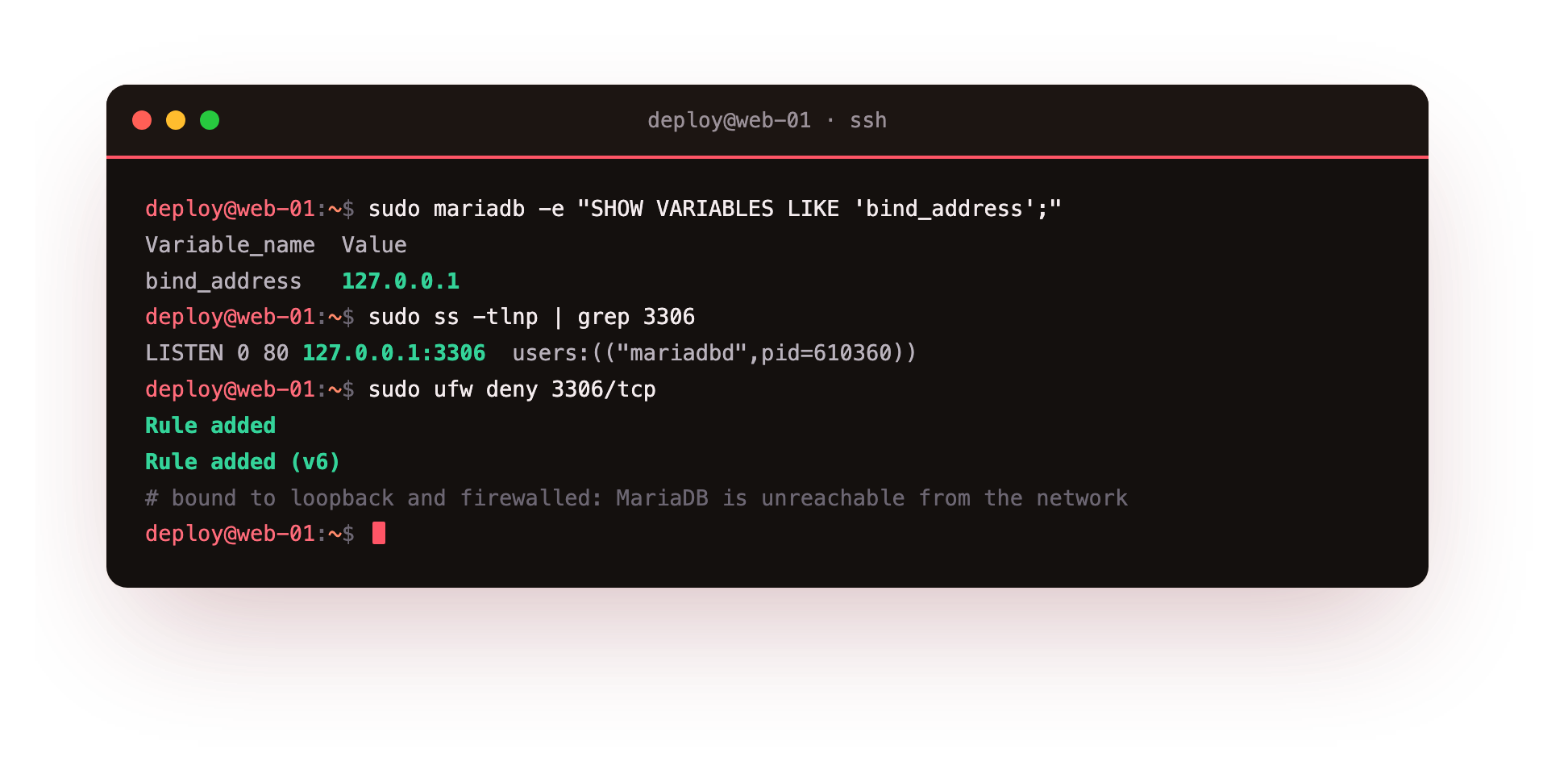
bind_address reads 127.0.0.1, and ss shows the listener only on 127.0.0.1:3306, so nothing off the box can reach MariaDB. The ufw deny rule prints Rule added and Rule added (v6), which is defense in depth: if a later edit widens bind-address by accident, the firewall still refuses 3306 from outside. And because skip-symbolic-links is set, have_symlink reads DISABLED, so the symlink file trick is closed as well.
Troubleshooting MariaDB security
have_ssl reports NO after the restart. The server could not read the certificate files. Check that /etc/mysql/ssl and its contents are owned by the mysql user and that the key is chmod 600, then read /var/log/mysql/error.log for the exact file it rejected. A wrong path in the config is the usual cause.
The service will not start after adding the drop-in. A typo or a bad path in 70-security.cnf stops MariaDB cold. Run sudo journalctl -u mariadb and check the error log. Fix the offending line, or move the file aside to confirm it is the cause, then restart.
secure_app connects without --ssl anyway. The REQUIRE SSL clause did not apply, often because FLUSH PRIVILEGES was skipped or the client matched a different host entry. Re-run the CREATE USER, confirm the account host is 127.0.0.1, and test with --protocol=tcp so you are not silently using the local socket.
ufw deny appears to do nothing. If ufw is inactive, rules are stored but not enforced. Check sudo ufw status, and enable the firewall only after you have an allow rule for SSH so you do not lock yourself out. Loopback traffic to 3306 keeps working regardless.
Frequently asked questions
Do I need TLS if MariaDB only listens on 127.0.0.1?
On a single box where every client is local, loopback traffic never leaves the machine, so the encryption gain is small. TLS becomes important the moment a connection crosses hosts, to an app server or a replica. Setting it up on loopback first, as we did here, means the pattern is ready before you widen the bind.
What is the difference between REQUIRE SSL and REQUIRE X509?
REQUIRE SSL forces the connection to be encrypted but accepts any valid TLS session. REQUIRE X509 goes further and demands the client present a certificate the server trusts, which authenticates the client as well as encrypting the link. X509 suits cross-host accounts where you control both certificates.
Can I force TLS for every account at once?
Yes. Setting require_secure_transport = ON in the config makes the server reject any unencrypted connection regardless of per-account rules. It is stricter than tagging individual accounts, so test it against every client first, since a single tool that cannot do TLS will stop connecting.
Does binding to 127.0.0.1 replace the firewall rule?
No, and that is the point of keeping both. The bind decides which address the server listens on, while the firewall rule blocks the port independently. If a future config change or a bug widens the bind, the ufw deny rule is the second layer that still refuses outside traffic.
The series, end to end
You now have a MariaDB on Ubuntu 24.04 that is installed and secured, scoped to least privilege, indexed for the queries it runs, backed up and tested for restore, replicated to a second server, fronted by a connection pool, watched by monitoring, and hardened at the network and transport layer. Each of those was proven on a live server with a command, not accepted on trust. That is a database you can put real traffic on and sleep through the night.
There is no next chapter here, because the database layer is complete. The layer underneath it, the operating system, deserves the same treatment. For the host itself, our SSH, firewall, and account guide at /guides/linux-server-hardening covers the ground below the database with the same run-it-and-verify approach. Harden the box, and the database you just secured has solid ground to stand on.