Where your server's address lives
Every Ubuntu server talks to the network through at least one interface, and on most cloud machines that interface is named eth0. The linux ip command is the direct way to see what address that interface holds, whether it is up, and how traffic leaves the box. The ip command ships as part of the iproute2 package, which is installed by default, so you can run these checks on a fresh server without adding anything.
- The `ip` command reads addresses, links, and routes from one tool; `ifconfig` is not installed on Ubuntu 24.04.
- `ip -br addr show eth0` prints a one-line summary of an interface's state and its IP addresses.
- An interface can hold an address while its link is down, so check the address and `ip link` state separately.
- `ip route` shows the default gateway that off-subnet traffic leaves through.
An interface is the software name for a network connection. It can map to a physical port, a virtual adapter, or a tunnel. The interface carries the server's IP address, so when someone connects to your site, they are really reaching an address bound to eth0. You can list that address in one line.
Reading the brief view
ip -br addr show eth0
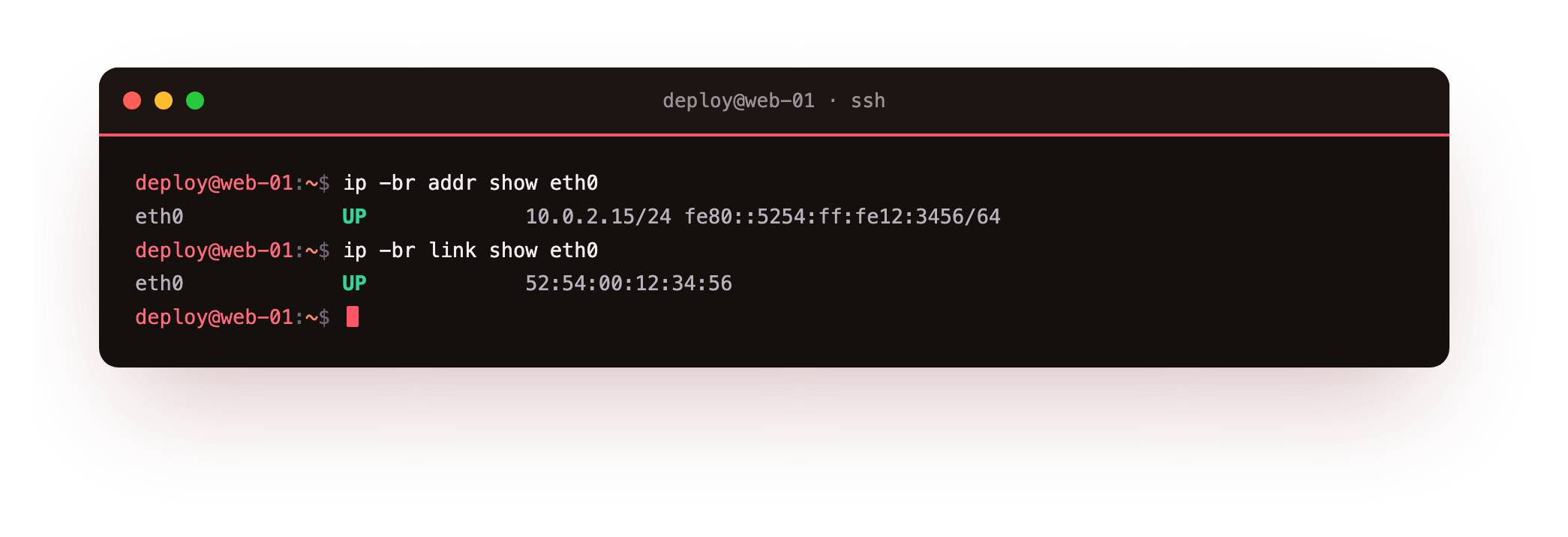
The -br flag means brief. It prints one line per interface instead of the longer default block. The word addr asks for address information, and show eth0 limits the output to the interface named eth0. On a typical server this line shows the interface name, its state (UP or DOWN), and the addresses assigned to it.
You will usually see two kinds of address on that line:
- An IPv4 address such as 10.0.2.15, written with a
/24suffix that states the subnet size. - An IPv6 address, often starting with
fe80::, which is a link-local address the kernel assigns on its own.
If you drop the -br flag and run ip addr show eth0, you get the full view, which also prints the hardware MAC address on the link/ether line. The MAC is the fixed 48-bit identifier assigned to the adapter. DNS and routing work on IP addresses, but the local network segment uses the MAC to deliver frames to the right adapter.
How do you check whether a link is up?
Address and link state are separate ideas. An interface can hold an address while the link itself is down, which means no traffic will pass. The linux ip command reports link state through ip link show eth0, which prints the layer-2 state without the address clutter.
Look for the word UP inside the angle brackets and for state UP later on the same line. If you see state DOWN, the kernel will not send or receive on that interface, and you would bring it up with sudo ip link set eth0 up. The sudo is required because changing link state is a system change.
Following the default route
Having an address is not enough. Your server also needs to know where to send traffic that is not on its own subnet. That job belongs to the routing table, and the linux ip command reads it with one short call.
ip route
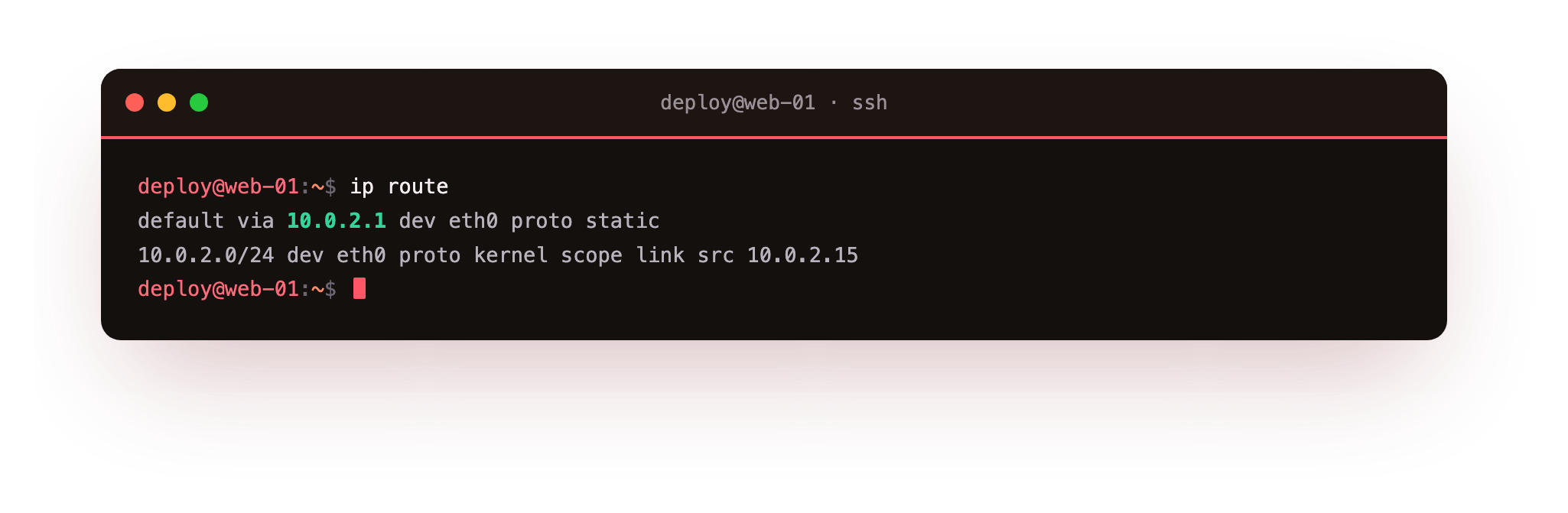
This prints the kernel routing table. Two lines matter most:
- The line starting with
default vianames the default gateway, the next hop for any destination the server has no more specific route for. On many setups this points at an address like 10.0.2.2. - A line such as
10.0.2.0/24 dev eth0describes the local subnet, meaning any address in that range is reachable directly on eth0 without going through the gateway.
The word via means send it to this next hop, and dev eth0 means send it out through this device. Reading these two lines tells you both how local traffic flows and how the server reaches the wider internet.
Why the linux ip command replaced ifconfig
If you have used Linux for a while, you may reach for ifconfig out of habit. On Ubuntu 24.04 that command is not installed by default, and the net-tools package it belongs to is deprecated. It has not tracked newer kernel features, and it can report incomplete information on interfaces that hold more than one address. The ip command took over its job and covers addresses, links, and routes from one tool. Sticking to the linux ip command keeps your habits current and your output accurate.
Here is a quick map of which subcommand answers which question:
| Question | Command |
|---|---|
| What address does eth0 hold? | ip -br addr show eth0 |
| Is the link up or down? | ip link show eth0 |
| Where does traffic go by default? | ip route |
Troubleshooting interface and route problems
ip -br addr show eth0 prints nothing or reports "Device not found". The interface is not named eth0 on this machine. Many cloud images use names like ens3 or enp1s0. Run ip -br addr with no interface name to list every interface, then use the name you actually see.
The interface shows state DOWN. The link is administratively down and no traffic passes even if an address is assigned. Bring it up with sudo ip link set eth0 up and re-check. If it drops again after a reboot, fix the persistent configuration in netplan under /etc/netplan/, not with the live ip command.
ip route shows no default via line. The server has no default gateway, so it can reach its own subnet but nothing beyond it. Confirm the gateway address with your provider and check the netplan YAML that should set it.
Frequently asked questions
Why does my interface show two IPv6 addresses?
One is usually the fe80:: link-local address the kernel assigns on its own, valid only on the local segment. The other is a routable address from your provider or from SLAAC. Seeing both is normal.
Are changes made with the ip command permanent?
No. ip link set and ip addr add change the live kernel state only and are lost on reboot. To make an address or route permanent on Ubuntu 24.04, edit the netplan YAML under /etc/netplan/ and run sudo netplan apply.
What does the /24 after an IP address mean?
It is the prefix length, the number of bits that identify the subnet. /24 marks the first 24 bits as the network, leaving 256 addresses in the range, so an address like 10.0.2.15/24 shares its subnet with the other addresses in 10.0.2.0/24.
Do I need sudo to read addresses and routes?
No. ip addr, ip link show, and ip route read state without root. You only need sudo to change something, such as bringing a link up or adding an address.
Recap
An interface such as eth0 carries your server's IP address, and the ip command reads every part of that setup. Use ip -br addr show eth0 for a one-line address summary, ip addr show eth0 for the full view including the MAC, ip link show eth0 for up or down state, and ip route for the default gateway and local subnet. Leave ifconfig behind, since the ip command is the current and complete tool for the job.