Stopping one package from moving
apt-mark hold and pin are the two ways to stop a routine upgrade from moving a package you need to keep. A hold freezes one package at its installed version, and a pin uses apt's priority rules to prefer a specific version or repository.
- apt-mark hold freezes a package at its installed version; apt-mark unhold releases it, and apt-mark showhold lists what is frozen.
- A held package shows as "kept back" on a routine upgrade, which is apt deliberately leaving it alone, not an error.
- apt policy shows the installed version, the candidate version, and each repository's priority, which is how apt decides what to install.
- For finer control, files in /etc/apt/preferences.d/ pin a specific version or source by priority; a frozen package stops receiving updates, so always leave a note.
A routine sudo apt upgrade walks through every installed package and moves it to the newest version the repositories offer. Most of the time that is exactly what you want. Now and then it is not: a database engine you have tuned for a specific release, a kernel that a driver is built against, or a tool whose new version changed a flag your scripts depend on.
This is where apt-mark hold and pin come in, the two mechanisms Ubuntu gives you to say "upgrade everything except this one". I will use the tree package as a stand-in for whatever real package you need to freeze.
What does a hold do?
apt-mark sets and reads flags on packages in the dpkg database. The hold flag is the simplest of them. When a package is held, apt refuses to upgrade it, and by default refuses to remove it, during any routine operation. The package stays exactly where it is until you release it. Nothing else is affected: the rest of your apt upgrade runs as normal, and only the held package is skipped.
Three subcommands cover the whole cycle:
apt-mark hold <package>sets the hold. This needs sudo, because it changes system state.apt-mark unhold <package>removes the hold and lets the package upgrade again on the next run.apt-mark showholdlists every package currently held. It needs no sudo, because it only reads.
Set a hold on tree, confirm it is listed, then look at the versions in play:
sudo apt-mark hold tree
apt-mark showhold
apt policy tree
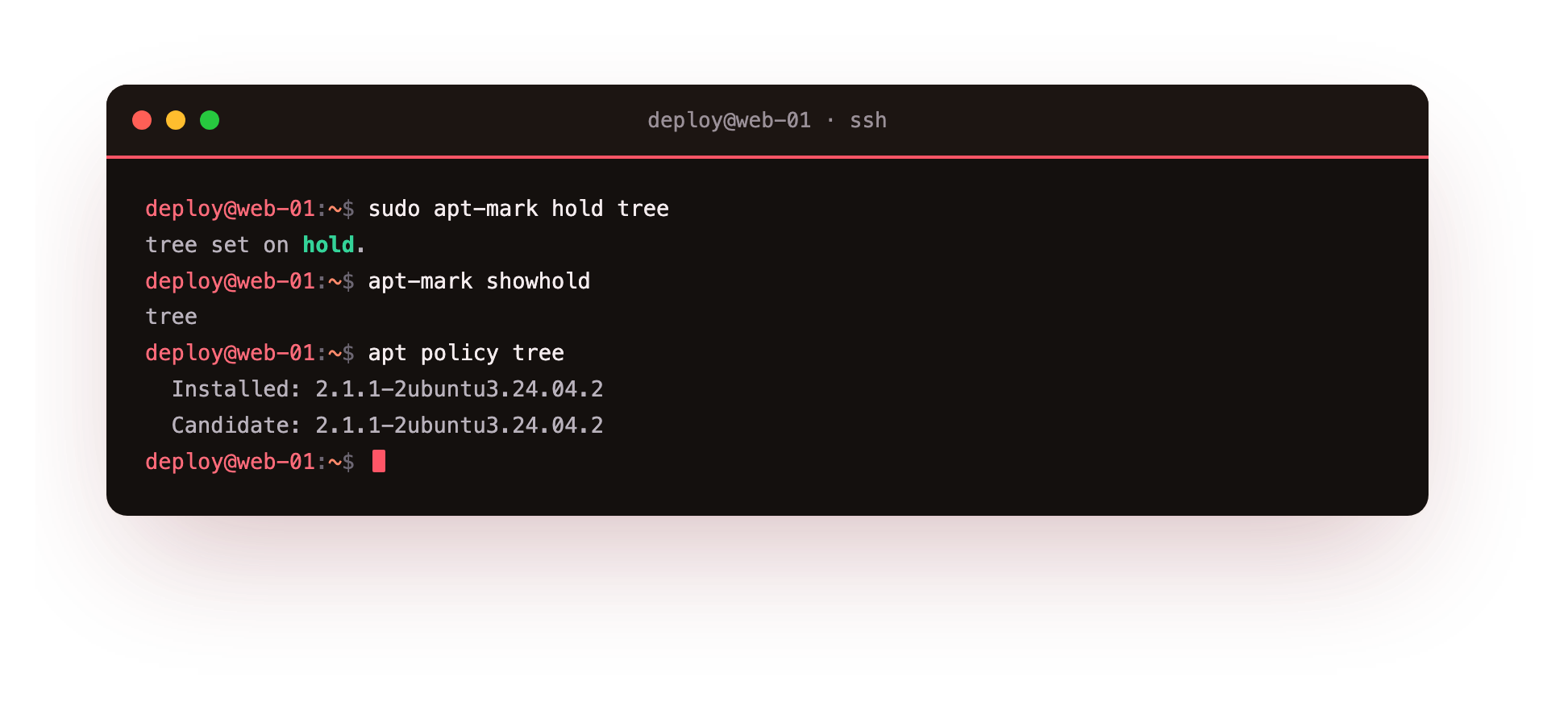
The first line marks tree as held and prints a short confirmation. apt-mark showhold then lists the held packages, and you should see tree in that list. Once a hold is set, a later apt upgrade will report tree under "kept back" rather than upgrading it, which is apt telling you it is deliberately leaving that package alone.
Reading apt policy
apt policy tree is worth understanding on its own, because it is the command that tells you what apt is thinking. It prints three things:
- Installed: the version of
treeon the disk right now. - Candidate: the version apt would install if you ran an upgrade. When these two match, there is nothing to upgrade to.
- The version table: each available version, the number in front of it being the priority, and the repository it comes from.
Those priority numbers are how apt chooses between two repositories that both offer the same package. A higher number wins. A stock Ubuntu 24.04 system gives the main archive a priority of 500, and that is the figure you will see next to most packages. When you understand apt-mark hold and pin, apt policy is the window that shows you the result of both.
Finer pinning with preferences
A hold is blunt: it freezes a package at whatever version is installed, full stop. Pinning is the finer tool. By dropping a file into /etc/apt/preferences.d/, you tell apt to prefer a particular version, or a particular repository, using those same priority numbers. A file that gives one repository a priority of 1001 forces packages from it even if that means a downgrade, and a priority below 0 blocks a source entirely.
For example, you might pin a single package to a vendor repository while leaving everything else on the Ubuntu archive. Each rule names the package, the version or origin, and the priority. Keep these files small and commented, because six months later you will want to know why a package is frozen.
When to reach for apt-mark hold and pin
Holding and pinning solve a real problem, but a held package is a package that stops getting security updates. That trade is the whole decision. Reach for apt-mark hold and pin when:
- A specific version is a hard requirement, for example an application certified against one database release.
- You need to stage an upgrade, holding a package until you have tested the new version elsewhere.
- A bad upgrade shipped, and you are freezing the working version until a fix lands.
Do not use it as a way to avoid maintenance. A hold with no note and no end date is how a server ends up two years behind on a package nobody remembers freezing. Set the hold, write down why, and put a reminder to revisit it. When the reason is gone, apt-mark unhold puts the package back in the normal flow.
Troubleshooting holds and pins
A held package shows under "kept back" on every upgrade. That is expected rather than an error: apt is telling you it is deliberately leaving the held package alone. Confirm it with apt-mark showhold, and run sudo apt-mark unhold <package> when you want it upgrading again.
A pin file in /etc/apt/preferences.d/ seems to be ignored. apt silently skips a preferences file whose syntax it cannot parse. Check the field names (Package, Pin, Pin-Priority), then confirm the result with apt policy <package>, which shows the priority apt actually applied.
A held package was upgraded anyway. apt-mark hold blocks routine upgrades, but running apt install <package> explicitly, or a dependency pulling it in, can still move it. Re-check with apt-mark showhold and re-apply the hold if it was dropped.
Frequently asked questions
Does a held package still receive security updates?
No. A hold freezes the package at its installed version, which means security fixes for it are skipped too. That trade-off is the whole decision, so hold deliberately, note why, and revisit it rather than leaving a package frozen indefinitely.
What is the difference between apt-mark hold and pinning in preferences.d?
A hold is blunt: it freezes a package at whatever version is installed. A pin is finer: a file in /etc/apt/preferences.d/ uses priority numbers to prefer a specific version or repository, and can even force a downgrade or block a source entirely.
How do I see everything that is currently held?
Run apt-mark showhold. It lists every held package and needs no sudo because it only reads. To see the versions and priorities in play for one package, use apt policy followed by the package name.
Does apt-mark hold survive a reboot or a release upgrade?
The hold flag is stored in the dpkg database, so it survives reboots. A major release upgrade may clear holds so it can move the whole system forward, so check apt-mark showhold after one and re-apply anything you still need frozen.
Recap
A routine upgrade moves every package to its newest version, and apt-mark hold and pin are how you make exceptions. apt-mark hold freezes a package, apt-mark unhold releases it, and apt-mark showhold lists what is currently frozen. apt policy shows the installed version, the candidate version, and the priority of each repository, which is how apt decides what to install. For finer control, files in /etc/apt/preferences.d/ pin specific versions or sources by priority. Hold and pin deliberately, always with a note, because a frozen package is one that stops receiving updates.