snap and flatpak on Ubuntu: two other ways to install software
apt is not the only way to get software onto an Ubuntu machine. Two newer systems, snap and flatpak on Ubuntu, take a different approach: instead of installing a program that shares the system's libraries, they ship the program together with its own copy of everything it needs and run it in a sandbox.
- snap and flatpak bundle an application with its own libraries and run it in a sandbox, unlike an apt package that shares system libraries.
- Both update themselves and offer channels from stable to edge, letting you choose how new a release you accept.
- Drive snaps with snap list, snap find, and sudo snap install, and check the system with snap version.
- On a server you want small packages and control over update timing, so apt is usually the better choice and these two are the exception.
This chapter explains how they work, the commands to drive snap, and why on a server apt is often still the right choice. You are logged in as deploy on Ubuntu 24.04, where snap is installed out of the box and flatpak is one apt install away.
What do bundling and sandboxing mean?
A normal apt package is small because it depends on shared libraries already on the system. If ten programs need the same library, apt installs that library once and all ten use it. snap and flatpak reverse this. Each package carries its own libraries inside it, so it does not matter what version of anything else is on the machine. The package brings its whole world with it.
That bundle also runs sandboxed, meaning the program is boxed off from the rest of the system and can only reach the files and devices it has been granted. Two consequences follow from this design:
- A snap or flatpak app runs the same on any distribution, because it does not depend on the host's library versions. The same package works on Ubuntu, Fedora, or anything else.
- The isolation limits what a misbehaving or compromised app can touch, which is a security gain over a traditional package that runs with your full access.
Start by checking the snap system itself:
snap version
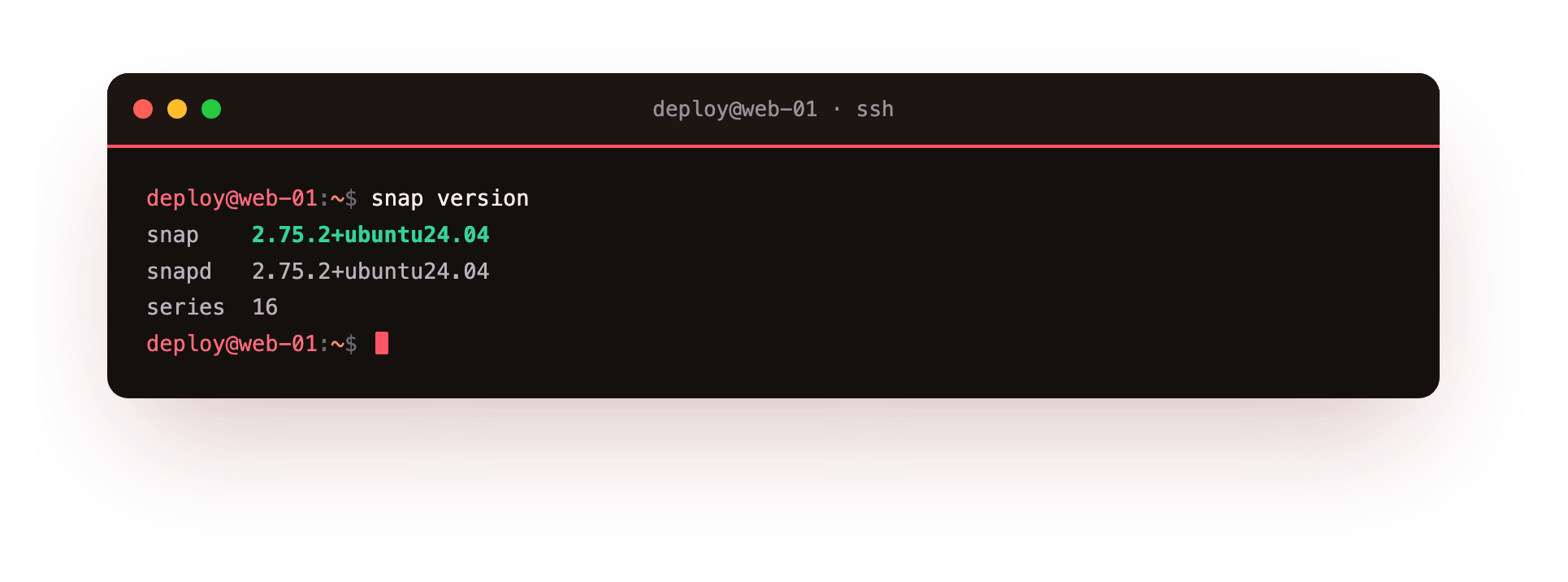
snap version prints the version of the snap client, the snapd background service that manages snaps, and the series and kernel underneath. In the screenshot the snapd line confirms the service that installs and updates snaps is present and running, which it is by default on Ubuntu.
Channels and automatic updates
snap and flatpak both update themselves. snapd checks for new versions on a schedule and applies them without you running a command, which keeps apps current but also means an update can arrive when you did not ask for it. That matters on a server, where you usually want to decide when things change.
Updates are organised into channels. A channel is a named track of releases, and you pick how stable a stream you want. The common ones are:
| Channel | What you get |
|---|---|
| stable | The released version most people should run |
| candidate | Builds being tested for the next stable release |
| beta | Newer features, less tested |
| edge | The latest development build, expect breakage |
You choose a channel when you install, so you can pin a server to stable and stay off the faster moving tracks.
The everyday snap commands
Three commands cover most of what you do with snaps, and they mirror the apt verbs you already know:
- snap list shows every snap installed on the machine, with its version and channel. It is the snap equivalent of apt list.
- snap find searches the snap store for a term, so snap find nextcloud shows published snaps matching that name before you install anything.
- snap install adds a snap, for example sudo snap install some-app. It needs sudo because installing system software is an administrative action.
snap find nextcloud
snap find nextcloud queries the store and lists matching snaps with a short description and the publisher, so you can see who produced a package before trusting it on your server.
The trade-off, and when apt still wins
Bundling every dependency has a cost. A snap or flatpak package is larger on disk than the same program from apt, because it duplicates libraries the system may already have. The first start is also slower, since the sandbox and its bundled files have to be set up before the program runs. On a desktop these costs are barely noticed. On a server they add up, and the automatic updates can change a running service at a time you did not choose.
For server software, apt is usually the better fit for a few plain reasons:
- Packages are smaller and share libraries, so a fleet of servers stays lean.
- You control exactly when updates apply, through the patching process you already run.
- Most server software, web servers, databases, and language runtimes, is packaged well for apt and documented that way.
snap and flatpak on Ubuntu earn their place for desktop applications, for software that ships only in these formats, or when you need a newer version than apt offers and want it isolated. For the core services on a server you keep patched yourself, reach for apt first and treat snap and flatpak as the exception rather than the default.
Troubleshooting snap and flatpak
snap commands are missing or fail on a minimal image. Some cloud and container images ship without snapd. Check with snap version; if snapd is absent, install it with sudo apt install snapd. Note that snaps often will not run at all inside an unprivileged LXC container.
flatpak cannot find the app you asked for. flatpak has no remote configured out of the box. Add the community repository once with flatpak remote-add --if-not-exists flathub https://flathub.org/repo/flathub.flatpakrepo, then install the app.
A snap is noticeably slow the first time it launches. The sandbox and its bundled libraries are set up on that first run. This is expected, happens only once per install, and later launches are quicker.
Frequently asked questions
Should I use snap or apt for server software?
Reach for apt first. Server packages such as web servers, databases, and language runtimes are packaged well for apt, share libraries so a fleet stays lean, and update only when you choose. Keep snap and flatpak for software that ships only in those formats.
Is flatpak installed by default on Ubuntu?
No. snap and snapd ship out of the box on Ubuntu, but flatpak is one apt install away with sudo apt install flatpak, and it needs the flathub remote added before you can install most apps.
Can I stop a snap from updating automatically?
Not permanently on the client. snapd refreshes snaps on a schedule, but you can hold or defer updates with snap refresh --hold and shift the timing with the refresh schedule. Choosing the stable channel at install keeps you off the faster-moving tracks.
Do snap and flatpak work inside a container?
Often not cleanly. snapd expects facilities an unprivileged container usually lacks, so snaps may refuse to run there. In containers and minimal images, apt is the dependable choice.
Recap
snap and flatpak on Ubuntu bundle an application with its own libraries and run it in a sandbox, so it does not depend on the system's shared libraries the way an apt package does. Both update automatically and offer channels from stable to edge that let you choose how new a release you accept.
Drive snaps with snap list, snap find, and sudo snap install, and check the system with snap version. The trade-off is larger size and a slower first start, so on a server, where you want small packages and control over update timing, apt is usually the better choice.