Getting a package Ubuntu does not ship
The repositories that come with Ubuntu hold a fixed set of packages at versions chosen when the release was frozen. That stability is a feature, but sometimes you need a version newer than the archive carries, or a package that is not in it at all. The usual route is a PPA, and the add-apt-repository ppa command is how you add one.
- A PPA is a Personal Package Archive on Launchpad that carries packages newer than, or missing from, the Ubuntu archive.
- add-apt-repository adds a PPA in one step: it writes a sources file and installs the signing key apt uses to verify packages.
- Vendor repositories such as Docker and NodeSource follow the same pattern of a sources file plus a key, usually added by hand.
- Every repository you add runs with root's reach at upgrade time, so add only sources you trust and remove them with --remove when done.
A PPA, short for Personal Package Archive, is a repository hosted on Launchpad where a developer or team publishes their own builds. Adding one tells your server to trust that source and pull packages from it alongside the main archive.
Prerequisites
- An Ubuntu 24.04 LTS server with a user that can run
sudo. add-apt-repositoryavailable. It ships insoftware-properties-common, present by default on Ubuntu Server but oneapt installaway if it is missing.- A working idea of how an apt repository and its signing key fit together (see the repositories and GPG keys chapter).
- Outbound internet access so apt can reach Launchpad and any vendor servers.
What is a PPA?
A PPA is a Personal Package Archive: a place where someone outside Ubuntu's own maintainers builds and publishes .deb packages for a given release. People use them for two common reasons:
- To get a newer version than Ubuntu ships. The
git-coreteam, for instance, publishes current Git builds through a PPA long before they reach the stock archive. - To install software that Ubuntu does not package at all, straight from the people who make it.
Each PPA is tied to a Launchpad account, so you can see who publishes it and what else they maintain. That visibility matters, because adding a PPA is a decision about trust, which I will come back to.
What the add-apt-repository ppa command adds
Adding a repository by hand means two steps: placing a file that names the source, and installing the signing key apt uses to verify that packages really came from that source. add-apt-repository does both in one command. Run it for the Git PPA:
sudo add-apt-repository ppa:git-core/ppa
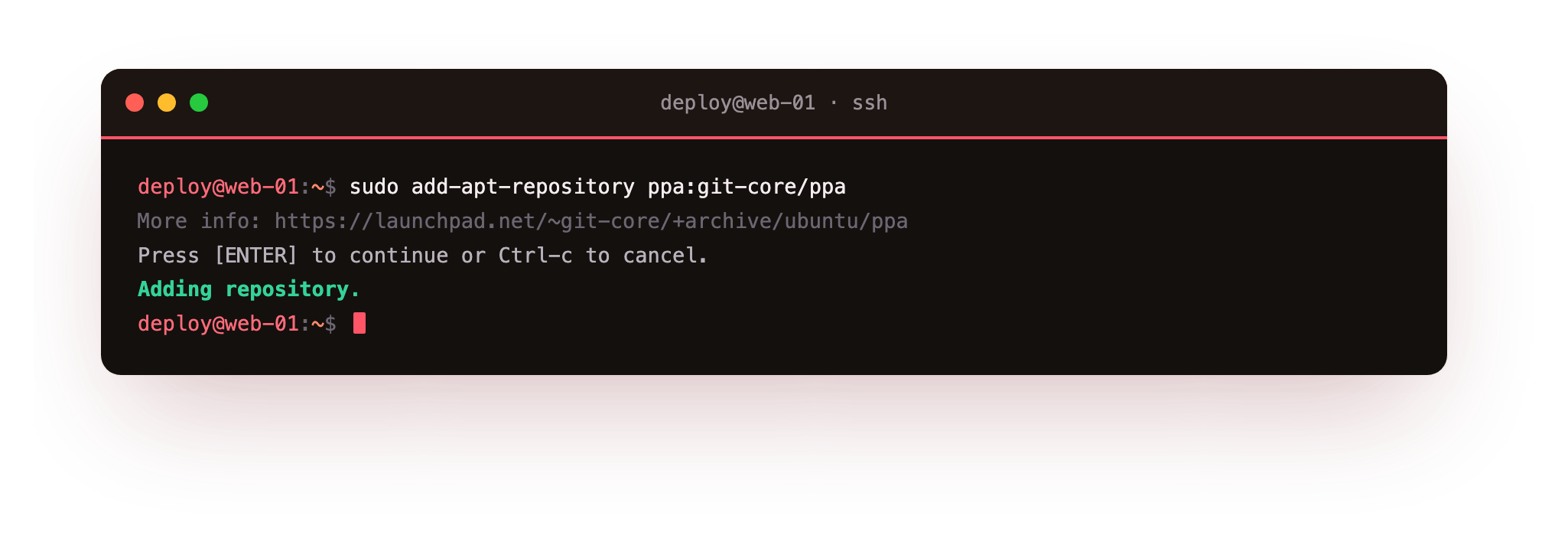
The ppa:git-core/ppa argument is the short form apt understands: the part before the slash is the Launchpad account, git-core, and the part after is the archive name, ppa. The command needs sudo because it writes into system directories. It creates a .sources file under /etc/apt/sources.list.d/ describing the new source, downloads the PPA's signing key and stores it where apt can find it, and on Ubuntu 24.04 it also refreshes the package lists so the new packages are visible straight away.
After it finishes, apt policy git would show the PPA's version as a candidate next to Ubuntu's, and a normal sudo apt install git would pull the newer build.
So the add-apt-repository ppa command is a shortcut for wiring in a trusted source correctly, key and all, instead of editing files and importing keys by hand.
Vendor repositories work the same way
Bigger projects host their own repositories rather than using Launchpad, but the shape is identical: a sources file plus a signing key. Docker and NodeSource are the common examples. Their install instructions have you download the vendor's key, save it under /etc/apt/keyrings/, and write a .sources or .list file under /etc/apt/sources.list.d/ that points at the vendor's server and references that key.
add-apt-repository automates this for PPAs, and for a vendor repository you usually run those steps yourself, from the vendor's documentation. The end result is the same as the add-apt-repository ppa command produces: apt gains a new source it can verify and install from.
The two parts are worth naming, because every added repository has them:
| Part | Where it lives | What it does |
|---|---|---|
| Sources file | /etc/apt/sources.list.d/ |
Tells apt the URL, release, and components of the repository |
| Signing key | /etc/apt/keyrings/ or apt's trusted store |
Lets apt verify that downloaded packages came from that source unaltered |
The trust you are extending
Every repository you add can install packages as root during apt upgrade, and those packages can place any file anywhere and run scripts as they install. That is the same power the Ubuntu archive has, handed to whoever runs the source. So the question before adding any repository is plain: do you trust the people behind it, and do you trust that their signing key has not been misused.
Prefer PPAs and vendor repositories that are official, actively maintained, and widely used. Be wary of a random PPA that solves one problem but is run by an account with nothing else to its name.
Removing a source is the mirror of adding it. sudo add-apt-repository --remove ppa:git-core/ppa deletes the entry that the add command created, with the --remove flag telling it to take the source away rather than add it. After removing a PPA you may still have the newer packages installed, and apt will simply stop offering updates from that source. Keeping the list of added repositories short and known is part of keeping a server you can reason about.
Troubleshooting add-apt-repository
add-apt-repository: command not found. The tool is not installed. Add it with sudo apt install software-properties-common, then run the add-apt-repository command again.
apt update warns the PPA has no Release file for your release. The maintainer has not published a build for your Ubuntu version, for example noble on 24.04. Wait for them to publish it or find another source, rather than editing the sources file to point at a different release.
You removed a PPA but the newer package is still installed. --remove deletes the source, not the packages you already installed from it. apt simply stops offering updates from that source; if you want the stock version back, downgrade or reinstall it from the Ubuntu archive explicitly.
Frequently asked questions
What does add-apt-repository actually change on my system?
It writes a .sources file under /etc/apt/sources.list.d/ that describes the new source, downloads and stores the PPA's signing key so apt can verify packages, and on Ubuntu 24.04 refreshes the package lists so the new packages are visible straight away.
Is it safe to add any PPA?
No. A PPA installs packages as root at upgrade time, so treat adding one as a trust decision. Prefer official, actively maintained, widely used PPAs, and be wary of a random archive run by an account with nothing else to its name.
How do I remove a PPA I no longer want?
Run sudo add-apt-repository --remove followed by the same ppa: reference you added. The --remove flag deletes the source entry. Packages you already installed from it stay put; apt just stops offering further updates from that source.
The PPA has no build for my Ubuntu version. What now?
A PPA only carries builds the maintainer has published for specific releases. If yours is missing, do not force a mismatched release: wait for a build, use the vendor's own repository if they offer one, or fall back to the version in the Ubuntu archive.
Recap
A PPA is a Personal Package Archive on Launchpad that carries packages newer than, or missing from, the Ubuntu archive. The add-apt-repository ppa command adds one in a single step, writing a sources file under /etc/apt/sources.list.d/ and installing the signing key apt uses to verify packages.
Vendor repositories such as Docker and NodeSource follow the same pattern of a sources file plus a key, usually added by hand from the vendor's instructions. Every repository you add runs with root's reach at upgrade time, so add only sources you trust, and remove one with the --remove flag when you no longer need it.