The job that should never depend on you remembering
A backup is the one job on a server you cannot afford to leave to memory, because the night you forget is the night you need it. A linux backup script cron job removes the forgetting: it packs a directory into a dated archive, and a scheduler runs it every night without anyone touching the keyboard.
- A backup script plus cron removes the forgetting: it archives a directory on a schedule with no one at the keyboard.
- A dated filename from date +%F gives each night its own copy instead of overwriting yesterday's.
- cron needs the full path to the script, because it runs with a minimal PATH and its own working directory.
- Redirect output with >> log 2>&1 so a silent backup cannot fail unnoticed, and follow the 3-2-1 rule for real safety.
This chapter brings the whole series together. You will write a small backup script using commands you have already met, test it by hand, make it executable, and then hand it to cron so it runs at 2 am every day. You are deploy in ~/data-demo on an Ubuntu 24.04 server, and by the end you will have a backup that takes itself.
Prerequisites
- Comfort writing and running a small script. The earlier chapter on your first bash script covers the shebang, variables and set -euo pipefail used here.
- tar available for packing the archive, which it is by default on Ubuntu 24.04.
- Access to your own crontab with crontab -e, and a directory to back up (this chapter uses /home/deploy/data-demo).
The backup script, line by line
Here is backup.sh. It archives a data directory into a compressed file whose name carries today's date, so each night leaves its own copy rather than overwriting yesterday's:
#!/bin/bash
set -euo pipefail

src="/home/deploy/data-demo"
dest="/home/deploy/backups"
stamp="$(date +%F)"

mkdir -p "$dest"
tar -czf "$dest/data-demo-$stamp.tar.gz" -C "$src" .
echo "Backup written to $dest/data-demo-$stamp.tar.gz"
Once you have saved it, look at it on the terminal to confirm it is exactly what you expect:
cat backup.sh
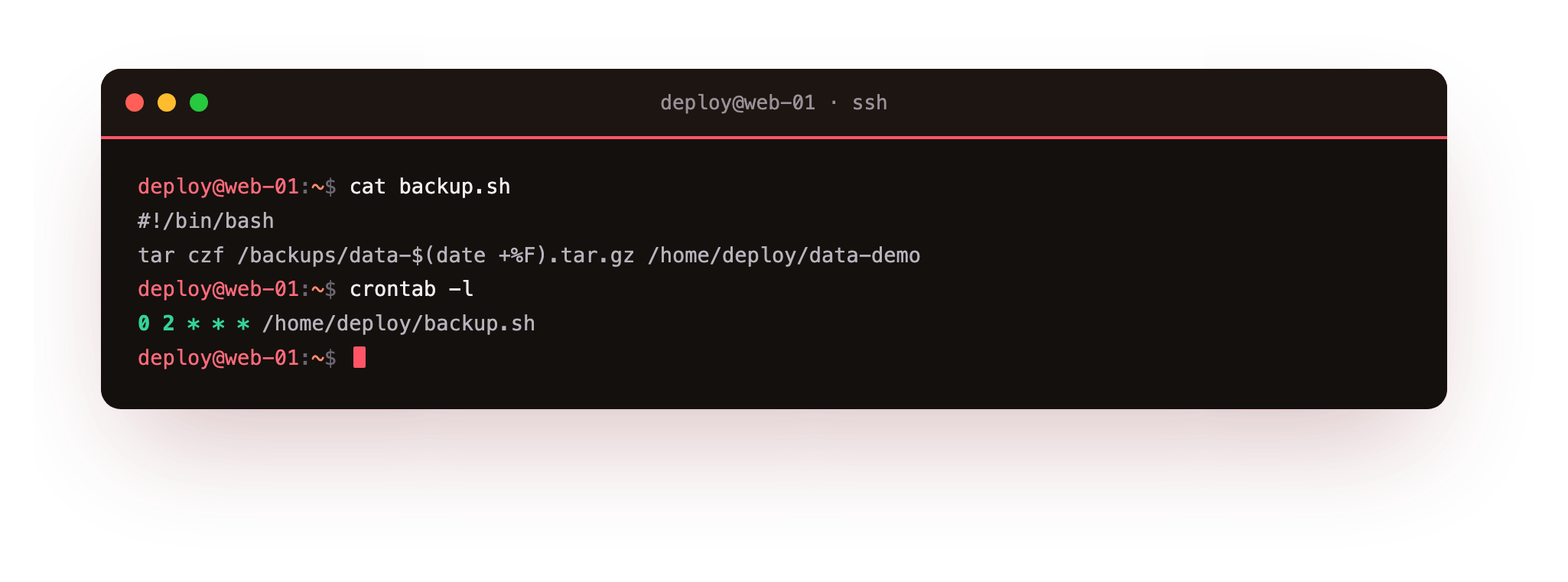
The screenshot shows the file printed back to you. Now read the important lines. set -euo pipefail stops the script if any step fails, which you never want to skip in a backup. stamp="$(date +%F)" runs the date command and captures its output; +%F formats the date as year-month-day, for example 2026-07-19, so filenames sort neatly and never collide. mkdir -p "$dest" creates the destination folder if it is missing and stays quiet if it already exists.
The real work is one line:
tarpacks many files into a single archive file.-ccreates a new archive,-zcompresses it with gzip, and-fnames the output file.-C "$src"tellstarto change into the source directory first, and the.means "everything here", so the archive holds the contents without the long path leading up to it.
Test it by hand before you trust it to cron
Never schedule a script you have not run yourself. Make it executable with chmod +x backup.sh and run it once with ./backup.sh. Watch it finish, then check that the archive exists and has a sensible size with ls -lh backups/. If the script has a wrong path or a permission problem, you want to find that now, while you are watching, and not discover it during a real emergency three weeks later. A backup you have listed with tar -tzf is worth far more than one you assume works.
The linux backup script cron line
cron is the scheduler you met earlier in the track. Open your schedule with crontab -e and add one line:
0 2 * * * /home/deploy/backup.sh >> /home/deploy/backup.log 2>&1
Read the five time fields left to right: minute 0, hour 2, then * for day of month, month, and day of week, which together mean "at 02:00 every day". After the time comes the command, and here the linux backup script cron line points at the full path /home/deploy/backup.sh, never a bare backup.sh, because cron runs with a minimal PATH and its own working directory.
Where does cron send output and errors?
By default cron mails whatever a job prints to the local user, and on a plain server that mail usually goes nowhere you will look. So the line above redirects it yourself:
>> /home/deploy/backup.logappends the script's normal output to a log file instead of losing it.2>&1sends error messages to the same file, so both success notes and failures land in one place.
The next morning you can read backup.log and see that last night's run finished, or see the exact error if it did not. A silent backup is a dangerous backup, and this one line is what keeps yours from being silent.
One script is not a backup plan: the 3-2-1 rule
A dated archive on the same server is a good start, but it is still one disk away from total loss. The widely used 3-2-1 rule states it plainly:
- Keep 3 copies of your data.
- On 2 different kinds of storage.
- With 1 copy off the server, somewhere a local disaster cannot reach.
Your nightly tar gives you a second copy on the same machine. To satisfy 3-2-1 you would add a step that copies the archive off the box, for example with scp or rsync to another server or to object storage, both of which you saw earlier in the track. The script and the cron line are the engine; the off-site copy is what turns them into a plan you can rely on.
Troubleshooting cron backups
The cron job never runs. cron uses a bare, minimal PATH and does not know your shell aliases. Give the full path to the script, /home/deploy/backup.sh, and make sure it is executable with chmod +x.
The job runs by hand but fails under cron. A relative path inside the script breaks because cron starts in a different working directory. Use absolute paths for the source and destination, as the script here does.
Nothing appears in backup.log. Check that the redirect is on the crontab line, >> /home/deploy/backup.log 2>&1, and that the user running the job can write to that path.
You are unsure whether it fired at all. Look at the system log with grep CRON /var/log/syslog, which records each time cron started the job, separate from what the job itself printed.
Frequently asked questions
What does 0 2 * * * mean in the crontab line?
The five fields are minute, hour, day of month, month and day of week. 0 2 with stars for the rest means 02:00 every day.
Why use the full path to the script in cron?
cron runs with a minimal PATH and its own working directory, so a bare backup.sh often is not found. An absolute path like /home/deploy/backup.sh always resolves.
Where does cron send output if I do not redirect it?
It mails the output to the local user, which on most servers goes somewhere you never read. Redirecting with >> log 2>&1 keeps both output and errors in a file you can check.
Is a nightly archive on the same server a complete backup?
No. It is one copy on one machine. The 3-2-1 rule wants three copies, on two kinds of storage, with one off the server, so add an off-site copy with scp, rsync or object storage.
Recap
You have written a real backup script, tested it, and put it on a schedule, and with that you have reached the end of the Linux Fundamentals track. Think back to where this started: your first login over SSH, when the prompt felt unfamiliar. Since then you have moved around the filesystem, edited files, joined small commands with pipes, set permissions and ownership, managed users, packages, processes, and services, worked over the network, and pulled apart a CSV with cut, sort, and uniq.
Tonight, while you sleep, a linux backup script cron job will run on its own, write a dated archive, and log what it did, because you built it. That is the shift this track was about: from typing single commands and hoping, to setting up a server that does the routine work for you and tells you when something is wrong.
Keep one habit above all the rest, test your backups by restoring them, and the skills you have gathered here will carry you a long way.