One file that holds many
When you back up a directory or move a project between servers, you want a single file, not a loose pile of them. That is what linux tar and compression give you: tar bundles many files and folders into one archive, and a compressor like gzip shrinks that archive so it takes less disk and less time to copy. On this Ubuntu 24.04 server you already have both tools installed, so you can start from your ~/data-demo directory straight away.
- tar bundles many files and folders into one archive; a compressor like gzip shrinks it.
- Core flags: -c create, -x extract, -t list, -z gzip, -f file name, -v verbose.
- The flag you create with must match the flag you read with, so an archive made with -z is extracted with -z.
- Extract into a chosen folder with -C so the files do not scatter across your working directory.
The name tar comes from "tape archive", from the days when backups were written to tape. The idea has not changed: gather everything into one stream, keep the file names and permissions, and write it out as one object you can store or send.
The flags you actually use
tar has many options, but a small set covers almost everything. Each flag does one job:
| Flag | Meaning |
|---|---|
-c |
create a new archive |
-x |
extract files from an archive |
-t |
list the contents without extracting |
-z |
pass the archive through gzip |
-f |
the next word is the file name to use |
-v |
verbose, print each file as it is handled |
You combine these. The one rule to remember: -f must come last among the grouped flags, because the word right after it is treated as the archive file name.
Create a compressed archive of your CSV and your logs folder:
tar czf backup.tar.gz orders.csv logs
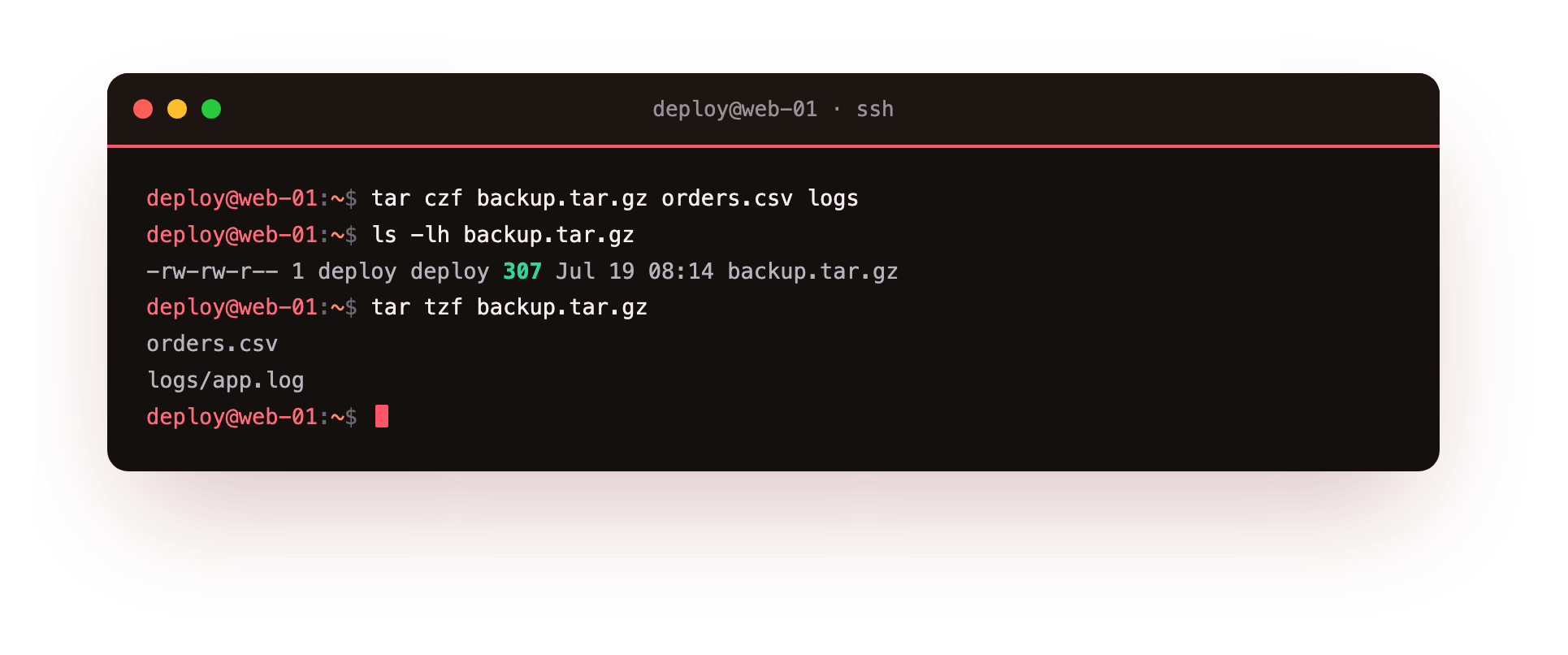
Here c creates, z runs the result through gzip, and f names the output backup.tar.gz. The remaining words, orders.csv and logs, are what goes in. tar walks the logs folder for you, so app.log inside it is included without you naming it.
If you want to watch the archive being built, add v for verbose. Running tar czvf backup.tar.gz orders.csv logs prints each file name as it is added, which is reassuring on a large folder and useful when you are checking that nothing was missed.
Listing before you trust
Before you copy an archive somewhere or hand it to a colleague, check what is inside it. Use t to list and z because it is gzip compressed:
tar tzf backup.tar.gz
This prints the path of every entry without writing anything to disk. It is a quick way to confirm the archive holds what you expect and that the paths are relative, not absolute.
Extracting, and where files land
To unpack, swap c for x:
tar xzf backup.tar.gz
By default the files come out in your current directory, rebuilding the logs folder as it was. If you want them somewhere else, point tar at a target directory with -C. Make the directory first, then extract into it:
mkdir restored
tar xzf backup.tar.gz -C restored
The -C restored part tells tar to change into restored before writing, so your current directory stays clean. This is the safe way to inspect an archive without it scattering files over your working folder.
Which compressor should you choose?
gzip is the default companion for tar and the z flag selects it. It is fast and available everywhere. You have other choices when the trade-off matters:
- gzip (
-z): fast, modest size reduction, the safe default. - bzip2 (
-j): smaller output than gzip, but slower to compress and decompress. - zstd (
--zstd): strong reduction with speed close to gzip, a good pick on a modern server.
So a bzip2 archive would be tar cjf backup.tar.bz2 orders.csv logs, and a zstd one tar --zstd -cf backup.tar.zst orders.csv logs. The file extension is only a label for humans. What decides the format is the flag you pass, so keep the extension honest so the next person knows how to open it.
A short note on the tools themselves: gzip, bzip2 and zstd also work on single files on their own, outside tar. Running gzip orders.csv replaces it with orders.csv.gz. Inside tar you rarely call them directly, since the tar flag does it for you as part of building the archive. That is the value of linux tar and compression working together: one command bundles and shrinks in a single pass.
A mental model for linux tar and compression
Think of it in two steps even though tar does them at once. First tar concatenates your files into one stream and records each name, size and permission. Then the compressor squeezes that stream. On the way back out, the compressor expands the stream and tar lays the files back down with their original names. Getting linux tar and compression right is mostly about matching the create flags to the extract flags, so if you made it with z, read it with z.
Troubleshooting tar
"tar: Removing leading / from member names". You archived files by absolute path, so tar strips the leading slash to keep the archive safe to unpack anywhere. This is a warning, not an error; the archive is fine and restores under the current directory.
"gzip: stdin: not in gzip format" while extracting. You passed -z on an archive that is not gzip, or left -z off a .tar.gz. Match the flag to the file: -z for .gz, -j for .bz2, --zstd for .zst.
Extracting overwrote files in the current directory. tar unpacks into wherever you run it and overwrites without asking. List first with tar tzf, then extract into a clean folder with -C restored.
"Cannot stat: No such file or directory" when creating. A name you gave to -c is not in the current directory, often because -f was not placed last and swallowed the wrong word as the archive name. Keep -f as the last grouped flag.
Frequently asked questions
Does the .tar.gz extension decide the format?
No. The flags you pass decide it; the extension is only a label for humans. Keep it honest so the next person knows how to open the archive.
Should I use gzip, bzip2 or zstd?
gzip is the fast, universal default. bzip2 packs smaller but slower, and zstd gives strong compression at near-gzip speed, which makes it a good pick on a modern server.
How do I see what is inside an archive without extracting it?
Run tar tzf backup.tar.gz. It prints the path of every entry and writes nothing to disk.
Why must -f come last among the grouped flags?
Because tar treats the word right after -f as the archive file name. If -f is not last, another flag letter gets read as the file name and the command fails.
Recap
- tar bundles many files into one archive; a compressor shrinks it.
- Core flags:
-ccreate,-xextract,-tlist,-zgzip,-ffile name,-vverbose. tar czfcreates a gzip archive,tar tzflists it,tar xzfextracts it.- gzip, bzip2 and zstd trade speed against size; the flag picks the format, not the extension.
- Extract into a chosen folder with
-Cto keep your working directory tidy.