Editing text without opening an editor
The linux sed command edits a stream of text as it flows past, without you ever opening the file in an editor. sed reads input line by line, applies the instructions you give it, and prints the result.
- sed edits a stream of text line by line and prints the result without opening an editor.
- s/find/replace/ substitutes the first match on a line; add g to change every match.
- -i rewrites the file in place with no undo, so test without it first or use -i.bak.
- -n with p prints only the lines you select, and d deletes matching lines.
On this Ubuntu 24.04 server that makes it the tool you reach for when you need to change something inside a file from a script, or filter output from another command on the way through a pipe. sed stands for "stream editor", and that word stream is the whole idea: text goes in one end, edited text comes out the other.
Working in ~/data-demo, you have logs/app.log full of timestamped lines marked INFO and ERROR. That file is a good place to see what sed does.
The substitute command
The instruction you will use most is substitute, written s/find/replace/. sed looks at each line, finds the first match of find, and swaps in replace. Try renaming the ERROR label to FAIL and passing the result to grep so you only see the changed lines:
sed 's/ERROR/FAIL/' logs/app.log | grep FAIL
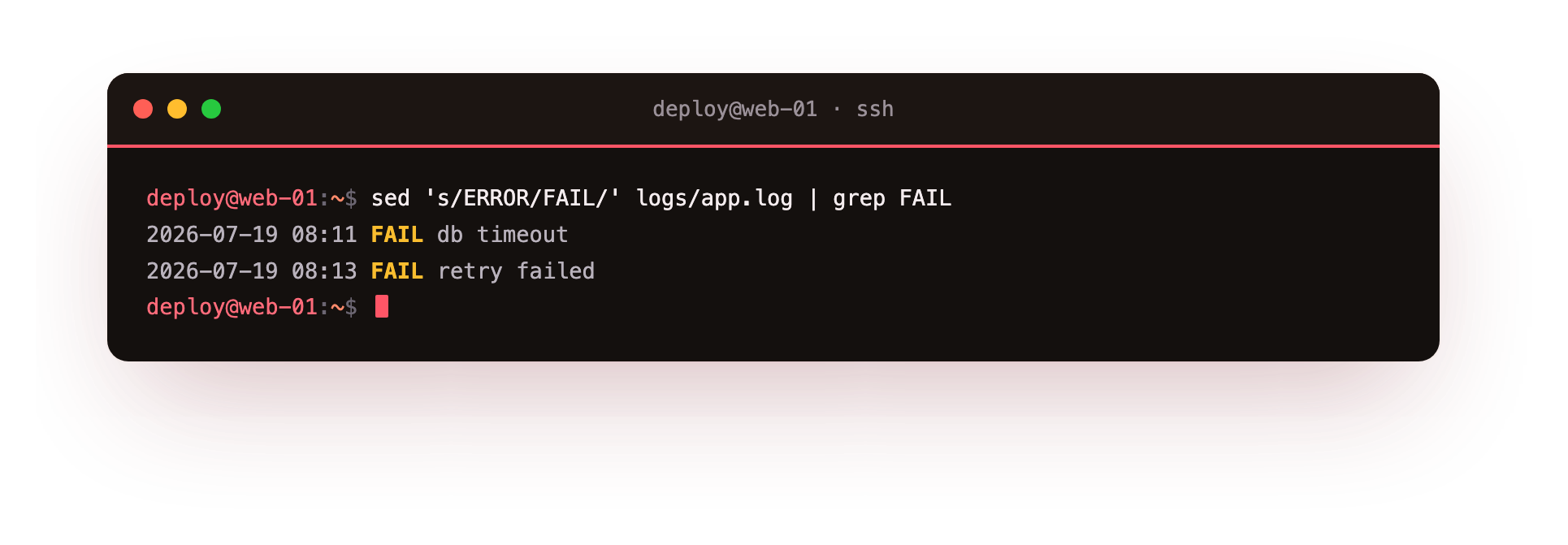
Read the pieces from left to right. sed is the program. The single quotes hold the instruction so the shell does not touch it. s is substitute, the slashes separate the parts, so ERROR is what to find and FAIL is what to put in its place. Then logs/app.log is the file to read. The pipe sends sed's output into grep FAIL, which keeps only lines containing FAIL. Nothing about app.log on disk changes, because sed prints to the screen by default.
Every match on a line, with g
By default substitute changes only the first match on each line. If a line has the word ERROR twice, only the first becomes FAIL. Add the g flag, for global, to change every match on the line:
sed 's/ERROR/FAIL/g' logs/app.log
The g sits after the closing slash. Reach for it whenever a single line may hold the pattern more than once, such as replacing a repeated field separator.
How do you edit a file in place?
Everything so far leaves the file untouched. To write the change back into the file itself, add -i, which means "in place":
sed -i 's/ERROR/FAIL/g' logs/app.log
This is where the linux sed command earns respect and demands care at the same time. -i overwrites the file with no undo. Test your substitution without -i first, look at the printed result, and only then add -i once you are sure. A safer habit on important files is sed -i.bak, which writes a backup copy with a .bak extension before editing, so you have the original if the change was wrong.
Printing only the lines you want
sed can also select lines rather than change them. Pair -n with the print command p. On its own sed prints every line once. -n switches off that automatic printing, and p then prints only the lines you ask for. To print lines 1 through 3:
sed -n '1,3p' logs/app.log
Here 1,3 is a range of line numbers and p prints that range. Without -n you would see those lines twice, once from the automatic print and once from p. You can also match on text: sed -n '/ERROR/p' logs/app.log prints only the lines that contain ERROR, which is another way to do what grep does.
Deleting lines with d
The opposite of selecting is deleting. The d command drops lines from the stream. To remove every INFO line and keep the rest:
sed '/INFO/d' logs/app.log
The /INFO/ part is the pattern to match and d deletes each matching line from the output. Combined with -i this trims a file down in one step, so sed -i '/INFO/d' logs/app.log would strip the INFO noise permanently. As before, run it without -i first to confirm the right lines go.
Where the linux sed command fits in real work
The reason the linux sed command shows up so often is scripted config edits. When a deploy script has to flip a setting inside a config file, sed does it in one line with no editor and no human. A few common jobs:
- Change a value:
sed -i 's/^DEBUG=true/DEBUG=false/' app.conf - Comment out a line:
sed -i 's/^listen 80/# listen 80/' site.conf - Delete blank lines:
sed -i '/^$/d' report.txt
Each of these runs the same way every time, which is what you want in automation. The linux sed command turns a manual edit into a repeatable step.
Troubleshooting sed
**"unknown option to s'".** Your replacement text contains a slash, so sed reads it as the end of the command. Switch the delimiter:sed 's|/old/path|/new/path|'uses|` instead, so the slashes inside need no escaping.
The substitution matched nothing. sed uses basic regular expressions, where characters like . and * are special. To match a literal dot, escape it as \., and confirm the pattern really appears in the file.
You ran -i and want the original back. There is no undo. Next time use sed -i.bak, which keeps a .bak copy of the original beside the edited file.
The change showed on screen but the file did not update. Without -i, sed only prints to the terminal and leaves the file untouched. Add -i once you have confirmed the printed output is correct.
Frequently asked questions
Does sed change my file by default?
No. sed prints the edited text to the screen and leaves the file untouched unless you add -i.
What does the g flag do in s/find/replace/g?
It makes the substitution global, replacing every match on each line instead of only the first one.
How do I replace text that contains slashes, like a path?
Use a different delimiter. sed 's|/etc/old|/etc/new|' swaps the / delimiter for |, so the slashes in the paths are treated as ordinary characters.
When should I use sed instead of a text editor?
When the edit has to happen inside a script with no human present, such as flipping a setting in a config file during a deploy. sed does it the same way every run.
Recap
- sed edits a stream of text line by line, printing results without opening an editor.
s/find/replace/substitutes text; addgto change every match on a line.-iedits the file in place with no undo, so test without it first, or use-i.bak.-nwithpprints only selected lines;ddeletes matching lines.- sed suits scripted config edits, changing or removing lines the same way every run.