Two notations, one job
Every file on a Linux server carries permission bits that decide who can read it, change it, or run it, and the chmod command Linux administrators use is how you edit those bits. It speaks two dialects for the same underlying data: symbolic notation, which reads almost like a sentence, and octal notation, which packs the whole thing into three digits.
- chmod edits permission bits in two notations: symbolic, which is additive, and octal, which is absolute.
- Symbolic mode names a target and operator, like u+x, and touches only the bits you point at.
- Octal sums read 4, write 2, and execute 1 per triad into a three-digit mode such as 640.
- Four modes cover most work: 644 for readable files, 640 for group configs, 600 for secrets, 755 for programs and directories.
You are logged in as deploy in ~/perms-demo, and the files here (app.env, deploy.sh, reports/q1.txt) are a fine place to practise on, because none of them are system files and a mistake costs you nothing.
Before you change anything, it helps to know what the bits mean. Every file has three groups of permissions, called triads: one for the owning user (u), one for the owning group (g), and one for everyone else, called other (o). Each triad holds three switches: read (r), write (w), and execute (x). Read lets you view a file's contents, write lets you modify it, and execute lets you run it as a program or, for a directory, enter it. That is the whole model, and both notations describe it.
Symbolic notation
Symbolic notation names a target, an operator, and one or more permission letters. The targets are u, g, o, and a (all three at once). The operators are + to add a permission, - to remove one, and = to set the triad to exactly what you list and clear the rest. So g+w adds write for the group, o-r removes read for other, and u=rw sets the user triad to read and write with no execute. Because it names one target at a time, symbolic notation changes only what you point at.
Your deploy.sh script is a shell script, so it should be executable. Run this:
chmod u+x deploy.sh
ls -l deploy.sh
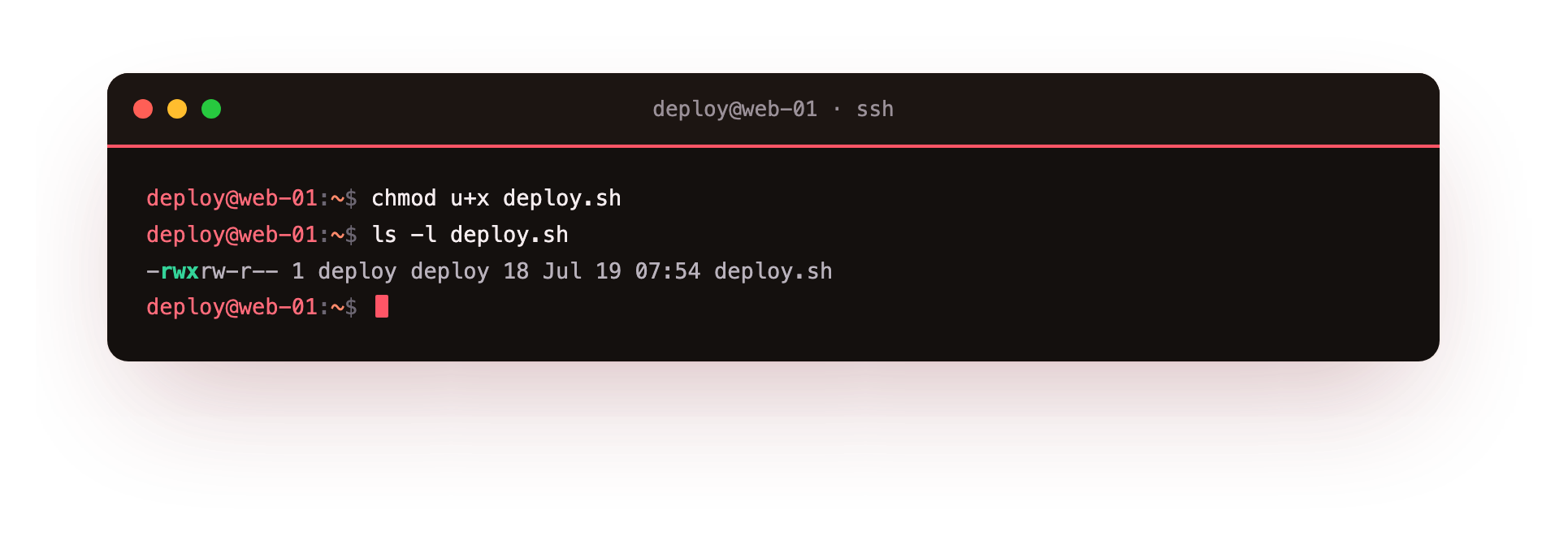
The chmod u+x deploy.sh line adds execute for the owning user only, and ls -l deploy.sh prints the long listing so you can inspect the result. In the screenshot, look at the first column. It starts with a dash for a regular file, then three triads. The user triad now reads rwx, while the group and other triads are unchanged. Symbolic notation touched only the switch you named and left the rest alone, which is exactly why it is safe for small, targeted edits.
chmod command Linux in octal
Octal notation describes all three triads at once using numbers. Each permission has a value: read is 4, write is 2, and execute is 1. You add the values inside a triad to get one digit, then write the three digits in the order user, group, other.
Read plus write is 4 plus 2, which is 6. Read plus execute is 4 plus 1, which is 5. Read plus write plus execute is 7. A triad with nothing set is 0. This is why the chmod command Linux users pass a number like 640: it means 6 for the user (read and write), 4 for the group (read only), and 0 for other (no access at all).
Your app.env holds configuration and possibly secrets, so nobody outside your group should read it. Set it to 640:
chmod 640 app.env
stat -c '%A %a %n' app.env
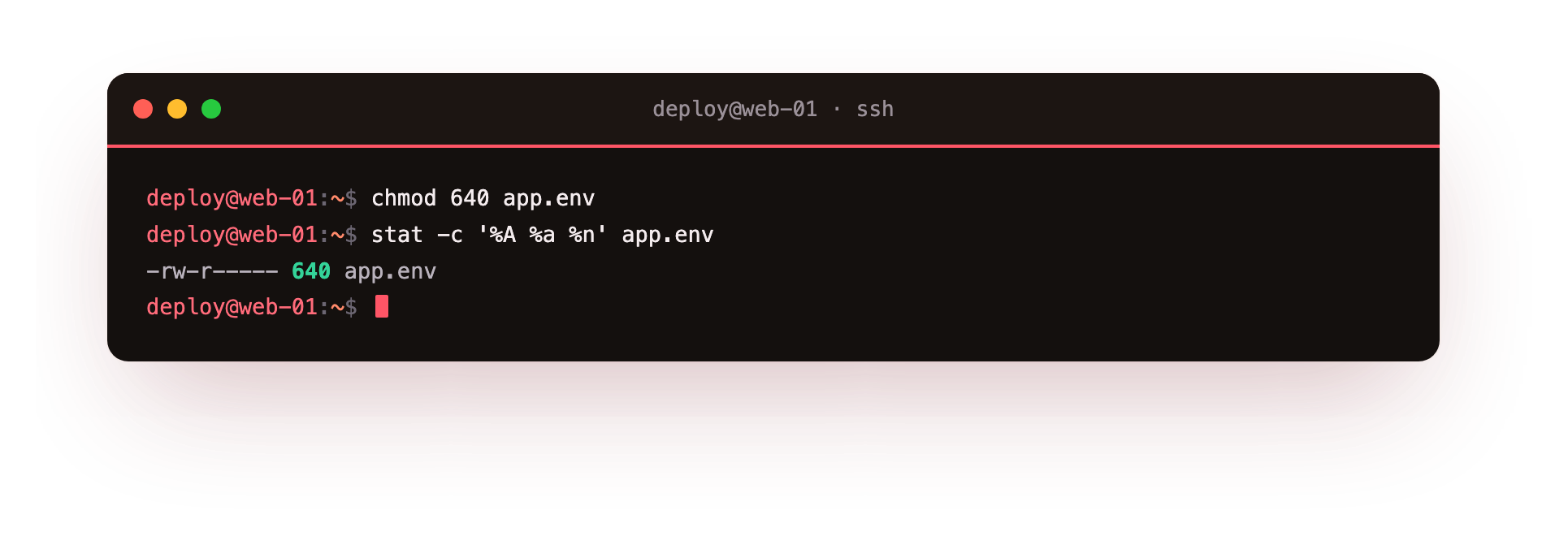
The chmod 640 app.env line replaces every triad at once with the mode you gave, unlike the additive symbolic form. The stat line then reads the file's metadata: -c supplies a custom format, %A prints the human-readable permission string, %a prints the octal number, and %n prints the file name. In the screenshot you can see both forms side by side, rw-r----- and 640, describing the identical set of bits. Reading both together is a good habit, because it trains your eye to convert between the two notations without a calculator.
Common modes you will actually use
Most day-to-day work comes down to a short list of modes. Keep this table nearby until the digits become second nature.
| Octal | Symbolic | Typical use |
|---|---|---|
| 644 | rw-r--r-- | Regular files others may read, like static content |
| 640 | rw-r----- | Config files your group reads but the public does not |
| 600 | rw------- | Private files and secrets, owner only, like SSH keys |
| 755 | rwxr-xr-x | Programs and directories everyone may run or enter |
A quick way to reason about these: 6 means the owner can read and write, 4 means read only, 5 means read and enter or run, and 0 means shut out. Directories need execute to be entered, which is why 755 is the standard directory mode rather than 644. On Ubuntu 24.04 these four modes cover nearly everything you will set by hand, and when you find yourself typing the same octal number repeatedly, you have learned it.
The chmod command Linux tools give you both notations for a reason. Symbolic edits are precise and additive, good for nudging one bit without disturbing the others. Octal sets an absolute mode in one shot, good for stating exactly what a file should be. Neither is more correct, they suit different moments, and fluent admins switch between them without thinking.
Troubleshooting chmod problems
chmod reports "Operation not permitted." You can only change the mode of a file you own, or any file as root. Confirm the owner with ls -l; if the file belongs to another account, prefix the command with sudo.
A recursive chmod broke access to a directory. Running chmod -R 644 strips the execute bit from directories, so nobody can enter them. Directories need execute. Use the capital X form, chmod -R u+rwX,go+rX, which adds execute only to directories and already-executable files.
The script has +x but still will not run. Execute alone is not enough. Check the shebang line at the top, that the named interpreter exists, and that the filesystem is not mounted noexec. Run it as ./deploy.sh from its directory to see the real error.
Frequently asked questions
When should I use symbolic mode and when octal?
Use symbolic mode like u+x to nudge one bit without disturbing the others, which is safer for small edits. Use octal like 640 to state an absolute mode in one shot when you know exactly what the file should be. Fluent admins switch between them freely.
What octal number is read and write for the owner only?
600, which reads as rw-------. The owner may read and write, and group and other get nothing. It is the mode for private files and secrets such as SSH keys. Add group read with 640 when your team, but not the public, needs to see the file.
Why is 755 the normal mode for a directory?
A directory needs the execute bit to be entered, so a plain 644 would list names but block access to what is inside. 755 gives the owner full control and lets group and other enter and list, which is what most shared directories want.
Does chmod change who owns the file?
No. chmod only changes the permission bits. Ownership is set separately with chown and chgrp. The two work together: the bits decide what the owner and group may do, and ownership decides which accounts those bits apply to.
Recap
Permissions live in three triads, user, group, and other, each with read, write, and execute. Symbolic notation adds, removes, or sets bits with letters like u+x. Octal notation sums read 4, write 2, and execute 1 per triad into a three-digit number like 640. Memorise 644, 640, 600, and 755, and read back your work with stat so both notations agree before you move on.